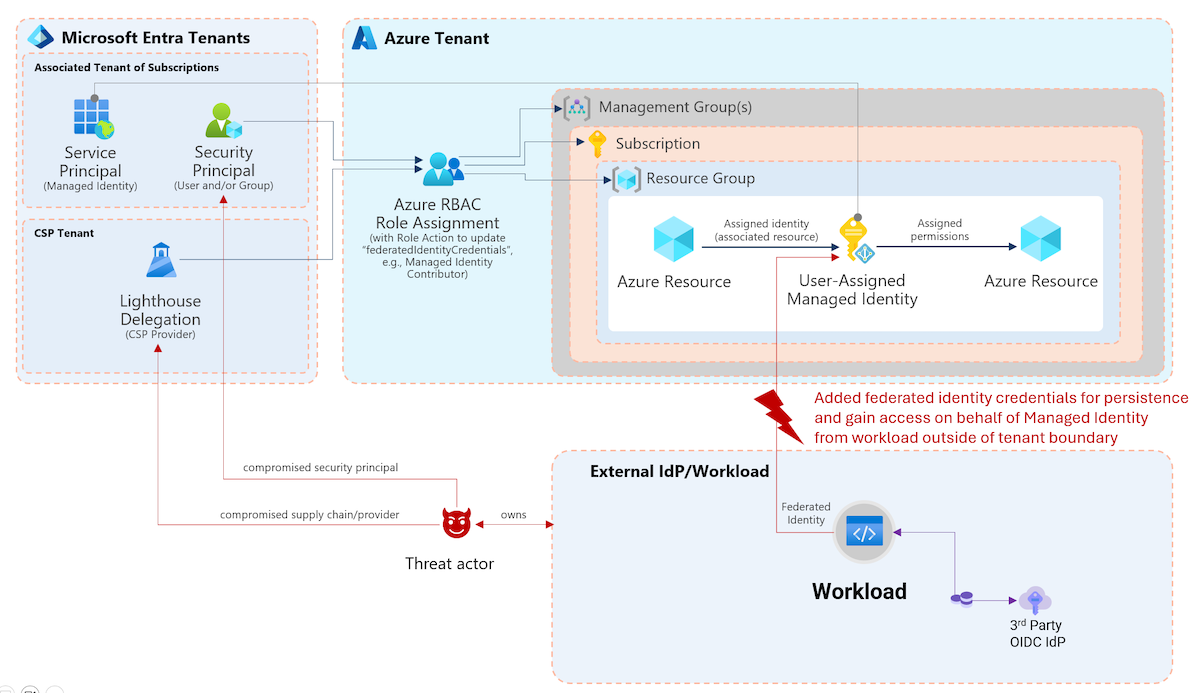
Linked Identities in Microsoft Defender unlock new opportunities for visibility and management of multiple accounts, including scenarios with separated privileged users. I’ve worked on several integrations of this feature across community tools and want to highlight some use cases
Introduction to linking accounts in Microsoft Defender
Microsoft recently introduced the ability to manage related identities and accounts in Microsoft Defender for Identity. This capability is crucial for gaining a comprehensive understanding of the identity landscape in hybrid and multi-cloud enterprise environments. Microsoft highlights the motivation, benefits, and visualizes complex identity scenarios in the insightful blog post “Enhancing visibility into your identity fabric with Microsoft Defender”.
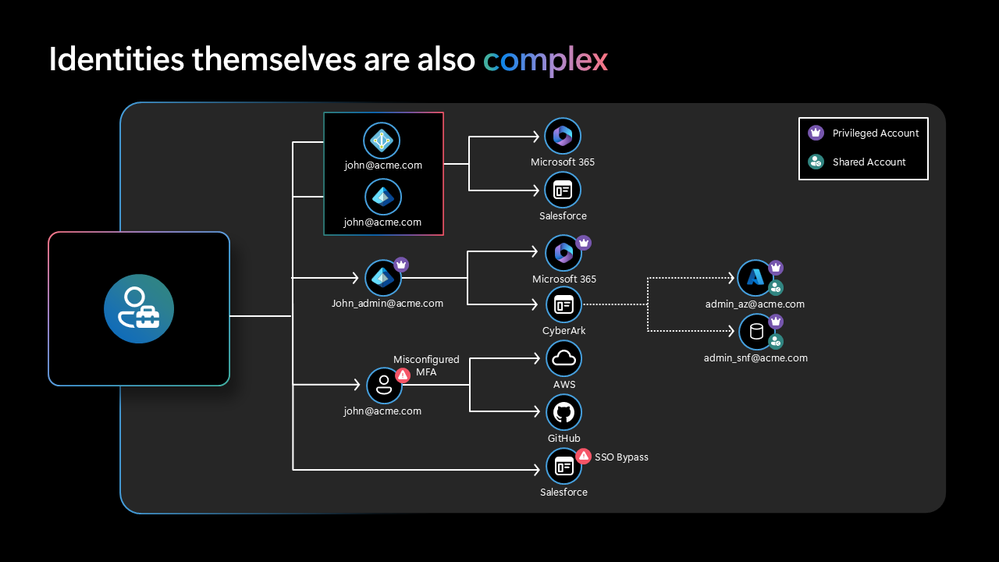
Image Source: “Microsoft Defender XDR Blog - Enhancing visibility into your identity fabric with Microsoft Defender“
By default, the feature links multiple accounts to the same identity where there is a strong identifier. For example, that could be the case when an identity has been synchronized to other Identity Providers by using the same User Principal Name, like in the following screenshot.
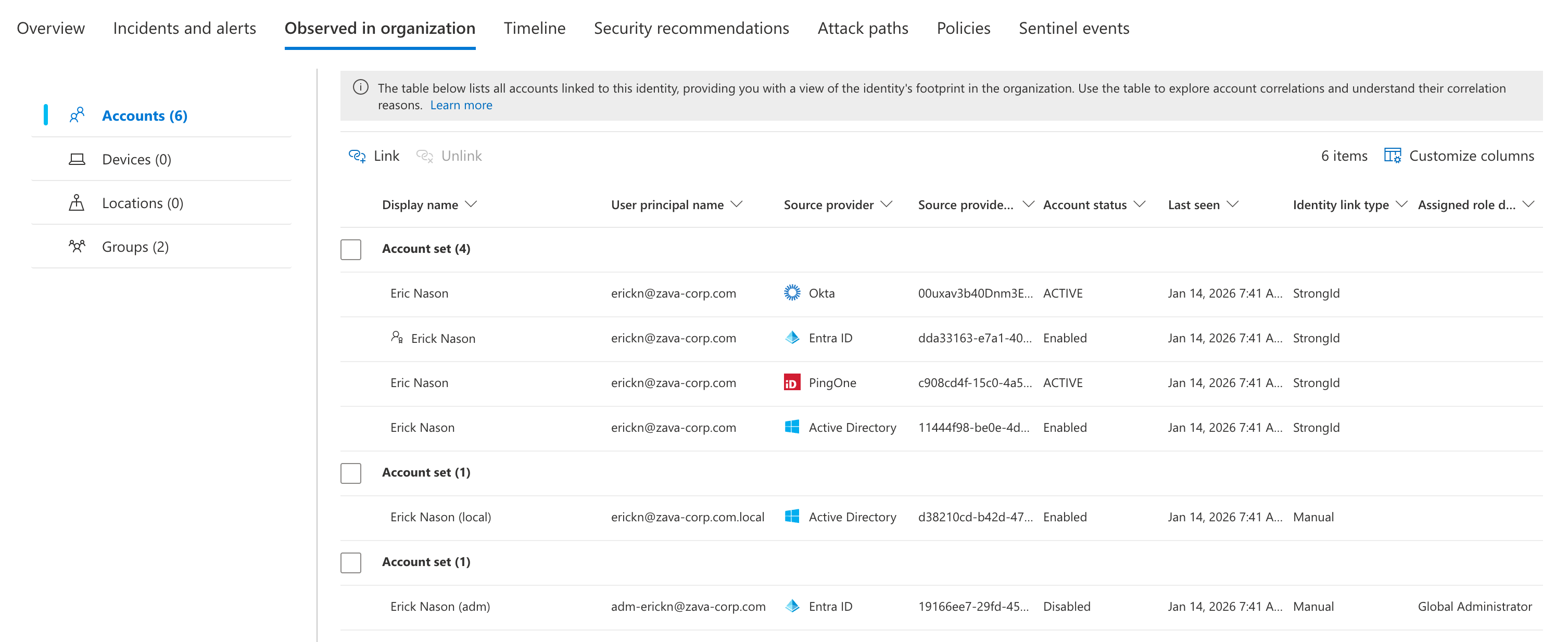
In addition, you are able to create a manual link if there’s no strong identifier and the accounts are fully separated, like in the use case of privileged accounts. You’ll find a “Link” button in the Identity inventory page of the user and you will be asked for a justification comment. More details and step-by-step instructions are available on Microsoft Learn.
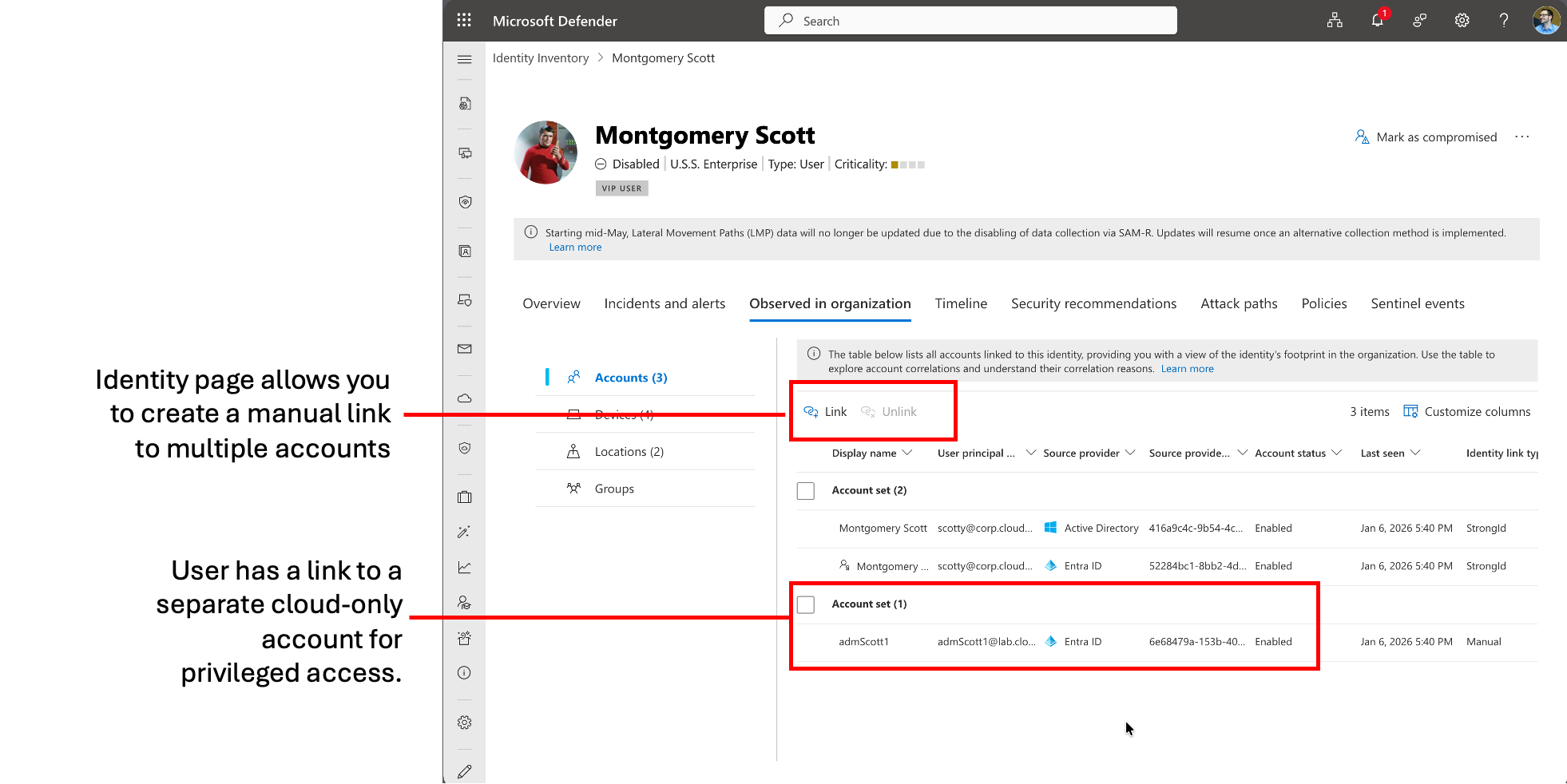
Note: Make sure that you are creating the link from the identity page of the linked (secondary/privileged) account and not the linking (primary) account. Otherwise the link will be established in the wrong direction. Therefore, navigate to the identity inventory page of the privileged account and choose the primary account of the user.
Benefits in Microsoft Defender XDR
This feature correlates accounts of the same person/identity from different identity providers or establishes a context between completely separate user accounts. This can be essential for incident response on an identity threat or compromise to cover remediation or isolation actions on all accounts of the affected identity.
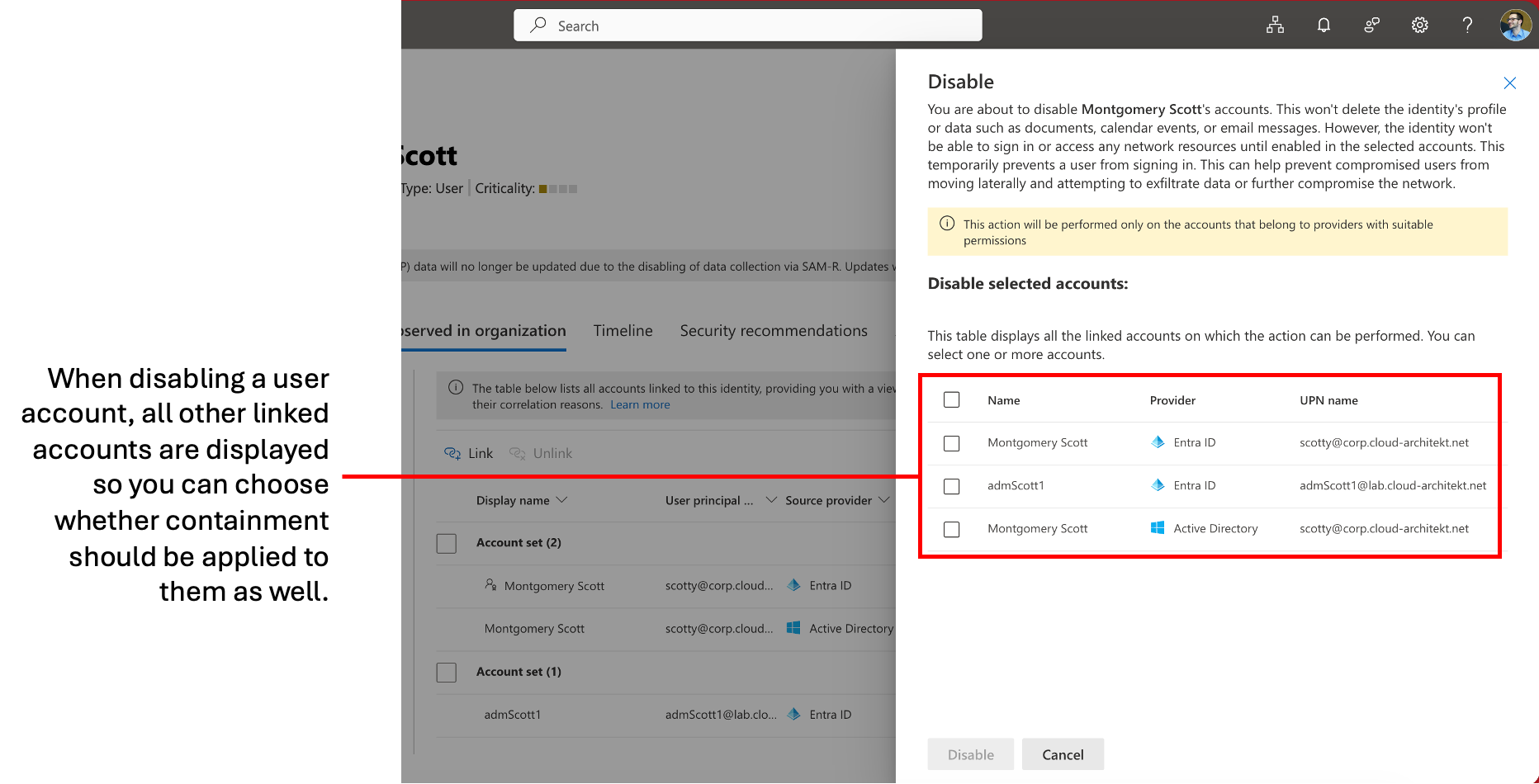
Furthermore, it also unifies the view of an identity in the inventory of Defender. Separated accounts will no longer show as individual identities in the asset page. You’ll find all linked accounts in the identity page of the primary account. This includes the benefit of reviewing “Security recommendations” across the linked identities.
Linking accounts across identity systems and environments (on-premises and Entra ID) can also help to identify exposed (hybrid) attack paths. Microsoft has described in a blog post that Defender validates and correlates exposures, linking the account to other cross-domain security signals in order to detect unusual authentications or privilege escalations.
As we will see later as a use case, legacy cleanup or identifying stale accounts is another benefit. For example, it allows you to map dormant privileged accounts from former employees or mergers to current identities, preventing overlooked stale accounts.
New Advanced Hunting table “IdentityAccountInfo”
The relation between linked accounts is accessible by using a new advanced hunting table in XDR, called IdentityAccountInfo.
As you can see in the schema definition, not only the link but also other details on Authentication (e.g., EnrolledMfa, LastPasswordChange) and assigned and eligible roles in Microsoft Entra are available.
All manual link/unlink operations allow providing a justification detail which is audited and visible in IdentityAccountInfo. You can use the following query to get details on recent manual links for Microsoft Entra ID accounts:
IdentityAccountInfo
| where SourceProvider == @"AzureActiveDirectory"
| where IdentityLinkType == "Manual"
| project TimeGenerated, AccountId, AccountUpn, IdentityLinkType, IdentityLinkReason, IdentityLinkTime, IdentityLinkBy, IsPrimary
| summarize arg_max(TimeGenerated, *) by AccountId
The result will show you the link, flag for primary account, and justification.
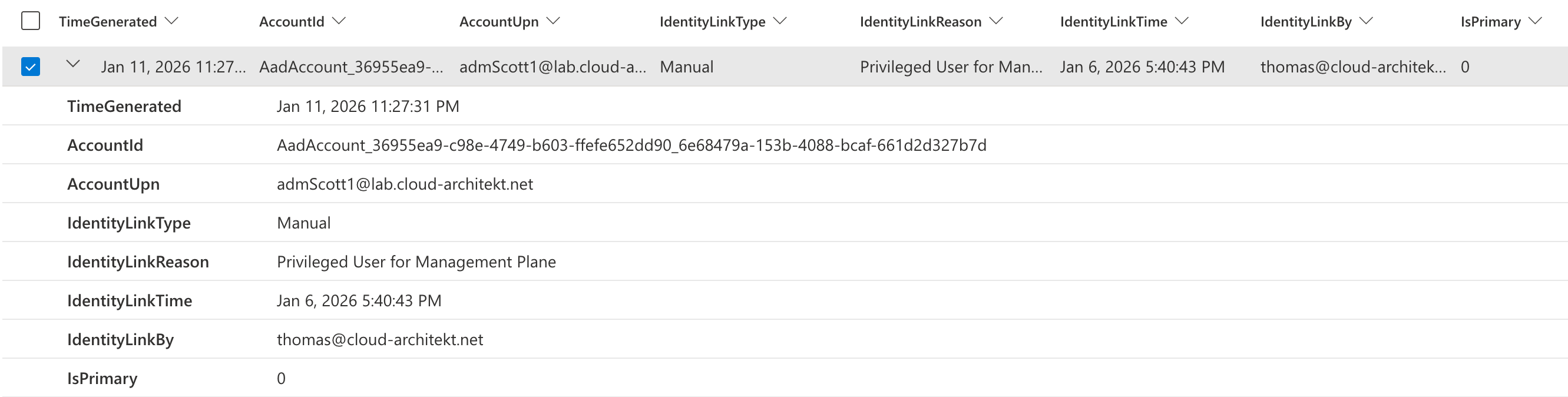
I’ve used this feature for one scenario that (should be) applicable for every organization. Linking everyday user accounts and privileged admin accounts to the same person makes it clear who actually owns and operates from these isolated and separated accounts.
Integration use cases
🔐 EntraOps Privileged EAM
This community project, which I created for classification and automation of the #EnterpriseAccessModel, now supports linked identities in addition to identity correlation through custom security attributes. In the past, it was necessary to maintain Custom Security Attributes to create a relation to the associated primary account.
The workbook allows you to filter by a work account and view all associated or linked privileged accounts.
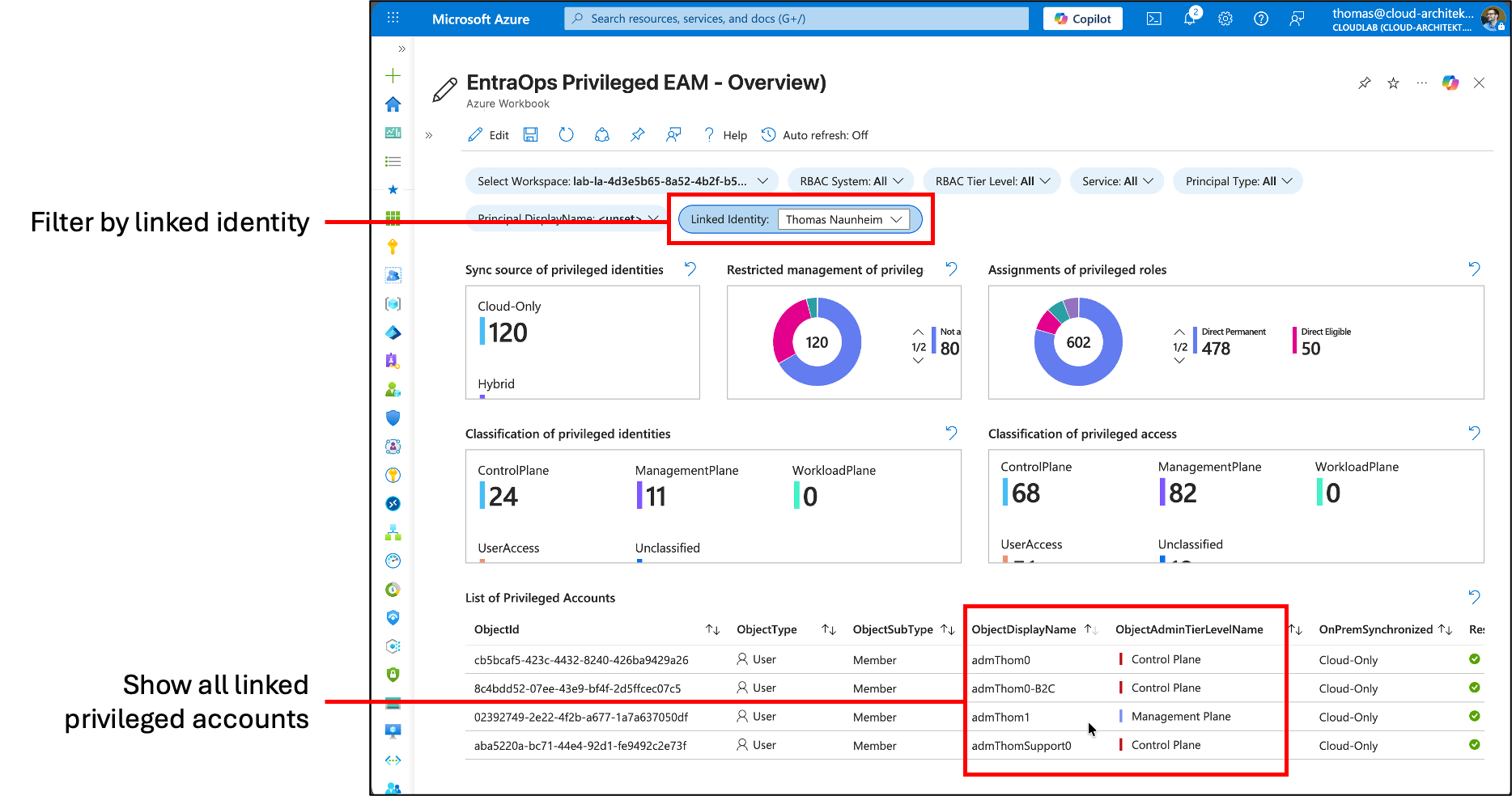
You’ll find the latest version of EntraOps and details about the project on www.entraops.com.
🔍 UnifiedIdentityInfoXdr
I’ve published a KQL function which creates a summary of all users and workload identities to a unified schema including details about their privileges. The results also show an enrichment to my EntraOps classification model to estimate the privilege access level of their permissions but also information from the related Critical Asset in Microsoft Exposure Management.
Now, this query also includes the relation between the privileged and work account.
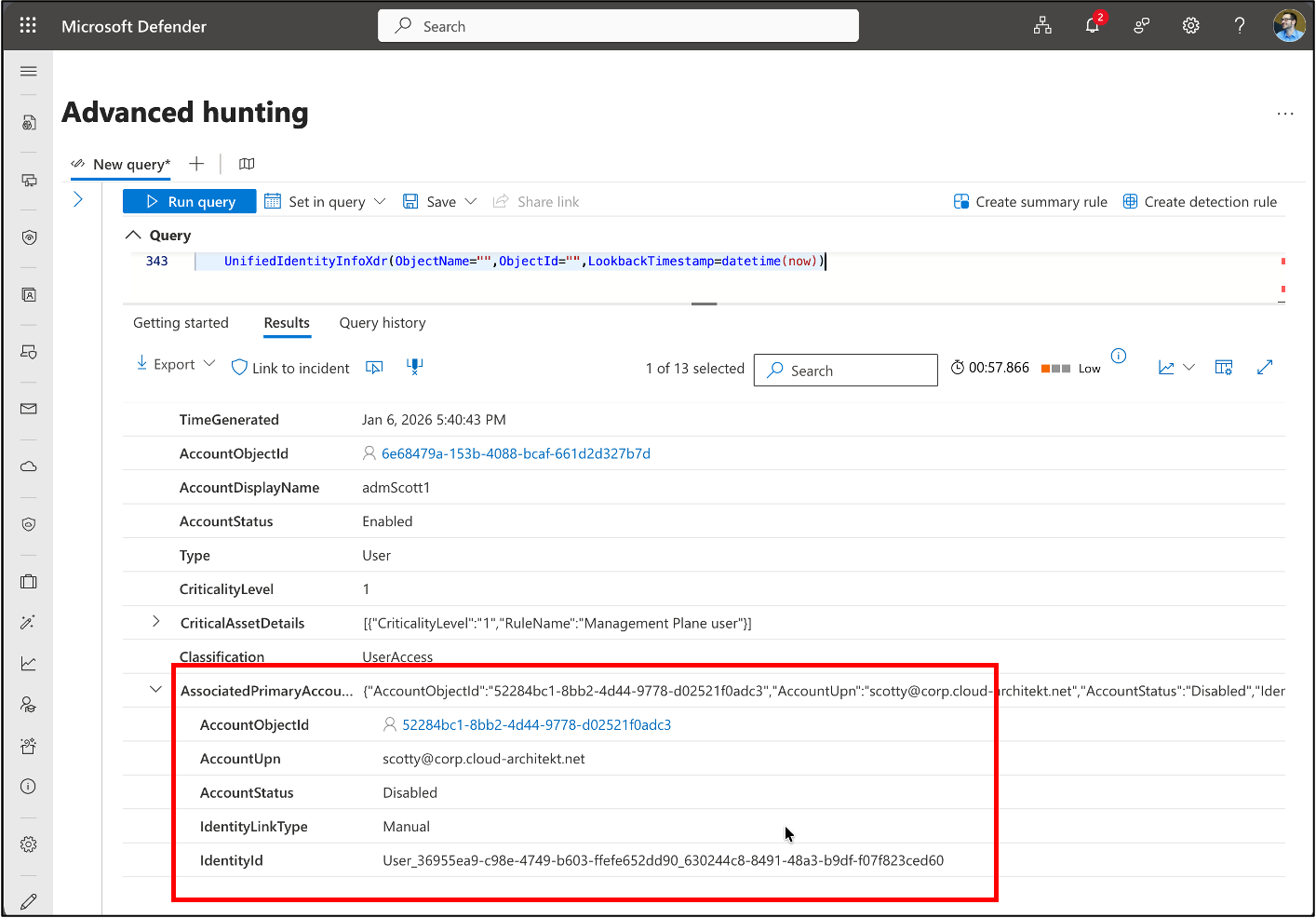
The KQL function is available from here: https://github.com/Cloud-Architekt/AzureSentinel/blob/main/Functions/UnifiedIdentityInfoXdr.yaml
🔥 Maester
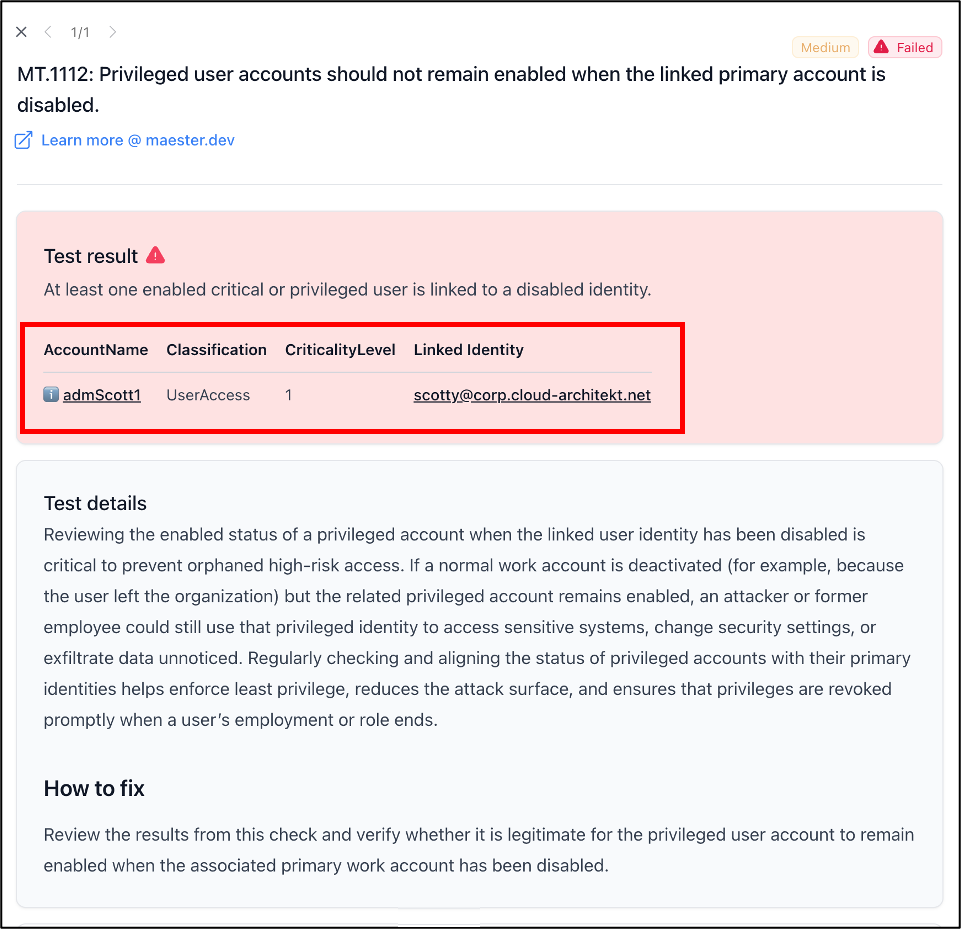
Maester has become quite popular as a test automation framework and already offers some checks for privileged accounts. I’ve added two new checks that take advantage of linked identities:
- MT.1111: High privileged user should be linked to an identity Tests if privileged users with assigned privileged Entra ID roles (with EntraOps classification of Control Plane or Microsoft “isPrivileged” flag) are linked to an identity.
-
MT.1112: Privileged user accounts should not remain enabled when the linked primary account is disabled Tests if enabled privileged users with assigned privileged Entra ID roles (defined by EntraOps Classification of Control or Management Plane) or criticality level (<= 1) in Exposure Management are linked to a disabled identity in Microsoft Defender XDR.
More details about Maester are available from here: www.maester.dev